This is the multi-page printable view of this section. Click here to print.
Documentation
- 1: Overview
- 2: Getting Started
- 2.1: First time users
- 2.2: Apache Installation
- 2.3: Docker Installation
- 2.4: Nginx Installation
- 2.5: Customize Installation
- 2.6: Upgrade OpenDataBio
- 2.7: Administrator configuration
- 2.8: Backup and restore
- 3: API services
- 3.1: Quick reference
- 3.2: GET data
- 3.3: Post data
- 3.4: Put data
- 4: User guides
- 4.1: Discover and map data
- 4.2: Data import workflow
- 4.3: Plan a spreadsheet import with an AI assistant
- 4.4: Organize and publish datasets
- 4.5: Import phylogenies into the backbone
- 4.6: Define Traits and record Measurements
- 4.7: Curate shared libraries
- 4.8: Trait governance and curation
- 4.9: Vouchers, labels, and requests
- 4.10: Tutorials
- 5: Concepts
- 5.1: Core Objects
- 5.2: Trait Objects
- 5.3: Data Access Objects
- 5.4: Auxiliary Objects
- 6: Contribution Guidelines
- 7: Tutorials
- 7.1: Getting data with OpenDataBio-R
- 7.2: Import data with R
- 7.2.1: Import Locations
- 7.2.2: Import BibReferences
- 7.2.3: Import Vernacular
- 7.2.4: Import Media
- 7.2.5: Import Taxons
- 7.2.6: Import Persons
- 7.2.7: Import Traits
- 7.2.8: Import Individuals & Vouchers
- 7.2.9: Import Measurements
1 - Overview
OpenDataBio is an open-source, web-based platform that helps researchers and organizations collect, relate, curate, publish and serve biodiversity data. It supports the connected data types used in ecological and taxonomic research and provides documented, versioned data for discovery, download and programmatic reuse.
What you can do
Discover, filter, and map data
Search connected biodiversity records in lists, Data Explorer, and Map Explorer; then export them through the interface, API, or R. Results always respect the current user’s permissions. See Discover and map data.
Register connected biodiversity data
Manage spatial Locations, published and unpublished Taxons, observed Individuals, deposited Vouchers, Media, custom Traits, and Measurements. Shared People, References, Locations, Taxons, and Traits reduce duplication across projects and require coordinated curation.
Organize access and collaboration
Datasets control record access and group administrators, collaborators, and viewers. Projects group Datasets and users. Managed Biocollections additionally control editing of deposited Vouchers and Individuals and process deposits and material loans.
Publish citable versions
Create fixed Dataset versions with UUID, authorship, license, citation, metadata, and persistent archives. A version is a snapshot; the managed Dataset may continue changing. See Datasets and publication.
Work with taxonomy and identifications
Validate Taxons against external nomenclatural sources, preserve Individual identification history, and review proposed changes. Experimental phylogeny imports are currently intended only as candidates for incorporation into the taxonomic backbone, subject to administrative review.
Automate imports and exports
The REST API and OpenDataBio-R support reproducible workflows. Long operations run as UserJobs with progress, logs, and per-row results. Follow the staged Data import workflow.
For installation administrators
Administrators install and upgrade the application, configure workers and services, promote users, maintain shared libraries, manage backups including published archives, and review global operations. Installation steps belong in Getting started; existing installations should follow the upgrade notes.
2 - Getting Started
OpenDataBio is a web-based software supported in Debian, Ubuntu and Arch-Linux distributions of Linux and may be implemented in any Linux based machine. We have no plans for Windows support, but it may be easy to install on a Windows machine using Docker.
OpenDataBio is written in PHP and developed with the Laravel framework. It requires a web server (Apache or nginx), PHP and a SQL database – tested only with MySQL and MariaDB.
You may install OpenDataBio easily using the Docker files included in the distribution. The repository now includes a docker/prod profile and docker-compose.prod.yml so Docker can also be used for production deployments (with server-specific tuning and secrets management).
If you just want to test OpenDataBio locally, follow the Docker Installation.
Next steps
- Apache Installation
- Nginx Installation
- Docker Installation
- Upgrade OpenDataBio
- Administrator configuration
- Backup and restore
Prep for installation
- You may want to request a Tropicos.org API key for OpenDataBio to be able to retrieve taxonomic data from the Tropicos.org database. If not provided, mainly the GBIF nomenclatural service will be used;
- Decide how Pl@ntNet image identification will be authorized. A Pl@ntNet developer API key in
PLANTNET_API_KEYprovides a quota shared by the installation. Alternatively, leave the server key empty, enable personal keys, and require users to add their own key in their profile. WithPLANTNET_ALLOW_USER_KEYS=true, personal keys always take precedence;PLANTNET_SERVER_FALLBACKcontrols whether users without one may use the server key. See Administrator configuration. - OpenDataBio sends email for completed Jobs, dataset requests and password recovery. Configure a dedicated SMTP account or transactional email provider and store its credentials only in
.env. Google no longer supports “Less secure app access”; when Gmail SMTP is appropriate, use an account with two-step verification and an app password, subject to your organization’s policy. Seeconfig/mail.phpand.env.examplefor the supported settings.
2.1 - First time users
OpenDataBio is software to be used online. Local installations are for testing or development, although it could be used for a single-user production localhost environment.
Choose your starting point
- To browse public data, no account is required.
- A registered user can access content released to registered users but cannot contribute records.
- A full user can create and import data and participate in Datasets, Projects, and Biocollections.
- A full user designated as a Trait curator maintains the installation-wide public Trait library; this ability is independent of Dataset roles.
- Installation super administrators manage global configuration and access.
User roles
Attention
If you have registered you need someone to assign you a full user role, so you can enter data.- If you are installing, the first login to an OpenDataBio installation must be done with the default super-admin user:
admin@example.organdpassword1. These settings should be changed or the installation will be open to anyone reading the docs; - Self-registrations only grant access to datasets with privacy set to
registered usersand allows user do download data of open-access, but do not allow the user to edit nor add data; - Only full users can contribute with data.
- A super administrator can promote registered users. A full user explicitly authorized to manage access may also promote registered users to full users and reverse that promotion. Delegated managers cannot alter super administrators, other access managers, or delegate their own permission.
See also User Model.
Trait curator
A super administrator may grant the Trait curator ability to a full user. Curators review duplicate suggestions, scan and consolidate the public Trait library, record non-duplicate decisions, and archive or restore eligible Traits. Ordinary full users can inspect an individual Trait and suggest a duplicate but cannot execute a merge. See Trait governance and curation.
Prep your full-user account
- Register yourself as Person and assign it as your user default person, creating a link between your user and yourself as collector.
- You need at least a dataset to enter your own data
- When becoming a full-user, a restricted-access Dataset and Project will be automatically created for you (your Workspaces). You may modify these entities to fit your personal needs.
- You may create as many Projects and Datasets as needed. So, understand how they work and which data they control access to.
Entering data
There three main ways to import data into OpenDataBio:
- One by one through the web Interface
- Using the OpenDataBio POST API services:
- importing from a spreadsheet file (CSV, XLSX or ODS) using the web interface
- using the OpenDataBio R package client
- When using the OpenDataBio API services you must prep your data or file to import according to the field options of the POST verb for the specific ’endpoint’ your are trying to import.
R Tutorials
See the Import data with R Tutorial for examples on how to import data with API.Follow the Data import workflow to prepare dependencies, validate coordinates, reconcile UserJob results, and preserve IDs.
Tips for entering data
- If first time entering data, you should use the web interface and create at least one record for each model needed to fit your needs. Then play with the privacy settings of your Workspace Dataset, and check whether you can access the data when logged in and when not logged in.
- Use Dataset for a self-contained set of data that should be distributed as a group. Datasets are dynamic publications, have author, data, and title.
- Although ODB attempt to minimize redundancy, giving users flexibility comes with a cost, and some definitions, like that of Traits or Persons may receive duplicated entries. So, care must be taken when creating such records. Administrators may create a ‘code of conduct’ for the users of an ODB installation to minimize such redundancy.
- Follow an order for importation of new data, starting from the libraries of common use. For example, you should first register Locations, Taxons, Persons, Traits and any other common library before importing Individuals or Measurements
- There is no need to import POINT locations before importing Individuals because ODB creates the location for you when you inform latitude and longitude, and will detect for you to which parent location your individual belongs to. However, if you want to validate your points (understand where such point location will placed), you may use the Location API with
querytypeparameter specified for this. - There are different ways to create PLOT and TRANSECT locations - see here Locations if that is your case
- Creating Taxons require only the specification of a
name- ODB will search nomenclature services for you, find the name, metadata and parents and import all of the them if needed. If you are importing published names, just inform this single attribute. Else, if the name is unpublished, you need to inform additional fields. So, separate the batch importation of published and unpublished names into two sets. - The
notesfield of any model is for both plain text or JSON object string formatted data. The Json option allows you to store custom structured data any model having thenotes field. You may, for example, store as notes some secondary fields from original sources when importing data, but may store any additional data that is not provided by the ODB database structure. Such data will not be validate by ODB and standardization of both tags and values depends on you. Json notes will be imported and exported as a JSON string, and will be presented in the interface as a formatted table; URLs in your Json will be presented as links.
Before a large batch, import representative pilot rows, follow the UserJob, review row-level warnings and errors, retrieve affected IDs, GET the records, and only then proceed to dependent objects.
2.2 - Apache Installation
These instructions are for an apache-based installation. For nginx, use Nginx Installation.
Server requirements
- The supported PHP version >= 8.2 (8.3 recommended)
- Web server: apache for this guide. For nginx, use Nginx Installation.
- It requires a SQL database, MySQL and MariaDB have been tested, but may also work with Postgres. Tested with MySQL 8.0 and MariaDB 10.6+.
- PHP extensions required:
openssl,pdo,pdo_mysql,mbstring,tokenizer,xml,dom,gd,exif,bcmath,zip,curl,redis. - Redis Server is required for queues and cache.
- Tectonic is used for LaTeX/PDF label generation.
- Pandoc is used to translate LaTeX code used in bibliographic references. It is not necessary for installation, but suggested for a better user experience.
- Requires Supervisor, which is needed background jobs
- Node.js 22 with npm is required to build the frontend during installation and upgrades.
Create Dedicated User
The recommended way to install OpenDataBio for production is using a dedicated system user. In this instructions this user is odbserver.
Download OpenDataBio
Login as your Dedicated User and download or clone this software to where you want to install it.
Here we assume this is /home/odbserver/opendatabio so that the installation files will reside in this directory. If this is not your path, change below whenever it applies.
Download OpenDataBio
Prep the Server
First, install the prerequisite software: Apache, MySQL, PHP, Redis, Tectonic, Pandoc and Supervisor. On a Debian system, you need to install some PHP extensions as well and enable them:
sudo apt-get install software-properties-common
sudo add-apt-repository ppa:ondrej/php
sudo add-apt-repository ppa:ondrej/apache2

sudo apt-get install mysql-server redis-server tectonic php8.3 libapache2-mod-php8.3 php8.3-intl \
 php8.3-mysql php8.3-sqlite3 php8.3-gd php8.3-cli pandoc \
 php8.3-mbstring php8.3-xml php8.3-bcmath php8.3-zip php8.3-curl php8.3-redis \
 supervisor

sudo a2enmod php8.3
sudo phpenmod mbstring
sudo phpenmod xml
sudo phpenmod dom
sudo phpenmod gd
sudo a2enmod rewrite
sudo a2enmod alias
sudo a2enmod headers
sudo systemctl restart apache2.service


#To check if they are installed:
php -m | grep -E 'mbstring|cli|xml|gd|mysql|redis|bcmath|pcntl|zip'
tectonic --version
redis-server --version
Add a dedicated virtual host to your Apache configuration.
- Change
/home/odbserver/opendatabioto your path (the files must be accessible by apache) - Create
/etc/apache2/sites-available/opendatabio.confwith the following content. - This example installs the application under
/opendatabio. Replacelocalhostwith the real host name in a public deployment.
<VirtualHost *:80>
    ServerName localhost
    ServerAdmin webmaster@localhost
    DocumentRoot /var/www/html

    RedirectMatch 302 ^/$ /opendatabio/
    RedirectMatch 301 ^/opendatabio$ /opendatabio/

    Alias /opendatabio/ "/home/odbserver/opendatabio/public/"

    <Directory "/home/odbserver/opendatabio/public">
        Options FollowSymLinks
        AllowOverride All
        Require all granted
        DirectoryIndex index.php
    </Directory>

    ErrorLog ${APACHE_LOG_DIR}/opendatabio-error.log
    CustomLog ${APACHE_LOG_DIR}/opendatabio-access.log combined
</VirtualHost>
The main alias serves all public assets, including build, images, fonts, and Livewire assets. Separate aliases for those directories are not required.
echo 'ServerName localhost' | sudo tee /etc/apache2/conf-available/servername.conf
sudo a2enconf servername
sudo a2enmod alias rewrite headers php8.3
sudo a2dissite 000-default
sudo a2ensite opendatabio
sudo apache2ctl configtest
sudo systemctl reload apache2
Do not reload Apache unless apache2ctl configtest reports Syntax OK.
Content Security Policy (CSP) for Apache
Configure CSP at the web server layer (not in Laravel files). Apply it first in report-only mode, inspect logs, then switch to enforced mode.
For nginx standalone installs, use Nginx Installation.
Apache: where to put it
- Enable required module:
sudo a2enmod headers
sudo systemctl restart apache2
- Edit your active vhost file (example):
sudo nano /etc/apache2/sites-available/opendatabio.conf
- Inside the correct
<VirtualHost ...>block (HTTP and/or HTTPS), add the header as a single directive:
Header always set Content-Security-Policy-Report-Only "default-src 'self'; base-uri 'self'; form-action 'self'; frame-ancestors 'self'; object-src 'none'; script-src 'self' 'unsafe-eval' 'unsafe-inline'; style-src 'self' 'unsafe-inline'; img-src 'self' data: blob: https://server.arcgisonline.com https://*.tile.openstreetmap.org; font-src 'self' data:; connect-src 'self'; media-src 'self' blob:; worker-src 'self' blob:;"
- Reload Apache:
sudo apachectl configtest
sudo systemctl reload apache2
Subpath installs (/opendatabio)
If your installation runs under a subpath (for example http://localhost/opendatabio), set in .env:
APP_URL=http://localhost/opendatabio
ASSET_URL=http://localhost/opendatabio
Then rebuild all generated assets:
sh scripts/build-assets.sh
php artisan optimize:clear
Notes
https://server.arcgisonline.comandhttps://*.tile.openstreetmap.orgare needed for map tiles.unsafe-inline/unsafe-evalare temporary compatibility flags; remove after hardening templates/assets.- Keep
Report-Onlywhile tuning policy in production.
Configure your php.ini files. With libapache2-mod-php8.3, the relevant files are /etc/php/8.3/cli/php.ini and /etc/php/8.3/apache2/php.ini. An FPM installation uses /etc/php/8.3/fpm/php.ini instead.
For 200 MiB media and 1 GiB ZIPs, configure the website PHP:
upload_max_filesize = 1024M
post_max_size = 1100M
max_input_time = 1800
Add this directive to the application VirtualHost:
LimitRequestBody 1153433600
php --ini identifies CLI configuration only. Check the effective Apache or FPM
configuration too. Keep allow_url_fopen=1; 512M is a starting point for
memory_limit, subject to image dimensions and concurrency. After changing
PHP/Apache settings, run sudo apache2ctl configtest and restart Apache; when
using FPM, reload the corresponding PHP-FPM service too.
See Administrator configuration
for matching .env limits and verification.
Mysql Charset and Collation
- You should add the following to your configuration file (mariadb.cnf or my.cnf), i.e. the Charset and Collation you choose for your installation must match that in the ‘config/database.php’
[mysqld]
character-set-client-handshake = FALSE  #without this, there is no effect of the init_connect
collation-server      = utf8mb4_unicode_ci
init-connect          = "SET NAMES utf8mb4 COLLATE utf8mb4_unicode_ci"
character-set-server  = utf8mb4
log-bin-trust-function-creators = 1
sort_buffer_size = 256M  #large enough for geometry sort operations; do not use multi-gigabyte global values
max_allowed_packet=100M

# MariaDB only:
[mariadb]
innodb_log_file_size=300M
- If using MariaDB and you still have problems of type #1267 Illegal mix of collations, then check here on how to fix that,
Configure supervisord
Configure Supervisor, which is required for jobs. Create a file name opendatabio-worker.conf in the Supervisor configuration folder /etc/supervisor/conf.d/opendatabio-worker.conf with the following content:
touch /etc/supervisor/conf.d/opendatabio-worker.conf
echo ";--------------
[program:opendatabio-worker]
process_name=%(program_name)s_%(process_num)02d
command=php /home/odbserver/opendatabio/artisan queue:work --sleep=3 --tries=1 --timeout=0 --memory=512
autostart=true
autorestart=true
user=odbserver
numprocs=8
redirect_stderr=true
stdout_logfile=/home/odbserver/opendatabio/storage/logs/supervisor.log
;--------------" > /etc/supervisor/conf.d/opendatabio-worker.conf
Folder permissions
Security
Folder and file permissions are important for securing a public server installation. If you don’t set them correctly, your site may be at risk.- Folders
storageandbootstrap/cachemust be writable by the Server user (usuallywww-data). Use group write permission (0775) rather than making them world-writable. - Config
.envfile requires0640permission. - This link has different ways to set up permissions for files and folders of a Laravel application. Below the preferred method:
cd /home/odbserver

#give write permissions to odbserver user and the apache user
sudo chown -R odbserver:www-data opendatabio
sudo find ./opendatabio -type f -exec chmod 644 {} \;
sudo find ./opendatabio -type d -exec chmod 755 {} \;

#in these folders the server stores data and files.
#Make sure their permission is correct
cd /home/odbserver/opendatabio
sudo chgrp -R www-data storage bootstrap/cache
sudo chmod -R ug+rwx storage bootstrap/cache
sudo find storage bootstrap/cache -type d -exec chmod g+s {} \;

#make sure media folder has the correct permissions
sudo find ./storage/app/public/media  -type f -exec chmod 664 {} \;
sudo find ./storage/app/public/media  -type d -exec chmod 775 {} \;

#make sure the .env file has 640 permission
sudo chmod 640 ./.env

#verify that Apache can write to Laravel's writable directories
sudo -u www-data test -w storage
sudo -u www-data test -w bootstrap/cache
Install OpenDataBio
- Many Linux distributions (most notably Ubuntu and Debian) have different php.ini files for the command line interface and the Apache plugin. It is recommended to use the configuration file for Apache when running the install script, so it will be able to correctly point out missing extensions or configurations. To do so, find the correct path to the .ini file, and export it before using the
php installcommand.
For example,
export PHPRC=/etc/php/8.3/apache2/php.ini
The installation script will download the Composer dependency manager and all required PHP libraries listed in the
composer.jsonfile. However, if your server is behind a proxy, you should install and configure Composer independently. We have implemented PROXY configuration, but we are not using it anymore and have not tested properly (if you require adjustments, place an issue on GitLab).The script will prompt you configurations options, which are stored in the environment
.envfile in the application root folder.
You may, optionally, configure this file before running the installer:
- Create a
.envfile with the contents of the providedcp .env.example .env - Read the comments in this file and adjust accordingly.
- Make sure
ASSET_URLis correct for your deployment URL/subpath. - Decide whether Pl@ntNet will use a shared
PLANTNET_API_KEY, personal user keys, or both. A server key is optional when personal keys are enabled. See Administrator configuration.
- Run the installer. Select the Apache profile explicitly:
cd /home/odbserver/opendatabio
php install apache
The installer builds the Vite frontend and publishes the Livewire assets
after .env is configured. These generated files are intentionally not
versioned. Node.js 22 and npm must therefore be installed on the server.
- Seed data - the script above will ask if you want to install seed data for Locations and Taxons - seed data is version specific. Check the seed data repository version notes.
Ready to go
If the install script finishes with success, you’re good to go! Point your browser to http://localhost/opendatabio. The database migrations include an administrator account, with loginadmin@example.org and password password1. Change the password after installing.Validate the completed installation:
php artisan migrate:status
php artisan locales:audit
composer check-platform-reqs
sudo supervisorctl status
redis-cli ping
curl -I http://localhost/opendatabio/
curl -I http://localhost/opendatabio/build/manifest.json
Optional assisted translation
User-maintained names and descriptions must contain their essential fields in the primary locale. Other enabled content locales are optional, and any enabled locale containing text may be used as the source of an assisted translation. A translation is always presented for review and is never saved automatically.
Assisted translation is disabled by default. Google Cloud Translation v3 is the only currently supported provider:
USER_TRANSLATION_PROVIDER=google
GOOGLE_CLOUD_PROJECT=your-project-id
GOOGLE_TRANSLATION_LOCATION=global
GOOGLE_APPLICATION_CREDENTIALS=/secure/path/service-account.json
Enable the Cloud Translation API and billing, grant the service account only
the required translation permission, keep its JSON file outside the
repository, and configure billing quotas/alerts. Google currently applies a
monthly free usage credit to the first 500,000 NMT characters; billing is still
required and usage beyond the credit is charged. Check current Google pricing
before enabling the feature. When the server provides Application Default
Credentials, GOOGLE_APPLICATION_CREDENTIALS may remain empty.
After editing .env, verify without sending text, then make one live request:
php artisan optimize:clear
php artisan translations:check --source=en --target=es
php artisan translations:check --source=en --target=es --live
The live command sends the short phrase shown by the command to the selected
provider. Provider failure does not prevent OpenDataBio from operating; leave
USER_TRANSLATION_PROVIDER empty to disable the feature.
Installation issues
There are countless possible ways to install the application, but they may involve more steps and configurations.
- if you browser return 500|SERVER ERROR you should look to the last error in
storage/logs/laravel.log. If you have ERROR: No application encryption key has been specified run:
php artisan key:generate
php artisan config:cache
- If you receive the error “failed to open stream: Connection timed out” while running the installer, this indicates a misconfiguration of your IPv6 routing. The easiest fix is to disable IPv6 routing on the server.
- If you receive errors during the random seeding of the database, you may attempt to remove the database entirely and rebuild it. Of course, do not run this on a production installation.
php artisan migrate:fresh
- You may also replace the Locations and Taxons tables with seed data after a fresh migration using:
php seedodb
Post-install configs
- If your import/export jobs are not being processed, make sure Supervisor is running with
sudo systemctl enable --now supervisor, and checkstorage/logs/supervisor.log. - You can change several configuration variables for the application. The most important of those are probably set
by the installer, and include database configuration and proxy settings, but many more exist in the
.envandconfig/app.phpfiles. In particular, you may want to change the language, timezone and e-mail settings. Runphp artisan config:cacheafter updating the config files. - In order to stop search engine crawlers from indexing your database, add the following to your “robots.txt” in your server root folder (in Debian, /var/www/html):
User-agent: *
Disallow: /
Updating an existing Apache installation
Before updating, back up your database, .env, and storage/app/public/media.
Before running commands, review config diffs for the target version:
- Compare
.envwith.env.example(includingASSET_URL) - Check PHP settings (
php.iniin CLI and FPM/Apache) - Check Supervisor worker settings
- Put the application in maintenance mode:
cd /home/odbserver/opendatabio
php artisan down
- Update source code to the target version:
git fetch --tags
git checkout <target-tag-or-branch>
- Update dependencies and apply database migrations:
composer install --no-dev --optimize-autoloader
php artisan migrate:status
php artisan migrate --force
- Rebuild frontend and Livewire assets after
.envupdates:
sh scripts/build-assets.sh
- Refresh caches and restart queue workers:
php artisan optimize:clear
php artisan config:cache
php artisan queue:restart
echo "" > storage/logs/laravel.log
- Bring the application back online:
php artisan up
If the target version includes new environment variables (compare yours with the contents of .env.example), add them to .env before running asset/cache commands.
Storage & Backups
You may change storage configurations in config/filesystem.php, where you may define cloud based storage, which may be needed if have many users submitting media files, requiring lots of drive space.
- Data downloads are queue as jobs and a file is written in a temporary folder, and the file is deleted when the job is deleted by the user. This folder is defined as the
download diskin filesystem.php config file, which point tostorage/app/public/downloads. UserJobs web interface difficult navigation will force users to delete old jobs, but a cron cleaning job may be advisable to implement in your installation; - Media files are by default stored in the
media disk, which place files in folderstorage/app/public/media; - For regular configuration create both directories
storage/app/public/downloadsandstorage/app/public/mediawith writable permissions by the Server user, see below topic; - Remember to include media folder in a backup plan;
Use the supported database snapshot and incremental storage workflow described in Backup and restore.
Scheduler and private import storage
Alongside Supervisor workers, configure the scheduler in the application user’s
crontab (odbserver in this example), once per minute:
* * * * * cd /home/odbserver/opendatabio && php artisan schedule:run >> storage/logs/scheduler.log 2>&1
It recovers pending queue deliveries and cleans expired temporary files.
Apache, workers and scheduler must be able to read, write and remove files under
storage/app/imports. When they use different users, share a group:
cd /home/odbserver/opendatabio
sudo usermod -aG www-data odbserver
sudo mkdir -p storage/app/imports
sudo chgrp -R www-data storage/app/imports
sudo find storage/app/imports -type d -exec chmod 2770 {} +
sudo find storage/app/imports -type f -exec chmod 0660 {} +
Adapt the user and group to the server. Restart worker processes after changing
user groups; queue:restart alone may not refresh groups inherited from an
already-running Supervisor. Verify effective access for both users. The setgid
bit (2) preserves the group on new directories; the application’s private disk
uses group permissions for new files. Keep this directory outside public,
without an HTTP alias or public symlink, and do not use 777.
2.3 - Docker Installation
The easiest way to install and run OpenDataBio is using Docker and the docker configuration files provided, which contain the required configuration to run OpenDataBio. It uses nginx, MySQL, and Supervisor for queues
Choose a profile
OpenDataBio provides two Compose profiles:
docker-compose.yml: development and local testing, with source bind mounts, phpMyAdmin, and ports8081/8082.docker-compose.prod.yml: production-oriented, immutable application images, no source bind mounts or phpMyAdmin, a dedicated database user, healthchecks, and named volumes.
The Makefile does not ask which profile you want. The target selects it:
make docker-initstarts the development profile and uses.env;make init-prodstarts the production profile and uses.env.production.
For a production installation, or a production-profile test alongside an existing Apache installation, use make init-prod.
.env. Production Docker uses its own .env.production file and requires DB_HOST=mysql and REDIS_HOST=redis.If you accidentally start make docker-init, interrupt it with Ctrl+C and stop only the development Compose project:
docker compose -p odb down
Do not add -v, because that option deletes the selected Docker project’s volumes.
Production installation
1. Prepare the environment
cd opendatabio
cp .env.production.example .env.production
nano .env.production
chmod 600 .env.production
Compose reads .env.production on the host and injects its values into the
application containers. The production image intentionally does not contain a
/var/www/html/.env file; Laravel reads the injected environment variables.
At minimum, replace:
APP_URL=https://data.example.org
ASSET_URL=https://data.example.org
APP_FORCE_HTTPS=true
APP_HTTP_PORT=80

DB_DATABASE=opendatabio
DB_USERNAME=opendatabio
DB_PASSWORD=a-strong-application-password
DB_ROOT_PASSWORD=a-different-strong-root-password
Also decide whether Pl@ntNet will use a server key shared by the installation,
personal keys stored by users, or both. An empty PLANTNET_API_KEY is valid
when PLANTNET_ALLOW_USER_KEYS=true; PLANTNET_SERVER_FALLBACK determines
whether users without a personal key may use the server key. See Administrator
configuration
before starting the containers.
If TLS terminates in an external reverse proxy, keep the application containers on a private HTTP network/port and configure the proxy to forward the original host and protocol.
For a local production-profile test while Apache already uses port 80:
APP_URL=http://localhost:8083
ASSET_URL=http://localhost:8083
APP_FORCE_HTTPS=false
APP_HTTP_PORT=8083
2. Build and initialize
The initialization script:
- generates
APP_KEYonly when it is empty; - builds the frontend once and copies the same generated assets into the self-contained PHP and nginx images;
- waits for MySQL and Redis healthchecks;
- runs migrations;
- configures interface and user-content locales;
- caches Laravel configuration/routes/views;
- starts nginx and queue workers;
- runs the locale audit.
make init-prod
To initialize a new production database and then optionally import the version-compatible reference data for locations and taxons:
make init-prod SEED=1
The seed step is interactive and requires typing PROCEED. It replaces the
current location and taxon reference tables, so use it only for a new
installation or when the version-specific upgrade notes explicitly instruct
you to replace them. To run it later against an initialized production
installation:
make seed-prod
The production seed runs entirely inside the odb-prod containers and does not
read, modify, or remove files from an Apache installation’s local storage/.
The default locale selection is:
interface: en,es,pt-br
user-entered content: pt-br
Override it for the initialization command when required:
ODB_INTERFACE_LOCALES=en,es,pt-br \
ODB_CONTENT_LOCALES=pt-br,en \
make init-prod
ODB_CONTENT_LOCALES initializes the content locale selection. The primary
locale is always enabled and essential translated fields remain required in
that locale; translations in other enabled locales are optional.
Assisted translation is disabled by default. To enable the only currently
supported provider, configure Google Cloud Translation v3 before
make init-prod. Google currently applies a monthly free usage credit to the
first 500,000 NMT characters, but billing is required and excess usage is
charged. Configure API quotas and billing alerts and verify current pricing.
mkdir -p docker-secrets
cp /secure/source/google-translation.json docker-secrets/
chmod 700 docker-secrets
chmod 600 docker-secrets/google-translation.json
USER_TRANSLATION_PROVIDER=google
GOOGLE_CLOUD_PROJECT=your-project-id
GOOGLE_TRANSLATION_LOCATION=global
GOOGLE_APPLICATION_CREDENTIALS=/run/secrets/google-translation.json
The ignored docker-secrets directory is mounted read-only at /run/secrets
inside both Laravel and queue containers. Never add its files to the image or
repository.
Test the selected provider:
docker compose --env-file .env.production -p odb-prod -f docker-compose.prod.yml exec -T -u www-data laravel php artisan translations:check --source=en --target=es
docker compose --env-file .env.production -p odb-prod -f docker-compose.prod.yml exec -T -u www-data laravel php artisan translations:check --source=en --target=es --live
Do not regenerate APP_KEY after data has been stored.
3. Validate production
docker compose --env-file .env.production -p odb-prod -f docker-compose.prod.yml ps
docker compose --env-file .env.production -p odb-prod -f docker-compose.prod.yml exec -T redis redis-cli ping
docker compose --env-file .env.production -p odb-prod -f docker-compose.prod.yml exec -T -u www-data laravel php artisan migrate:status
docker compose --env-file .env.production -p odb-prod -f docker-compose.prod.yml exec -T -u www-data laravel php artisan locales:audit
curl -I "${APP_URL:-http://localhost:8083}/"
Inspect logs:
docker compose --env-file .env.production -p odb-prod -f docker-compose.prod.yml logs --tail=200 nginx
docker compose --env-file .env.production -p odb-prod -f docker-compose.prod.yml logs --tail=200 laravel
docker compose --env-file .env.production -p odb-prod -f docker-compose.prod.yml logs --tail=200 supervisord
docker compose --env-file .env.production -p odb-prod -f docker-compose.prod.yml logs --tail=200 mysql
CSP is initially sent as Content-Security-Policy-Report-Only. Test the complete UI and review browser reports before enforcing it in docker/prod/nginx.conf.
Development quick start
This section is only for a development checkout. Do not follow it in the same checkout that currently serves an Apache installation: the development profile uses .env, bind-mounts the source tree, and may write to local application directories.
Prerequisites:
- Docker with the Compose v2 plugin (
docker compose). - Linux/macOS: a user allowed to access the Docker socket, or use a rootless Docker installation.
- Windows: Docker Desktop with WSL2/Hyper-V.
makefor the short commands below.- Node.js 22 and npm on the host. The development source bind mount replaces
the image’s application tree, so
make docker-initbuilds the unversioned frontend and Livewire assets in the checkout.
Preserve any non-Docker environment file first:
cp .env .env.backup.apache
cp .env.docker .env
make docker-init
For a new development database, import the optional location and taxon reference data after initialization:
make seed-odb
Alternatively, run both steps with make docker-init SEED=1. The seed replaces
the current location and taxon reference tables and asks for explicit
confirmation.
The development application is available at http://localhost:8081 and phpMyAdmin at http://localhost:8082.
Default login:
user: admin@example.org
password: password1
Change the password after installation.
The initialization command is for a new installation. It does not overwrite an existing APP_KEY, but migrations and seed operations must still be treated as database changes.
Make commands
Build and database
make docker-init- copy.env.dockerif.envis absent, build/start containers, install dependencies, generate a missing key, migrate, and create the storage linkmake build- build containersmake key-generate- generate an app key only if one does not already existmake composer-install- install PHP dependenciesmake composer-update- update php dependenciesmake composer-dump-autoload- execute composer dump-autoload within containermake migrate- create or update the databasemake drop-migrate- delete and recreate the databasemake seed-odb- seed the database with locations and taxonsmake seed-prod- seed a production Docker database without touching host storagemake init-prod- build and initialize the production profilemake start-prod/make stop-prod- start or stop the production profile
Container access
make start- start all containersmake stop- stop all containersmake restart- restart all containersmake ssh- enter the main laravel app containermake ssh-mysql- enter the mysql container, so you may the log to the database usingmysql -uUSER -pPWDmake mysql- enter the docker mysql consolemake ssh-nginx- enter the nginx containermake ssh-supervisord- enter the supervisord container
Maintenance commands
make optimize- clean caches and log filesmake info- show app infomake logs- show laravel logsmake logs-mysql- show mysql logsmake logs-nginx- show nginx logsmake logs-supervisord- show supervisor logs
Data persistence and clean resets
MySQL, Redis, and production media use named volumes. Rebuilding an image does not delete these volumes.
docker volume ls
To reset only a development test project, including its database:
docker compose -p odb down -v --remove-orphans
For the production profile:
docker compose --env-file .env.production -p odb-prod -f docker-compose.prod.yml down -v --remove-orphans
-v option permanently deletes the database, Redis, and production storage volumes for that Compose project. Back them up first. Do not use docker system prune -a as an application reset command; it is not scoped to OpenDataBio.Updating an existing Docker installation
Before updating, follow Backup and restore
to back up the database, media, and persistent dataset versions. For new
production deployments, that page also explains how ODB_STORAGE_SOURCE can
expose storage as a host bind mount for efficient incremental rsync backups.
Before running commands, review config diffs for the target version:
- Compare
.env.productionwith.env.production.example(includingAPP_URLandASSET_URL) - Check PHP settings from the target profile (
docker/prod/php.inior your custom PHP config) - Check Supervisor settings (
docker/general/supervisord.confor your deployment equivalent)
- Update source code to the target version:
cd opendatabio
git fetch --tags
git checkout <target-tag-or-branch>
- Build the new immutable images:
make build-prod
- Put the existing application in maintenance mode and run migrations with the new PHP image:
docker compose --env-file .env.production -p odb-prod -f docker-compose.prod.yml exec -T -u www-data laravel php artisan down
docker compose --env-file .env.production -p odb-prod -f docker-compose.prod.yml up -d mysql redis laravel
docker compose --env-file .env.production -p odb-prod -f docker-compose.prod.yml exec -T -u www-data laravel php artisan migrate --force
- Refresh Laravel caches and replace the web/worker containers:
docker compose --env-file .env.production -p odb-prod -f docker-compose.prod.yml exec -T -u www-data laravel php artisan optimize
docker compose --env-file .env.production -p odb-prod -f docker-compose.prod.yml up -d --force-recreate nginx supervisord scheduler
- Return the application to service and validate:
docker compose --env-file .env.production -p odb-prod -f docker-compose.prod.yml exec -T -u www-data laravel php artisan up
docker compose --env-file .env.production -p odb-prod -f docker-compose.prod.yml exec -T -u www-data laravel php artisan locales:audit
docker compose --env-file .env.production -p odb-prod -f docker-compose.prod.yml ps
Composer dependencies and frontend assets are built into the production images; do not run composer update or npm run build interactively inside production containers. If the new version introduces .env.production keys, add them before building/recreating containers.
Media imports: limits, volumes and scheduler
Both profiles include scheduler, running php artisan schedule:work. Keep it
active alongside workers for delivery recovery and temporary-file cleanup.
Production mounts the private odbimports volume at
/var/www/html/storage/app/imports in the application, workers and scheduler;
Nginx does not expose it. Development shares this path through the project bind
mount. Preserve this storage across restarts to support resuming imports.
Distributed installations must share these files and the Redis lock store
between all participating processes.
See Administrator configuration
for variables and limits. PHP and Nginx configuration are built into images:
changes to docker/prod/php.ini, docker/dev/php.ini or Nginx configuration
require rebuilding affected images and recreating containers. A restart alone
does not pick up image changes or Compose environment changes.
After editing the active environment file, recreate application, worker and
scheduler services and rebuild Laravel configuration cache in the updated
environment. Recreate Nginx when its image/configuration changes. Do not remove
volumes to apply settings. If an external proxy is present, configure its upload
limit and trusted proxies as explained in the Nginx installation guide.
2.4 - Nginx Installation
These instructions are for an nginx-based installation. If you prefer Apache, use the Apache installation page.
Server requirements
- Supported PHP version >= 8.2 (8.3 recommended).
- Web server: nginx.
- SQL database: MySQL or MariaDB (tested with MySQL 8.0 and MariaDB 10.6+).
- Required PHP extensions:
openssl,pdo,pdo_mysql,mbstring,tokenizer,xml,dom,gd,exif,bcmath,zip,curl,redis. - Redis for queues/cache.
- Tectonic for label PDF generation.
- Pandoc for bibliographic rendering (recommended).
- Supervisor for background jobs.
Prepare the server
The example below uses Ubuntu/Debian packages and PHP 8.3. Install nginx, PHP-FPM and the same application services and extensions required by the Apache installation:
sudo apt-get install software-properties-common
sudo add-apt-repository ppa:ondrej/php
sudo apt-get update
sudo apt-get install nginx mysql-server redis-server tectonic pandoc supervisor \
 php8.3-fpm php8.3-cli php8.3-intl php8.3-mysql php8.3-sqlite3 php8.3-gd \
 php8.3-mbstring php8.3-xml php8.3-bcmath php8.3-zip php8.3-curl php8.3-redis

sudo systemctl enable --now nginx php8.3-fpm redis-server supervisor

php -m | grep -E 'mbstring|xml|gd|mysql|redis|bcmath|pcntl|zip'
systemctl status php8.3-fpm --no-pager
Follow the dedicated-user, download, MySQL, Supervisor and permissions sections
of the Apache installation.
For nginx, configure both /etc/php/8.3/cli/php.ini and
/etc/php/8.3/fpm/php.ini, then restart php8.3-fpm.
Nginx site config
Create your site config file (example):
sudo nano /etc/nginx/sites-available/opendatabio
Use this base server block (adjust paths/domain):
server {
    listen 80;
    server_name your-domain.example;

    root /home/odbserver/opendatabio/public;
    index index.php index.html;

    charset utf-8;
    client_max_body_size 1100M;

    add_header X-Frame-Options "SAMEORIGIN" always;
    add_header X-Content-Type-Options "nosniff" always;

    location / {
        try_files $uri $uri/ /index.php?$query_string;
    }

    location ~ \.php$ {
        try_files $uri =404;
        fastcgi_split_path_info ^(.+\.php)(/.+)$;
        fastcgi_pass unix:/var/run/php/php8.3-fpm.sock;
        fastcgi_index index.php;
        include fastcgi.conf;
        fastcgi_param SCRIPT_FILENAME $document_root$fastcgi_script_name;
        fastcgi_param PATH_INFO $fastcgi_path_info;
        fastcgi_read_timeout 300s;
        fastcgi_send_timeout 300s;
    }

    location ~ /\. {
        deny all;
    }
}
Enable and reload:
sudo ln -s /etc/nginx/sites-available/opendatabio /etc/nginx/sites-enabled/opendatabio
sudo rm -f /etc/nginx/sites-enabled/default
sudo nginx -t
sudo systemctl reload nginx
If the symlink already exists, do not recreate it. Never reload nginx unless
nginx -t succeeds.
HTTPS
The port 80 block is suitable for initial validation. A public production installation must use HTTPS. Configure a certificate directly in nginx (for example with your distribution’s Certbot integration) or terminate TLS in a trusted reverse proxy. Redirect HTTP to HTTPS only after the HTTPS virtual host has been tested.
Set the public URL consistently:
APP_URL=https://your-domain.example
ASSET_URL=https://your-domain.example
APP_FORCE_HTTPS=true
When TLS terminates at a reverse proxy, forward the original Host and
X-Forwarded-Proto headers and restrict direct access to the backend.
Content Security Policy (CSP)
Edit the same nginx site file and add inside the server { ... } block:
add_header Content-Security-Policy-Report-Only "default-src 'self'; base-uri 'self'; form-action 'self'; frame-ancestors 'self'; object-src 'none'; script-src 'self' 'unsafe-eval' 'unsafe-inline'; style-src 'self' 'unsafe-inline'; img-src 'self' data: blob: https://server.arcgisonline.com https://*.tile.openstreetmap.org; font-src 'self' data:; connect-src 'self'; media-src 'self' blob:; worker-src 'self' blob:;" always;
Then reload:
sudo nginx -t
sudo systemctl reload nginx
Notes:
- Start with
Report-Only, then move to enforced CSP after validating logs. https://server.arcgisonline.comandhttps://*.tile.openstreetmap.orgare required for map tiles.
Deployment URL
The server block above publishes OpenDataBio at the root of a dedicated host.
Use matching values in .env:
APP_URL=https://your-domain.example
ASSET_URL=https://your-domain.example
Then rebuild all generated assets:
sh scripts/build-assets.sh
php artisan optimize:clear
Installing nginx under a subpath such as /opendatabio also requires
subpath-aware location, alias and FastCGI rules; changing only .env is not
sufficient. Prefer a dedicated host or subdomain. If a subpath is mandatory,
use the tested Apache configuration or provide and test a deployment-specific
nginx configuration before exposing it publicly.
Shared application setup
To avoid repeating the same instructions, use these sections from Apache installation (they also apply to nginx deployments):
- PHP settings in Apache Installation, using the FPM path stated above
- Configure supervisord in Apache Installation
- Folder permissions in Apache Installation
- Install OpenDataBio as described in Apache Installation, but run
php install nginx - Post-install configs in Apache Installation
Import limits and proxies
The 1100 MiB limit above accommodates a 1 GiB ZIP. Also configure PHP-FPM and
.env as described in Administrator configuration.
Use the scheduler and private storage permissions described in the standard
installation. Run sudo nginx -t, then reload Nginx and the corresponding
PHP-FPM service after changing their configuration.
TrustProxies::$proxies = null is suitable when PHP receives the original
protocol and host correctly. If an external proxy terminates HTTPS and forwards
HTTP, configure trusted proxy IPs/networks and forwarded headers; otherwise URLs
and signed uploads may fail. Do not use "*" just to enable imports. APP_URL
does not replace trusted proxy configuration.
2.5 - Customize Installation
Simple changes that can be implemented in the layout of a OpenDataBio web site
Logo and BackGround Image
To replace the Navigation bar logo and the image of the landing page,
just put your image files replacing the files in /public/custom/ without changing their names.
Texts and Info
To change the welcome text of the landing page, change the values of the array keys in the following files:
/lang/en/customs.php/lang/pt-br/customs.php/lang/es/customs.php- Do not remove the entry keys. Set to null to suppress from appearing in the footer and landing page.
Local Documentation
You can add documentation in *.md format to the repository in files located in the following folders:
/resources/docs/en/*/resources/docs/pt/*
This space is reserved for administrators to set documentation and custom directives for users of a specific OpenDataBio installation. For example, this is a place to include a code of conduct for users, information on who to contact to become a full user, specific tutorials, and so on.
NavBar and Footer
- If you want to change the color of the top navigation bar and the footer,
replace the Bootstrap 5 CSS class in the corresponding templates under
/resources/views/layouts. - You may add additional html to the footer and navbar, change logo size, etc… as you wish.
2.6 - Upgrade OpenDataBio
Use this page for the common deployment sequence. Before upgrading, read
UPGRADES_NOTES.md
from the target version of OpenDataBio. It is the authoritative source for
version-specific prerequisites, storage permissions, migrations, backfills and
repair commands; those instructions are intentionally not duplicated here.
Before you start
- Read the target version’s
UPGRADES_NOTES.mdand release notes. Record every required preflight check and post-migration command before starting. - Back up at least:
- Database dump
.env- the complete
storage/apptree, including media, generated exports and persisted dataset-version archives Follow Backup and restore to create and verify the database dump and incremental storage copy.
- Compare current config files against target-version templates/settings:
.envagainst.env.example(includingASSET_URL)- Supervisor worker config (
/etc/supervisor/conf.d/opendatabio-worker.confor container equivalent) - PHP config (
php.inifor CLI and FPM/Apache)
- Plan a maintenance window for production.
Upgrade (Apache or nginx installation)
- Put application in maintenance mode:
cd /home/odbserver/opendatabio
php artisan down
- Update source code:
git fetch --tags
git checkout <target-tag-or-branch>
- Install dependencies and run migrations:
composer install --no-dev --optimize-autoloader
php artisan migrate:status
php artisan migrate --force
- Run the post-migration commands listed in the target version’s
UPGRADES_NOTES.md, in the documented order. Some commands submit background UserJobs; keep the application in maintenance mode and monitor them until completion when the notes require it. - Rebuild frontend and Livewire assets after
.envchanges (required whenASSET_URLchanges):
sh scripts/build-assets.sh
- Refresh caches and restart workers:
php artisan optimize:clear
php artisan config:cache
php artisan queue:restart
systemctl restart supervisor.service
# Restart the web server and PHP-FPM as appropriate for your installation.
- Verify the application, queue workers, logs and the operations named in the upgrade notes, then bring the application back online:
php artisan up
Upgrade (Docker installation)
The commands below are for the production profile (docker-compose.prod.yml
and .env.production). For the bind-mounted development profile, rebuild with
make docker-init only when you intentionally want a development environment.
- Update source code and review configuration changes:
cd opendatabio
git fetch --tags
git checkout <target-tag-or-branch>
Compare .env.production with .env.production.example, without replacing the
existing application key or secrets.
- Put the current application in maintenance mode and build the new images:
docker compose --env-file .env.production -p odb-prod -f docker-compose.prod.yml exec -T -u www-data laravel php artisan down
make build-prod
- Start the new application container and run migrations:
docker compose --env-file .env.production -p odb-prod -f docker-compose.prod.yml up -d mysql redis laravel
docker compose --env-file .env.production -p odb-prod -f docker-compose.prod.yml exec -T -u www-data laravel php artisan migrate:status
docker compose --env-file .env.production -p odb-prod -f docker-compose.prod.yml exec -T -u www-data laravel php artisan migrate --force
- Run the target version’s
UPGRADES_NOTES.mdpost-migration commands inside the application container, in the documented order, and monitor any UserJobs they submit. - Refresh caches and recreate nginx and queue workers. Composer dependencies and frontend assets are already included in the production images:
docker compose --env-file .env.production -p odb-prod -f docker-compose.prod.yml exec -T -u www-data laravel php artisan optimize
docker compose --env-file .env.production -p odb-prod -f docker-compose.prod.yml up -d --force-recreate nginx supervisord
- Validate, then return the application to service:
docker compose --env-file .env.production -p odb-prod -f docker-compose.prod.yml exec -T -u www-data laravel php artisan locales:audit
docker compose --env-file .env.production -p odb-prod -f docker-compose.prod.yml exec -T -u www-data laravel php artisan up
docker compose --env-file .env.production -p odb-prod -f docker-compose.prod.yml ps
Environment variables
For Apache/nginx, compare .env with .env.example. For production Docker,
compare .env.production with .env.production.example. Follow
UPGRADES_NOTES.md for variables whose value or meaning changed; verify
APP_FORCE_HTTPS and ASSET_URL.
Rollback strategy
If something fails after migration:
- Keep maintenance mode on.
- Restore the database,
.env, and the matchingstorage/appbackup. Database rows and persisted dataset-version archives must be restored as one snapshot. - Checkout the previous known-good tag.
- Rebuild dependencies/containers and validate logs before
php artisan up.
2.7 - Administrator configuration
OpenDataBio works without optional external services, but administrators must make explicit decisions about e-mail delivery, taxonomic services, assisted translation and the locales available to users. Keep credentials in the installation environment file; never commit them to the source repository.
The shipped environment templates leave USER_TRANSLATION_PROVIDER and all
service credentials empty. Apache, nginx and Docker installation therefore do
not silently enable translation or make an external request. During the
interactive direct-server installer, answering the optional Google question
with its default no keeps the feature disabled. Configure services only
after deciding who will manage credentials, quotas and operating costs.
After changing .env or .env.production, refresh the application
configuration:
php artisan optimize:clear
php artisan config:cache
For Docker production, run Artisan inside the application container and use paths as seen inside that container.
BRAHMS / INPA export
BRAHMS export supports the specific workflow used by the INPA herbarium and is disabled by default:
BRAHMS_EXPORT_ENABLED=false
Set it to true only for installations that use this workflow. This enables the
BRAHMS panel in individual and voucher exports, the GET brahms endpoint and the
corresponding jobs. With false, the panel is hidden and the BRAHMS export service
is unavailable. After editing the environment file, refresh the configuration
with the commands above and restart queue workers to load the new value.
Media imports and upload limits
Use this reference set in the installation’s .env (.env.production for
production Docker). Existing installations must add the variables: updating a
template does not change the active environment file.
MEDIA_MAX_FILE_SIZE=209715200
MEDIA_IMPORT_MAX_ARCHIVE_KB=1048576
MEDIA_IMPORT_MAX_ENTRY_BYTES=209715200
MEDIA_IMPORT_MAX_UNCOMPRESSED_BYTES=2147483648
MEDIA_IMPORT_MAX_ENTRIES=5000
MEDIA_IMPORT_MAX_COMPRESSION_RATIO=100
MEDIA_IMPORT_CHUNK_SIZE=50
MEDIA_IMPORT_CHUNK_SECONDS=30
MEDIA_IMPORT_WORKER_TIMEOUT=300
MEDIA_IMPORT_CONCURRENT_CHUNKS=1
MEDIA_IMPORT_RETENTION_DAYS=7
MEDIA_IMPORT_DELIVERY_RETRY_SECONDS=600
MEDIA_IMPORT_LOCK_STORE=redis
QUEUE_CONNECTION=redis
REDIS_DB=0
REDIS_CACHE_DB=1
MEDIA_MAX_FILE_SIZE limits each media file to 200 MiB and also contributes to
file limits for other imports. ZIPs allow 1 GiB, each extracted entry 200 MiB,
and total extracted content 2 GiB. Sizes are bytes except
MEDIA_IMPORT_MAX_ARCHIVE_KB, which is KiB. The 5000-entry ceiling includes
metadata and directories; the compression ratio ceiling applies per entry.
Each execution processes up to 50 rows or a 30-second budget checked between
files. One file can exceed that budget; the 300-second timeout covers the whole
execution, including ZIP preparation. Workers need pcntl to enforce it.
One concurrent media execution is the starting point for controlling CPU,
memory and disk usage in multiuser installations. Larger upload limits do not
require more concurrency.
Redis carries jobs and shared locks; the database stores progress. Keep the queue Redis database (0) separate from cache/locks (1). The scheduler recovers interrupted or lost deliveries; 600 seconds is the reference recovery interval, not the normal delay between chunks. Temporary files for inactive failed or cancelled imports expire after 7 days; an expired import requires a new upload.
Align application, PHP and web server limits
The lowest limit anywhere in the upload path wins. Livewire follows the configured
ZIP/media limits, but .env does not configure PHP, Apache, Nginx or external
proxies. For this reference set, configure the PHP serving the website:
upload_max_filesize = 1024M
post_max_size = 1100M
max_input_time = 1800
Use client_max_body_size 1100M; in Nginx and LimitRequestBody 1153433600
in Apache. The margin above 1 GiB accommodates the rest of the request.
Apply compatible limits to external proxies too. These uploads do not require
increasing MySQL’s max_allowed_packet: ZIPs and media are stored on disk.
max_input_time is an initial allowance for slow uploads; buffering and
server/proxy timeouts also affect the result. Do not increase every timeout to
match the total batch duration: processing runs in the queue. Size memory for
decoded images and concurrency, not ZIP size. A 200 MiB file ceiling does not
guarantee every image fits in available memory. Allow disk space for temporary
uploads, extraction and final media across users; the extracted-content limit
is per ZIP, not a global storage quota.
Apply and verify configuration changes
- Edit the environment file actually used by the installation.
- Run
php artisan config:cacheandphp artisan queue:restart, keeping Supervisor active to relaunch workers. - Check the website’s
php.ini:php --inionly describes CLI PHP. Apache mod_php and PHP-FPM use their own configuration; pool/VirtualHost overrides can also change effective values. - Validate and reload Apache/Nginx; restart or reload PHP-FPM when applicable.
- For Docker, follow the installation page’s rebuild/recreation instructions.
- Test a representative ZIP and follow its UserJob to completion, including failure recovery. Check the scheduler, storage access and worker logs.
Google Cloud Translation
OpenDataBio uses Cloud Translation Advanced (v3) only to translate
user-maintained content in edit forms. Interface strings under lang/ are not
sent to Google. Generated text fills missing fields and must be reviewed before
the record is saved. Import jobs never invoke Google automatically.
Google requires billing even when usage remains within an applicable free credit. Review current pricing, set a budget alert, and restrict quotas before enabling the service.
- Sign in to the Google Cloud console.
- Create or select a project and record its project ID.
- Link a billing account.
- Under APIs & Services, enable Cloud Translation API.
- Under IAM & Admin → Service Accounts, create a dedicated service account for OpenDataBio.
- Grant that service account Cloud Translation API User
(
roles/cloudtranslate.user). Do not grant Owner, Editor, Admin, or the Cloud Translation service-agent role. - Create a JSON key for the service account and download it once. Store it outside the repository, readable by the web-server user and not by other system users.
- Configure:
USER_TRANSLATION_PROVIDER=google
GOOGLE_CLOUD_PROJECT=your-google-project-id
GOOGLE_TRANSLATION_LOCATION=global
GOOGLE_APPLICATION_CREDENTIALS=/absolute/server/path/google-translation.json
USER_TRANSLATION_MAX_CHARACTERS_PER_REQUEST=10000
USER_TRANSLATION_TIMEOUT=30
For Apache or nginx, the credential file and all parent directories must be accessible to the PHP/web-server user. A typical permission arrangement is:
sudo chgrp www-data /secure/path/google-translation.json
sudo chmod 750 /secure/path
sudo chmod 640 /secure/path/google-translation.json
For Docker production, place the file under the untracked docker-secrets/
directory, mount it read-only, and set the environment value to its container
path, for example:
GOOGLE_APPLICATION_CREDENTIALS=/run/secrets/google-translation.json
Verify configuration first without an external request, then with a short live translation:
php artisan translations:check --source=en --target=es
php artisan translations:check --source=en --target=es --live
Disable assisted translation at any time by leaving
USER_TRANSLATION_PROVIDER empty.
Tropicos
Tropicos Web Services requires a personal API key in every request.
Configuring it improves taxonomic curation by allowing editors to search and validate published botanical names against Tropicos instead of relying only on the local library or other external sources.
- Open the Tropicos API-key request page.
- Submit the requested contact and intended-use information.
- Store the issued key in the installation environment:
MOBOT_API_KEY=your-tropicos-api-key
If no key is configured, OpenDataBio remains functional and other configured taxonomic services, primarily GBIF, can still be used. Do not expose the key in client-side code or commit it.
Pl@ntNet image identification
OpenDataBio can send one to five images of the same plant to Pl@ntNet and show species, genus and family candidates for human review. Results are cached, an identification is never changed automatically, and applying a candidate still requires the normal OpenDataBio permissions.
Create a free developer account on the Pl@ntNet sign-up page, then generate or manage the key under API-key settings. See the official getting-started guide and API reference for current quotas, terms and request details.
OpenDataBio supports two credential sources:
- Server key: configured by an administrator and shared by users who do not have a personal key. Its quota is shared by the installation.
- Personal key: stored by a registered user in Edit profile. It is encrypted at rest, takes precedence over the server key, and uses that Pl@ntNet account’s independent quota.
For an installation that provides a shared server key, configure:
PLANTNET_API_KEY=your-server-plantnet-key
PLANTNET_ALLOW_USER_KEYS=true
PLANTNET_SERVER_FALLBACK=true
PLANTNET_DAILY_REQUEST_LIMIT=500
PLANTNET_DAILY_USER_LIMIT=20
With this configuration, personal keys are preferred. Users without one fall
back to PLANTNET_API_KEY. PLANTNET_DAILY_REQUEST_LIMIT is a local safety
ceiling per credential; PLANTNET_DAILY_USER_LIMIT limits a non-administrator’s
use of the shared server key. Pl@ntNet’s reported remote balance is also
respected. Administrators are exempt from the per-user shared-key limit, but
not from the credential’s local or remote quota.
To require personal keys and avoid a shared installation quota:
PLANTNET_API_KEY=
PLANTNET_ALLOW_USER_KEYS=true
PLANTNET_SERVER_FALLBACK=false
PLANTNET_DAILY_REQUEST_LIMIT=500
In this mode, Pl@ntNet remains available to every user who stores a valid
personal key. Users without one do not see the identification action. Leaving
PLANTNET_API_KEY empty does not disable personal keys.
To disable personal credentials while retaining only the installation key, set
PLANTNET_ALLOW_USER_KEYS=false. If neither an allowed personal key nor an
enabled server fallback is available, Pl@ntNet identification is unavailable;
the rest of OpenDataBio continues to work.
Requests are sent by the OpenDataBio server, not directly by the browser. Therefore, normal OpenDataBio use does not require enabling Expose my API key or adding the OpenDataBio URL under Pl@ntNet CORS authorized domains. If you deliberately expose the key in Pl@ntNet settings, follow Pl@ntNet’s current instructions and authorize the server IP for non-CORS requests.
After changing the environment, run the configuration refresh commands shown at the top of this page. Never commit either server or personal keys.
E-mail is used for password recovery, optional address verification, dataset requests and job notifications. Production installations should use a dedicated SMTP account or transactional provider.
Without working e-mail, administrators must support account recovery manually, users can miss access-request decisions and long-running background work cannot reliably notify them when attention is required.
MAIL_MAILER=smtp
MAIL_HOST=smtp.example.org
MAIL_PORT=587
MAIL_USERNAME=opendatabio@example.org
MAIL_PASSWORD=replace-with-secret
MAIL_ENCRYPTION=tls
MAIL_FROM_ADDRESS=opendatabio@example.org
MAIL_FROM_NAME="${APP_NAME}"
MAIL_VERIFY_PEER=true
MAIL_VERIFY_PEER_NAME=true
MAIL_ALLOW_SELF_SIGNED=false
EMAIL_VERIFICATION_ENABLED=false
Use port 465 with the encryption required by your provider when applicable.
Keep certificate verification enabled in production. Enable
EMAIL_VERIFICATION_ENABLED only after outbound delivery and password recovery
have been tested. Queue workers must be running for queued notifications.
Locale responsibilities
OpenDataBio keeps three concepts separate:
APP_LOCALEis the permanent primary locale and is always required for translatable content.- Interface locales have complete application translation files under
lang/<code>/. - Content locales are languages in which users may maintain
UserTranslationvalues. They do not require an interface translation.
ODB_INTERFACE_LOCALES and ODB_CONTENT_LOCALES initialize a new installation.
For an existing installation, use Admin → Application locales or:
php artisan locales:configure --interfaces=en,es,pt-br --content=en,es,pt-br
php artisan locales:audit
Add a content-only locale
- In Admin → Application locales, add a normalized code such as
frores-mxand a human-readable name. - Enable User content.
- Do not enable Interface unless
lang/<code>/is complete. - Add a provider mapping in
config/user-translation.phpif the translation provider does not accept the application code directly.
Existing records are not automatically backfilled. Users may open their edit forms and explicitly generate missing translations. Bulk imports must supply their translations explicitly.
Add a new interface locale
- Copy the complete key structure from an existing
lang/<code>/directory intolang/<new-code>/. - Translate every value in application context without changing keys, placeholders, HTML structure, or pluralization syntax.
- Add the locale name to
config/languages.php. - Run the locale audit and application tests.
- Deploy the code containing the translation files.
- Add/enable the locale through the admin page or
locales:configure. - Clear caches. Rebuild
resources/api/odb_param_schema.jsonwith its generator when releasing documentation/schema changes; never edit the generated JSON manually.
When upgrading OpenDataBio, compare the new .env.example with the deployed
environment, run database migrations, run php artisan locales:audit, and
update every installed lang/<code>/ directory with any newly introduced
translation keys before enabling that interface.
2.8 - Backup and restore
An OpenDataBio backup has two parts: a logical database dump and the persistent
files referenced by that database. The supplied tools deliberately do not
compress or duplicate the potentially large media storage on the application
server. They create small, verified database snapshots and optionally let an
administrator’s workstation, NAS, or backup server pull the current files with
incremental rsync.
Keeping only database dumps on the application server is a minimum safeguard, not disaster recovery. If that server or disk is lost, its original storage is lost too. Whenever possible, regularly pull or push a second copy to another machine.
What must be protected
Back up together:
- the MySQL/MariaDB database;
storage/app/public/media;storage/app/public/datasets, including published dataset versions;- the production environment and secret files in a separate secure store;
- especially
APP_KEY, which is required to decrypt values stored by the application, such as personal Pl@ntNet keys.
Redis, caches, sessions, logs, vendor, node_modules, and regenerable
downloads are not part of the durable backup.
Included tools
The repository provides:
scripts/backup/
├── backup-opendatabio.sh
├── backup.env.example
├── pull-opendatabio-backup.sh
├── pull.env.example
├── verify-opendatabio-backup.sh
└── systemd/
backup-opendatabio.sh runs on the application server. It creates a compressed
database dump, verifies it, writes checksums and a manifest, marks the snapshot
COMPLETE, and atomically updates LATEST. It never copies or deletes storage.
pull-opendatabio-backup.sh runs on another machine. It downloads the latest
complete database snapshot and synchronizes media and datasets directly
from their original directories.
Configure the application server
Create a root-owned configuration:
sudo install -d -m 700 /etc/opendatabio /var/backups/opendatabio
sudo cp scripts/backup/backup.env.example /etc/opendatabio/backup.env
sudo chmod 600 /etc/opendatabio/backup.env
sudo editor /etc/opendatabio/backup.env
Always set the real checkout and backup paths. The backup destination must be an
absolute path other than /.
Docker production
Use:
ODB_DEPLOYMENT=docker
ODB_INSTALL_ROOT=/opt/opendatabio
ODB_ENV_FILE=/opt/opendatabio/.env.production
ODB_COMPOSE_FILE=/opt/opendatabio/docker-compose.prod.yml
ODB_COMPOSE_PROJECT=odb-prod
ODB_BACKUP_ROOT=/var/backups/opendatabio
ODB_BACKUP_GROUP=
ODB_STORAGE_PATH=/srv/opendatabio/storage
Docker production uses a named odbstorage volume by default. A remote rsync
client cannot safely address files inside that private Docker volume. For a new
production installation that will use pull backups, prepare a host directory:
sudo install -d -m 755 /srv/opendatabio/storage
Then set in .env.production before the first start:
ODB_STORAGE_SOURCE=/srv/opendatabio/storage
The Compose services mount this directory at the normal application storage
location, and the container entrypoint applies the image’s configured
www-data ownership. Do not hard-code a host UID/GID because image build
settings may change it. Existing installations using the named volume must copy its contents
to the bind-mounted directory during a planned maintenance window before
changing ODB_STORAGE_SOURCE; do not merely change the variable or the files
will appear missing.
Native Apache/nginx installation
Use:
ODB_DEPLOYMENT=native
ODB_INSTALL_ROOT=/var/www/opendatabio
ODB_BACKUP_ROOT=/var/backups/opendatabio
ODB_DB_NAME=opendatabio
ODB_DB_DEFAULTS_FILE=/root/.opendatabio-backup.cnf
ODB_BACKUP_GROUP=
ODB_STORAGE_PATH=/var/www/opendatabio/storage/app/public
Store database credentials outside the script:
[client]
host=localhost
port=3306
user=opendatabio_backup
password=REPLACE_WITH_A_PRIVATE_PASSWORD
sudo chmod 600 /root/.opendatabio-backup.cnf
The database account needs enough read access to dump all application tables and triggers. Credentials are not passed as host command-line arguments.
Run and verify a backup
Test manually before scheduling:
sudo /opt/opendatabio/scripts/backup/backup-opendatabio.sh \
  /etc/opendatabio/backup.env
The result is:
/var/backups/opendatabio/
├── LATEST
└── snapshots/20260813T021700Z/
    ├── database.sql.gz
    ├── SHA256SUMS
    ├── manifest.env
    └── COMPLETE
Verify it independently:
sudo scripts/backup/verify-opendatabio-backup.sh \
  /var/backups/opendatabio/snapshots/20260813T021700Z
Only directories with COMPLETE are eligible for automatic retention. The
default retains daily database snapshots for seven days. Set
ODB_RETENTION_DAYS as appropriate.
Schedule on the server
systemd timer (recommended)
Copy and review the supplied examples:
sudo cp scripts/backup/systemd/opendatabio-backup.service.example \
  /etc/systemd/system/opendatabio-backup.service
sudo cp scripts/backup/systemd/opendatabio-backup.timer.example \
  /etc/systemd/system/opendatabio-backup.timer
sudo systemctl daemon-reload
sudo systemctl enable --now opendatabio-backup.timer
sudo systemctl list-timers opendatabio-backup.timer
Inspect executions with:
sudo systemctl status opendatabio-backup.service
sudo journalctl -u opendatabio-backup.service
Persistent=true runs a missed backup after the server returns.
cron alternative
Edit root’s crontab with sudo crontab -e:
17 2 * * * /opt/opendatabio/scripts/backup/backup-opendatabio.sh /etc/opendatabio/backup.env >> /var/log/opendatabio-backup.log 2>&1
List scheduled jobs with:
sudo crontab -l
sudo ls -la /etc/cron.d /etc/cron.daily
sudo systemctl list-timers --all
The script uses flock, so overlapping executions fail safely.
Pull to an administrator-controlled machine
Install openssh-client and rsync on the receiving workstation, NAS, or
server. Configure an SSH user that can read only the backup and persistent
storage paths. Prefer a dedicated SSH key and verify the server host key.
On the application server, create the configured reader group and add that SSH
user to it:
sudo groupadd --system opendatabio-backup
sudo usermod -aG opendatabio-backup backup-reader
Then set ODB_BACKUP_GROUP=opendatabio-backup in backup.env and run a new
backup so the completed snapshot receives the group permissions.
backup-opendatabio.sh grants this group read access only to completed snapshots
and LATEST. Separately grant the reader traverse/read access to the configured
media and datasets paths using an appropriate group or filesystem ACL; do not
make private configuration files world-readable.
Copy the client configuration:
sudo install -d -m 700 /etc/opendatabio /srv/backups/opendatabio
sudo cp scripts/backup/pull.env.example /etc/opendatabio/pull-backup.env
sudo chmod 600 /etc/opendatabio/pull-backup.env
sudo editor /etc/opendatabio/pull-backup.env
Important values:
ODB_REMOTE_HOST=backup-reader@example.org
ODB_REMOTE_BACKUP_ROOT=/var/backups/opendatabio
ODB_REMOTE_STORAGE_ROOT=/srv/opendatabio/storage
ODB_LOCAL_ROOT=/srv/backups/opendatabio
ODB_SSH_IDENTITY=/home/admin/.ssh/opendatabio-backup
ODB_STORAGE_POLICY=archive
Test:
scripts/backup/pull-opendatabio-backup.sh \
  /etc/opendatabio/pull-backup.env
The client reads LATEST from the server instead of guessing a folder from its
local date. It reuses one SSH connection, validates the downloaded checksum and
gzip stream, and then runs incremental rsync directly against the original
storage. It does not use compression because images and many dataset artifacts
are already compressed.
Storage policies:
archive(default) never deletes a local file that disappeared remotely;mirrormakes the current copy match the server, but moves deleted or replaced files intohistory/SNAPSHOT/instead of discarding them.
Do not add plain --delete without a snapshot or backup directory. A mistaken
deletion on the application server would otherwise propagate to the backup.
The supplied opendatabio-backup-pull.service.example and
opendatabio-backup-pull.timer.example can be installed and edited on the
receiving machine. Their Persistent=true setting is useful for a workstation
that is not always on. Cron is acceptable when the receiving machine runs
continuously.
Restore
Test restoration periodically on an isolated installation. At minimum:
- verify
COMPLETE,SHA256SUMS, andgzip -t; - use the OpenDataBio version recorded in
manifest.env; - place the target application in maintenance and stop workers;
- create a safety backup of the target;
- recreate the target database and import
database.sql.gz; - restore
mediaanddatasetstostorage/app/public; - restore the matching
APP_KEYand required secrets; - correct ownership and permissions;
- run
php artisan migrate --force,php artisan optimize, andphp artisan locales:audit; - inspect logs and verify login, record counts, media, dataset versions, and a small queued job before reopening access.
For MariaDB-to-MySQL migration, recent mariadb-dump may prepend a sandbox
directive unsupported by Oracle MySQL. Remove only that exact directive; never
blindly remove the first line of an SQL dump.
Operational checks
Monitor at least:
- age and size of
LATEST; - exit status and logs of the server backup;
state/last-successon the pull destination;- free space on both machines;
- periodic checksum verification;
- a real test restoration at least quarterly.
Backups have only been proven when a restoration succeeds.
3 - API services
Every OpenDataBio installation provide a API service, allowing users to GET data programmatically, and collaborators to POST new data into its database. The service is open access to public data, requires user authentication to POST data or GET data of restricted access.
The OpenDataBio API (Application Programming Interface -API) allows users to interact with an OpenDataBio database for exporting, importing and updating data without using the web-interface.
 The OpenDataBio R package is a client for this API, allowing the interaction with the data repository directly from R and illustrating the API capabilities so that other clients can be easily built.
The OpenDataBio API allows querying of the database, data importation and data edition (update) through a REST inspired interface. All API requests and responses are formatted in JSON.
The API call
A simple call to the OpenDataBio API has four independent pieces:
- HTTP-verb - either
GETfor exports orPOSTfor imports. - base-URL - the URL used to access your OpenDataBio server + plus
/api/v0. For, example,http://opendatabio.inpa.gov.br/api/v0 - endpoint - represents the object or collection of objects that you want to access, for example, for querying taxonomic names, the endpoint is “taxons”
- request-parameters - represent filtering and processing that should be done with the objects, and are represented in the API call after a question mark. For example, to retrieve only valid taxonomic names (non synonyms) end the request with
?valid=1.
The API call above can be entered in a browser to GET public access data. For example, to get the list of valid taxons from an OpenDataBio installation the API request could be:
https://opendb.inpa.gov.br/api/v0/taxons?valid=1&limit=10
When using the OpenDataBio R package this call would be odb_get_taxons(list(valid=1)).
A response would be something like:
{
  "meta":
  {
    "odb_version":"0.9.1-alpha1",
    "api_version":"v0",
    "server":"http://opendb.inpa.gov.br",
    "full_url":"https://opendb.inpa.gov.br/api/v0/taxons?valid=1&limit1&offset=100"},
    "data":
    [
      {
        "id":62,
        "parent_id":25,
        "author_id":null,
        "scientificName":"Laurales",
        "taxonRank":"Ordem",
        "scientificNameAuthorship":null,
        "namePublishedIn":"Juss. ex Bercht. & J. Presl. In: Prir. Rostlin: 235. (1820).",
        "parentName":"Magnoliidae",
        "family":null,
        "taxonRemarks":null,
        "taxonomicStatus":"accepted",
        "ScientificNameID":"http:\/\/tropicos.org\/Name\/43000015 | https:\/\/www.gbif.org\/species\/407",
        "basisOfRecord":"Taxon"
    }]}
API Authentication
- Not required for getting any data with public access in the ODB database, which by default includes locations, taxons, bibliographic references, persons and traits.
- Authentication Required to GET any data that is not of public access, and is required to POST and PUT data.
- Authentication is done using an
API token, that can be found under your user profile on the web interface. The token is assigned to a single database user, and should not be shared, exposed, e-mailed or stored in version controls. - To authenticate against the OpenDataBio API, use the token in the “Authorization” header of the API request. When using the R client, pass the token to the
odb_configfunctioncfg = odb_config(token="your-token-here"). - The token controls the data you can get and can edit
Users will only have access to the data for which the user has permission and to any data with public access in the database, which by default includes locations, taxons, bibliographic references, persons and traits. Measurements, individuals, and Vouchers access depends on permissions understood by the users token.
API versions
The OpenDataBio API follows its own version number. This means that the client can expect to use the same code and get the same answers regardless of which OpenDataBio version that the server is running. All changes done within the same API version (>= 1) should be backward compatible. Our API versioning is handled by the URL, so to ask for a specific API version, use the version number between the base URL and endpoint:
https://opendatabio.inpa.gov.br/opendatabio/api/v1/taxons

https://opendatabio.inpa.gov.br/opendatabio/api/v2/taxons
3.1 - Quick reference
API call format
base-URL + ‘/api/v0/’ + endpoint + ‘?’ + request-parametersTaxons endpoint example
https://opendb.inpa.gov.br/api/v0/taxons?valid=1&limit=2&offset=10GET DATA (downloads)
Shared get-parameters
Download large datasets?
Thelimit and offset parameters can be used to divide your search into parts. Alternatively, use the save_job=T option and then download the data with the get_file=T parameter from the userjobs API.wildcards
Some parameters accept an asterisk as wildcard, soapi/v0/taxons?name=Euterpe will return taxons with name exactly as “Euterpe”, while api/v0/taxons?name=Eut* will return names starting with “Eut”.| Parameter | Required | Description | Example |
|---|---|---|---|
id | No | Single id or comma-separated list to filter or target records. | 1,2,3 |
limit | No | Maximum number of records to return. | 100 |
offset | No | The starting position of the record set to be exported. Used together with limit to limit results. | 10000 |
fields | No | Comma separated list of the fields to include in the response or special words all/simple/raw, default to simple | id,scientificName or all |
save_job | No | If 1, save the results as file to download later via userjobs + get_file = T | 1 |
Endpoint parameters
| Endpoint | Description | Parameters |
|---|---|---|
| / | Tests your access/token. | — |
| bibreferences | Bibliographic references (GET lists, POST creates). | id, bibkey, biocollection, dataset, fields, job_id, limit, offset, save_job, search, taxon, taxon_root |
| biocollections | Biocollections (GET lists, POST creates). | id, acronym, fields, irn, job_id, limit, name, offset, save_job, search |
| datasets | Datasets and published dataset versions (GET lists, POST creates via import job). | id, bibreference, fields, has_versions, include_url, limit, list_versions, name, offset, project, save_job, search, summarize, tag, tagged_with, taxon, taxon_root, traits, version_id, version_uuid |
| individuals | Individuals (GET lists, POST creates, PUT updates). | id, dataset, date_max, date_min, fields, job_id, limit, location, location_root, odbrequest_id, offset, person, project, save_job, tag, taxon, taxon_root, trait, vernacular |
| individual-locations | Occurrences for individuals with multiple locations (GET lists, POST/PUT upserts). | id, dataset, date_max, date_min, fields, individual, limit, location, location_root, offset, person, project, save_job, tag, taxon, taxon_root |
| languages | Lists available interface/data languages. | fields, limit, offset |
| locations | Locations (GET lists, POST creates, PUT updates). | id, adm_level, dataset, fields, job_id, lat, limit, location_root, long, name, offset, parent_id, project, querytype, root, save_job, search, taxon, taxon_root, trait |
| measurements | Trait measurements (GET lists, POST creates/imports via ImportMeasurements job, PUT bulk updates). | id, bibreference, dataset, date_max, date_min, fields, individual, job_id, limit, location, location_root, measured_id, measured_type, offset, person, project, save_job, taxon, taxon_root, trait, trait_type, voucher |
| media | Media metadata (GET lists, POST creates, PUT updates). | id, dataset, fields, individual, job_id, limit, location, location_root, media_id, media_uuid, offset, person, project, save_job, tag, taxon, taxon_root, uuid, voucher |
| persons | People (GET lists, POST creates, PUT updates). | id, abbrev, email, fields, job_id, limit, name, offset, save_job, search |
| projects | Projects (GET lists). | id, fields, job_id, limit, offset, save_job, search, tag |
| taxons | Taxonomic names (GET lists, POST creates). | id, bibreference, biocollection, dataset, external, fields, job_id, level, limit, location_root, name, offset, person, project, root, save_job, taxon_root, trait, valid, vernacular |
| traits | Trait definitions (GET lists, POST creates, PUT updates with per-record authorization). | id, archived, bibreference, categories, dataset, fields, job_id, language, limit, name, object_type, offset, save_job, search, tag, taxon, taxon_root, trait, type |
| vernaculars | Vernacular names (GET lists, POST creates). | id, fields, individual, job_id, limit, location, location_root, offset, save_job, taxon, taxon_root |
| vouchers | Voucher specimens (GET lists, POST creates, PUT updates). | id, bibreference, bibreference_id, biocollection, biocollection_id, collector, dataset, date_max, date_min, fields, individual, job_id, limit, location, location_root, main_collector, number, odbrequest_id, offset, person, project, save_job, taxon, taxon_root, trait, vernacular |
| userjobs | Background jobs (imports/exports) (GET lists). | id, fields, get_file, limit, offset, status |
| activities | Lists activity log entries. | id, description, fields, individual, language, limit, location, log_name, measurement, offset, save_job, subject, subject_id, taxon, taxon_root, voucher |
| tags | Tags/keywords (GET lists). | id, dataset, fields, job_id, language, limit, name, offset, project, save_job, search, trait |
| brahms | BRAHMS/INPA formatted individual export (GET lists, queued export with save_job). | id, brahms_level, dataset, date_max, date_min, dups, fields, file_type, gazetteer_levels, gazetteer_mode, gazetteer_source, gazetteer_trait, habitattxt_mode, habitattxt_source, habitattxt_traits, habitattxt_traits_header, include_measurements, include_people, include_taxon_vernaculars, include_vernaculars, include_voucher_individuals, initial_source, initial_trait, job_id, lang, limit, location, location_root, locnotes_mode, locnotes_source, locnotes_traits, locnotes_traits_header, measurement_dataset, odbrequest_id, offset, person, plantdesc_mode, plantdesc_source, plantdesc_traits, plantdesc_traits_header, project, save_job, tag, taxon, taxon_root, trait, vernacular |
| identification-histories | Identification history records (GET lists, POST creates manual history rows). | id, biocollection, date_max, date_min, fields, identification_id, individual, individual_id, job_id, limit, offset, person, save_job, source, taxon, taxon_root |
POST DATA (imports)
Web-interface note
Importing data from files through the web-interface require specifying the POST verb parameters of the ODB API| Endpoint | Description | Parameters |
|---|---|---|
| bibreferences | Bibliographic references (GET lists, POST creates). | bibtex, doi |
| biocollections | Biocollections (GET lists, POST creates). | acronym, name |
| individuals | Individuals (GET lists, POST creates, PUT updates). | altitude, angle, biocollection, biocollection_number, biocollection_type, collector, dataset, date, distance, header.import_missing_taxa, identification_based_on_biocollection, identification_based_on_biocollection_number, identification_date, identification_individual, identification_notes, identifier, identifier_id, latitude, location, location_date_time, location_notes, longitude, modifier, notes, tag, taxon, taxon_id, x, y |
| individual-locations | Occurrences for individuals with multiple locations (GET lists, POST/PUT upserts). | altitude, angle, distance, individual, latitude, location, location_date_time, location_notes, longitude, x, y |
| locations | Locations (GET lists, POST creates, PUT updates). | adm_level, altitude, azimuth, datum, geojson, geom, ismarine, lat, long, name, notes, parent, provenance_attribution, provenance_license, provenance_license_url, provenance_source, provenance_source_url, startx, starty, x, y |
| locations-validation | Validates coordinates against registered locations (POST). | latitude, longitude |
| measurements | Trait measurements (GET lists, POST creates/imports via ImportMeasurements job, PUT bulk updates). | bibreference, dataset, date, duplicated, link_id, location, notes, object_id, object_type, parent_measurement, person, trait_id, value |
| media | Media metadata (GET lists, POST creates, PUT updates). | collector, dataset, date, filename, latitude, license, location, longitude, notes, object_id, object_type, project, tags, title_en, title_es, title_pt-br |
| persons | People (GET lists, POST creates, PUT updates). | abbreviation, biocollection, email, full_name, institution |
| taxons | Taxonomic names (GET lists, POST creates). | api_source, author, author_id, bibkey, bibreference, enforceValid, gbif, indexfungorum, ipni, level, mobot, mycobank, name, parent, parent_id, parent_name, person, senior, senior_id, valid, zoobank |
| traits | Trait definitions (GET lists, POST creates, PUT updates with per-record authorization). | bibreference, categories, confirm_similar_trait, description, export_name, link_type, name, objects, parent, range_max, range_min, tags, type, unit, value_length, wavenumber_max, wavenumber_min |
| vernaculars | Vernacular names (GET lists, POST creates). | citations, individuals, language, name, notes, parent, taxons, type |
| vouchers | Voucher specimens (GET lists, POST creates, PUT updates). | biocollection, biocollection_number, biocollection_type, collector, dataset, date, individual, notes, number |
| datasets | Datasets and published dataset versions (GET lists, POST creates via import job). | description, license, name, privacy, project_id, share_taxon_list, title, visibility |
| identification-histories | Identification history records (GET lists, POST creates manual history rows). | biocollection_id, biocollection_reference, date, identification_id, identifier, identifier_id, identifiers, individual_id, modifier, notes, replaced_at, source, taxon_id |
PUT DATA (updates)
Attention
Only the endpoints listed below can be updated using the API and only the listed PUT fields can be updated on each endpoint. Field values are as explained for the POST API endpoints, except that in all cases you must also provide theid of the record to be updated.| Endpoint | Description | Parameters |
|---|---|---|
| individuals | Individuals (GET lists, POST creates, PUT updates). | id, collector, dataset, date, header.import_missing_taxa, identification_based_on_biocollection, identification_based_on_biocollection_number, identification_date, identification_individual, identification_notes, identifier, identifier_id, individual_id, modifier, notes, tag, taxon, taxon_id |
| individual-locations | Occurrences for individuals with multiple locations (GET lists, POST/PUT upserts). | id, altitude, angle, distance, individual, individual_location_id, latitude, location, location_date_time, location_notes, longitude, x, y |
| locations | Locations (GET lists, POST creates, PUT updates). | id, adm_level, altitude, datum, geom, ismarine, lat, location_id, long, name, notes, parent, provenance_attribution, provenance_license, provenance_license_url, provenance_source, provenance_source_url, startx, starty, x, y |
| measurements | Trait measurements (GET lists, POST creates/imports via ImportMeasurements job, PUT bulk updates). | id, bibreference, dataset, date, duplicated, link_id, location, measurement_id, notes, object_id, object_type, parent_measurement, person, trait_id, value |
| media | Media metadata (GET lists, POST creates, PUT updates). | id, collector, dataset, date, latitude, license, location, longitude, media_id, media_uuid, notes, project, tags, title_en, title_es, title_pt-br |
| persons | People (GET lists, POST creates, PUT updates). | id, abbreviation, biocollection, email, full_name, institution, person_id |
| vouchers | Voucher specimens (GET lists, POST creates, PUT updates). | id, biocollection, biocollection_number, biocollection_type, clear_biocollection_number, collector, dataset, date, individual, notes, number, voucher_id |
| taxons | Taxonomic names (GET lists, POST creates). | id, api_source, author, author_id, bibkey, bibreference, bibreference_id, enforceValid, gbif, indexfungorum, ipni, level, mobot, mycobank, name, notes, parent, parent_id, parent_name, person, senior_id, taxon_id, valid, zoobank |
| traits | Trait definitions (GET lists, POST creates, PUT updates with per-record authorization). | id, bibreference, categories, confirm_similar_trait, description, export_name, link_type, name, notes, objects, parent, range_max, range_min, tags, trait_id, type, unit, uuid, value_length |
Nomenclature types
| Nomenclature types numeric codes | |
|---|---|
| NotType : 0 | Isosyntype : 8 |
| Type : 1 | Neotype : 9 |
| Holotype : 2 | Epitype : 10 |
| Isotype : 3 | Isoepitype : 11 |
| Paratype : 4 | Cultivartype : 12 |
| Lectotype : 5 | Clonotype : 13 |
| Isolectotype : 6 | Topotype : 14 |
| Syntype : 7 | Phototype : 15 |
Taxonomic ranks
| Code | Rank |
|---|---|
| -100 | clade |
| 0 | kingdom |
| 10 | subkingd. |
| 30 | div., phyl., phylum, division |
| 40 | subdiv. |
| 60 | cl., class |
| 70 | subcl., subclass |
| 80 | superord., superorder |
| 90 | ord., order |
| 100 | subord. |
| 120 | fam., family |
| 130 | subfam., subfamily |
| 150 | tr., tribe |
| 180 | gen., genus |
| 190 | subg., subgenus, sect. |
| 210 | section, sp., spec., species |
| 220 | subsp., subspecies |
| 240 | var., variety |
| 270 | f., fo., form |
3.2 - GET data
- The OpenDataBio-R package is a client for this API.
- Query examples in R are here;
- No authentication is needed to access data with a public access policy
- Authentication token is required only to get data with a non-public access policy
Shared GET parameters
Download large datasets?
Thelimit and offset parameters can be used to divide your search into parts. Alternatively, use the save_job=T option and then download the data with the get_file=T parameter from the userjobs API.wildcards
Some parameters accept an asterisk as wildcard, soapi/v0/taxons?name=Euterpe will return taxons with name exactly as “Euterpe”, while api/v0/taxons?name=Eut* will return names starting with “Eut”.| Parameter | Required | Description | Example |
|---|---|---|---|
id | No | Single id or comma-separated list to filter or target records. | 1,2,3 |
limit | No | Maximum number of records to return. | 100 |
offset | No | The starting position of the record set to be exported. Used together with limit to limit results. | 10000 |
fields | No | Comma separated list of the fields to include in the response or special words all/simple/raw, default to simple | id,scientificName or all |
save_job | No | If 1, save the results as file to download later via userjobs + get_file = T | 1 |
Selecting response fields
The fields parameter controls the returned columns:
simpleis the default profile and contains the fields most useful for common workflows;alladds detailed, relational, technical, or compatibility fields;- a comma-separated list, such as
fields=id,uuid,scientificName, returns only the requested fields.
Each endpoint below includes a table showing membership in simple and all
and the meaning of every field. Definitions come from the application schema.
Endpoint-specific meanings take precedence over shared definitions—for example,
x and y mean different things for Locations and Individuals. Fields marked
as Darwin Core follow the exchange vocabulary; fields marked as local are
OpenDataBio extensions.
GET endpoints
Quick links
- /
- bibreferences
- biocollections
- datasets
- individuals
- individual-locations
- languages
- locations
- measurements
- media
- persons
- projects
- taxons
- traits
- vernaculars
- vouchers
- userjobs
- activities
- tags
- brahms
- identification-histories
/ (GET)
Tests your access/token.
No parameters for this endpoint.
bibreferences (GET)
Bibliographic references (GET lists, POST creates).
| Parameter | Required | Description | Example |
|---|---|---|---|
id | No | Single id or comma-separated list to filter or target records. | 1,2,3 |
bibkey | No | Bibreference key or list of keys. | ducke1953,mayr1992 |
biocollection | No | Biocollection id/name/acronym; returns references cited by vouchers in those collections. | INPA |
dataset | No | Dataset id or name; returns bibreferences linked to the dataset. | Forest1 |
fields | No | Comma separated list of the fields to include in the response or special words all/simple/raw, default to simple | id,scientificName or all |
job_id | No | Job id to reuse affected ids or filter results from a job. | 1024 |
limit | No | Maximum number of records to return. | 100 |
offset | No | The starting position of the record set to be exported. Used together with limit to limit results. | 10000 |
save_job | No | If 1, save the results as file to download later via userjobs + get_file = T | 1 |
search | No | Full-text search on bibtex using boolean mode; spaces act as AND. | Amazon forest |
taxon | No | Taxon id or canonical name list; matches references linked to the taxon. | Ocotea guianensis or 120,455 |
taxon_root | No | Taxon id/name including descendants. | Lauraceae |
Fields returned
The simple profile is the default response; all adds detailed, technical, or compatibility fields. Use the fields parameter to request an explicit list.
| Field | Profiles | Meaning |
|---|---|---|
id | simple / all | Internal numeric identifier of the exported record in this OpenDataBio installation. |
uuid | simple / all | Stable UUID of the exported record. |
bibkey | simple / all | OpenDataBio local short key used to identify a bibliographic reference. |
year | simple / all | Publication year of a bibliographic reference. |
author | simple / all | Author string for a bibliographic reference or taxonomic name, depending on the endpoint. |
title | simple / all | Title of a bibliographic reference or dataset, depending on the endpoint. |
doi | simple / all | Digital Object Identifier associated with a bibliographic reference. |
url | simple / all | URL associated with a bibliographic reference. |
bibtex | simple / all | BibTeX representation of the bibliographic reference or media citation. |
Response example
{
    "meta": {
        "odb_version": "0.10.0-alpha1",
        "api_version": "v0",
        "server": "http://localhost/opendatabio"
    },
    "data": [
        {
            "id": 2,
            "bibkey": "Riberiroetal1999FloraDucke",
            "year": 1999,
            "author": "José Eduardo Lahoz Da Silva Ribeiro and Michael John Gilbert Hopkins and Alberto Vicentini and Cynthia Anne Sothers and Maria Auxiliadora Da Silva Costa and Joneide Mouzinho De Brito and Maria Anália Duarte De Souza and Lúcia Helena Pinheiro Martins and Lúcia Garcez Lohmann and Paulo Apóstolo Costa Lima Assunção and Everaldo Da Costa Pereira and Cosme Fernandes Da Silva and Mariana Rabello Mesquita and Lilian Costa Procópio",
            "title": "Flora Da Reserva Ducke: Guia De Identificação Das Plantas Vasculares De Uma Floresta De Terra Firme Na Amazônica Central",
            "doi": null,
            "url": null,
            "bibtex": "@Article{Riberiroetal1999FloraDucke,\r\n  title = {Flora da Reserva Ducke: Guia de Identifica{\\c{c}}{\\~a}o das Plantas Vasculares de uma Floresta de Terra Firme na Amaz{\\^o}nica Central},\r\n  author = {José Eduardo Lahoz da Silva Ribeiro and Michael John Gilbert Hopkins and Alberto Vicentini and Cynthia Anne Sothers and Maria Auxiliadora da Silva Costa and Joneide Mouzinho de Brito and Maria Anália Duarte de Souza and Lúcia Helena Pinheiro Martins and Lúcia Garcez Lohmann and Paulo Apóstolo Costa Lima Assunç{ã}o and Everaldo da Costa Pereira and Cosme Fernandes da Silva and Mariana Rabello Mesquita and Lilian Costa Procópio},\r\n  journal = {Flora da Reserva Ducke: Guia de Identifica{\\c{c}}{\\~a}o das Plantas Vasculares de uma Floresta de Terra Firme na Amaz{\\^o}nica Central},\r\n  year = {1999},\r\n  publisher = {INPA-DFID Manaus},\r\n  pages = {819p},\r\n}"
        },
        {
            "id": 3,
            "bibkey": "Sutter2006female",
            "year": 2006,
            "author": "D. Merino Sutter and P. I. Forster and P. K. Endress",
            "title": "Female Flowers And Systematic Position Of Picrodendraceae (Euphorbiaceae S.l., Malpighiales)",
            "doi": "10.1007/s00606-006-0414-0",
            "url": "http://dx.doi.org/10.1007/s00606-006-0414-0",
            "bibtex": "@article{Sutter2006female,\n     author = {D. Merino Sutter and P. I. Forster and P. K. Endress},\n     year = {2006},\n     title = {Female flowers and systematic position of Picrodendraceae (Euphorbiaceae s.l., Malpighiales)},\n     issn = {0378-2697 | 1615-6110},\n     issue = {1-4},\n     url = {http://dx.doi.org/10.1007/s00606-006-0414-0},\n     doi = {10.1007/s00606-006-0414-0},\n     volume = {261},\n     page = {187-215},\n     journal = {Plant Systematics and Evolution},\n     journal_short = {Plant Syst. Evol.},\n     published = {Springer Science and Business Media LLC}\n}"
        }
    ]
}
biocollections (GET)
Biocollections (GET lists, POST creates).
| Parameter | Required | Description | Example |
|---|---|---|---|
id | No | Single id or comma-separated list to filter or target records. | 1,2,3 |
acronym | No | Biocollection acronym. | INPA |
fields | No | Comma separated list of the fields to include in the response or special words all/simple/raw, default to simple | id,scientificName or all |
irn | No | Index Herbariorum IRN for filtering biocollections. | 123456 |
job_id | No | Job id to reuse affected ids or filter results from a job. | 1024 |
limit | No | Maximum number of records to return. | 100 |
name | No | Exact biocollection name (string). | Instituto Nacional de Pesquisas da Amazônia |
offset | No | The starting position of the record set to be exported. Used together with limit to limit results. | 10000 |
save_job | No | If 1, save the results as file to download later via userjobs + get_file = T | 1 |
search | No | Full-text search parameter. | Silva |
Fields returned
The simple profile is the default response; all adds detailed, technical, or compatibility fields. Use the fields parameter to request an explicit list.
| Field | Profiles | Meaning |
|---|---|---|
id | simple / all | Internal numeric identifier of the exported record in this OpenDataBio installation. |
uuid | simple / all | Stable UUID of the exported record. |
acronym | simple / all | OpenDataBio local acronym for a project or biocollection. |
name | simple / all | OpenDataBio local name of the exported resource. |
irn | simple / all | OpenDataBio local institutional registration number for a biological collection. |
country | all | Country name or code associated with a location. |
city | all | OpenDataBio local city recorded for a biological collection. |
address | all | OpenDataBio local address text recorded for a biocollection. |
Response example
{
    "meta": {
        "odb_version": "0.10.0-alpha1",
        "api_version": "v0",
        "server": "http://localhost/opendatabio"
    },
    "data": [
        {
            "id": 1,
            "acronym": "INPA",
            "name": "Instituto Nacional de Pesquisas da Amazônia",
            "irn": 124921,
            "country": null,
            "city": null,
            "address": null
        },
        {
            "id": 2,
            "acronym": "SPB",
            "name": "Universidade de São Paulo",
            "irn": 126324,
            "country": null,
            "city": null,
            "address": null
        }
    ]
}
datasets (GET)
Datasets and published dataset versions (GET lists, POST creates via import job).
| Parameter | Required | Description | Example |
|---|---|---|---|
id | No | Single id or comma-separated list to filter or target records. | 1,2,3 |
bibreference | No | Bibreference id or bibkey. | 34 or ducke1953 |
fields | No | Comma separated list of the fields to include in the response or special words all/simple/raw, default to simple | id,scientificName or all |
has_versions | No | When 1, returns only datasets that have public versions. | 1 |
include_url | No | When 1 with list_versions, include archive URL. | 1 |
limit | No | Maximum number of records to return. | 100 |
list_versions | No | If true, lists dataset version files for given id(s). | 1 |
name | No | Translatable trait name. Accepts a plain string or a JSON map of language codes to names. | {"en":"Height","pt-br":"Altura"} |
offset | No | The starting position of the record set to be exported. Used together with limit to limit results. | 10000 |
project | No | Project id or acronym. | PDBFF or 2 |
save_job | No | If 1, save the results as file to download later via userjobs + get_file = T | 1 |
search | No | Full-text search parameter. | Silva |
summarize | No | Dataset id to return content/taxonomic/trait summaries. | 3 |
tag | No | Individual tag/number/code. | A-1234 |
tagged_with | No | Tag ids (comma) or text to filter datasets by tags (supports id list or full-text). | 12,13 or canopy leaf |
taxon | No | Taxon id or canonical full name list. | Licaria cannela or 456,789 |
taxon_root | No | Taxon id/name including descendants. | Lauraceae |
traits | No | Trait ids list (comma-separated) for filtering datasets. | 12,15 |
version_id | No | Dataset version id to list or download. | 34 |
version_uuid | No | Dataset version UUID to list or download. | 550e8400-e29b-41d4-a716-446655440000 |
Fields returned
The simple profile is the default response; all adds detailed, technical, or compatibility fields. Use the fields parameter to request an explicit list.
| Field | Profiles | Meaning |
|---|---|---|
id | simple / all | Internal numeric identifier of the exported record in this OpenDataBio installation. |
uuid | simple / all | Stable UUID of the exported record. |
name | simple / all | OpenDataBio local name of the exported resource. |
title | simple / all | Title of a bibliographic reference or dataset, depending on the endpoint. |
projectName | simple / all | Name or acronym of the project linked to the record or dataset. |
project_id | simple / all | Internal numeric identifier of the project linked to the record or dataset. |
project_uuid | simple / all | Stable UUID of the project linked to the record or dataset. |
description | simple / all | OpenDataBio local descriptive text for the exported resource. |
notes | simple / all | OpenDataBio local notes associated with the exported resource. |
contactEmail | simple / all | OpenDataBio local contact email configured for the dataset. |
taggedWidth | simple / all | OpenDataBio local list of tags associated with a dataset. This legacy field name is kept for API compatibility. |
policyCode | simple / all | Compact policy code derived from the dataset license and data-use obligations. |
privacyLevel | all | OpenDataBio local system access level configured for the dataset; this is not a license. |
policy | all | OpenDataBio local full data policy text stored for a dataset. |
measurements_count | all | OpenDataBio local count of measurements linked to the dataset. |
policyUrl | all | URL where the full dataset policy can be read for the governing dataset or version. |
policySummary | all | Short plain-language summary of the data-use permissions and obligations. |
Response example
{
    "meta": {
        "odb_version": "0.10.0-alpha1",
        "api_version": "v0",
        "server": "http://localhost/opendatabio"
    },
    "data": [
        {
            "id": 4,
            "name": "PDBFF-FITO 1ha core plots 1-10cm dbh - TREELETS",
            "title": "Arvoretas (1cm>DAP",
            "projectName": "Projeto Dinâmica Biológica de Fragmentos Florestais (PDBFF-Data)",
            "notes": null,
            "privacyLevel": "Restrito a usuários autorizados",
            "policy": null,
            "description": "Contém o único censo de árvores de pequeno porte 1-10cm de diâmetro nas parcelas de 1ha do PDBFF, em 11 das 69 de parcelas permanentes de 1ha do Programa de Monitoramento de Plantas do PDBFF.",
            "measurements_count": null,
            "contactEmail": "example",
            "taggedWidth": "Parcelas florestais | PDBFF | Fitodemográfico",
            "uuid": "e1d8ce8d-4847-11f0-8e9f-9cb654b86224"
        }
    ]
}
individuals (GET)
Individuals (GET lists, POST creates, PUT updates).
| Parameter | Required | Description | Example |
|---|---|---|---|
id | No | Single id or comma-separated list to filter or target records. | 1,2,3 |
dataset | No | Dataset id/name, filter records that belong to the dataset informed | 3 or FOREST1 |
date_max | No | Inclusive end date (YYYY-MM-DD) compared against individual date. | 2024-12-31 |
date_min | No | Inclusive start date (YYYY-MM-DD) compared against individual date. | 2020-01-01 |
fields | No | Comma separated list of the fields to include in the response or special words all/simple/raw, default to simple | id,scientificName or all |
job_id | No | Job id to reuse affected ids or filter results from a job. | 1024 |
limit | No | Maximum number of records to return. | 100 |
location | No | Location id/name list; matches individuals at those exact locations. | Parcela 25ha or 55,60 |
location_root | No | Location id/name; includes descendants of the informed locations. | Parcela 25ha get subplots in this case |
odbrequest_id | No | Request id to filter individuals linked to that ODB request. | 12 |
offset | No | The starting position of the record set to be exported. Used together with limit to limit results. | 10000 |
person | No | Collector person id/name/email list; filters main/associated collectors. | Silva, J.B. or 23,10 |
project | No | Project id/name; matches records whose dataset belongs to the project. | PDBFF |
save_job | No | If 1, save the results as file to download later via userjobs + get_file = T | 1 |
tag | No | Individual tag/number filter; supports list separated by comma. | A-123,2001 |
taxon | No | Taxon id/name list; matches identification taxon only (no descendants). | Licaria guianensis,Minquartia guianensis or 456,457 |
taxon_root | No | Taxon id/name list; includes descendants of each taxon. | Lauraceae,Fabaceae or 10,20 |
trait | No | Trait id list; only used together with dataset to filter by measurements. | 12,15 |
vernacular | No | Vernacular id/name list to match linked vernaculars. | castanha|12 |
Fields returned
The simple profile is the default response; all adds detailed, technical, or compatibility fields. Use the fields parameter to request an explicit list.
| Field | Profiles | Meaning |
|---|---|---|
id | simple / all | Internal numeric identifier of the exported record in this OpenDataBio installation. |
uuid | simple / all | Stable UUID of the exported record. |
dataset_id | simple / all | Internal numeric identifier of the dataset that governs the exported record. |
basisOfRecord | simple / all | Darwin Core column: basisOfRecord value indicating the general type of biological record. |
organismID | simple / all | Darwin Core column: stable identifier of the organism/individual, formatted by OpenDataBio as odb:{installation}:individual:{uuid}. |
organismName | simple / all | Darwin Core column: human-readable label for the organism or individual record. |
recordedByMain | simple / all | Main collector or observer responsible for the record. |
recordNumber | simple / all | Darwin Core column: collector or observer record number. |
eventDate | simple / all | Darwin Core column: date or interval during which the collection, observation, media capture, or occurrence event took place. |
family | simple / all | Darwin Core taxonomic column: family associated with the exported taxon or identified organism. |
scientificName | simple / all | Darwin Core taxonomic column: scientific name associated with the record at the time of export. |
identificationQualifier | simple / all | Darwin Core column: qualifier expressing uncertainty or qualification of the identification. |
identifiedBy | simple / all | Darwin Core column: person or people responsible for the taxonomic identification. |
dateIdentified | simple / all | Darwin Core column: date when the taxonomic identification was made. |
locationName | simple / all | Darwin Core-compatible location label used by OpenDataBio for the location associated with the record. |
locationParentName | simple / all | Name of the parent location that contains the record location. |
higherGeography | simple / all | Darwin Core column: higher geographic context for the location, such as parent locations or administrative hierarchy. |
decimalLatitude | simple / all | Darwin Core column: latitude in decimal degrees, when coordinates are available for distribution. |
decimalLongitude | simple / all | Darwin Core column: longitude in decimal degrees, when coordinates are available for distribution. |
x | simple / all | OpenDataBio local field for occurrence position: Cartesian X coordinate of the individual within its plot, transect, or parent location. |
y | simple / all | OpenDataBio local field for occurrence position: Cartesian Y coordinate of the individual within its plot, transect, or parent location. In transects, sign may indicate side of the transect. |
gx | simple / all | OpenDataBio local projected or grid X coordinate for an individual position when available. |
gy | simple / all | OpenDataBio local projected or grid Y coordinate for an individual position when available. |
angle | simple / all | OpenDataBio local azimuth in degrees from a reference point to an occurrence position. |
distance | simple / all | OpenDataBio local distance in meters from a reference point to an occurrence position. |
datasetID | simple / all | Darwin Core column: stable identifier of the dataset governing the record, formatted by OpenDataBio as odb:{installation}:dataset:{uuid}; includes the dataset UUID and installation prefixes. |
datasetName | simple / all | Darwin Core column: name or title of the dataset governing the exported record. |
accessRights | simple / all | Darwin Core column: human-readable information about permissions, restrictions, and conditions for using the record, derived from the license and data policy of the dataset governing the record. |
policyCode | simple / all | Compact policy code derived from the dataset license and data-use obligations. |
recordedDate | all | OpenDataBio legacy column equivalent to Darwin Core eventDate. Kept in all exports for backward compatibility; prefer eventDate for interoperability. |
recordedBy | all | Darwin Core column: collectors or observers associated with the record. |
scientificNameAuthorship | all | Darwin Core taxonomic column: authorship string associated with the scientific name. |
taxon_id | all | Internal numeric identifier of the linked taxonomic name. |
taxon_uuid | all | Stable UUID of the linked taxonomic name. |
identification_id | all | Internal numeric identifier of the taxonomic identification linked to the record. |
identification_uuid | all | Stable UUID of the taxonomic identification linked to the record. |
taxonPublishedStatus | all | Publication status of the taxonomic name used in the identification. |
genus | all | Darwin Core taxonomic column: genus associated with the exported taxon or identified organism. |
identificationRemarks | all | Darwin Core column: notes associated with the taxonomic identification. |
identificationBiocollection | all | Biocollection used as a reference for the identification, when applicable. |
identificationBiocollectionReference | all | Catalog or reference number in the biocollection used for identification. |
location_id | all | Internal numeric identifier of the linked location. |
location_uuid | all | Stable UUID of the linked location. |
georeferenceRemarks | all | Darwin Core column: notes describing coordinate origin, uncertainty, georeferencing or location details. |
relatedLocations | all | Other locations related to the record that may not fit political administrative boundaries, such as Indigeneous Territories, Protected areas and environmental layers stored in the Opendatabio installation |
organismRemarks | all | Darwin Core column: remarks about the organism or individual. |
policyUrl | all | URL where the full dataset policy can be read for the governing dataset or version. |
policySummary | all | Short plain-language summary of the data-use permissions and obligations. |
Response example
{
    "meta": {
        "odb_version": "0.10.0-alpha1",
        "api_version": "v0",
        "server": "http://localhost/opendatabio"
    },
    "data": [
        {
            "id": 306246,
            "basisOfRecord": "Organism",
            "organismID": "2639_Spruce_1852",
            "recordedByMain": "Spruce, R.",
            "recordNumber": "2639",
            "recordedDate": "1852-10",
            "recordedBy": "Spruce, R.",
            "scientificName": "Ecclinusa lanceolata",
            "scientificNameAuthorship": "(Mart. & Eichler) Pierre",
            "taxonPublishedStatus": "published",
            "genus": "Ecclinusa",
            "family": "Sapotaceae",
            "identificationQualifier": "",
            "identifiedBy": "Spruce, R.",
            "dateIdentified": "1852-10-00",
            "identificationRemarks": "",
            "identificationBiocollection": null,
            "identificationBiocollectionReference": null,
            "locationName": "São Gabriel da Cachoeira",
            "higherGeography": "São Gabriel da Cachoeira < Amazonas < Brasil",
            "decimalLatitude": 1.1841927,
            "decimalLongitude": -66.80167715,
            "georeferenceRemarks": "decimal coordinates are the CENTROID of the footprintWKT geometry",
            "locationParentName": "Amazonas",
            "x": null,
            "y": null,
            "gx": null,
            "gy": null,
            "angle": null,
            "distance": null,
            "organismRemarks": "prope Panure ad Rio Vaupes Amazonas, Brazil",
            "datasetName": "Exsicatas LABOTAM",
            "uuid": "c01000f0-f437-11ef-b90b-9cb654b86224"
        }
    ]
}
individual-locations (GET)
Occurrences for individuals with multiple locations (GET lists, POST/PUT upserts).
| Parameter | Required | Description | Example |
|---|---|---|---|
id | No | Single id or comma-separated list to filter or target records. | 1,2,3 |
dataset | No | Dataset id/name; filters by dataset of the linked individual. | FOREST1 |
date_max | No | Upper bound date/time; compares date_time or individual date when empty. | 2024-12-31 |
date_min | No | Lower bound date/time; compares date_time or individual date when empty. | 2020-01-01 |
fields | No | Comma separated list of the fields to include in the response or special words all/simple/raw, default to simple | id,scientificName or all |
individual | No | Individual id list whose occurrences will be returned. | 12,44 |
limit | No | Maximum number of records to return. | 100 |
location | No | Location id or name. | Parcela 25ha or 55 |
location_root | No | Location id/name with descendants included. | Amazonas or 10 |
offset | No | The starting position of the record set to be exported. Used together with limit to limit results. | 10000 |
person | No | Collector person id/name/email list; filters by individual collectors. | J.Silva|23 |
project | No | Project id/name; matches occurrences whose individual belongs to datasets in project. | PDBFF |
save_job | No | If 1, save the results as file to download later via userjobs + get_file = T | 1 |
tag | No | Individual tag/number list; matches by individuals.tag column | A-123,B-2 |
taxon | No | Taxon id or canonical full name list. | Licaria cannela or 456,789 |
taxon_root | No | Taxon id/name including descendants. | Lauraceae |
Fields returned
The simple profile is the default response; all adds detailed, technical, or compatibility fields. Use the fields parameter to request an explicit list.
| Field | Profiles | Meaning |
|---|---|---|
id | simple / all | Internal numeric identifier of the exported record in this OpenDataBio installation. |
uuid | simple / all | Stable UUID of the exported record. |
individual_id | simple / all | Internal numeric identifier of the linked individual or organism record. |
individual_uuid | simple / all | Stable UUID of the linked individual or organism record. |
location_id | simple / all | Internal numeric identifier of the linked location. |
location_uuid | simple / all | Stable UUID of the linked location. |
basisOfRecord | simple / all | Darwin Core column: basisOfRecord value indicating the general type of biological record. |
occurrenceID | simple / all | Darwin Core column: stable identifier of the biological occurrence record. In OpenDataBio, an occurrence should represent the presence/record of an organism or taxon at a location. |
organismID | simple / all | Darwin Core column: stable identifier of the organism/individual, formatted by OpenDataBio as odb:{installation}:individual:{uuid}. |
organismName | simple / all | Darwin Core column: human-readable label for the organism or individual record. |
eventDate | simple / all | Darwin Core column: date or interval during which the collection, observation, media capture, or occurrence event took place. |
locationName | simple / all | Darwin Core-compatible location label used by OpenDataBio for the location associated with the record. |
higherGeography | simple / all | Darwin Core column: higher geographic context for the location, such as parent locations or administrative hierarchy. |
decimalLatitude | simple / all | Darwin Core column: latitude in decimal degrees, when coordinates are available for distribution. |
decimalLongitude | simple / all | Darwin Core column: longitude in decimal degrees, when coordinates are available for distribution. |
x | simple / all | OpenDataBio local field for occurrence position: Cartesian X coordinate of this individual occurrence within its plot, transect, or parent location. |
y | simple / all | OpenDataBio local field for occurrence position: Cartesian Y coordinate of this individual occurrence within its plot, transect, or parent location. In transects, sign may indicate side of the transect. |
angle | simple / all | OpenDataBio local azimuth in degrees from a reference point to an occurrence position. |
distance | simple / all | OpenDataBio local distance in meters from a reference point to an occurrence position. |
minimumElevation | simple / all | Darwin Core column: lower bound of elevation for the occurrence or location, in meters. |
occurrenceRemarks | simple / all | Darwin Core column: remarks about the occurrence. |
scientificName | simple / all | Darwin Core taxonomic column: scientific name associated with the record at the time of export. |
family | simple / all | Darwin Core taxonomic column: family associated with the exported taxon or identified organism. |
datasetID | simple / all | Darwin Core column: stable identifier of the dataset governing the record, formatted by OpenDataBio as odb:{installation}:dataset:{uuid}; includes the dataset UUID and installation prefixes. |
datasetName | simple / all | Darwin Core column: name or title of the dataset governing the exported record. |
accessRights | simple / all | Darwin Core column: human-readable information about permissions, restrictions, and conditions for using the record, derived from the license and data policy of the dataset governing the record. |
policyCode | simple / all | Compact policy code derived from the dataset license and data-use obligations. |
occurrenceName | all | Human-readable label for an occurrence record. |
recordedDate | all | OpenDataBio legacy column equivalent to Darwin Core eventDate. Kept in all exports for backward compatibility; prefer eventDate for interoperability. |
georeferenceRemarks | all | Darwin Core column: notes describing coordinate origin, uncertainty, georeferencing or location details. |
organismRemarks | all | Darwin Core column: remarks about the organism or individual. |
policyUrl | all | URL where the full dataset policy can be read for the governing dataset or version. |
policySummary | all | Short plain-language summary of the data-use permissions and obligations. |
Response example
{
    "meta": {
        "odb_version": "0.10.0-alpha1",
        "api_version": "v0",
        "server": "http://localhost/opendatabio"
    },
    "data": [
        {
            "id": 306244,
            "individual_id": 306246,
            "basisOfRecord": "Occurrence",
            "occurrenceID": "2639_Spruce_1852.1852-10",
            "organismID": "2639_Spruce_1852",
            "scientificName": "Ecclinusa lanceolata",
            "family": "Sapotaceae",
            "recordedDate": "1852-10",
            "locationName": "São Gabriel da Cachoeira",
            "higherGeography": "Brasil > Amazonas > São Gabriel da Cachoeira",
            "decimalLatitude": 1.1841927,
            "decimalLongitude": -66.80167715,
            "georeferenceRemarks": "decimal coordinates are the CENTROID of the footprintWKT geometry",
            "x": null,
            "y": null,
            "angle": null,
            "distance": null,
            "minimumElevation": null,
            "occurrenceRemarks": null,
            "organismRemarks": "prope Panure ad Rio Vaupes Amazonas, Brazil",
            "datasetName": "Exsicatas LABOTAM"
        }
    ]
}
languages (GET)
Lists available interface/data languages.
| Parameter | Required | Description | Example |
|---|---|---|---|
fields | No | Comma separated list of the fields to include in the response or special words all/simple/raw, default to simple | id,scientificName or all |
limit | No | Maximum number of records to return. | 100 |
offset | No | The starting position of the record set to be exported. Used together with limit to limit results. | 10000 |
Response example
{
    "meta": {
        "odb_version": "0.10.0-alpha1",
        "api_version": "v0",
        "server": "http://localhost/opendatabio"
    },
    "data": [
        {
            "id": 1,
            "code": "en",
            "name": "English",
            "is_locale": 1,
            "created_at": null,
            "updated_at": null
        }
    ]
}
locations (GET)
Locations (GET lists, POST creates, PUT updates).
| Parameter | Required | Description | Example |
|---|---|---|---|
id | No | Single id or comma-separated list to filter or target records. | 1,2,3 |
adm_level | No | One or more adm_level codes | 10,100 |
dataset | No | Dataset id/name; expands to all locations used by that dataset. | FOREST1 |
fields | No | Comma separated list of the fields to include in the response or special words all/simple/raw, default to simple | id,scientificName or all |
job_id | No | Job id to reuse affected ids or filter results from a job. | 1024 |
lat | No | Latitude (decimal degrees) used with querytype. | -3.11 |
limit | No | Maximum number of records to return. | 100 |
location_root | No | Alias of root for compatibility. | Amazonas |
long | No | Longitude (decimal degrees) used with querytype. | -60.02 |
name | No | Exact name match; accepts list of names or ids. | Manaus or 10 |
offset | No | The starting position of the record set to be exported. Used together with limit to limit results. | 10000 |
parent_id | No | Parent id for hierarchical queries. | 210 |
project | No | Project id or acronym. | PDBFF or 2 |
querytype | No | When lat/long are provided: exact|parent|closest geometric search. | parent |
root | No | Location id/name; returns it and all descendants and related locations | Amazonas or "Parque Nacional do Jaú" ... |
save_job | No | If 1, save the results as file to download later via userjobs + get_file = T | 1 |
search | No | Prefix search on name (SQL LIKE name%). | Mana search for names that starts "mana" |
taxon | No | Taxon id/name list; filters locations by linked identifications. | Euterpe precatoria |
taxon_root | No | Taxon id/name list; includes descendants when filtering linked identifications. | Euterpe - finds alls records that belongs to this genus |
trait | No | Trait id/name; only works together with dataset to filter by measurements. | DBH |
Fields returned
The simple profile is the default response; all adds detailed, technical, or compatibility fields. Use the fields parameter to request an explicit list.
| Field | Profiles | Meaning |
|---|---|---|
id | simple / all | Internal numeric identifier of the exported record in this OpenDataBio installation. |
uuid | simple / all | Stable UUID of the exported record. |
locationID | simple / all | Darwin Core column: stable identifier of the location record, formatted by OpenDataBio as odb:{installation}:location:{uuid}. |
basisOfRecord | simple / all | Darwin Core column: basisOfRecord value indicating the general type of biological record. |
locationName | simple / all | Darwin Core-compatible location label used by OpenDataBio for the location associated with the record. |
adm_level | simple / all | OpenDataBio local administrative level code for a location. |
country_adm_level | simple / all | OpenDataBio local administrative level code identifying which location level represents the country. |
x | simple / all | OpenDataBio local field for location geometry: X dimension or length of a plot/transect in the location local coordinate system. |
y | simple / all | OpenDataBio local field for location geometry: Y dimension of a plot or buffer/width value for a transect in the location local coordinate system. |
startx | simple / all | OpenDataBio local starting X coordinate for a plot, transect, or local coordinate system. |
starty | simple / all | OpenDataBio local starting Y coordinate for a plot, transect, or local coordinate system. |
distance_to_search | simple / all | OpenDataBio local distance, usually in meters, between a location and the search coordinate. |
parent_id | simple / all | Internal numeric identifier of the parent record in a hierarchy. |
parent_uuid | simple / all | Stable UUID of the parent record in a hierarchy. |
parentName | simple / all | OpenDataBio local name of the parent location. |
higherGeography | simple / all | Darwin Core column: higher geographic context for the location, such as parent locations or administrative hierarchy. |
footprintWKT | simple / all | Darwin Core column: location geometry in WKT format. |
locationRemarks | simple / all | Darwin Core column: remarks or notes about the location. |
decimalLatitude | simple / all | Darwin Core column: latitude in decimal degrees, when coordinates are available for distribution. |
decimalLongitude | simple / all | Darwin Core column: longitude in decimal degrees, when coordinates are available for distribution. |
georeferenceRemarks | simple / all | Darwin Core column: notes describing coordinate origin, uncertainty, georeferencing or location details. |
geodeticDatum | simple / all | Darwin Core column: spatial datum or coordinate reference system used for the coordinates. |
Response example
{
    "meta": {
        "odb_version": "0.10.0-alpha1",
        "api_version": "v0",
        "server": "http://localhost/opendatabio"
    },
    "data": [
        {
            "id": 27297,
            "basisOfRecord": "Location",
            "locationName": "Parcela 1105",
            "adm_level": 100,
            "country_adm_level": "Parcela",
            "x": "100.00",
            "y": "100.00",
            "startx": null,
            "starty": null,
            "distance_to_search": null,
            "parent_id": 27277,
            "parentName": "Fazenda Esteio",
            "higherGeography": "Brasil > Amazonas > Rio Preto da Eva > Fazenda Esteio > Parcela 1105",
            "footprintWKT": "POLYGON((-59.81371985 -2.42215752,-59.81360263 -2.42126619,-59.81270751 -2.42136656,-59.81282469 -2.42225788,-59.81371985 -2.42215752))",
            "locationRemarks": "source: Polígono desenhado a partir das coordenadas de GPS dos vértices; georeferencedBy: Diogo Martins Rosa & Ana Andrade; fundedBy: Edital CNPq-Brasil/LBA 458027/2013-8; geometryBy: Alberto Vicentini; geometryDate: 2021-09-29; warning: Conflito com polígono da UC de 2021. Este polígono deveria ter a mesma geometria do polígono correspondente que faz parte da UC ARIE PDBFF, mas como ele foi gerado pelas coordenadas de campo, foi mantida essa geometria. A UC, portanto, não protege adequadamente essa parcela de monitoramento.",
            "decimalLatitude": -2.42215752,
            "decimalLongitude": -59.81371985,
            "georeferenceRemarks": "decimal coordinates are the START POINT in footprintWKT geometry",
            "geodeticDatum": null
        }
    ]
}
measurements (GET)
Trait measurements (GET lists, POST creates/imports via ImportMeasurements job, PUT bulk updates).
| Parameter | Required | Description | Example |
|---|---|---|---|
id | No | Single id or comma-separated list to filter or target records. | 1,2,3 |
bibreference | No | Bibreference id or bibkey. | 34 or ducke1953 |
dataset | No | Dataset id or acronym. | 3 or FOREST1 |
date_max | No | Filter records occurring on/before this date (YYYY-MM-DD). | 2024-12-31 |
date_min | No | Filter records occurring on/after this date (YYYY-MM-DD). | 2020-01-01 |
fields | No | Comma separated list of the fields to include in the response or special words all/simple/raw, default to simple | id,scientificName or all |
individual | No | Individual id, uuid or organismID (fullname). | 4521 or 2ff0e884-3d33 |
job_id | No | Job id to reuse affected ids or filter results from a job. | 1024 |
limit | No | Maximum number of records to return. | 100 |
location | No | Location id or name. | Parcela 25ha or 55 |
location_root | No | Location id/name with descendants included. | Amazonas or 10 |
measured_id | No | Measurement filter: id of the measured object (matches measured_type). | 4521 |
measured_type | No | Measurement filter: class name of measured object (Individual, Location, Taxon, Voucher, Media). | Media |
offset | No | The starting position of the record set to be exported. Used together with limit to limit results. | 10000 |
person | No | Person id, abbreviation, full name or email (supports lists with | or ;). | J.Silva|M.Costa |
project | No | Project id or acronym. | PDBFF or 2 |
save_job | No | If 1, save the results as file to download later via userjobs + get_file = T | 1 |
taxon | No | Taxon id or canonical full name list. | Licaria cannela or 456,789 |
taxon_root | No | Taxon id/name including descendants. | Lauraceae |
trait | No | Trait id or export_name filter. | DBH |
trait_type | No | Filter measurements by trait type code. | 1 |
voucher | No | Voucher id for filtering measurements. | 102 |
Fields returned
The simple profile is the default response; all adds detailed, technical, or compatibility fields. Use the fields parameter to request an explicit list.
| Field | Profiles | Meaning |
|---|---|---|
id | simple / all | Internal numeric identifier of the exported record in this OpenDataBio installation. |
uuid | simple / all | Stable UUID of the exported record. |
measurementID | simple / all | Darwin Core column: stable identifier of the measurement record, formatted by OpenDataBio as odb:{installation}:measurement:{uuid}. |
dataset_id | simple / all | Internal numeric identifier of the dataset that governs the exported record. |
basisOfRecord | simple / all | Darwin Core column: basisOfRecord value indicating the general type of biological record. |
measured_type | simple / all | OpenDataBio local model type of the object measured by a measurement record. |
measured_id | simple / all | Internal numeric identifier of the object measured by a measurement record. |
measured_uuid | simple / all | Stable UUID of the object measured by a measurement record, when the object has a UUID. |
trait_id | simple / all | Internal numeric identifier of the linked trait. |
trait_uuid | simple / all | Stable UUID of the linked trait. |
measurementType | simple / all | Darwin Core MeasurementOrFact column: trait export name or measurement type represented by the measurement. |
measurementValue | simple / all | Darwin Core MeasurementOrFact column: recorded value of the measurement. |
measurementUnit | simple / all | Darwin Core MeasurementOrFact column: unit associated with the measurement value. |
measurementDeterminedBy | simple / all | Darwin Core MeasurementOrFact column: person or people who determined or recorded the measurement. |
measurementDeterminedDate | simple / all | Darwin Core MeasurementOrFact column: date when the measurement was determined or recorded. |
scientificName | simple / all | Darwin Core taxonomic column: scientific name associated with the record at the time of export. |
family | simple / all | Darwin Core taxonomic column: family associated with the exported taxon or identified organism. |
datasetID | simple / all | Darwin Core column: stable identifier of the dataset governing the record, formatted by OpenDataBio as odb:{installation}:dataset:{uuid}; includes the dataset UUID and installation prefixes. |
datasetName | simple / all | Darwin Core column: name or title of the dataset governing the exported record. |
sourceCitation | simple / all | Citation for the source from which the record or measurement was derived. |
accessRights | simple / all | Darwin Core column: human-readable information about permissions, restrictions, and conditions for using the record, derived from the license and data policy of the dataset governing the record. |
policyCode | simple / all | Compact policy code derived from the dataset license and data-use obligations. |
dataset_uuid | all | Stable UUID of the dataset that governs the exported record. |
measurementRemarks | all | Darwin Core MeasurementOrFact column: notes associated with the measurement. |
resourceRelationship | all | Darwin Core ResourceRelationship column: type of relationship between the exported record and the resource it is linked to. |
resourceRelationshipID | all | Darwin Core relationship column: stable identifier of the related OpenDataBio resource, formatted as odb:{installation}:{type}:{uuid} when the related object has a stable identifier. |
resourceRelationshipName | all | Darwin Core ResourceRelationship-compatible column: human-readable name of the related resource. |
relationshipOfResource | all | Darwin Core relationshipOfResource value describing how the resource is related. |
measurementMethod | all | Darwin Core MeasurementOrFact column: method or protocol used to obtain the measurement, i.e. trait definition and metadata |
bibreference_id | all | Internal numeric identifier of the linked bibliographic reference. |
bibreference_uuid | all | Stable UUID of the linked bibliographic reference. |
measurementLocationId | all | Internal numeric identifier of the location associated with the measurement. |
measurementLocationUuid | all | Stable UUID of the location associated with the measurement. |
measurementParentId | all | Internal numeric identifier of the parent measurement when this measurement is nested. |
measurementParentUuid | all | Stable UUID of the parent measurement when this measurement is nested. |
decimalLatitude | all | Darwin Core column: latitude in decimal degrees, when coordinates are available for distribution. |
decimalLongitude | all | Darwin Core column: longitude in decimal degrees, when coordinates are available for distribution. |
policyUrl | all | URL where the full dataset policy can be read for the governing dataset or version. |
policySummary | all | Short plain-language summary of the data-use permissions and obligations. |
Response example
{
    "meta": {
        "odb_version": "0.10.0-alpha1",
        "api_version": "v0",
        "server": "http://localhost/opendatabio"
    },
    "data": [
        {
            "id": 853443,
            "basisOfRecord": "MeasurementsOrFact",
            "measured_type": "App\\Models\\Voucher",
            "measured_id": 1519,
            "measurementType": "HasSilica",
            "measurementValue": "Sim",
            "measurementUnit": null,
            "measurementDeterminedDate": "2014-09-24",
            "measurementDeterminedBy": "Equipe FITO",
            "measurementRemarks": null,
            "resourceRelationship": null,
            "resourceRelationshipID": "3304.8846.Equipe-FITO.PDBFF.PDBFF005425",
            "relationshipOfResource": "measurement of",
            "scientificName": "Pouteria fimbriata",
            "family": "Sapotaceae",
            "datasetName": "SILICOTECA",
            "measurementMethod": "Name: Has sílica-gel sample for DNA extraction | Definition:Has a tissue preserved in sílica-gel for DNA extractions. | Categories: CategoryName: Yes | Definition:Has an associated sample in sílica-gel.",
            "sourceCitation": null,
            "measurementLocationId": 29639,
            "measurementParentId": null,
            "decimalLatitude": -2.36495453,
            "decimalLongitude": -59.97365135
        }
    ]
}
media (GET)
Media metadata (GET lists, POST creates, PUT updates).
| Parameter | Required | Description | Example |
|---|---|---|---|
id | No | Single id or comma-separated list to filter or target records. | 1,2,3 |
dataset | No | Dataset id or acronym. | 3 or FOREST1 |
fields | No | Comma separated list of the fields to include in the response or special words all/simple/raw, default to simple | id,scientificName or all |
individual | No | Individual id, uuid or organismID (fullname). | 4521 or 2ff0e884-3d33 |
job_id | No | Job id to reuse affected ids or filter results from a job. | 1024 |
limit | No | Maximum number of records to return. | 100 |
location | No | Location id or name. | Parcela 25ha or 55 |
location_root | No | Location id/name with descendants included. | Amazonas or 10 |
media_id | No | Media numeric id. | 88 |
media_uuid | No | Media UUID. | a3f0a4ac-6b5b-11ed-b8c0-0242ac120002 |
offset | No | The starting position of the record set to be exported. Used together with limit to limit results. | 10000 |
person | No | Person id, abbreviation, full name or email (supports lists with | or ;). | J.Silva|M.Costa |
project | No | Project id or acronym. | PDBFF or 2 |
save_job | No | If 1, save the results as file to download later via userjobs + get_file = T | 1 |
tag | No | Individual tag/number/code. | A-1234 |
taxon | No | Taxon id or canonical full name list. | Licaria cannela or 456,789 |
taxon_root | No | Taxon id/name including descendants. | Lauraceae |
uuid | No | — | |
voucher | No | Voucher id for filtering measurements. | 102 |
Fields returned
The simple profile is the default response; all adds detailed, technical, or compatibility fields. Use the fields parameter to request an explicit list.
| Field | Profiles | Meaning |
|---|---|---|
id | simple / all | Internal numeric identifier of the exported record in this OpenDataBio installation. |
uuid | simple / all | Stable UUID of the exported record. |
model_type | simple / all | OpenDataBio local model class of the object linked to a media record. |
model_id | simple / all | Internal numeric identifier of the OpenDataBio object linked to a media record. |
model_uuid | simple / all | Stable UUID of the OpenDataBio object linked to a media record. |
dataset_id | simple / all | Internal numeric identifier of the dataset that governs the exported record. |
dataset_uuid | simple / all | Stable UUID of the dataset that governs the exported record. |
project_id | simple / all | Internal numeric identifier of the project linked to the record or dataset. |
project_uuid | simple / all | Stable UUID of the project linked to the record or dataset. |
title | simple / all | Title of a bibliographic reference or dataset, depending on the endpoint. |
basisOfRecord | simple / all | Darwin Core column: basisOfRecord value indicating the general type of biological record. |
recordedBy | simple / all | Darwin Core column: collectors or observers associated with the record. |
eventDate | simple / all | Darwin Core column: date or interval during which the collection, observation, media capture, or occurrence event took place. |
dwcType | simple / all | Darwin Core / Dublin Core type value of the media or linked resource. |
resourceRelationship | simple / all | Darwin Core ResourceRelationship column: type of relationship between the exported record and the resource it is linked to. |
resourceRelationshipID | simple / all | Darwin Core relationship column: stable identifier of the related OpenDataBio resource, formatted as odb:{installation}:{type}:{uuid} when the related object has a stable identifier. |
resourceRelationshipName | simple / all | Darwin Core ResourceRelationship-compatible column: human-readable name of the related resource. |
relationshipOfResource | simple / all | Darwin Core relationshipOfResource value describing how the resource is related. |
scientificName | simple / all | Darwin Core taxonomic column: scientific name associated with the record at the time of export. |
family | simple / all | Darwin Core taxonomic column: family associated with the exported taxon or identified organism. |
datasetID | simple / all | Darwin Core column: stable identifier of the dataset governing the record, formatted by OpenDataBio as odb:{installation}:dataset:{uuid}; includes the dataset UUID and installation prefixes. |
datasetName | simple / all | Darwin Core column: name or title of the dataset governing the exported record. |
projectName | simple / all | Name or acronym of the project linked to the record or dataset. |
taggedWith | simple / all | Tags or keywords associated with the record. |
accessRights | simple / all | Darwin Core column: human-readable information about permissions, restrictions, and conditions for using the record, derived from the license and data policy of the dataset governing the record. |
policyCode | simple / all | Compact policy code derived from the dataset license and data-use obligations. |
license | simple / all | License assigned to the media file or dataset resource. |
file_name | simple / all | Stored file name for a media object or downloadable dataset file. |
file_url | simple / all | Public URL for retrieving the media file or downloadable file. |
citation | simple / all | Human-readable citation associated with the record or media file. |
translations | all | User-content translations for every enabled content locale; missing values are null. |
recordedDate | all | OpenDataBio legacy column equivalent to Darwin Core eventDate. Kept in all exports for backward compatibility; prefer eventDate for interoperability. |
policyUrl | all | URL where the full dataset policy can be read for the governing dataset or version. |
policySummary | all | Short plain-language summary of the data-use permissions and obligations. |
bibliographicCitation | all | Darwin Core / Dublin Core column: formatted bibliographic citation associated with the record. |
bibtex | all | BibTeX representation of the bibliographic reference or media citation. |
userName | all | Name of the OpenDataBio user associated with the record action. |
created_at | all | Timestamp when the record was created in OpenDataBio. |
Response example
{
    "meta": {
        "odb_version": "0.10.0-alpha1",
        "api_version": "v0",
        "server": "http://localhost/opendatabio"
    },
    "data": [
        {
            "id": 20211,
            "model_type": "App\\Models\\Individual",
            "model_id": 111785,
            "basisOfRecord": "MachineObservation",
            "recordedBy": "Francisco Javier Farroñay Pacaya",
            "recordedDate": "2025-03-09",
            "dwcType": "StillImage",
            "resourceRelationship": "Organism",
            "resourceRelationshipID": "3402-1134_Pereira_1986",
            "relationshipOfResource": "StillImage of ",
            "scientificName": "Sacoglottis guianensis",
            "family": "Humiriaceae",
            "datasetName": "Unknown dataset",
            "projectName": "Projeto Dinâmica Biológica de Fragmentos Florestais",
            "taggedWith": "Folha abaxial",
            "accessRights": "Open access.",
            "bibliographicCitation": "Sacoglottis guianensis (Humiriaceae). (2025). By Francisco Javier Farroñay Pacaya. Collection: Pereira, M.J.R. #3402-1134 on 1986-01-24, from Quadrante 52, Parcela 3402-3, Reserva 3402, Cabo Frio, Fazenda Porto Alegre, Amazonas, Brasil (PDBFF). Project: PDBFF-Data. Instituto Nacional de Pesquisas da Amazônia (INPA), Manaus, Amazonas, Brasil. Type: Image. License: CC-BY-NC-SA 4.0. uuid: inpa-odb-3f139ba4-f22b-42d8-9e74-c340309061c2, url: http://localhost/opendatabio",
            "license": "CC-BY-NC-SA 4.0",
            "file_name": "67ce28cd76f4a.jpg",
            "file_url": "http://localhost/opendatabio/storage/media/20211/67ce28cd76f4a.jpg",
            "citation": "Sacoglottis guianensis (Humiriaceae). (2025). By Francisco Javier Farroñay Pacaya. Collection: Pereira, M.J.R. #3402-1134 on 1986-01-24, from Quadrante 52, Parcela 3402-3, Reserva 3402, Cabo Frio, Fazenda Porto Alegre, Amazonas, Brasil (PDBFF). Project: PDBFF-Data. Instituto Nacional de Pesquisas da Amazônia (INPA), Manaus, Amazonas, Brasil. Type: Image. License: CC-BY-NC-SA 4.0. uuid: inpa-odb-3f139ba4-f22b-42d8-9e74-c340309061c2, url: http://localhost/opendatabio",
            "uuid": "3f139ba4-f22b-42d8-9e74-c340309061c2",
            "bibtex": "@misc{Farronay_2025_20211,\n{\n    \"title\": \" Sacoglottis guianensis (Humiriaceae)\",\n    \"year\": \"(2025)\",\n    \"author\": \"Francisco Javier Farroñay Pacaya\",\n    \"howpublished\": \"{http:\\/\\/localhost\\/opendatabio\\/media\\/uuid\\/3f139ba4-f22b-42d8-9e74-c340309061c2}\",\n    \"license\": \"CC-BY-NC-SA 4.0\",\n    \"note\": \"Type: Image; Collection: Pereira, M.J.R. #3402-1134 on 1986-01-24, from Quadrante 52, Parcela 3402-3, Reserva 3402, Cabo Frio, Fazenda Porto Alegre, Amazonas, Brasil (PDBFF); Coordinates: POINT(-59.91500315727877 -2.3929141688648765); License: CC-BY-NC-SA 4.0; Project: PDBFF-Data.; Accessed: 2026-02-04\",\n    \"publisher\": \"Instituto Nacional de Pesquisas da Amazônia (INPA), Manaus, Amazonas, Brasil\"\n}\n}",
            "userName": "example",
            "created_at": "2025-03-09T23:48:29.000000Z"
        }
    ]
}
persons (GET)
People (GET lists, POST creates, PUT updates).
| Parameter | Required | Description | Example |
|---|---|---|---|
id | No | Single id or comma-separated list to filter or target records. | 1,2,3 |
abbrev | No | Abbreviation search for persons. | Silva, J.B, Pilco, M.V. |
email | No | Email address. | user@example.org |
fields | No | Comma separated list of the fields to include in the response or special words all/simple/raw, default to simple | id,scientificName or all |
job_id | No | Job id to reuse affected ids or filter results from a job. | 1024 |
limit | No | Maximum number of records to return. | 100 |
name | No | Translatable trait name. Accepts a plain string or a JSON map of language codes to names. | {"en":"Height","pt-br":"Altura"} |
offset | No | The starting position of the record set to be exported. Used together with limit to limit results. | 10000 |
save_job | No | If 1, save the results as file to download later via userjobs + get_file = T | 1 |
search | No | Full-text search parameter. | Silva |
Fields returned
The simple profile is the default response; all adds detailed, technical, or compatibility fields. Use the fields parameter to request an explicit list.
| Field | Profiles | Meaning |
|---|---|---|
id | simple / all | Internal numeric identifier of the exported record in this OpenDataBio installation. |
uuid | simple / all | Stable UUID of the exported record. |
full_name | simple / all | OpenDataBio local full name of a person. |
abbreviation | simple / all | OpenDataBio local abbreviation for a person or biocollection. |
emailAddress | simple / all | OpenDataBio local person email address when it is available for export. |
institution | simple / all | OpenDataBio local institution associated with a person. |
orcid | simple / all | ORCID identifier associated with a person. |
notes | simple / all | OpenDataBio local notes associated with the exported resource. |
Response example
{
    "meta": {
        "odb_version": "0.10.0-alpha1",
        "api_version": "v0",
        "server": "http://localhost/opendatabio"
    },
    "data": [
        {
            "id": 3127,
            "full_name": "Raimundo Afeganistão",
            "abbreviation": "AFEGANISTÃO, R.",
            "emailAddress": null,
            "institution": null,
            "notes": "PDBFF"
        },
        {
            "id": 14,
            "full_name": "Maria de Fátima  Agra",
            "abbreviation": "Agra, M.F.",
            "emailAddress": null,
            "institution": null,
            "notes": null
        },
        {
            "id": 15,
            "full_name": "J. L. A. Aguiar Jr",
            "abbreviation": "Aguiar Jr., J.L.A.",
            "emailAddress": null,
            "institution": null,
            "notes": null
        }
    ]
}
projects (GET)
Projects (GET lists).
| Parameter | Required | Description | Example |
|---|---|---|---|
id | No | Single id or comma-separated list to filter or target records. | 1,2,3 |
fields | No | Comma separated list of the fields to include in the response or special words all/simple/raw, default to simple | id,scientificName or all |
job_id | No | Job id to reuse affected ids or filter results from a job. | 1024 |
limit | No | Maximum number of records to return. | 100 |
offset | No | The starting position of the record set to be exported. Used together with limit to limit results. | 10000 |
save_job | No | If 1, save the results as file to download later via userjobs + get_file = T | 1 |
search | No | Full-text search parameter. | Silva |
tag | No | Individual tag/number/code. | A-1234 |
Fields returned
The simple profile is the default response; all adds detailed, technical, or compatibility fields. Use the fields parameter to request an explicit list.
| Field | Profiles | Meaning |
|---|---|---|
id | simple / all | Internal numeric identifier of the exported record in this OpenDataBio installation. |
uuid | simple / all | Stable UUID of the exported record. |
acronym | simple / all | OpenDataBio local acronym for a project or biocollection. |
name | simple / all | OpenDataBio local name of the exported resource. |
description | simple / all | OpenDataBio local descriptive text for the exported resource. |
details | all | Localized long-form project details written in Markdown. |
pages | all | Legacy JSON storage for localized long-form project details. New project details are stored as user translations. |
urls | all | OpenDataBio local list of URLs associated with a project. |
created_at | all | Timestamp when the record was created in OpenDataBio. |
updated_at | all | Timestamp when the record was last updated in OpenDataBio. |
Response example
{
    "meta": {
        "odb_version": "0.10.0-alpha1",
        "api_version": "v0",
        "server": "http://localhost/opendatabio"
    },
    "data": [
        {
            "id": 1,
            "acronym": "PDBFF-Data",
            "name": "Projeto Dinâmica Biológica de Fragmentos Florestais",
            "description": "Este espaço agrega conjuntos de dados de monitoramentos e pesquisas realizadas nas áreas amostrais do PDBFF,  localizadas na Área de Relevante Interesse Ecológico - ARIE PDBFF.",
            "pages": {
                "en": null,
                "pt-br": null
            },
            "urls": [
                {
                    "url": "https://alfa-pdbff.site/",
                    "label": null,
                    "icon": "fa-solid fa-globe"
                }
            ],
            "created_at": "2022-10-31T07:01:18.000000Z",
            "updated_at": "2023-11-17T21:08:55.000000Z"
        }
    ]
}
taxons (GET)
Taxonomic names (GET lists, POST creates).
| Parameter | Required | Description | Example |
|---|---|---|---|
id | No | Single id or comma-separated list to filter or target records. | 1,2,3 |
bibreference | No | Bibreference id or bibkey. | 34 or ducke1953 |
biocollection | No | Biocollection id, name or acronym. | INPA |
dataset | No | Dataset id or acronym. | 3 or FOREST1 |
external | No | Flag to include external ids (Tropicos, IPNI, etc.). | 1 |
fields | No | Comma separated list of the fields to include in the response or special words all/simple/raw, default to simple | id,scientificName or all |
job_id | No | Job id to reuse affected ids or filter results from a job. | 1024 |
level | No | Taxon rank code or string. | 210 or species |
limit | No | Maximum number of records to return. | 100 |
location_root | No | Location id/name with descendants included. | Amazonas or 10 |
name | No | Translatable trait name. Accepts a plain string or a JSON map of language codes to names. | {"en":"Height","pt-br":"Altura"} |
offset | No | The starting position of the record set to be exported. Used together with limit to limit results. | 10000 |
person | No | Person id, abbreviation, full name or email (supports lists with | or ;). | J.Silva|M.Costa |
project | No | Project id or acronym. | PDBFF or 2 |
root | No | Root id for hierarchical queries (taxon or location). | 120 |
save_job | No | If 1, save the results as file to download later via userjobs + get_file = T | 1 |
taxon_root | No | Taxon id/name including descendants. | Lauraceae |
trait | No | Trait id or export_name filter. | DBH |
valid | No | When 1, return only valid taxon names. | 1 |
vernacular | No | Vernacular id or name list used to filter individuals. | castanha|12 |
Fields returned
The simple profile is the default response; all adds detailed, technical, or compatibility fields. Use the fields parameter to request an explicit list.
| Field | Profiles | Meaning |
|---|---|---|
basisOfRecord | simple / all | Darwin Core column: basisOfRecord value indicating the general type of biological record. |
id | simple / all | Internal numeric identifier of the exported record in this OpenDataBio installation. |
uuid | simple / all | Stable UUID of the exported record. |
scientificNameID | simple / all | Darwin Core taxonomic column: stable identifier of the taxonomic name record, formatted by OpenDataBio as odb:{installation}:taxon:{uuid}. |
scientificName | simple / all | Darwin Core taxonomic column: scientific name associated with the record at the time of export. |
taxonRank | simple / all | Darwin Core taxonomic column: taxonomic rank of the scientific name. |
scientificNameAuthorship | simple / all | Darwin Core taxonomic column: authorship string associated with the scientific name. |
namePublishedIn | simple / all | Darwin Core taxonomic column: bibliographic reference in which the taxonomic name was published. |
parentNameUsageID | simple / all | Darwin Core taxonomic column: stable identifier of the parent taxon, formatted by OpenDataBio as odb:{installation}:taxon:{uuid}. |
parentNameUsage | simple / all | Darwin Core taxonomic column: parent taxon name in the taxonomic hierarchy. |
family | simple / all | Darwin Core taxonomic column: family associated with the exported taxon or identified organism. |
higherClassification | simple / all | Darwin Core taxonomic column: higher taxonomic classification path for the taxon. |
taxonRemarks | simple / all | Darwin Core taxonomic column: remarks about the taxon. |
taxonomicStatus | simple / all | Darwin Core taxonomic column: taxonomic status of the name, such as accepted name or synonym. |
acceptedNameUsage | simple / all | Darwin Core taxonomic column: accepted scientific name when the exported name is not accepted. |
acceptedNameUsageID | simple / all | Darwin Core taxonomic column: stable identifier of the accepted taxonomic name, formatted by OpenDataBio as odb:{installation}:taxon:{uuid}. |
author_uuid | all | Stable UUID of the person linked as author of an unpublished taxonomic name. |
bibreference_uuid | all | Stable UUID of the linked bibliographic reference. |
parent_id | all | Internal numeric identifier of the parent record in a hierarchy. |
parent_uuid | all | Stable UUID of the parent record in a hierarchy. |
senior_id | all | Internal numeric identifier of the accepted or senior taxonomic name. |
externalKeys | all | OpenDataBio local external database identifiers linked to a taxonomic name. |
Response example
{
    "meta": {
        "odb_version": "0.10.0-alpha1",
        "api_version": "v0",
        "server": "http://localhost/opendatabio"
    },
    "data": [
        {
            "id": 16332,
            "senior_id": null,
            "parent_id": 16331,
            "author_id": null,
            "scientificName": "Aiouea grandifolia",
            "taxonRank": "Species",
            "scientificNameAuthorship": "van der Werff",
            "namePublishedIn": null,
            "parentName": "Aiouea",
            "family": "Lauraceae",
            "higherClassification": "Eukaryota > Plantae > Viridiplantae > Embryophytes > Spermatopsida > Angiosperms > Magnoliidae > Laurales > Lauraceae > Aiouea",
            "taxonRemarks": null,
            "taxonomicStatus": "accepted",
            "acceptedNameUsage": null,
            "acceptedNameUsageID": null,
            "parentNameUsage": "Aiouea",
            "scientificNameID": "https://tropicos.org/Name/17806050 | https://www.gbif.org/species/4175896",
            "basisOfRecord": "Taxon"
        }
    ]
}
traits (GET)
Trait definitions (GET lists, POST creates, PUT updates with per-record authorization).
| Parameter | Required | Description | Example |
|---|---|---|---|
id | No | Single id or comma-separated list to filter or target records. | 1,2,3 |
archived | No | Use archived to list soft-deleted Traits. Available to full users, Trait curators, and administrators. | archived |
bibreference | No | Bibreference id or bibkey. | 34 or ducke1953 |
categories | No | Trait categories JSON list with lang/rank/name/description. | [{\"lang\":\"en\",\"rank\":1,\"name\":\"small\"}] |
dataset | No | Dataset id or acronym. | 3 or FOREST1 |
fields | No | Comma separated list of the fields to include in the response or special words all/simple/raw, default to simple | id,scientificName or all |
job_id | No | Job id to reuse affected ids or filter results from a job. | 1024 |
language | No | Language id/code/name. For POST vernaculars, registered languages are accepted; absent languages are created from config/languagesISO6393.php only when the informed value matches an ISO639-3 code or configured language name, with is_locale=0. | en or 1 or english or spa |
limit | No | Maximum number of records to return. | 100 |
name | No | Translatable trait name. Accepts a plain string or a JSON map of language codes to names. | {"en":"Height","pt-br":"Altura"} |
object_type | No | Measured object type: Individual, Location, Taxon, Voucher, or Media. | Individual |
offset | No | The starting position of the record set to be exported. Used together with limit to limit results. | 10000 |
save_job | No | If 1, save the results as file to download later via userjobs + get_file = T | 1 |
search | No | Full-text search parameter. | Silva |
tag | No | Individual tag/number/code. | A-1234 |
taxon | No | Taxon id or canonical full name list. | Licaria cannela or 456,789 |
taxon_root | No | Taxon id/name including descendants. | Lauraceae |
trait | No | Trait id or export_name filter. | DBH |
type | No | Generic type parameter (trait type code or vernacular type such as use/generic/etimology). | use or 10 |
Fields returned
The simple profile is the default response; all adds detailed, technical, or compatibility fields. Use the fields parameter to request an explicit list.
| Field | Profiles | Meaning |
|---|---|---|
id | simple / all | Internal numeric identifier of the exported record in this OpenDataBio installation. |
uuid | simple / all | Stable UUID of the exported record. |
status | simple / all | OpenDataBio local status of a background job or exported resource. |
parent_id | simple / all | Internal numeric identifier of the parent record in a hierarchy. |
parent_uuid | simple / all | Stable UUID of the parent record in a hierarchy. |
type | simple / all | OpenDataBio local type code or type label of the exported resource. |
typename | simple / all | OpenDataBio local human-readable name of a trait type. |
export_name | simple / all | OpenDataBio local stable export name of a trait, used as a public field key in measurements. |
unit | simple | OpenDataBio local measurement unit configured for a trait. |
range_min | simple / all | OpenDataBio local minimum valid value configured for a quantitative trait. |
range_max | simple / all | OpenDataBio local maximum valid value configured for a quantitative trait. |
link_type | simple / all | OpenDataBio local target object type allowed for a link trait. |
value_length | simple / all | OpenDataBio local number of values expected for a spectral trait. |
name | simple / all | OpenDataBio local name of the exported resource. |
description | simple / all | OpenDataBio local descriptive text for the exported resource. |
objects | simple / all | OpenDataBio local list of object types to which a trait can apply. |
measurementType | simple / all | Darwin Core MeasurementOrFact column: trait export name or measurement type represented by the measurement. |
categories | simple / all | OpenDataBio local list of trait categories, including labels and descriptions when available. |
created_by | all | Internal id of the user recorded as creator of the Trait. |
creator_name | all | Display name of the user recorded as creator of the Trait. |
bibreference_id | all | Internal numeric identifier of the linked bibliographic reference. |
bibreference_uuid | all | Stable UUID of the linked bibliographic reference. |
measurementUnit | all | Darwin Core MeasurementOrFact column: unit associated with the measurement value. |
measurementMethod | all | Darwin Core MeasurementOrFact column: method or protocol used to obtain the measurement, i.e. trait definition and metadata |
MeasurementTypeBibkeys | all | OpenDataBio local list of bibliographic keys that support the trait measurement type. |
TaggedWith | all | OpenDataBio local list of tags associated with a trait. |
translations | all | User-content translations for every enabled content locale; missing values are null. |
Response example
{
    "meta": {
        "odb_version": "0.10.0-alpha1",
        "api_version": "v0",
        "server": "http://localhost/opendatabio"
    },
    "data": [
        {
            "id": 206,
            "type": 1,
            "typename": "QUANT_REAL",
            "export_name": "treeDbh",
            "measurementType": "treeDbh",
            "measurementUnit": "cm",
            "range_min": 0.1,
            "range_max": 700,
            "link_type": null,
            "value_length": null,
            "name": "Diâmetro à altura do peito – DAP",
            "description": "Diâmetro à altura do peito, i.e. medido a ca. 1.3m desde a base do caule",
            "objects": "App\\Models\\Individual | App\\Models\\Voucher | App\\Models\\Location | App\\Models\\Taxon | App\\Models\\Media",
            "measurementMethod": "Name: Diameter at breast height - DBH | Definition:Diameter at breast height,, i.e. ca. 1.3 meters from the base of the trunk",
            "MeasurementTypeBibkeys": "",
            "TaggedWith": "",
            "categories": null
        },
        {
            "id": 207,
            "type": 1,
            "typename": "QUANT_REAL",
            "export_name": "treeDbhPom",
            "measurementType": "treeDbhPom",
            "measurementUnit": "m",
            "range_min": 0,
            "range_max": 15,
            "link_type": null,
            "value_length": null,
            "name": "Ponto de medição do DAP",
            "description": "Ponto de medição do DAP, necessário quando impossível medir a 1.3 m",
            "objects": "App\\Models\\Individual",
            "measurementMethod": "Name: DBH Point of Measurement | Definition:DAP measuring height, necessary when impossible to measure at 1.3 m",
            "MeasurementTypeBibkeys": "",
            "TaggedWith": "",
            "categories": null
        },
        {
            "id": 524,
            "type": 2,
            "typename": "CATEGORICAL",
            "export_name": "stemType",
            "measurementType": "stemType",
            "measurementUnit": null,
            "range_min": null,
            "range_max": null,
            "link_type": null,
            "value_length": null,
            "name": "Tipo de fuste",
            "description": "Tipo de fuste",
            "objects": "App\\Models\\Voucher | App\\Models\\Individual | App\\Models\\Taxon",
            "measurementMethod": "Name: Type of stem | Definition:Type of stem | Categories: CategoryName: Main stem | Definition:The main trunk, usually the thickest. | CategoryName: Secondary stem | Definition:A secondary trunk, there is a thicker one, which defines the area better. A shoot below 1.3 m high is a secondary trunk.",
            "MeasurementTypeBibkeys": "",
            "TaggedWith": "",
            "categories": [
                {
                    "id": 12990,
                    "name": "Fuste principal",
                    "description": "O tronco principal, geralmente o mais grosso.",
                    "rank": 1,
                    "belongs_to_trait": "stemType"
                },
                {
                    "id": 12991,
                    "name": "Fuste secundário",
                    "description": "Um tronco secundário, há outro mais grosso, que define melhor a área. Um rebroto abaixo de 1.3 m de altura é um tronco secundário.",
                    "rank": 2,
                    "belongs_to_trait": "stemType"
                }
            ]
        }
    ]
}
vernaculars (GET)
Vernacular names (GET lists, POST creates).
| Parameter | Required | Description | Example |
|---|---|---|---|
id | No | Single id or comma-separated list to filter or target records. | 1,2,3 |
fields | No | Comma separated list of the fields to include in the response or special words all/simple/raw, default to simple | id,scientificName or all |
individual | No | Individual id, uuid or organismID (fullname). | 4521 or 2ff0e884-3d33 |
job_id | No | Job id to reuse affected ids or filter results from a job. | 1024 |
limit | No | Maximum number of records to return. | 100 |
location | No | Location id or name. | Parcela 25ha or 55 |
location_root | No | Location id/name with descendants included. | Amazonas or 10 |
offset | No | The starting position of the record set to be exported. Used together with limit to limit results. | 10000 |
save_job | No | If 1, save the results as file to download later via userjobs + get_file = T | 1 |
taxon | No | Taxon id or canonical full name list. | Licaria cannela or 456,789 |
taxon_root | No | Taxon id/name including descendants. | Lauraceae |
Fields returned
The simple profile is the default response; all adds detailed, technical, or compatibility fields. Use the fields parameter to request an explicit list.
| Field | Profiles | Meaning |
|---|---|---|
id | simple / all | Internal numeric identifier of the exported record in this OpenDataBio installation. |
uuid | simple / all | Stable UUID of the exported record. |
name | simple / all | OpenDataBio local name of the exported resource. |
languageName | simple / all | OpenDataBio local language name associated with a vernacular name. |
notes | simple / all | OpenDataBio local notes associated with the exported resource. |
locationsList | simple / all | OpenDataBio local human-readable list of locations linked to the record. |
taxonsList | simple / all | OpenDataBio local human-readable list of taxa linked to the record. |
individualsList | simple / all | OpenDataBio local human-readable list of individuals linked to the record. |
citationsArray | simple / all | OpenDataBio local structured list of citations linked to a vernacular name. |
languageCode | all | OpenDataBio local language code associated with a vernacular name. |
taxonsListArray | all | OpenDataBio local structured array of taxa linked to the record. |
individualsListArray | all | OpenDataBio local structured array of individuals linked to the record. |
locationsListArray | all | OpenDataBio local structured array of locations linked to the record. |
variantsList | all | OpenDataBio local human-readable list of vernacular variants linked to the record. |
variantsListArray | all | OpenDataBio local structured array of vernacular variants linked to the record. |
createdBy | all | OpenDataBio local user or person who created the record. |
created_at | all | Timestamp when the record was created in OpenDataBio. |
updated_at | all | Timestamp when the record was last updated in OpenDataBio. |
Response example
{
    "meta": {
        "odb_version": "0.10.0-alpha1",
        "api_version": "v0",
        "server": "http://localhost/opendatabio"
    },
    "data": []
}
vouchers (GET)
Voucher specimens (GET lists, POST creates, PUT updates).
| Parameter | Required | Description | Example |
|---|---|---|---|
id | No | Single id or comma-separated list to filter or target records. | 1,2,3 |
bibreference | No | Bibreference id or bibkey. | 34 or ducke1953 |
bibreference_id | No | BibReference id list for voucher filtering. | 10,11 |
biocollection | No | Biocollection id, name or acronym. | INPA |
biocollection_id | No | Biocollection id list for voucher filtering. | 1,5 |
collector | No | Collector(s) id, abbreviation, name or email. Use | or ; to separate multiple people; first is main collector. | J.Silva|M.Costa |
dataset | No | Dataset id or acronym. | 3 or FOREST1 |
date_max | No | Filter records occurring on/before this date (YYYY-MM-DD). | 2024-12-31 |
date_min | No | Filter records occurring on/after this date (YYYY-MM-DD). | 2020-01-01 |
fields | No | Comma separated list of the fields to include in the response or special words all/simple/raw, default to simple | id,scientificName or all |
individual | No | Individual id, uuid or organismID (fullname). | 4521 or 2ff0e884-3d33 |
job_id | No | Job id to reuse affected ids or filter results from a job. | 1024 |
limit | No | Maximum number of records to return. | 100 |
location | No | Location id or name. | Parcela 25ha or 55 |
location_root | No | Location id/name with descendants included. | Amazonas or 10 |
main_collector | No | Boolean (1) to filter vouchers by main collector only. | 1 |
number | No | Collector number/code (voucher/individual tag when different from individual). | 1234A |
odbrequest_id | No | Filter individuals linked to a given request id. | 12 |
offset | No | The starting position of the record set to be exported. Used together with limit to limit results. | 10000 |
person | No | Person id, abbreviation, full name or email (supports lists with | or ;). | J.Silva|M.Costa |
project | No | Project id or acronym. | PDBFF or 2 |
save_job | No | If 1, save the results as file to download later via userjobs + get_file = T | 1 |
taxon | No | Taxon id or canonical full name list. | Licaria cannela or 456,789 |
taxon_root | No | Taxon id/name including descendants. | Lauraceae |
trait | No | Trait id or export_name filter. | DBH |
vernacular | No | Vernacular id or name list used to filter individuals. | castanha|12 |
Fields returned
The simple profile is the default response; all adds detailed, technical, or compatibility fields. Use the fields parameter to request an explicit list.
| Field | Profiles | Meaning |
|---|---|---|
id | simple / all | Internal numeric identifier of the exported record in this OpenDataBio installation. |
uuid | simple / all | Stable UUID of the exported record. |
individual_uuid | simple / all | Stable UUID of the linked individual or organism record. |
basisOfRecord | simple / all | Darwin Core column: basisOfRecord value indicating the general type of biological record. |
occurrenceID | simple / all | Darwin Core column: stable identifier of the biological occurrence record. In OpenDataBio, an occurrence should represent the presence/record of an organism or taxon at a location. |
organismID | simple / all | Darwin Core column: stable identifier of the organism/individual, formatted by OpenDataBio as odb:{installation}:individual:{uuid}. |
organismName | simple / all | Darwin Core column: human-readable label for the organism or individual record. |
materialEntityID | simple / all | Darwin Core column: stable identifier of the physical material entity. In OpenDataBio voucher exports, this is the voucher stable identifier formatted as odb:{installation}:voucher:{uuid}. |
collectionCode | simple / all | Darwin Core column: code, acronym, or name identifying the biological collection. |
catalogNumber | simple / all | Darwin Core column: catalog number or accession number of the voucher in the biological collection. |
typeStatus | simple / all | Darwin Core column: nomenclatural type status of a voucher specimen. |
recordedByMain | simple / all | Main collector or observer responsible for the record. |
recordNumber | simple / all | Darwin Core column: collector or observer record number. |
eventDate | simple / all | Darwin Core column: date or interval during which the collection, observation, media capture, or occurrence event took place. |
recordedBy | simple / all | Darwin Core column: collectors or observers associated with the record. |
scientificName | simple / all | Darwin Core taxonomic column: scientific name associated with the record at the time of export. |
family | simple / all | Darwin Core taxonomic column: family associated with the exported taxon or identified organism. |
identificationQualifier | simple / all | Darwin Core column: qualifier expressing uncertainty or qualification of the identification. |
identifiedBy | simple / all | Darwin Core column: person or people responsible for the taxonomic identification. |
dateIdentified | simple / all | Darwin Core column: date when the taxonomic identification was made. |
identificationRemarks | simple / all | Darwin Core column: notes associated with the taxonomic identification. |
location_id | simple / all | Internal numeric identifier of the linked location. |
location_uuid | simple / all | Stable UUID of the linked location. |
locationName | simple / all | Darwin Core-compatible location label used by OpenDataBio for the location associated with the record. |
higherGeography | simple / all | Darwin Core column: higher geographic context for the location, such as parent locations or administrative hierarchy. |
decimalLatitude | simple / all | Darwin Core column: latitude in decimal degrees, when coordinates are available for distribution. |
decimalLongitude | simple / all | Darwin Core column: longitude in decimal degrees, when coordinates are available for distribution. |
occurrenceRemarks | simple / all | Darwin Core column: remarks about the occurrence. |
datasetID | simple / all | Darwin Core column: stable identifier of the dataset governing the record, formatted by OpenDataBio as odb:{installation}:dataset:{uuid}; includes the dataset UUID and installation prefixes. |
datasetName | simple / all | Darwin Core column: name or title of the dataset governing the exported record. |
accessRights | simple / all | Darwin Core column: human-readable information about permissions, restrictions, and conditions for using the record, derived from the license and data policy of the dataset governing the record. |
policyCode | simple / all | Compact policy code derived from the dataset license and data-use obligations. |
dataset_id | all | Internal numeric identifier of the dataset that governs the exported record. |
individual_id | all | Internal numeric identifier of the linked individual or organism record. |
recordedDate | all | OpenDataBio legacy column equivalent to Darwin Core eventDate. Kept in all exports for backward compatibility; prefer eventDate for interoperability. |
scientificNameAuthorship | all | Darwin Core taxonomic column: authorship string associated with the scientific name. |
taxon_id | all | Internal numeric identifier of the linked taxonomic name. |
taxon_uuid | all | Stable UUID of the linked taxonomic name. |
identification_id | all | Internal numeric identifier of the taxonomic identification linked to the record. |
identification_uuid | all | Stable UUID of the taxonomic identification linked to the record. |
taxonPublishedStatus | all | Publication status of the taxonomic name used in the identification. |
genus | all | Darwin Core taxonomic column: genus associated with the exported taxon or identified organism. |
georeferenceRemarks | all | Darwin Core column: notes describing coordinate origin, uncertainty, georeferencing or location details. |
relatedLocations | all | Other locations related to the record that may not fit political administrative boundaries, such as Indigeneous Territories, Protected areas and environmental layers stored in the Opendatabio installation |
policyUrl | all | URL where the full dataset policy can be read for the governing dataset or version. |
policySummary | all | Short plain-language summary of the data-use permissions and obligations. |
Response example
{
    "meta": {
        "odb_version": "0.10.0-alpha1",
        "api_version": "v0",
        "server": "http://localhost/opendatabio"
    },
    "data": [
        {
            "id": 72209,
            "individual_id": 306246,
            "basisOfRecord": "PreservedSpecimens",
            "occurrenceID": "2639.Spruce.K.K000640463",
            "organismID": "2639_Spruce_1852",
            "collectionCode": "K",
            "catalogNumber": "K000640463",
            "typeStatus": "Tipo",
            "recordedByMain": "Spruce, R.",
            "recordNumber": "2639",
            "recordedDate": "1852-10",
            "recordedBy": "Spruce, R.",
            "scientificName": "Ecclinusa lanceolata",
            "scientificNameAuthorship": "(Mart. & Eichler) Pierre",
            "taxonPublishedStatus": "published",
            "genus": "Ecclinusa",
            "family": "Sapotaceae",
            "identificationQualifier": "",
            "identifiedBy": "Spruce, R.",
            "dateIdentified": "1852-10-00",
            "identificationRemarks": "",
            "locationName": "São Gabriel da Cachoeira",
            "higherGeography": "Brasil > Amazonas > São Gabriel da Cachoeira",
            "decimalLatitude": 1.1841927,
            "decimalLongitude": -66.80167715,
            "georeferenceRemarks": "decimal coordinates are the CENTROID of the footprintWKT geometry",
            "occurrenceRemarks": "OrganismRemarks = prope Panure ad Rio Vaupes Amazonas, Brazil",
            "datasetName": "Exsicatas LABOTAM",
            "uuid": "6302316f-2b48-43b5-816b-005df70d15c9"
        }
    ]
}
userjobs (GET)
Background jobs (imports/exports) (GET lists).
| Parameter | Required | Description | Example |
|---|---|---|---|
id | No | Single id or comma-separated list to filter or target records. | 1,2,3 |
fields | No | Comma separated list of the fields to include in the response or special words all/simple/raw, default to simple | id,scientificName or all |
get_file | No | When 1 and used with userjobs id, returns job prepared file. | 1 |
limit | No | Maximum number of records to return. | 100 |
offset | No | The starting position of the record set to be exported. Used together with limit to limit results. | 10000 |
status | No | Job status filter (Submitted, Processing, Success, Failed, Cancelled). | Success |
Fields returned
The simple profile is the default response; all adds detailed, technical, or compatibility fields. Use the fields parameter to request an explicit list.
| Field | Profiles | Meaning |
|---|---|---|
id | simple / all | Internal numeric identifier of the exported record in this OpenDataBio installation. |
dispatcher | simple / all | OpenDataBio local job dispatcher class or job type. |
status | simple / all | OpenDataBio local status of a background job or exported resource. |
percentage | simple / all | OpenDataBio local progress percentage for a background job. |
created_at | simple / all | Timestamp when the record was created in OpenDataBio. |
affected_ids_count | simple / all | OpenDataBio local count of records affected by a background job. |
affected_model | simple / all | OpenDataBio local model class or model name affected by a background job. |
updated_at | all | Timestamp when the record was last updated in OpenDataBio. |
affected_ids | all | OpenDataBio local list of record ids affected by a background job. |
log | all | OpenDataBio local text log produced by a background job. |
Response example
{
    "message": "Unauthenticated",
    "0": 401
}
activities (GET)
Lists activity log entries.
| Parameter | Required | Description | Example |
|---|---|---|---|
id | No | Single id or comma-separated list to filter or target records. | 1,2,3 |
description | No | Translatable description text. Accepts a plain string or a JSON map of language codes to descriptions. | {"en":"Tree height at breast height","pt-br":"Altura da árvore à altura do peito"} |
fields | No | Comma separated list of the fields to include in the response or special words all/simple/raw, default to simple | id,scientificName or all |
individual | No | Individual id, uuid or organismID (fullname). | 4521 or 2ff0e884-3d33 |
language | No | Language id/code/name. For POST vernaculars, registered languages are accepted; absent languages are created from config/languagesISO6393.php only when the informed value matches an ISO639-3 code or configured language name, with is_locale=0. | en or 1 or english or spa |
limit | No | Maximum number of records to return. | 100 |
location | No | Location id or name. | Parcela 25ha or 55 |
log_name | No | Activity log name filter. | default |
measurement | No | Activity filter: measurement id. | 55 |
offset | No | The starting position of the record set to be exported. Used together with limit to limit results. | 10000 |
save_job | No | If 1, save the results as file to download later via userjobs + get_file = T | 1 |
subject | No | Activity filter: subject type (class basename). | Individual |
subject_id | No | Activity filter: subject id. | 12 |
taxon | No | Taxon id or canonical full name list. | Licaria cannela or 456,789 |
taxon_root | No | Taxon id/name including descendants. | Lauraceae |
voucher | No | Voucher id for filtering measurements. | 102 |
Fields returned
The simple profile is the default response; all adds detailed, technical, or compatibility fields. Use the fields parameter to request an explicit list.
| Field | Profiles | Meaning |
|---|---|---|
id | simple / all | Internal numeric identifier of the exported record in this OpenDataBio installation. |
log_name | simple / all | OpenDataBio local activity log name. |
description | simple / all | OpenDataBio local descriptive text for the exported resource. |
subject_type | simple / all | OpenDataBio local model class of the object recorded in an activity log entry. |
subject_name | simple / all | OpenDataBio local human-readable name of the object recorded in an activity log entry. |
subject_id | simple / all | Internal numeric identifier of the object recorded in an activity log entry. |
modified_by | simple / all | OpenDataBio local user who modified the activity subject. |
properties | simple / all | OpenDataBio local structured activity properties, usually encoded as JSON. |
created_at | simple / all | Timestamp when the record was created in OpenDataBio. |
updated_at | simple / all | Timestamp when the record was last updated in OpenDataBio. |
Response example
{
    "meta": {
        "odb_version": "0.10.0-alpha1",
        "api_version": "v0",
        "server": "http://localhost/opendatabio"
    },
    "data": [
        {
            "field_key": "taxon_id",
            "field": "Taxon",
            "old_value": "Burseraceae",
            "new_value": "Protium hebetatum forma.b.fito",
            "id": 1411696,
            "log_name": "individual",
            "description": "identification updated",
            "subject_type": "App\\Models\\Individual",
            "subject_id": 301705,
            "subject_name": null,
            "modified_by": "example"
        },
        {
            "field_key": "person_id",
            "field": "Person",
            "old_value": "Macedo, M.T.S",
            "new_value": "Pilco, M.V.",
            "id": 1411696,
            "log_name": "individual",
            "description": "identification updated",
            "subject_type": "App\\Models\\Individual",
            "subject_id": 301705,
            "subject_name": null,
            "modified_by": "example"
        },
        {
            "field_key": "notes",
            "field": "Notes",
            "old_value": "Identificação feita em campo, anotada na planilha de dados.",
            "new_value": null,
            "id": 1411696,
            "log_name": "individual",
            "description": "identification updated",
            "subject_type": "App\\Models\\Individual",
            "subject_id": 301705,
            "subject_name": null,
            "modified_by": "example"
        },
        {
            "field_key": "date",
            "field": "Date",
            "old_value": "2022-06-17",
            "new_value": "2022-11-23",
            "id": 1411696,
            "log_name": "individual",
            "description": "identification updated",
            "subject_type": "App\\Models\\Individual",
            "subject_id": 301705,
            "subject_name": null,
            "modified_by": "example"
        }
    ]
}
tags (GET)
Tags/keywords (GET lists).
| Parameter | Required | Description | Example |
|---|---|---|---|
id | No | Single id or comma-separated list to filter or target records. | 1,2,3 |
dataset | No | Dataset id or acronym. | 3 or FOREST1 |
fields | No | Comma separated list of the fields to include in the response or special words all/simple/raw, default to simple | id,scientificName or all |
job_id | No | Job id to reuse affected ids or filter results from a job. | 1024 |
language | No | Language id/code/name. For POST vernaculars, registered languages are accepted; absent languages are created from config/languagesISO6393.php only when the informed value matches an ISO639-3 code or configured language name, with is_locale=0. | en or 1 or english or spa |
limit | No | Maximum number of records to return. | 100 |
name | No | Translatable trait name. Accepts a plain string or a JSON map of language codes to names. | {"en":"Height","pt-br":"Altura"} |
offset | No | The starting position of the record set to be exported. Used together with limit to limit results. | 10000 |
project | No | Project id or acronym. | PDBFF or 2 |
save_job | No | If 1, save the results as file to download later via userjobs + get_file = T | 1 |
search | No | Full-text search parameter. | Silva |
trait | No | Trait id or export_name filter. | DBH |
Fields returned
The simple profile is the default response; all adds detailed, technical, or compatibility fields. Use the fields parameter to request an explicit list.
| Field | Profiles | Meaning |
|---|---|---|
id | simple / all | Internal numeric identifier of the exported record in this OpenDataBio installation. |
name | simple / all | OpenDataBio local name of the exported resource. |
description | simple / all | OpenDataBio local descriptive text for the exported resource. |
counts | all | OpenDataBio local summary counts associated with a tag. |
Response example
{
    "meta": {
        "odb_version": "0.10.0-alpha1",
        "api_version": "v0",
        "server": "http://localhost/opendatabio"
    },
    "data": [
        {
            "id": 11,
            "name": "Folhas adaxial",
            "description": "Images of the adaxial surface of leaves",
            "counts": {
                "Media": 1852,
                "Project": 0,
                "Dataset": 0,
                "ODBTrait": 0
            }
        },
        {
            "id": 12,
            "name": "Folha forma",
            "description": "Imagem mostrando uma folha ou o formato da folha.",
            "counts": {
                "Media": 713,
                "Project": 0,
                "Dataset": 0,
                "ODBTrait": 0
            }
        },
        {
            "id": 13,
            "name": "Frutos",
            "description": "Imagens com frutos",
            "counts": {
                "Media": 2595,
                "Project": 0,
                "Dataset": 0,
                "ODBTrait": 0
            }
        }
    ]
}
brahms (GET)
BRAHMS/INPA formatted individual export (GET lists, queued export with save_job).
| Parameter | Required | Description | Example |
|---|---|---|---|
id | No | Single id or comma-separated list to filter or target records. | 1,2,3 |
brahms_level | No | BRAHMS export level. Use individual for one row per individual, or voucher for one row per voucher linked to matching individuals. | individual or voucher |
dataset | No | Dataset id or acronym. | 3 or FOREST1 |
date_max | No | Filter records occurring on/before this date (YYYY-MM-DD). | 2024-12-31 |
date_min | No | Filter records occurring on/after this date (YYYY-MM-DD). | 2020-01-01 |
dups | No | Ordered comma-separated acronyms or biocollection IDs. Uses the first initial destinations, without accession numbers. | INPA,NY,RB |
fields | No | Comma separated list of the fields to include in the response or special words all/simple/raw, default to simple | id,scientificName or all |
file_type | No | Export file type when using save_job (csv or json). | csv |
gazetteer_levels | No | Array of administrative levels: 98 (TI), 99 (UC), or both. Appends related locality names to gazetteer and excludes them from locnotes. | [98,99] |
gazetteer_mode | No | gazetteer: default, measurements, combined or locations (TI/UC only). TI/UC can be added to every mode. | combined |
gazetteer_source | No | Measurement source: individual, voucher or both (default). Uses measurement_dataset filter. | both |
gazetteer_trait | No | Single TEXT trait ID/export_name. Replaces default geography in measurements mode; appends in combined mode. Missing values stay empty. Reserved only in its selected sources from other description fields. | locality_text |
habitattxt_mode | No | habitattxt: default, measurements or combined. Defaults: locnotes uses individual-location notes and position; plantdesc uses individual notes; habitattxt is empty. | combined |
habitattxt_source | No | Measurement source: individual, voucher or both (default). At individual level, voucher means all linked vouchers. | both |
habitattxt_traits | No | Ordered measurement trait IDs/export_name for habitattxt. Use all or none. With no explicit mode, supplying this selector implies combined mode. JSON note keys are not trait selectors. Uniqueness applies to trait and source. Multiple all selectors are allowed for disjoint sources; both includes individual and voucher. Explicit traits, including gazetteer, reserve only their selected sources, leaving measurements from other sources available. | all or soil_type,canopy_opening or none |
habitattxt_traits_header | No | Boolean or ordered boolean list controlling export_name prefixes in habitattxt; does not use translated trait names. | 1 or 1,0,1 |
include_measurements | No | — | |
include_people | No | When 1, GET data contains specimens, people and warnings. Saved jobs include people and ListaDeTaxons using unchanged GET taxons fields=simple data; ODS/XLSX use separate sheets for all three tables. | 1 |
include_taxon_vernaculars | No | When 1, BRAHMS vernacular also includes names linked to the individual taxon. | 0 |
include_vernaculars | No | When 1, includes vernacular names in BRAHMS output. | 1 |
include_voucher_individuals | No | For BRAHMS individual-level exports with a dataset filter, include individuals outside the dataset when they have vouchers in the requested dataset. | 1 |
initial_source | No | Measurement source for initial: individual (default) or voucher. At individual level, voucher counts must agree. | individual |
initial_trait | No | Numeric trait ID/export_name for initial. Valid nonnegative integer counts include INPA. Empty counts default to 1 when dups destinations are provided; invalid or conflicting measurement counts are reported. | duplicate_count |
job_id | No | Job id to reuse affected ids or filter results from a job. | 1024 |
lang | No | Language code/name. For BRAHMS, this must match a languages record where is_locale=1 and is used for trait category and color names; it does not affect vernacular names. | pt-br |
limit | No | Maximum number of records to return. | 100 |
location | No | Location id or name. | Parcela 25ha or 55 |
location_root | No | Location id/name with descendants included. | Amazonas or 10 |
locnotes_mode | No | locnotes: default, measurements or combined. Defaults: locnotes uses individual-location notes and position; plantdesc uses individual notes; habitattxt is empty. | combined |
locnotes_source | No | Measurement source for locnotes: individual, voucher, both (default), or location. Location uses only measurements directly attached to the individual current location, not parent localities or the individual/voucher. | both |
locnotes_traits | No | Ordered measurement trait IDs/export_name for locnotes. Use all or none. With no explicit mode, supplying this selector implies combined mode. JSON note keys are not trait selectors. Uniqueness applies to trait and source. Multiple all selectors are allowed for disjoint sources; both includes individual and voucher. Explicit traits, including gazetteer, reserve only their selected sources, leaving measurements from other sources available. | none or trail_notes,soil_type |
locnotes_traits_header | No | Boolean or ordered boolean list controlling export_name prefixes in locnotes; does not use translated trait names. | 1 or 1,0,1 |
measurement_dataset | No | Dataset id/name list used to limit measurements summarized in BRAHMS descriptions. | Flora-INPA |
odbrequest_id | No | Filter individuals linked to a given request id. | 12 |
offset | No | The starting position of the record set to be exported. Used together with limit to limit results. | 10000 |
person | No | Person id, abbreviation, full name or email (supports lists with | or ;). | J.Silva|M.Costa |
plantdesc_mode | No | plantdesc: default, measurements or combined. Defaults: locnotes uses individual-location notes and position; plantdesc uses individual notes; habitattxt is empty. | combined |
plantdesc_source | No | Measurement source: individual, voucher or both (default). At individual level, voucher means all linked vouchers. | both |
plantdesc_traits | No | Ordered measurement trait IDs/export_name for plantdesc. Use all or none. With no explicit mode, supplying this selector implies combined mode. JSON note keys are not trait selectors. Uniqueness applies to trait and source. Multiple all selectors are allowed for disjoint sources; both includes individual and voucher. Explicit traits, including gazetteer, reserve only their selected sources, leaving measurements from other sources available. | all or leaf_color,dbh or none |
plantdesc_traits_header | No | Boolean or ordered boolean list controlling export_name prefixes in plantdesc; does not use translated trait names. | 1 or 1,0,1 |
project | No | Project id or acronym. | PDBFF or 2 |
save_job | No | If 1, save the results as file to download later via userjobs + get_file = T | 1 |
tag | No | Individual tag/number/code. | A-1234 |
taxon | No | Taxon id or canonical full name list. | Licaria cannela or 456,789 |
taxon_root | No | Taxon id/name including descendants. | Lauraceae |
trait | No | Trait id or export_name filter. | DBH |
vernacular | No | Vernacular id or name list used to filter individuals. | castanha|12 |
Fields returned
The simple profile is the default response; all adds detailed, technical, or compatibility fields. Use the fields parameter to request an explicit list.
| Field | Profiles | Meaning |
|---|---|---|
odbUuid | simple / all | BRAHMS/INPA export column: OpenDataBio UUID of the exported source record. |
collector | simple / all | BRAHMS/INPA export column for the main collector name or abbreviation. |
number | simple / all | Record, collection, or BRAHMS number value; the exact meaning depends on the endpoint. |
addcoll | simple / all | BRAHMS/INPA export column for additional collectors. |
colldd | simple / all | BRAHMS/INPA export column for collection day. |
collmm | simple / all | BRAHMS/INPA export column for collection month. |
collyy | simple / all | BRAHMS/INPA export column for collection year. |
family | simple / all | Darwin Core taxonomic column: family associated with the exported taxon or identified organism. |
genus | simple / all | Darwin Core taxonomic column: genus associated with the exported taxon or identified organism. |
sp1 | simple / all | BRAHMS/INPA export column for the first species epithet field. |
sp2 | simple / all | BRAHMS/INPA export column for the second epithet or infraspecific name field. |
detby | simple / all | BRAHMS/INPA export column for the person who identified the specimen or individual. |
country | simple / all | Country name or code associated with a location. |
majorarea | simple / all | BRAHMS/INPA export column for the major geographic area. |
minorarea | simple / all | BRAHMS/INPA export column for the minor geographic area. |
gazetteer | simple / all | BRAHMS/INPA export column for the gazetteer or named locality. |
locnotes | simple / all | BRAHMS/INPA export column for locality notes, related locations, and local position information. |
habitattxt | simple / all | BRAHMS/INPA export column for habitat text, usually derived from measurements of the current location when available. |
lat | simple / all | BRAHMS/INPA export column: latitude value formatted for the BRAHMS exchange table. |
NS | simple / all | BRAHMS/INPA export column indicating whether latitude is north or south. |
long | simple / all | BRAHMS/INPA export column: longitude value formatted for the BRAHMS exchange table. |
EW | simple / all | BRAHMS/INPA export column indicating whether longitude is east or west. |
llunit | simple / all | BRAHMS/INPA export column describing the latitude/longitude unit or format. |
alt | simple / all | BRAHMS/INPA export column for elevation or altitude. |
plantdesc | simple / all | BRAHMS/INPA export column for plant description, derived from individual or voucher measurements and notes. |
vernacular | simple / all | BRAHMS/INPA export column for vernacular names. |
project | simple / all | BRAHMS/INPA export column for project name, acronym, or code. |
campo | all | BRAHMS/INPA export column used by local workflows to identify the field or source context. |
accession | all | BRAHMS/INPA export column for accession or collection accession value. |
prefix | all | BRAHMS/INPA export column for collector number prefix. |
suffix | all | BRAHMS/INPA export column for collector number suffix. |
initial | all | BRAHMS specimen count from the configured numeric measurement trait, including INPA. |
detstatus | all | BRAHMS/INPA export column for determination status. |
rank1 | all | BRAHMS/INPA export column for infraspecific rank. |
detdd | all | BRAHMS/INPA export column for identification day. |
detmm | all | BRAHMS/INPA export column for identification month. |
detyy | all | BRAHMS/INPA export column for identification year. |
alt1 | all | BRAHMS/INPA export column for secondary elevation or altitude value. |
dups | all | BRAHMS/INPA export column for duplicate specimen information. |
identification-histories (GET)
Identification history records (GET lists, POST creates manual history rows).
| Parameter | Required | Description | Example |
|---|---|---|---|
id | No | Single id or comma-separated list to filter or target records. | 1,2,3 |
biocollection | No | Biocollection id, name or acronym. | INPA |
date_max | No | Filter records occurring on/before this date (YYYY-MM-DD). | 2024-12-31 |
date_min | No | Filter records occurring on/after this date (YYYY-MM-DD). | 2020-01-01 |
fields | No | Comma separated list of the fields to include in the response or special words all/simple/raw, default to simple | id,scientificName or all |
identification_id | No | Identification record id. For POST identification-histories this is optional; when provided, it must belong to individual_id. When omitted, the API derives it from individual_id. | 123 |
individual | No | Individual id, uuid or organismID (fullname). | 4521 or 2ff0e884-3d33 |
individual_id | No | Individual id list for occurrence queries. | 12,55,90 |
job_id | No | Job id to reuse affected ids or filter results from a job. | 1024 |
limit | No | Maximum number of records to return. | 100 |
offset | No | The starting position of the record set to be exported. Used together with limit to limit results. | 10000 |
person | No | Person id, abbreviation, full name or email (supports lists with | or ;). | J.Silva|M.Costa |
save_job | No | If 1, save the results as file to download later via userjobs + get_file = T | 1 |
source | No | Source label for generated or imported records. | api |
taxon | No | Taxon id or canonical full name list. | Licaria cannela or 456,789 |
taxon_root | No | Taxon id/name including descendants. | Lauraceae |
Fields returned
The simple profile is the default response; all adds detailed, technical, or compatibility fields. Use the fields parameter to request an explicit list.
| Field | Profiles | Meaning |
|---|---|---|
id | simple / all | Internal numeric identifier of the exported record in this OpenDataBio installation. |
identification_id | simple / all | Internal numeric identifier of the taxonomic identification linked to the record. |
identification_uuid | simple / all | Stable UUID of the taxonomic identification linked to the record. |
individual_id | simple / all | Internal numeric identifier of the linked individual or organism record. |
individual_uuid | simple / all | Stable UUID of the linked individual or organism record. |
organismID | simple / all | Darwin Core column: stable identifier of the organism/individual, formatted by OpenDataBio as odb:{installation}:individual:{uuid}. |
organismName | simple / all | Darwin Core column: human-readable label for the organism or individual record. |
taxon_id | simple / all | Internal numeric identifier of the linked taxonomic name. |
taxon_uuid | simple / all | Stable UUID of the linked taxonomic name. |
scientificName | simple / all | Darwin Core taxonomic column: scientific name associated with the record at the time of export. |
family | simple / all | Darwin Core taxonomic column: family associated with the exported taxon or identified organism. |
identificationQualifier | simple / all | Darwin Core column: qualifier expressing uncertainty or qualification of the identification. |
identifiedBy | simple / all | Darwin Core column: person or people responsible for the taxonomic identification. |
dateIdentified | simple / all | Darwin Core column: date when the taxonomic identification was made. |
identificationBiocollection | simple / all | Biocollection used as a reference for the identification, when applicable. |
identificationBiocollectionReference | simple / all | Catalog or reference number in the biocollection used for identification. |
identificationRemarks | simple / all | Darwin Core column: notes associated with the taxonomic identification. |
replaced_at | simple / all | Timestamp or date when an identification history row was replaced. |
replacedByName | simple / all | OpenDataBio local name of the identification that replaced this identification history row. |
source | simple / all | OpenDataBio local source label for the record or identification history row. |
scientificNameAuthorship | all | Darwin Core taxonomic column: authorship string associated with the scientific name. |
taxonPublishedStatus | all | Publication status of the taxonomic name used in the identification. |
genus | all | Darwin Core taxonomic column: genus associated with the exported taxon or identified organism. |
identifiers | all | OpenDataBio local list of people responsible for a taxonomic identification. |
modifier | all | OpenDataBio local identification qualifier/modifier code stored with an identification history row. |
date | all | OpenDataBio local date associated with the exported record; the exact event depends on the endpoint. |
biocollection_id | all | Internal numeric identifier of the linked biological collection. |
biocollection_uuid | all | Stable UUID of the linked biological collection. |
replaced_by | all | Internal numeric identifier of the identification history row that replaced this row. |
source_id | all | OpenDataBio local identifier of the source record or source process. |
source_payload | all | OpenDataBio local structured payload from the source process, usually encoded as JSON. |
created_at | all | Timestamp when the record was created in OpenDataBio. |
updated_at | all | Timestamp when the record was last updated in OpenDataBio. |
3.3 - Post data
Importing data
- The OpenDataBio-R package is a client for this API and lets you import, download and update data from R objects.
- Examples of importing from R are here;
- Data can be imported via the web interface using spreadsheets, where the column names are the POST parameters listed on this page
- An authentication token is required for all POST requests
- Imports may run as background UserJobs. A completed job may still contain per-record warnings or errors; inspect its structured results.
identification-histories endpoint for biological identification history. The
application activity log is an audit trail and is not an importable biological
history.Individual identifications
When importing individuals, an omitted or blank identifier defaults to the
collectors validated for that record. This produces a warning in the row result
and job log. An explicitly supplied person must exist; unknown people are errors.
identifier=keep is not accepted.
To try resolving a scientific name missing from the local taxonomy, set
header.import_missing_taxa=true (default: false). This option is available for
POST and PUT individuals:
{
  "header": {"import_missing_taxa": true},
  "data": [{
    "collector": "A.Costa",
    "tag": "tree-123",
    "dataset": 10,
    "date": "2020",
    "location": 20,
    "taxon": "Inga alba",
    "identification_date": "2020-02"
  }]
}
Replace the person, dataset and location with existing records. This example uses the collector as the identifier and reports that choice as a warning. Automatic resolution uses the taxon import rules and requires permission to create taxa. It applies to scientific names, not unknown numeric local IDs. Unresolved names and source conflicts produce specific row errors. Register unpublished morphotypes with their author through the taxon API or form first; their author cannot be inferred from the name alone.
Inspect both the job log and its per-record errors and warnings. A successful automatic resolution reports the requested name, resolved name and local taxon ID. An automatically imported taxon remains registered if the individual later fails validation.
For name qualifiers and provisional names, see Identifications and Taxa. See the R tutorial for incomplete dates and client examples.
Structured custom data in the notes field
The notes field of any model is for plain text or a text formatted as a JSON object containing structured data. Json allows you to store custom structured data in any model that has the notes field. For example, you may want to store secondary fields from source datasets during import, or any additional data not provided by the OpenDataBio database structure. This data is not validated by OpenDataBio and the standardization of tags and values is up to you. Json notes will be imported and exported as JSON text and will be presented in the interface as a formatted table; URLs in your Json will be presented as links in this table.
POST endpoints
Quick links
- bibreferences
- biocollections
- individuals
- individual-locations
- locations
- locations-validation
- measurements
- media
- persons
- taxons
- traits
- vernaculars
- vouchers
- datasets
- identification-histories
bibreferences (POST)
Bibliographic references (GET lists, POST creates).
| Parameter | Required | Description | Example |
|---|---|---|---|
bibtex | No | BibTeX formatted reference string. (Provide doi or bibtex.) | @article{mykey,...} |
doi | No | DOI number or URL. (Provide doi or bibtex.) | 10.1234/abcd.2020.1 |
biocollections (POST)
Biocollections (GET lists, POST creates).
| Parameter | Required | Description | Example |
|---|---|---|---|
acronym | Yes | Biocollection acronym. | INPA |
name | Yes | Translatable trait name. Accepts a plain string or a JSON map of language codes to names. | {"en":"Height","pt-br":"Altura"} |
individuals (POST)
Individuals (GET lists, POST creates, PUT updates).
| Parameter | Required | Description | Example |
|---|---|---|---|
altitude | No | Elevation in meters. | 75 |
angle | No | Azimuth from reference point, in degrees. | 45 |
biocollection | No | Biocollection id, name or acronym. | INPA |
biocollection_number | No | Catalogue number/code inside the biocollection. | 12345 |
biocollection_type | No | Nomenclatural type code or name. | Holotype or 2 |
collector | Yes | Collector(s) id, abbreviation, name or email. Use | or ; to separate multiple people; first is main collector. | J.Silva|M.Costa |
dataset | Yes | Dataset id or acronym. | 3 or FOREST1 |
date | Yes | Date (YYYY-MM-DD) or incomplete date (e.g. 1888-05-NA) or array with year/month/day. (At least the year must be provided.) | 2024-05-20 or {\"year\":1888,\"month\":5} |
distance | No | Distance from reference point in meters. | 12.5 |
header.import_missing_taxa | No | Individuals POST/PUT header option (not a row field). Boolean, default false. When true, try importing a missing scientific name with the taxon API rules and current user permissions. Missing numeric IDs cannot be imported. Imported taxa remain registered if the individual later fails. | true |
identification_based_on_biocollection | No | Biocollection name/id used as reference for identification. | INPA |
identification_based_on_biocollection_number | No | CatalogNumber in the reference biocollection | 8765 |
identification_date | No | Identification date: YYYY, YYYY-MM or YYYY-MM-DD (also / separators). Unknown month/day may be NA, OO or 00. A known day requires a known month; all supplied components must form a valid date. | 2023-06-NA |
identification_individual | No | ID/organismID of another individual that provides the taxonomic identification for the individual’s record | 3245 or REC-123 |
identification_notes | No | Notes for the identification. | Checked with microscope |
identifier | No | Person(s) responsible for this identification. If omitted or blank, uses the validated individual collectors and emits a warning in the row result and job log. Explicit invalid people cause an error. identifier=collector explicitly uses these collectors. identifier=keep is rejected. Precedence: row identifier, row identifier_id, header.identifier. | collector |
identifier_id | No | Person id or delimited person id list responsible for an identification. | 4 or 4|7 |
latitude | No | Latitude in decimal degrees (negative for south). (Required when location is not provided.) | -3.101 |
location | No | Location id or name. (Required when latitude/longitude are not provided.) | Parcela 25ha or 55 |
location_date_time | No | Date or date+time for the occurrence/location event. (Required when adding multiple locations or when different from individual date.) | 2023-08-14 12:30:00 |
location_notes | No | Notes for the occurrence/location entry. | Near trail marker 10 |
longitude | No | Longitude in decimal degrees (negative for west). (Required when location is not provided.) | -60.12 |
modifier | No | Identification qualifier: 0=none, 1=s.s., 2=s.l., 3=cf., 4=aff., 5=vel aff. Accepts codes or strings, with or without a final period (cf, aff, vel aff). Standalone qualifiers in the taxon name are extracted, including at the end. Conflicting explicit and embedded modifiers cause an error. Compact provisional epithets such as aff.racemosa and cf.muricata2 remain intact. | 3 |
notes | No | Free text or JSON notes field. | {\"expedition\":\"2024-01\",\"tag\":\"P1\"} |
tag | Yes | Individual tag/number/code. | A-1234 |
taxon | No | Optional single local taxon ID or canonical scientific name for this individual; lists are not accepted. If absent, the individual can be imported without an identification. A missing name is imported only when header.import_missing_taxa is true. Standalone qualifiers are mapped to modifier; isolated infraspecific rank markers are removed before lookup. Compact epithets (sp.1, sp.nov, aff.racemosa, cf.muricata2) and their unpublished-author suffix are preserved. Spaced placeholders such as sp. 1 and sp. nov. are rejected. | Inga alba |
taxon_id | No | Single existing local taxon ID, taking precedence over taxon. A blank taxon_id falls back to taxon. Missing numeric IDs cannot be imported from external sources. | 456 |
x | No | Cartesian coordinate for individual within plot/transect, from origin | 10 |
y | No | Cartesian coordinate for individual within plot/transect. When transect, positive values for right-side and negative for left-side, from origin. | 5.1 |
individual-locations (POST)
Occurrences for individuals with multiple locations (GET lists, POST/PUT upserts).
| Parameter | Required | Description | Example |
|---|---|---|---|
altitude | No | Elevation in meters. | 75 |
angle | No | Azimuth from reference point, in degrees. | 45 |
distance | No | Distance from reference point in meters. | 12.5 |
individual | Yes | Individual id, uuid or organismID (fullname). | 4521 or 2ff0e884-3d33 |
latitude | No | Latitude in decimal degrees (negative for south). (Required when location is not provided.) | -3.101 |
location | No | Location id or name. (Required when latitude/longitude are not provided.) | Parcela 25ha or 55 |
location_date_time | Yes | Date or date+time for the occurrence/location event. | 2023-08-14 12:30:00 |
location_notes | No | Notes for the occurrence/location entry. | Near trail marker 10 |
longitude | No | Longitude in decimal degrees (negative for west). (Required when location is not provided.) | -60.12 |
x | No | Cartesian coordinate for individual within plot/transect, from origin | 10 |
y | No | Cartesian coordinate for individual within plot/transect. When transect, positive values for right-side and negative for left-side, from origin. | 5.1 |
locations (POST)
Locations (GET lists, POST creates, PUT updates).
| Parameter | Required | Description | Example |
|---|---|---|---|
adm_level | Yes | Location administrative level code (e.g. 100=plot, 10=country). | 100 |
altitude | No | Elevation in meters. | 75 |
azimuth | No | Azimuth (degrees) used to build plot/transect geometry when location is a POINT. | 90 |
datum | No | Spatial datum/projection string. | EPSG:4326-WGS 84 |
geojson | No | Input-only GeoJSON Feature with geometry and at least name + adm_level properties. It is parsed into the location geometry and is not stored as a locations.geojson column. (Provide geojson, geom or lat+long.) | {\"type\":\"Feature\",\"properties\":{\"name\":\"Plot A\",\"adm_level\":100},\"geometry\":{...}} |
geom | No | WKT geometry (POINT, LINESTRING, POLYGON, MULTIPOLYGON). (Provide geojson, geom or lat+long.) | POLYGON((-60 -3,-60.1 -3,-60.1 -3.1,-60 -3.1,-60 -3)) |
ismarine | No | Flag to allow marine/offshore locations outside country polygons. | 1 |
lat | No | Latitude in decimal degrees (negative for south). (Provide geojson, geom or lat+long.) | -3.101 |
long | No | Longitude in decimal degrees (negative for west). (Provide geojson, geom or lat+long.) | -60.12 |
name | Yes | Translatable trait name. Accepts a plain string or a JSON map of language codes to names. | {"en":"Height","pt-br":"Altura"} |
notes | No | Free text or JSON notes field. | {\"expedition\":\"2024-01\",\"tag\":\"P1\"} |
parent | No | Parent id/name; for traits this is another trait export_name/id to define hierarchy. | woodDensity |
provenance_attribution | No | Authorship or attribution statement for the location data. | Survey team, 2026 |
provenance_license | No | License name or identifier for the location data. | CC BY 4.0 |
provenance_license_url | No | URL containing the license terms. | https://creativecommons.org/licenses/by/4.0/ |
provenance_source | No | Name or citation of the source from which the location was derived. | Field survey |
provenance_source_url | No | URL for the location data source. | https://example.org/survey |
startx | No | Start X coordinate for subplot relative to parent plot. | 5.5 |
starty | No | Start Y coordinate for subplot relative to parent plot. | 10.0 |
x | No | X dimension for plots/transects | 100 |
y | No | Y dimension for plots or buffer for transects | 40 |
locations-validation (POST)
Validates coordinates against registered locations (POST).
| Parameter | Required | Description | Example |
|---|---|---|---|
latitude | Yes | Latitude in decimal degrees (negative for south). | -3.101 |
longitude | Yes | Longitude in decimal degrees (negative for west). | -60.12 |
measurements (POST)
Trait measurements (GET lists, POST creates/imports via ImportMeasurements job, PUT bulk updates).
| Parameter | Required | Description | Example |
|---|---|---|---|
bibreference | No | Bibreference id or bibkey. | 34 or ducke1953 |
dataset | Yes | Dataset id/name where the measurement will be stored; falls back to authenticated user default dataset if omitted. | 3 or FOREST1 |
date | Yes | Measurement date; accepts YYYY-MM-DD, YYYY-MM, YYYY, or array/year-month-day fields (date_year/date_month/date_day). | 2024-05-10 or {\"year\":2024,\"month\":5} |
duplicated | No | Integer allowing repeated measurements on the same date/object; must be higher than existing duplicates. | 2 |
link_id | No | Required for LINK trait types: id of the linked object (e.g., Taxon id). (Required when trait type is Link.) | 55 |
location | No | Location id or name. | Parcela 25ha or 55 |
notes | No | Optional free text or JSON notes stored with the measurement. | {\"method\":\"caliper\"} |
object_id | Yes | Required. Id of the measured object (Individual, Location, Taxon, Voucher, Media). Alias: measured_id. | 4521 |
object_type | Yes | Required when not provided in header. Class basename or FQCN of the measured object (Individual, Location, Taxon, Voucher, Media). Alias: measured_type. | Individual |
parent_measurement | No | When trait depends on another measurement, provide the parent measurement id for the same object and date. | 3001 |
person | Yes | Person id, abbreviation, full name or email (supports lists with | or ;). | J.Silva|M.Costa |
trait_id | Yes | Required. Trait id or export_name to be measured (also accepts trait key “trait”). | DBH or 12 |
value | No | Input varies by trait type: QUANT_INTEGER (0) = integer number; QUANT_REAL (1) = decimal number with dot separator; CATEGORICAL or ORDINAL (2/4) = single category id or translated name; CATEGORICAL_MULTIPLE (3) = list of category ids/names separated by | ; or , (or an array); TEXT (5) = free text string; COLOR (6) = hex color like #A1B2C3 or #ABC; LINK (7) = send link_id pointing to the linked object (value may be blank or a numeric qualifier); SPECTRAL (8) = semicolon-separated numeric series whose length equals trait value_length; GENEBANK (9) = GenBank accession string (validated against NCBI). (Required unless trait type is Link.) | QUANT_REAL: 23.4 | CATEGORICAL: 15 or Dead | CATEGORICAL_MULTIPLE: 12;14 or Alternate;Opposite | SPECTRAL: 0.12;0.11;0.10 |
media (POST)
Media metadata (GET lists, POST creates, PUT updates).
| Parameter | Required | Description | Example |
|---|---|---|---|
collector | No | Collector(s) id, abbreviation, name or email. Use | or ; to separate multiple people; first is main collector. | J.Silva|M.Costa |
dataset | No | Dataset id or acronym. | 3 or FOREST1 |
date | No | Date (YYYY-MM-DD) or incomplete date (e.g. 1888-05-NA) or array with year/month/day. | 2024-05-20 or {\"year\":1888,\"month\":5} |
filename | Yes | Exact media file name inside the ZIP when importing media. | IMG_0001.jpg |
latitude | No | Latitude in decimal degrees (negative for south). | -3.101 |
license | No | Public license code for media (CC0, CC-BY, CC-BY-SA, etc.). | CC-BY-SA |
location | No | Location id or name. | Parcela 25ha or 55 |
longitude | No | Longitude in decimal degrees (negative for west). | -60.12 |
notes | No | Free text or JSON notes field. | {\"expedition\":\"2024-01\",\"tag\":\"P1\"} |
object_id | Yes | Id of object the media belongs to (Individual, Location, Taxon, Voucher). | 4521 |
object_type | Yes | The object type the media belongs to, one of Individual, Location, Taxon, or Voucher. | Individual |
project | No | Project id or acronym. | PDBFF or 2 |
tags | No | Tag ids or names list for media or filters (use | or ;). | flower|leaf |
title_en | No | Media title in English. | Leaf detail |
title_es | No | Media title in Spanish. | Detalle de la hoja |
title_pt-br | No | Media title in Brazilian Portuguese. | Detalhe da folha |
persons (POST)
People (GET lists, POST creates, PUT updates).
| Parameter | Required | Description | Example |
|---|---|---|---|
abbreviation | No | Standard abbreviation for a person or biocollection. | Silva, J.B, Pilco, M.V. |
biocollection | No | Biocollection id, name or acronym. | INPA |
email | No | Email address. | user@example.org |
full_name | Yes | Person full name. | Joao Silva |
institution | No | Institution associated with a person. | INPA |
taxons (POST)
Taxonomic names (GET lists, POST creates).
| Parameter | Required | Description | Example |
|---|---|---|---|
api_source | No | External authority to accept when taxonomic APIs disagree. It must identify a source present in every returned conflict. | IndexFungorum, GBIF, Tropicos, IPNI, MycoBank, or ZooBank |
author | No | Optional authorship string for published names. It is commonly filled automatically by API. For unpublished names, keep author null and use author_id/person. | Nees |
author_id | No | Alternative to person for unpublished names. Required for unpublished names when person is not sent. (Required for unpublished names (or use person).) | 25 |
bibkey | No | Optional bibreference id or bibkey to resolve bibreference_id. For published names, API-derived bibliographic data may also populate the record. | ducke1953 or 34 |
bibreference | No | Bibreference id or bibkey. | 34 or ducke1953 |
enforceValid | No | Optional boolean override for published names. Use when you send valid=true and want to override an API result that marks the name as invalid and assigns a senior name. | 1 or true |
gbif | No | Optional GBIF id. For POST it is stored as informed; no API validation is required for this explicit value. | 28792 |
indexfungorum | No | Index Fungorum identifier for a taxon. | IF123456 |
ipni | No | Optional IPNI id. For POST it is stored as informed; no API validation is required for this explicit value. | 123456-1 |
level | No | Optional for published names because API lookup may define it. Required for unpublished names except when the validated name is a two-word binomial, which is imported as species. Accepts numeric rank code or rank name such as species/subspecies/clade. | 210 or species |
mobot | No | Optional Tropicos/MOBOT id. For POST it is stored as informed; no API validation is required for this explicit value. | 25509881 |
mycobank | No | Optional MycoBank id. For POST it is stored as informed; no API validation is required for this explicit value. | MB123456 |
name | Yes | Required taxon name. For published names, POST validates the name against external nomenclatural APIs and may normalize name, parent, rank, validity, senior_id, authorship, bibreference, and external ids. For unpublished names, inform author_id/person and parent; level is required unless the validated name is a two-word binomial, which is imported as species. Scientific name or epithet. Standalone infraspecific rank markers are removed; level resolution remains with the taxon API. For unpublished taxa, inform person/author_id: the author suffix is generated automatically. Compact provisional epithets such as sp.1, sp.nov, aff.racemosa and cf.muricata2 are preserved. Meaningless isolated epithets (sp., spp, indet) and spaced placeholders (sp. 1, sp. nov.) are rejected. Qualifiers removed from a taxon name are reported as warnings; they belong to individual identifications. | Ocotea guianensis or Inga sp. 1 |
parent | No | Optional for published names, required for unpublished names. Accepts parent id or scientific name. For published names, if the API finds a different parent, the informed parent is kept and a warning is logged. (Required for unpublished names.) | Ocotea or 120 |
parent_id | No | Parent id for hierarchical queries. | 210 |
parent_name | No | Alternative parent taxon name used by taxon imports and updates. | Ocotea |
person | No | Use for unpublished names only. Accepts person id, abbreviation, full name, or email; resolved to author_id. When present, the record is treated as unpublished and API lookup is not used. (Required for unpublished names (or use author_id).) | 25 or Pilco, M.V. |
senior | No | Accepted senior taxon id or name used when importing an invalid taxon. | Ocotea guianensis |
senior_id | No | Optional accepted-name taxon id used when the imported taxon is invalid. The senior taxon must already exist, must be valid, and must be published. | 345 |
valid | No | Optional boolean. When omitted on POST, validity is inferred from senior/senior_id or API result. Invalid names are allowed for both published and unpublished taxa. If you send valid=true for a published name and the API says the name is invalid, the import is rejected unless enforceValid=true is also sent. | 1 or 0 |
zoobank | No | Optional ZooBank id. For POST it is stored as informed; no API validation is required for this explicit value. | urn:lsid:zoobank.org:act:XXXXXXXX-XXXX-XXXX-XXXX-XXXXXXXXXXXX |
traits (POST)
Trait definitions (GET lists, POST creates, PUT updates with per-record authorization).
| Parameter | Required | Description | Example |
|---|---|---|---|
bibreference | No | Bibreference id or bibkey. | 34 or ducke1953 |
categories | No | Trait categories JSON list with lang/rank/name/description. (Required for categorical and ordinal traits.) | [{\"lang\":\"en\",\"rank\":1,\"name\":\"small\"}] |
confirm_similar_trait | No | Explicit acknowledgement after reviewing similar Trait candidates returned by a failed POST or PUT row. | false |
description | Yes | Translatable description text. Accepts a plain string or a JSON map of language codes to descriptions. | {"en":"Tree height at breast height","pt-br":"Altura da árvore à altura do peito"} |
export_name | Yes | Unique export name for trait. | treeDbh,plantHeight |
link_type | No | Class name for Link trait target (e.g. Taxon). (Required for Link traits.) | Taxon |
name | Yes | Translatable trait name. Accepts a plain string or a JSON map of language codes to names. | {"en":"Height","pt-br":"Altura"} |
objects | Yes | Trait target objects (comma separated). | Individual,Voucher |
parent | No | Parent trait id or export_name; when set, measurements of this trait must also include a measurement for the parent trait. | woodDensity |
range_max | No | Maximum allowed numeric value for quantitative traits. | 999.9 |
range_min | No | Minimum allowed numeric value for quantitative traits. | 0.01 |
tags | No | Tag ids or names list for media or filters (use | or ;). | flower|leaf |
type | Yes | Generic type parameter (trait type code or vernacular type such as use/generic/etimology). | use or 10 |
unit | No | (Required for quantitative and spectral traits.) | — |
value_length | No | Number of values for spectral trait types. (Required for spectral traits.) | 1024 |
wavenumber_max | No | Maximum wavenumber for spectral traits. (Required for spectral traits.) | 25000 |
wavenumber_min | No | Minimum wavenumber for spectral traits. (Required for spectral traits.) | 4000 |
vernaculars (POST)
Vernacular names (GET lists, POST creates).
| Parameter | Required | Description | Example |
|---|---|---|---|
citations | No | List of citations (text + bibreference) for vernaculars. | [{\"citation\":\"Silva 2020\",\"bibreference\":12}] |
individuals | No | List of individual ids/fullnames for vernacular links. | 12|23|45 |
language | Yes | Language id/code/name. For POST vernaculars, registered languages are accepted; absent languages are created from config/languagesISO6393.php only when the informed value matches an ISO639-3 code or configured language name, with is_locale=0. | en or 1 or english or spa |
name | Yes | Translatable trait name. Accepts a plain string or a JSON map of language codes to names. | {"en":"Height","pt-br":"Altura"} |
notes | No | Free text or JSON notes field. | {\"expedition\":\"2024-01\",\"tag\":\"P1\"} |
parent | No | Parent id/name; for traits this is another trait export_name/id to define hierarchy. | woodDensity |
taxons | No | List of taxon ids/names (vernacular links). | Euterpe edulis|Euterpe precatoria |
type | No | Generic type parameter (trait type code or vernacular type such as use/generic/etimology). | use or 10 |
vouchers (POST)
Voucher specimens (GET lists, POST creates, PUT updates).
| Parameter | Required | Description | Example |
|---|---|---|---|
biocollection | Yes | Biocollection id, name or acronym. | INPA |
biocollection_number | No | Catalogue number/code inside the biocollection. | 12345 |
biocollection_type | No | Nomenclatural type code or name. | Holotype or 2 |
collector | No | Collector(s) id, abbreviation, name or email. Use | or ; to separate multiple people; first is main collector. | J.Silva|M.Costa |
dataset | No | Dataset id or acronym. | 3 or FOREST1 |
date | No | Date (YYYY-MM-DD) or incomplete date (e.g. 1888-05-NA) or array with year/month/day. | 2024-05-20 or {\"year\":1888,\"month\":5} |
individual | Yes | Individual id, uuid or organismID (fullname). | 4521 or 2ff0e884-3d33 |
notes | No | Free text or JSON notes field. | {\"expedition\":\"2024-01\",\"tag\":\"P1\"} |
number | No | Collector number/code (voucher/individual tag when different from individual). | 1234A |
datasets (POST)
Datasets and published dataset versions (GET lists, POST creates via import job).
| Parameter | Required | Description | Example |
|---|---|---|---|
description | No | Translatable description text. Accepts a plain string or a JSON map of language codes to descriptions. (Required when privacy is 2 or 3.) | {"en":"Tree height at breast height","pt-br":"Altura da árvore à altura do peito"} |
license | No | Public license code for media (CC0, CC-BY, CC-BY-SA, etc.). (Required when privacy is 2 or 3.) | CC-BY-SA |
name | Yes | Short name or nickname for the dataset - make informative, shorter than title. | Morphometrics-Aniba |
privacy | Yes | (Accepted values: 0 (auth), 1 (project), 2 (registered), 3 (public).) | — |
project_id | No | (Required when privacy is 1 (project).) | — |
share_taxon_list | No | Dataset option controlling whether the dataset taxon list can be shared in public phylogeny/taxon-list contexts. (Optional boolean; defaults to true.) | 1 or true |
title | No | (Required when privacy is 2 or 3.) | — |
visibility | No | (Optional for privacy 0 or 1; mandatory true when privacy is 2 or 3.) | — |
identification-histories (POST)
Identification history records (GET lists, POST creates manual history rows).
| Parameter | Required | Description | Example |
|---|---|---|---|
biocollection_id | No | Biocollection id list for voucher filtering. | 1,5 |
biocollection_reference | No | (Requires biocollection_id when provided.) | — |
date | Yes | Date (YYYY-MM-DD) or incomplete date (e.g. 1888-05-NA) or array with year/month/day. | 2024-05-20 or {\"year\":1888,\"month\":5} |
identification_id | No | Identification record id. For POST identification-histories this is optional; when provided, it must belong to individual_id. When omitted, the API derives it from individual_id. (Optional. When provided, it must belong to individual_id; otherwise it is derived from individual_id.) | 123 |
identifier | No | Person(s) responsible for identification. Accepts person IDs, abbreviations, full names or emails; separate multiple people with | or ;. (Provide identifier, identifier_id, or identifiers.) | Costa, A.|Lima, B. or 1|2|3 or collector |
identifier_id | No | Person id or delimited person id list responsible for an identification. (Provide identifier, identifier_id, or identifiers.) | 4 or 4|7 |
identifiers | No | Person reference or delimited person list responsible for an identification. Each item may be a person id, abbreviation, full name, or email. (Provide identifier, identifier_id, or identifiers.) | 4|7 or Costa, A.|Lima, B. |
individual_id | Yes | Individual id list for occurrence queries. | 12,55,90 |
modifier | No | Identification qualifier: 0=none, 1=s.s., 2=s.l., 3=cf., 4=aff., 5=vel aff. Accepts codes or strings, with or without a final period (cf, aff, vel aff). Standalone qualifiers in the taxon name are extracted, including at the end. Conflicting explicit and embedded modifiers cause an error. Compact provisional epithets such as aff.racemosa and cf.muricata2 remain intact. | 3 |
notes | No | Free text or JSON notes field. | {\"expedition\":\"2024-01\",\"tag\":\"P1\"} |
replaced_at | No | Timestamp when the identification was replaced. | 2026-06-11 10:30:00 |
source | No | Source label for generated or imported records. | api |
taxon_id | Yes | — |
3.4 - Put data
Attention
Only the endpoints listed below can be updated using the API and only the listed PUT fields can be updated on each endpoint. Field values are as explained for the POST API endpoints, except that in all cases you must also provide theid of the record to be updated.Updating individual identifications
A change to an identification, including its modifier, identification_date
or identification_notes, requires an explicit identifier or identifier_id.
The precedence is row identifier, row identifier_id, then header.identifier.
identifier=collector is accepted only when collectors are explicitly supplied
and validated in that same update, in the row or common header. Existing
collectors are not an implicit fallback. identifier=keep is rejected.
Updates limited to unrelated fields, such as the individual’s notes, preserve
the identification and do not require an identifier.
{
  "header": {"import_missing_taxa": true},
  "data": [{"id": 123, "taxon": "Inga alba", "identifier": "A.Costa"}]
}
Replace the individual ID and person with existing records. The optional
import_missing_taxa flag follows the same rules as POST.
Check per-record results and job logs for resolution warnings or identification
errors; a completed job does not imply every row succeeded.
Quick links
individuals (PUT)
Individuals (GET lists, POST creates, PUT updates).
| Parameter | Required | Description | Example |
|---|---|---|---|
id | No | Numeric ID of the record to be updated (Provide id or individual_id.) | 12 |
collector | No | Collector(s) id, abbreviation, name or email. Use | or ; to separate multiple people; first is main collector. | J.Silva|M.Costa |
dataset | No | Dataset id or acronym. | 3 or FOREST1 |
date | No | Date (YYYY-MM-DD) or incomplete date (e.g. 1888-05-NA) or array with year/month/day. | 2024-05-20 or {\"year\":1888,\"month\":5} |
header.import_missing_taxa | No | Individuals POST/PUT header option (not a row field). Boolean, default false. When true, try importing a missing scientific name with the taxon API rules and current user permissions. Missing numeric IDs cannot be imported. Imported taxa remain registered if the individual later fails. | true |
identification_based_on_biocollection | No | Biocollection name/id used as reference for identification. | INPA |
identification_based_on_biocollection_number | No | CatalogNumber in the reference biocollection | 8765 |
identification_date | No | Identification date: YYYY, YYYY-MM or YYYY-MM-DD (also / separators). Unknown month/day may be NA, OO or 00. A known day requires a known month; all supplied components must form a valid date. | 2023-06-NA |
identification_individual | No | ID/organismID of another individual that provides the taxonomic identification for the individual’s record | 3245 or REC-123 |
identification_notes | No | Notes for the identification. | Checked with microscope |
identifier | No | Required when updating the identification, including its notes, modifier or date; unrelated individual updates do not require it. Supply the responsible person(s) via identifier, identifier_id or header.identifier. identifier=collector is accepted only with collectors explicitly supplied and validated in this update (row or common header); existing collectors are not a fallback. identifier=keep is rejected. (Required when changing identification; identifier_id or header.identifier may also supply it. collector requires collectors explicitly supplied in this update.) | 4|7 |
identifier_id | No | Person id or delimited person id list responsible for an identification. (Alternative to identifier when updating identification.) | 4 or 4|7 |
individual_id | No | Numeric ID of the record to be updated (Provide id or individual_id.) | 12 |
modifier | No | Identification qualifier: 0=none, 1=s.s., 2=s.l., 3=cf., 4=aff., 5=vel aff. Accepts codes or strings, with or without a final period (cf, aff, vel aff). Standalone qualifiers in the taxon name are extracted, including at the end. Conflicting explicit and embedded modifiers cause an error. Compact provisional epithets such as aff.racemosa and cf.muricata2 remain intact. | 3 |
notes | No | Free text or JSON notes field. | {\"expedition\":\"2024-01\",\"tag\":\"P1\"} |
tag | No | Individual tag/number/code. | A-1234 |
taxon | No | Single local taxon ID or canonical scientific name for the new identification; lists are not accepted. Omission preserves the previous taxon when other identification fields are updated. An explicitly supplied unknown taxon fails the row unless automatic name import succeeds; it never silently retains the old taxon. Standalone qualifiers are mapped to modifier; isolated infraspecific rank markers are removed before lookup. Compact epithets (sp.1, sp.nov, aff.racemosa, cf.muricata2) and their unpublished-author suffix are preserved. Spaced placeholders such as sp. 1 and sp. nov. are rejected. | Inga alba |
taxon_id | No | Single existing local taxon ID, taking precedence over taxon. A blank taxon_id falls back to taxon. Missing numeric IDs cannot be imported from external sources. | 456 |
individual-locations (PUT)
Occurrences for individuals with multiple locations (GET lists, POST/PUT upserts).
| Parameter | Required | Description | Example |
|---|---|---|---|
id | No | Numeric ID of the record to be updated (Provide id or individual_location_id.) | 12 |
altitude | No | Elevation in meters. | 75 |
angle | No | Azimuth from reference point, in degrees. | 45 |
distance | No | Distance from reference point in meters. | 12.5 |
individual | No | Individual id, uuid or organismID (fullname). | 4521 or 2ff0e884-3d33 |
individual_location_id | No | Individual-location record id. (Provide id or individual_location_id.) | 44 |
latitude | No | Latitude in decimal degrees (negative for south). | -3.101 |
location | No | Location id or name. | Parcela 25ha or 55 |
location_date_time | No | Date or date+time for the occurrence/location event. | 2023-08-14 12:30:00 |
location_notes | No | Notes for the occurrence/location entry. | Near trail marker 10 |
longitude | No | Longitude in decimal degrees (negative for west). | -60.12 |
x | No | Cartesian coordinate for individual within plot/transect, from origin | 10 |
y | No | Cartesian coordinate for individual within plot/transect. When transect, positive values for right-side and negative for left-side, from origin. | 5.1 |
locations (PUT)
Locations (GET lists, POST creates, PUT updates).
| Parameter | Required | Description | Example |
|---|---|---|---|
id | No | Numeric ID of the record to be updated (Provide id or location_id.) | 12 |
adm_level | No | Location administrative level code (e.g. 100=plot, 10=country). | 100 |
altitude | No | Elevation in meters. | 75 |
datum | No | Spatial datum/projection string. | EPSG:4326-WGS 84 |
geom | No | WKT geometry (POINT, LINESTRING, POLYGON, MULTIPOLYGON). | POLYGON((-60 -3,-60.1 -3,-60.1 -3.1,-60 -3.1,-60 -3)) |
ismarine | No | Flag to allow marine/offshore locations outside country polygons. | 1 |
lat | No | Latitude in decimal degrees (negative for south). | -3.101 |
location_id | No | Location id of the record to update. (Provide id or location_id.) | 44 |
long | No | Longitude in decimal degrees (negative for west). | -60.12 |
name | No | Translatable trait name. Accepts a plain string or a JSON map of language codes to names. | {"en":"Height","pt-br":"Altura"} |
notes | No | Free text or JSON notes field. | {\"expedition\":\"2024-01\",\"tag\":\"P1\"} |
parent | No | Parent id/name; for traits this is another trait export_name/id to define hierarchy. | woodDensity |
provenance_attribution | No | Authorship or attribution statement for the location data. | Survey team, 2026 |
provenance_license | No | License name or identifier for the location data. | CC BY 4.0 |
provenance_license_url | No | URL containing the license terms. | https://creativecommons.org/licenses/by/4.0/ |
provenance_source | No | Name or citation of the source from which the location was derived. | Field survey |
provenance_source_url | No | URL for the location data source. | https://example.org/survey |
startx | No | Start X coordinate for subplot relative to parent plot. | 5.5 |
starty | No | Start Y coordinate for subplot relative to parent plot. | 10.0 |
x | No | X dimension for plots/transects | 100 |
y | No | Y dimension for plots or buffer for transects | 40 |
measurements (PUT)
Trait measurements (GET lists, POST creates/imports via ImportMeasurements job, PUT bulk updates).
| Parameter | Required | Description | Example |
|---|---|---|---|
id | No | Numeric ID of the record to be updated (Provide id or measurement_id.) | 12 |
bibreference | No | Bibreference id or bibkey. | 34 or ducke1953 |
dataset | No | Dataset id or acronym. | 3 or FOREST1 |
date | No | Date (YYYY-MM-DD) or incomplete date (e.g. 1888-05-NA) or array with year/month/day. | 2024-05-20 or {\"year\":1888,\"month\":5} |
duplicated | No | Sequential number to allow duplicate measurements for same trait+object+date. | 2 for a second measurement, number 3 for third, ... |
link_id | No | Linked object id when trait type is Link. | taxon id 55 |
location | No | Location id or name. | Parcela 25ha or 55 |
measurement_id | No | Measurement id of the record to update. (Provide id or measurement_id.) | 77 |
notes | No | Free text or JSON notes field. | {\"expedition\":\"2024-01\",\"tag\":\"P1\"} |
object_id | No | Id of the measured object (Individual, Location, Taxon, Voucher or Media). | 4521 |
object_type | No | Measured object type: Individual, Location, Taxon, Voucher, or Media. | Individual |
parent_measurement | No | Parent measurement ID for measurements whose variable depends on the measurement of another variable | 3001 |
person | No | Person id, abbreviation, full name or email (supports lists with | or ;). | J.Silva|M.Costa |
trait_id | No | Trait id or export_name for measurements. | 12 or DBH |
value | No | Measurement payload varies by trait type: QUANT_INTEGER (0) = integer number; QUANT_REAL (1) = decimal number with dot separator; CATEGORICAL or ORDINAL (2/4) = single category id or translated name; CATEGORICAL_MULTIPLE (3) = list of category ids/names separated by | ; or , (or an array); TEXT (5) = free text string; COLOR (6) = hex color like #A1B2C3 or #ABC; LINK (7) = send link_id pointing to the linked object (value may be blank or a numeric qualifier); SPECTRAL (8) = semicolon-separated numeric series whose length equals trait value_length; GENEBANK (9) = GenBank accession string (validated against NCBI). | QUANT_REAL: 23.4 | CATEGORICAL: 15 | CATEGORICAL_MULTIPLE: 12|14 | SPECTRAL: 0.12;0.11;0.10 |
media (PUT)
Media metadata (GET lists, POST creates, PUT updates).
| Parameter | Required | Description | Example |
|---|---|---|---|
id | No | Single id or comma-separated list to filter or target records. (Provide id, media_id or media_uuid.) | 1,2,3 |
collector | No | Collector(s) id, abbreviation, name or email. Use | or ; to separate multiple people; first is main collector. | J.Silva|M.Costa |
dataset | No | Dataset id or acronym. | 3 or FOREST1 |
date | No | Date (YYYY-MM-DD) or incomplete date (e.g. 1888-05-NA) or array with year/month/day. | 2024-05-20 or {\"year\":1888,\"month\":5} |
latitude | No | Latitude in decimal degrees (negative for south). | -3.101 |
license | No | Public license code for media (CC0, CC-BY, CC-BY-SA, etc.). | CC-BY-SA |
location | No | Location id or name. | Parcela 25ha or 55 |
longitude | No | Longitude in decimal degrees (negative for west). | -60.12 |
media_id | No | Media numeric id. (Provide id, media_id or media_uuid.) | 88 |
media_uuid | No | Media UUID. (Provide id, media_id or media_uuid.) | a3f0a4ac-6b5b-11ed-b8c0-0242ac120002 |
notes | No | Free text or JSON notes field. | {\"expedition\":\"2024-01\",\"tag\":\"P1\"} |
project | No | Project id or acronym. | PDBFF or 2 |
tags | No | Tag ids or names list for media or filters (use | or ;). | flower|leaf |
title_en | No | Media title in English. | Leaf detail |
title_es | No | Media title in Spanish. | Detalle de la hoja |
title_pt-br | No | Media title in Brazilian Portuguese. | Detalhe da folha |
persons (PUT)
People (GET lists, POST creates, PUT updates).
| Parameter | Required | Description | Example |
|---|---|---|---|
id | No | Numeric ID of the record to be updated (Provide id or person_id.) | 12 |
abbreviation | No | Standard abbreviation for a person or biocollection. | Silva, J.B, Pilco, M.V. |
biocollection | No | Biocollection id, name or acronym. | INPA |
email | No | Email address. | user@example.org |
full_name | No | Person full name. | Joao Silva |
institution | No | Institution associated with a person. | INPA |
person_id | No | Person id of the record to update. (Provide id or person_id.) | 12 |
vouchers (PUT)
Voucher specimens (GET lists, POST creates, PUT updates).
| Parameter | Required | Description | Example |
|---|---|---|---|
id | No | Numeric ID of the record to be updated (Provide id or voucher_id.) | 12 |
biocollection | No | Biocollection id, name or acronym. | INPA |
biocollection_number | No | Catalogue number/code inside the biocollection. | 12345 |
biocollection_type | No | Nomenclatural type code or name. | Holotype or 2 |
clear_biocollection_number | No | When 1, clears the current biocollection_number on update. | 1 |
collector | No | Collector(s) id, abbreviation, name or email. Use | or ; to separate multiple people; first is main collector. | J.Silva|M.Costa |
dataset | No | Dataset id or acronym. | 3 or FOREST1 |
date | No | Date (YYYY-MM-DD) or incomplete date (e.g. 1888-05-NA) or array with year/month/day. | 2024-05-20 or {\"year\":1888,\"month\":5} |
individual | No | Individual id, uuid or organismID (fullname). | 4521 or 2ff0e884-3d33 |
notes | No | Free text or JSON notes field. | {\"expedition\":\"2024-01\",\"tag\":\"P1\"} |
number | No | Collector number/code (voucher/individual tag when different from individual). | 1234A |
voucher_id | No | Voucher id of the record to update. (Provide id or voucher_id.) | 55 |
taxons (PUT)
Taxonomic names (GET lists, POST creates).
| Parameter | Required | Description | Example |
|---|---|---|---|
id | No | Required existing taxon id to update. taxon_id is accepted as an alias. (Provide id or taxon_id.) | 12 |
api_source | No | External authority to accept when taxonomic APIs disagree. It must identify a source present in every returned conflict. | IndexFungorum, GBIF, Tropicos, IPNI, MycoBank, or ZooBank |
author | No | Taxon authorship string for published names. Unpublished names should leave this null and use author_id/person instead. | Smith & Jones |
author_id | No | Optional unpublished-author id. If present, the taxon is treated as unpublished for duplicate checking. | 25 |
bibkey | No | Optional bibreference id or bibkey to resolve bibreference_id. | ducke1953 or 34 |
bibreference | No | Bibreference id or bibkey. | 34 or ducke1953 |
bibreference_id | No | BibReference id list for voucher filtering. | 10,11 |
enforceValid | No | Optional boolean override for published-name updates. Use when you intentionally want to keep valid=true even though the API reports the name as invalid and returns a senior name. | 1 or true |
gbif | No | Optional explicit GBIF id. If a published-name rename triggers API lookup, API-derived value has priority; otherwise the informed value is stored without extra validation. | 28792 |
indexfungorum | No | Index Fungorum identifier for a taxon. | IF123456 |
ipni | No | Optional explicit IPNI id. If a published-name rename triggers API lookup, API-derived value has priority; otherwise the informed value is stored without extra validation. | 123456-1 |
level | No | Optional new rank code or rank name. Required when changing unpublished taxa in a way that needs rank validation and always checked against the parent. | 210 or species |
mobot | No | Optional explicit Tropicos/MOBOT id. If a published-name rename triggers API lookup, API-derived value has priority; otherwise the informed value is stored without extra validation. | 25509881 |
mycobank | No | Optional explicit MycoBank id. If a published-name rename triggers API lookup, API-derived value has priority; otherwise the informed value is stored without extra validation. | MB123456 |
name | No | Optional new taxon name. If the taxon is published and name changes, external APIs are used again and may overwrite informed parent, rank, validity, senior_id, authorship, bibreference, and external ids. If the taxon is unpublished and name changes, duplicate checks are applied instead of API lookup. Scientific name or epithet. Standalone infraspecific rank markers are removed; level resolution remains with the taxon API. For unpublished taxa, inform person/author_id: the author suffix is generated automatically. Compact provisional epithets such as sp.1, sp.nov, aff.racemosa and cf.muricata2 are preserved. Meaningless isolated epithets (sp., spp, indet) and spaced placeholders (sp. 1, sp. nov.) are rejected. Qualifiers removed from a taxon name are reported as warnings; they belong to individual identifications. | Ocotea guianensis |
notes | No | Optional replacement for notes. Accepts a plain string or a JSON string. | {"reviewed_by":"J. Silva"} |
parent | No | Optional new parent id or scientific name. All name updates and parent changes are revalidated against taxon-level rules. | Ocotea or 120 |
parent_id | No | Parent id for hierarchical queries. | 210 |
parent_name | No | Alternative parent taxon name used by taxon imports and updates. | Ocotea |
person | No | Optional author reference for unpublished taxa. Accepts person id, abbreviation, full name, or email and resolves to author_id. | 25 or Pilco, M.V. |
senior_id | No | Optional accepted-name taxon id. Allowed only when valid=false. The referenced senior taxon must be valid and published; unpublished senior names are rejected. | 345 |
taxon_id | No | Alias of id for update payloads. (Provide id or taxon_id.) | 12 |
valid | No | Optional boolean. Both published and unpublished taxa may be invalid. If set to true, senior_id is cleared. If set to false on a published name, senior_id must be informed. If you send valid=true for a published-name rename and the API says the name is invalid, the update is rejected unless enforceValid=true is also sent. | 1 or 0 |
zoobank | No | Optional explicit ZooBank id. If a published-name rename triggers API lookup, API-derived value has priority; otherwise the informed value is stored without extra validation. | urn:lsid:zoobank.org:act:XXXXXXXX-XXXX-XXXX-XXXX-XXXXXXXXXXXX |
traits (PUT)
Trait definitions (GET lists, POST creates, PUT updates with per-record authorization).
| Parameter | Required | Description | Example |
|---|---|---|---|
id | No | Single id or comma-separated list to filter or target records. | 1,2,3 |
bibreference | No | Bibreference id or bibkey. | 34 or ducke1953 |
categories | No | Trait categories JSON list with lang/rank/name/description. | [{\"lang\":\"en\",\"rank\":1,\"name\":\"small\"}] |
confirm_similar_trait | No | Explicit acknowledgement after reviewing similar Trait candidates returned by a failed POST or PUT row. | false |
description | No | Translatable description text. Accepts a plain string or a JSON map of language codes to descriptions. | {"en":"Tree height at breast height","pt-br":"Altura da árvore à altura do peito"} |
export_name | No | Unique export name for trait. | treeDbh,plantHeight |
link_type | No | Class name for Link trait target (e.g. Taxon). | Taxon |
name | No | Translatable trait name. Accepts a plain string or a JSON map of language codes to names. | {"en":"Height","pt-br":"Altura"} |
notes | No | Free text or JSON notes field. | {\"expedition\":\"2024-01\",\"tag\":\"P1\"} |
objects | No | Trait target objects (comma separated). | Individual,Voucher |
parent | No | Parent trait id or export_name; when set, measurements of this trait must also include a measurement for the parent trait. | woodDensity |
range_max | No | Maximum allowed numeric value for quantitative traits. | 999.9 |
range_min | No | Minimum allowed numeric value for quantitative traits. | 0.01 |
tags | No | Tag ids or names list for media or filters (use | or ;). | flower|leaf |
trait_id | No | Trait id or export_name for measurements. | 12 or DBH |
type | No | Generic type parameter (trait type code or vernacular type such as use/generic/etimology). | use or 10 |
unit | No | — | |
uuid | No | — | |
value_length | No | Number of values for spectral trait types. | 1024 |
4 - User guides
These guides explain complete OpenDataBio workflows. See Concepts for object definitions and the API for integration parameters.
If you plan to collect or import user-defined variables, start with Traits and Measurements before the R tutorials. Installation stewards should also read Trait governance and curation.
4.1 - Discover and map data
Who can use it
Visitors can search public content. Authenticated users can also see records released to their access level or made available through projects, datasets, or biocollections. The same filters may therefore return different results to users with different permissions.
Choose a tool
- Use record lists to search one object type and follow its relationships.
- Use Data Explorer to combine filters across related data records.
- Use Map Explorer to inspect spatial distributions and open Location and Individual details.
- Use the GET API or OpenDataBio-R for reproducible queries and analysis.
Start with the smallest useful set of filters. Check whether Taxon and Location filters include descendants, and use Project or Dataset filters when provenance or data policy matters. Inspect representative records before exporting.
Maps and exports
Map Explorer displays Locations, Individuals, plots, and transects. Large results use vector tiles and simplified geometries for navigation; use the official record or export geometry for analysis.
Small exports may be returned directly; large exports run as UserJobs. Follow the job progress and log, review warnings, then keep the README and field metadata with the downloaded data. A query export is a result at one moment; cite a dataset version when fixed, published content is required.
Exports may include OpenDataBio and Darwin Core fields. Botanical installations may also offer the BRAHMS/INPA profile for Individual- or Voucher-based exchange. Select the base record explicitly and review its metadata: the profile does not turn incomplete records into complete curatorial data.
Continue with Getting data with R.
4.2 - Data import workflow
A reliable import is iterative: prepare one dependency, search existing shared records, send a small batch, recover generated IDs, reconcile them with the source table, and validate the result before importing dependent objects.
Prepare and order dependencies
Define the destination Project and Dataset, confirm permissions, preserve an
immutable source copy, and add a unique local key such as source_row_id.
Normalize encoding, dates, missing values, decimals, and column names. Search
shared People, References, Taxons, Locations, and Traits before creating them,
and check the POST API. Keep both the source key and ODB
ID or UUID.
| Stage | Prepare or find | Used later by |
|---|---|---|
| 1 | People and Bibliographic References | collection, identification, measurements, Taxons, Datasets |
| 2 | Taxons | identifications, measurements, vernacular names |
| 3 | Locations | Individuals, measurements, spatial validation |
| 4 | Traits, units, categories | measurements and forms |
| 5 | Project and Dataset | Individuals, Vouchers, measurements, media |
| 6 | Individuals and occurrences | Vouchers, identifications, measurements, media |
| 7 | Vouchers and identification history | measurements, media, references |
| 8 | Measurements, Media, vernacular names | final dataset |
Validate coordinates first
POST locations-validation accepts decimal latitude and longitude and
reports registered Locations containing each point. Use it before creating
Individuals or automatic point Locations to find swapped axes, wrong signs,
unexpected administrative areas or protected areas, duplicates, and unsuitable
precision. It reports relationships with existing Locations; it does not decide
whether a coordinate is scientifically correct.
The UserJob cycle
- Submit representative pilot rows and save the UserJob ID.
- Follow status, progress, and logs; do not resubmit while processing.
- Review every row’s status, ID, recognition fields, errors, and warnings.
- Join results back to
source_row_id; never rely on position after sorting. - GET created or reused records and compare essential fields and relationships.
- Correct and resubmit only pending rows, preserving every job ID.
- Use validated IDs in the next dependency stage.
A successful job may still contain warnings or reused records. A useful working
table keeps source_row_id, odb_status, odb_id, odb_uuid, odb_error, and
odb_warning. An import is complete only when every row is documented, warnings
reviewed, IDs reconciled, server records checked, counts and permissions
verified, and source files and UserJob results preserved.
Continue with the R import tutorials. For an unfamiliar spreadsheet, use the guarded AI-assisted planning prompt and review its proposed workflow.
Importing media ZIPs
The ZIP is saved in private temporary storage and extracted once. The metadata
table matches each media file through filename. Processing runs in chunks
within the same UserJob, preserving progress and incomplete dates.
After a transient failure or cancellation, resume the job while its temporary files remain available: confirmed rows are not imported again. Resuming does not fix invalid metadata; to correct input data, prepare a new batch containing only the required rows. Source files are removed once every row referencing them has been confirmed. Temporary cleanup does not remove imported final media.
Inactive failed or cancelled jobs have configurable retention (7 days in the template). After expiration, upload the outstanding files again. Installation limits and administrator settings are documented in Administrator configuration.
4.3 - Plan a spreadsheet import with an AI assistant
An AI assistant can inspect an unfamiliar spreadsheet and draft R code to reshape, validate, and import it. Treat the result as a proposed workflow, not as validated data. Never paste an API token, password, sensitive coordinates, personal data, or unpublished data into a service not approved for those data. Preserve an immutable source copy and review all generated code.
Prompt template
Attach the CSV or XLSX and replace the bracketed text. If attachments cannot be read, provide sheet names, column names, and a small de-identified sample.
Help me prepare a reproducible, auditable import into OpenDataBio using R and
the opendatabio R package.

Assume I am a beginner in R and data organization. I am using an ordinary
online chatbot, possibly a free one, which cannot run R, may not retain files
between conversations, and may limit messages. Do not assume I know terminals,
RStudio projects, working directories, packages, or OpenDataBio objects. Use
plain language and explain technical terms when they first appear.

File: attached. API base URL: [URL]. Destination project: [name or ID]. Dataset:
[name or ID]. The data describe [description]. One row represents [meaning].
[Add known units, codes, missing-value conventions, and expected geographic or
taxonomic scope.]

Use these official sources as the required technical context:

- OpenDataBio documentation: https://opendatabio.gitlab.io/docs/
- API overview: https://opendatabio.gitlab.io/docs/api/
- POST fields and endpoint rules: https://opendatabio.gitlab.io/docs/api/post-data/
- Data-import workflow: https://opendatabio.gitlab.io/docs/guides/data-import-workflow/
- R import tutorials: https://opendatabio.gitlab.io/docs/tutorials/02-post-data-r-vignette/
- OpenDataBio-R source and README: https://gitlab.com/opendatabio/opendatabio-r

Open and consult those URLs before proposing code. Prefer them over general
knowledge or third-party examples. For each proposed odb_* function and each
API field, name the official page that supports it. If you cannot access a URL,
say so and ask me to provide its content; do not guess. Note any apparent
version mismatch between the server documentation and the R package.

Do not import anything yet. Never ask for or print my API token; use
Sys.getenv("ODB_TOKEN"). Do not invent IDs, matches, units, dates, coordinates,
or missing values. Mark uncertainty for my review.

First inspect every sheet and report its dimensions, candidate header row,
duplicate/blank columns, inferred types, missing-value codes, and a
de-identified sample. Explain what one row appears to represent and flag cells
or columns containing multiple entities.

Then propose a mapping table containing source column, OpenDataBio object and
field, transformation, required/optional status, confidence, and questions for
me. Verify fields against the OpenDataBio POST API and R-client documentation;
do not guess unsupported fields. Add a stable source_row_id and retain original
values beside normalized ones. Document every transformation.

Split the workbook into dependency tables. Search existing shared People,
References, Taxons, Locations, and Traits before creating anything; then handle
Project/Dataset relationships, Individuals/occurrences,
Vouchers/identifications, and finally Measurements/Media/vernacular names as
applicable. Produce explicit matched, unmatched, and ambiguous tables. Never
resolve an ambiguous match automatically or use row position as a key.

When coordinates exist, call locations-validation and flag invalid ranges,
swapped axes, unexpected geography, duplicates, and unsuitable precision
without silently correcting them.

Before any POST, run local validation and write mapping_review.csv,
validation_errors.csv, ambiguous_matches.csv, and import_plan.csv. Put every
write operation behind RUN_IMPORT <- FALSE; when FALSE, no POST or PUT may run.

After I approve the plan, import a representative pilot batch, save every
UserJob ID, poll safely, download row-level results, and join them by
source_row_id while retaining odb_status, odb_id, odb_uuid, odb_error, and
odb_warning. Stop dependent stages if prerequisites fail; retry only corrected
pending rows; never delete or overwrite records. GET created or reused records
to verify essential fields and counts, then write a reconciliation report and
sessionInfo().

Organize the result as 00_config.R, 01_inspect.R, 02_transform.R,
03_match_validate.R, 04_pilot_import.R, 05_full_import.R, and 06_verify.R, with
dependencies and run instructions.

In addition to the scripts, produce a beginner's step-by-step operating guide.
Start with installing R and RStudio, installing or updating packages, creating
a dedicated import folder, placing the spreadsheet there, and configuring
ODB_TOKEN safely. Give only complete commands that I can copy and paste. Say
exactly which program, file, or console receives each command; never use vague
instructions such as "configure the environment" or "run the script".

Present one stage at a time in this order: purpose; files read or created; exact
copyable block; how to run it; expected result; how to tell whether it worked;
common errors and fixes; and a stopping point. At the end of each stage, ask me
to paste only the error message or generated summary and wait for confirmation
before continuing. Never ask me to paste a token, sensitive data, or the entire
table. If the conversation loses context, provide a short handoff summary that
I can paste into a new conversation.

Never tell me to run all scripts at once. Stages 01 through 03 and a
RUN_IMPORT <- FALSE test must finish before the pilot. Before the first POST,
show a plain-language checklist and require explicit confirmation. Require a
second confirmation before the full import, after pilot review. Explain how to
stop safely, resume later, and find all review and result files.

Before writing scripts, show: (a) your workbook interpretation, (b) dependency
order and proposed mapping, (c) assumptions and ambiguities, and (d) questions
I must answer. Wait for my answers before finalizing low-confidence mappings.
Run the generated workflow first with RUN_IMPORT <- FALSE, then as a small
pilot. Confirm that proposed functions exist in the installed OpenDataBio-R
version and agree with the server’s POST API. A
successful UserJob can still contain warnings or reused records, so reconcile
every row before continuing. See also the data import
workflow.
4.4 - Organize and publish datasets
Roles
- Visitors and viewers read or download content allowed by policy.
- Collaborators work with authorized records but do not manage membership, policy, or publication.
- Dataset administrators manage access, participants, metadata, and versions.
- Super administrators can maintain any dataset, but scientific stewardship and publication decisions belong to the responsible team.
Dataset versus dataset version
A dataset is a managed collection that may keep changing. It organizes records and participants and controls access. Page visibility does not by itself publish every record or grant a reuse license.
A dataset version is a fixed distribution snapshot with its own UUID, date, and files. Use the dataset page for ongoing work and the version UUID for links, citations, and reproducible analyses.
Before publication, review title, description, project, participants, access, license, use policy, download agreement, ordered authors and roles, references, record scope, filters, taxonomic-list sharing, related datasets, and metadata.
To publish, define version, date, scope, and filters; review authorship, license, policy, citation, and metadata; generate and follow the UserJob; open the UUID page; download the main and media files; and check the README, field definitions, counts, sample records, agreement, and access as a non-administrator.
Version files are persistent and must be included in backups. Correct the managed dataset and publish a new version instead of silently replacing files from an already cited version. Usage logs support reporting but do not change permissions or prove how data were used.
4.5 - Import phylogenies into the backbone
Experimental feature
The current purpose is to import a tree as a candidate for incorporating relationships into the OpenDataBio taxonomic backbone. This is not a general phylogeny storage, publication, or analysis system.Import compares source-tree terminals and relationships with existing Taxons. Labels must be reconciled with local taxonomic concepts. Importing a tree does not incorporate it automatically; it creates a proposal for review.
Preserve the source file, register its reference or DOI, check terminal labels and homonyms, create or validate missing Taxons through the normal taxonomic workflow, and document the target clade and intended interpretation. After import, review unmatched terminals, ambiguous matches, taxonomic conflicts, and relationships incompatible with the current backbone.
Backbone incorporation affects an installation-wide shared library and requires super-administrator review and approval. While experimental, this documentation does not promise general publication, sharing, analysis, versioning, or export of phylogenies; visible interface features may only support import review.
4.6 - Define Traits and record Measurements
Traits are shared variable definitions; Measurements are their values recorded for Locations, Taxons, Individuals, Vouchers, or Media. Define the Trait before collection, because changing its meaning after others use it can invalidate data. For ownership, curator permissions, duplicate consolidation, statuses, and translation tools, see Trait governance and curation.
Before creating a Trait
Search name, export_name, unit, and definition; select the measured object;
describe method, instrument, position, precision, and protocol; reuse a unit
with the same meaning; cite the protocol when applicable; and define validation
rules. Similar names and units do not guarantee equivalent methods. The unique
export_name should be stable, short, and contain no spaces or accents.
Choose the type
- Quantitative real: decimal measurements, normally with unit and range.
- Quantitative integer: counts and other integers.
- Categorical: one unordered category.
- Categorical multiple: several simultaneous categories.
- Ordinal: one category whose rank represents order.
- Text: observations that should not be categories.
- Color: a validated hexadecimal color.
- Link: a Taxon or Voucher, optionally with an associated count.
- Spectral: a value vector with a defined expected length.
- GenBank: a molecular accession linked to an Individual or Voucher.
Categories need stable meanings, descriptions when necessary, and consistent translations. Rank is part of an ordinal Trait’s definition. Do not encode a genuinely quantitative measurement as numbered categories.
Record and review Measurements
Every Measurement identifies its Trait, measured object, responsible Person, date, and access-controlling Dataset. Add a Reference for values extracted from publications. Before a bulk import, create one Measurement in the interface, test validation and object type, submit pilot rows, review the UserJob, reconcile returned IDs, and GET the result to verify value, date, Person, and object.
See importing Traits with R and importing Measurements with R.
Use forms
Web forms arrange Traits and required fields. A Form Task applies the protocol to target objects and tracks what remains unmeasured. Mobile forms supply OpenDataBio Collect with protocols, Taxons, objects, geolocation, photographs, and offline measurement fields. Define Dataset, Traits, units, and categories first; assign users; test a few objects; synchronize; and review Measurements, coordinates, Media, and logs before full deployment.
Changes after use
The creator can edit a valid Trait while it is unused or used only in Datasets where the creator is an administrator. Trait curators can maintain the public library globally. Categories already used in Measurements require a curator to redefine or reorder them. Coordinate cross-user corrections through the governance workflow instead of silently changing a shared concept.
4.7 - Curate shared libraries
Taxons, People, Bibliographic References, Locations, Traits, and vernacular names are installation-wide libraries. Search before creating, and remember that a global correction may affect many Datasets.
External Taxon validation
Full users may validate a Project, Dataset, or taxonomic root. Work on a small scope, inspect the UserJob, separate safe results from conflicts and missing Taxons, and choose a source appropriate to the group. Review Index Fungorum for fungi, Tropicos and IPNI for plants, and use GBIF as a broad source without assuming it resolves every conflict. Accept parent changes only when the local hierarchy should change. Apply permitted changes and submit suggestions for the others. Conflicts between sources require curatorial judgment.
Duplicate-Taxon merging is restricted to super administrators. Compare authorship, publication, validity, accepted name, parent, external keys, and descendant use. Homonyms and distinct concepts are not duplicates.
Shared Locations
Countries, administrative units, protected areas, Indigenous lands, environmental layers, plots, and transects are shared. Search name, hierarchy, type, and geometry first. Do not duplicate a country or municipality merely for another spelling or language. Coordinate new countries and large administrative imports with super administrators because they affect parent detection and coordinate validation.
For protected or environmental layers, record source, date, geometry version, and correct type; use WGS84; validate polygons; and check overlaps and existing versions. For plots and transects, use distinctive names and verify parent, geometry, orientation, dimensions, subplots, search width, datum, and units.
Some imports automatically create point Locations from Individual coordinates. Check whether that mechanism fits before creating points in bulk. Full users may edit Locations only while they have no linked Individuals, Vouchers, Measurements, or Media. Once used, only a super administrator may alter them; deletion also requires no descendants or related data.
Duplicate People and References
Search name variants, abbreviation, institution, email, and ORCID before creating a Person. Super administrators may merge duplicates and redirect collection, authorship, identification, measurement, expertise, and unpublished name relationships. Confirm the same real person, select the most complete primary record, inspect User links and conflicting roles, then review all relationships. Never merge homonyms.
Search DOI and BibTeX key before creating a Bibliographic Reference. If either already exists, compare and correct the existing record when it represents the same publication; do not change a key just to force a duplicate.
Vernacular names
Record language and use citations for source, context, and regional variation. The same spelling in different languages or regions does not necessarily express the same use. Full users may create names; ordinary users may edit only their own, and deletion is blocked by citations owned by others. Search name and language, inspect linked objects, and prefer adding a relationship or citation to creating a duplicate.
4.8 - Trait governance and curation
Traits form a public, installation-wide library. Dataset permissions control the Measurements that use a Trait; they do not turn the Trait definition into a private Dataset resource. Trait governance therefore protects both scientific meaning and every Dataset that reuses the definition.
Installation and upgrade
For a new installation, choose interface and user-content locales during setup;
assisted translation remains disabled unless the administrator explicitly
configures a provider. After an upgrade, run database migrations,
php artisan locales:audit, clear configuration caches and restart queue
workers. The migration initializes existing Traits as valid, records the first
super administrator as creator when available, and creates the governance and
duplicate-review tables; no separate Trait backfill is required.
After installation, a super administrator may assign Trait curator on a full user’s profile. Curators can then review the shared library. Configure optional translation, Tropicos and e-mail services as described in Administrator configuration.
Trait lifecycle
Every Trait has a creator and a status:
- valid: an active definition that may be selected for new Measurements;
- duplicate: an alias consolidated into another Trait, identified by
canonical_trait_id; - deprecated: retained for provenance but not recommended for new use.
Deleting an unused Trait owned by the current user permanently removes it when it has no protected usage or dependencies. This also applies to normal batch deletion. Other eligible deletions archive the Trait with a soft delete, keeping its relations and history available for restoration.
When duplicate Traits are consolidated, Measurements, forms, references, tags, object types, and compatible categories are reconciled with the retained Trait. The old Trait remains as a duplicate alias. A Measurement import that refers to that alias is redirected to the canonical Trait.
Who can do what
| Actor | Trait permissions |
|---|---|
| Registered user | Browse Traits allowed by the installation; cannot create or curate them. |
| Full user | Create a Trait; inspect one Trait for possible duplicates; suggest duplicate pairs to curators. |
| Trait creator | Edit their valid Trait while it is unused, or while every Measurement using it belongs to a Dataset where the creator is an administrator. Permanently deletes their own Trait when it has no Measurements, forms, dependent Traits, aliases, or other protected references. |
| Trait curator | Curate the installation-wide public library: edit Traits globally, review suggestions, scan the complete library, record non-duplicate decisions, consolidate duplicates, archive eligible Traits, restore archived Traits, and explicitly purge isolated Traits. |
| Super administrator | Has trait-curator powers and assigns or removes the Trait curator ability on full-user profiles. |
In the Trait model-index, normal deletion automatically purges an isolated Trait owned by the acting user. For records owned by someone else, curators and administrators must explicitly select Permanently delete eligible Traits; without that option the deletion remains recoverable. Every selected record is checked independently, and protected Traits are rejected.
The Trait model-index separates Active Traits, Merged duplicate Traits, Deprecated Traits, and soft-deleted Archived Traits. Merged aliases are visibly marked and link to the canonical Trait. Measurement totals shown in the Trait list count all linked Measurements because the Trait library is public; opening that total still applies Dataset access rules, so a user may see fewer Measurement records than the public aggregate.
Full users may select Archived Traits in the Trait model-index and open an
archived definition. This read-only access explains an import collision with a
reserved export_name; the import result also reports the archived Trait id.
It does not grant restoration or curation rights. In the archived view, curators
and administrators may restore selected records or permanently delete eligible
ones. A creator may permanently delete their own isolated legacy archived Trait
from its detail page. Registered users continue to see active Traits only.
A Project or Dataset administrator does not automatically become a Trait curator. Dataset administration is nevertheless relevant to the creator rule: the creator may correct a used Trait directly only when they administer every Dataset containing its Measurements. Once other Datasets depend on the definition, the correction must be handled by a Trait curator.
Changing or adding a category can change the meaning of existing categorical Measurements. Categories already used by Measurements may only be redefined or reordered by a Trait curator.
Review possible duplicate Traits
Full users can open Measurements → Review possible duplicate traits, search for one Trait by export name, name, or description, and compare it with the suggested records. The comparison uses multilingual names and descriptions and requires the same Trait type. Numeric Traits may still be reported when their units differ: units can be converted, and therefore should not suppress a scientific duplicate warning.
A full user cannot consolidate records. They submit a suggestion and can later see whether it is pending, confirmed, or rejected. Curators review those suggestions in the same tool.
Trait curators may also select Scan the complete trait database. The scan runs as a background UserJob and groups connected similarity matches instead of showing only isolated pairs. Load the result after the job finishes, then review the name, description, type, unit, and Measurement count shown for every member. Large result sets are paginated, and their full state is kept in a short-lived server cache so the browser does not resend every group on each decision.
For each member of a group, the curator chooses:
- No decision: leave it for later;
- Record to retain: the canonical definition;
- Merge: consolidate this Trait into the retained record;
- Delete permanently: remove an isolated Trait without merging it, when the current user is authorized and the Trait has no protected usage or dependency;
- Not a duplicate: record that this pair represents different concepts.
Save decisions persists non-duplicate judgments while leaving merge and delete choices available for execution. Mark all as not duplicates changes every member to that judgment, saves all pairwise decisions, and disables execution because no operational action remains. Execute decisions first inspects structural compatibility and authorization, then submits selected merges and permanent deletions as a UserJob. Detection is intentionally broader than execution: for example, Traits with different units can be detected as possible duplicates, while an unsafe merge may be rejected until the unit/value implications are resolved.
A non-duplicate decision is pair-specific, not a judgment about the whole group. Future scans ignore that pair. If a relevant name, description, type, unit, category, range, parent, or other conceptual field changes, related decisions are invalidated so the pair can be evaluated again.
Missing content translations
Traits, Trait categories, Trait units, Tags, Projects, and Media contain user-authored translatable content. When a translation provider is configured, the navigation displays Missing translations.
Google-assisted translation saves repetitive multilingual work but is never a
scientific authority: previews and bulk results must be reviewed. It is
optional and unavailable while USER_TRANSLATION_PROVIDER is empty.
The validation action starts a UserJob that checks every enabled content locale and reports missing fields that the current user is authorized to update. A missing field without source text is reported but cannot be generated. The correction action rechecks the record, authorization, source, target, character limit, and whether another user has already supplied the text before calling the provider and saving a result. Always inspect the UserJob results and review the generated scientific terminology.
Forms can also generate missing fields while a record is being edited. The translation API provides a preview endpoint and a separate save endpoint, so a client can review generated content before persistence.
Trait POST and PUT do not machine-translate missing locales. They store
only translations explicitly submitted by the client; a partial PUT preserves
translations in omitted locales. This separation prevents an import from
silently publishing unreviewed terminology.
The same similarity check used by the form also protects API POST and PUT.
A row with possible duplicates is rejected with candidate identifiers. After
review, a genuinely distinct concept may be resubmitted with
confirm_similar_trait=true; this explicit acknowledgement is per row and must
not be applied blindly to an entire import.
See also Traits and Measurements and Import Traits with R.
4.9 - Vouchers, labels, and requests
Batch identification and Vouchers
Before identifying Individuals in a batch, review the selection, Taxon, identifiers, date, modifier, reference, and notes. Follow the UserJob and inspect Identification History, which preserves previous determinations.
A Voucher represents physical material from an Individual deposited in a Biocollection. Check its source Individual, collection and catalog number, collectors and date, nomenclatural type, references, and media. Vouchers inherit the Individual’s identification and Location. Attach a Measurement or Medium to the Voucher only when it describes that physical sample.
Generate labels
Select a small test set, object and sheet format, dimensions, margins, and content. Preview and print one sheet at 100%, verify codes, names, collection numbers, and identifiers, and only then generate the full batch. A saved preset stores print configuration, not a frozen copy of the selected records. Public presets may be reused or duplicated, but only their owner may change them.
Biocollection requests
Requests are available when at least one Biocollection is managed by the installation. They support two distinct cases: depositing material already represented by Individuals, and requesting material already deposited in a collection. This is separate from requesting access to a Dataset.
Deposit material and register Vouchers
Use this workflow after registering collection data as Individuals:
- review each Individual’s Location, collectors, date, and identification;
- select the Individuals and destination Biocollection;
- request Voucher registration and follow the UserJob that creates the request;
- a collection administrator or collaborator reviews the items and may record corrections or apply the requested identification update;
- when accepted, the collection selects the new Vouchers’ Dataset and first catalog number; OpenDataBio creates one sequentially numbered Voucher per Individual;
- review which items were registered or denied.
Only administrators and collaborators of the Individual’s Dataset may include it. The interface also requires these Individuals to belong to a Dataset open to the public or to registered users so collection staff can evaluate them.
Registration changes editing responsibility in a managed collection:
- only collection members may edit its Voucher;
- only users belonging to all managed collections linked to an Individual may edit that Individual, including its identification and Location;
- the installation super administrator retains administrative access;
- Measurements and Media do not pass to collection control and continue to follow their own Dataset permissions.
The depositor retains authorship and access defined by the Datasets, but cannot continue editing the collection-curated record unless also on collection staff.
Request a material loan
Use this workflow for Vouchers already held by a managed Biocollection:
- find and select the Vouchers;
- provide institution, contact, purpose, and intended conditions;
- follow each Voucher’s status separately;
- collection staff check the items and record the loan or denial;
- staff record return, or donation when that is the agreed outcome.
Implemented states distinguish requested, checked, lent, denied, returned, and donated items. They document processing in OpenDataBio; packing, shipping, deadlines, and institutional agreements remain the collection’s responsibility.
The requester creates and tracks the request. Collection administrators and collaborators may annotate and process it; for multiple collections, the user must belong to all of them. Editing administrative request data requires being an administrator of every involved collection, except for a super administrator. Status and history belong to each item, so one request can have mixed outcomes.
4.10 - Tutorials
The tutorials apply the concepts and user guides through reproducible workflows with the OpenDataBio-R package.
- Get and review data with R
- Prepare and import data with R
- Import Traits with R
- Import Measurements with R
- Overview, recommended sequence, and planned improvements
Before importing, also read the Data import workflow, which explains dependencies, validation, and reconciliation of UserJob results.
5 - Concepts
If you want help development, read carefully the OpenDataBio data model concept before start collaborating.
To facilitate the understanding of the concepts, as include many tables and complex relationships, the OpenDataBio data model is divided in the four categories listed below.
5.1 - Core Objects
Core objects are: Location, Voucher, Individual and Taxon. These entities are considered “Core” because they may have Measurements, i.e. you may register values for any custom Trait.
The Individual object refer to Individual organism that have been observed once (an occurrence) or has been tagged for monitoring, such as tree in a permanent plot, a banded bird, a radio-tracked bat. Individuals may have one or more Vouchersin a BioCollection, and one or multiple Locations, and will have a taxonomic Identification. Any attribute measured or taken for individual organism may be associated with this object through the Measurement Model model.
The Voucherobject is for records of specimens from Individuals deposited in a Biological Collection. The taxonomic Identification and the Location of a Voucher is that of the Individual it belongs to. Measurements may be linked to a Voucher when you want to explicitly register the data to that particular sample (e.g. morphological measurements; a molecular marker from an extraction of a sample in a tissue collection). Otherwise you could just record the Measurement for the Individual the Voucher belongs to. The voucher model is also available as special type of Trait, the
LinkType, making it possible to record counts for the voucher’s Taxon at a particular Location.The Location object contains spatial geometries, like points and polygons, and include
plotsandtransectsas special cases. An Individual may have one location (e.g. a plant) or more locations (e.g. a monitored animal). Plots and Transect locations may be registered as a spatial geometry or only point geometry, and may have Cartesian dimensions (meters) registered. Individuals may also have Cartesian positions (X and Y or Angle and Distance) relative to their Location, allowing to account for traditional mapping of individuals in sampling units. Ecological relevant measurements, such as soil or climate data are examples of measurements that may be linked to locations Measurement.The Taxon object in addition to its use for the Identification of Individuals, may receive Measurements, allowing the organization of secondary, published data, or any kind of information linked to a Taxonomic name. A BibReference may be included to indicate the data source. Moreover, the Taxon model is available as special type of Trait, the
LinkType, making it possible to record counts for Taxons at a particular Location.
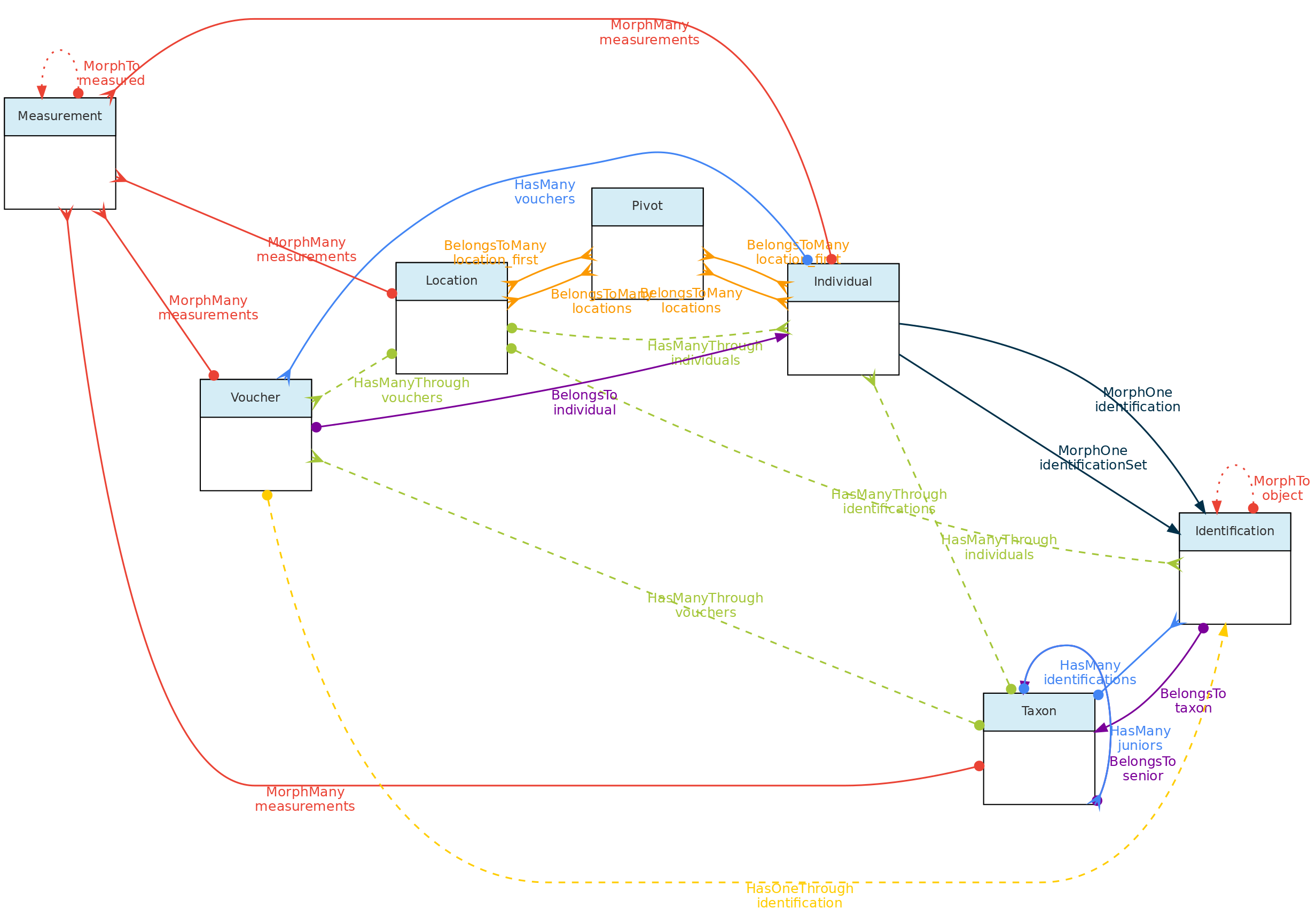
This figure show the relationships among the Core objects and with the Measurement Model. The Identification Model is also included for clarity. Solid links are direct relationships, while dashed links are indirect relationships (e.g. Taxons has many Vouchers through Individuals, and have many Individuals through identifications). The red solid lines link the Core objects with the Measurement model through polymorphic relationships. The dotted lines on the Measurement model just allow access to the measured core-object and to the models of link type traits.
Location Model
The Locations table stores data representing real world locations. They may be countries, cities, conservation units, or any spatial polygon, point or linestring on the surface of Earth. These objects are hierarchical and have a parent-child relationship implemented using the Nested Set Model for hierarchical data of the Laravel library Baum and facilite both validation and queries.
Special location types are plots and transects, which together with point locations allow different sampling methods used in biodiversity studies. These Location types may also be linked a parent location and in addition also to three additional types of location that may span different administrative boundaries, such as Conservation Units, Indigenous Territories and any Environmental layer representing vegetation classes, soil classes, etc…with defined spatial geometries.
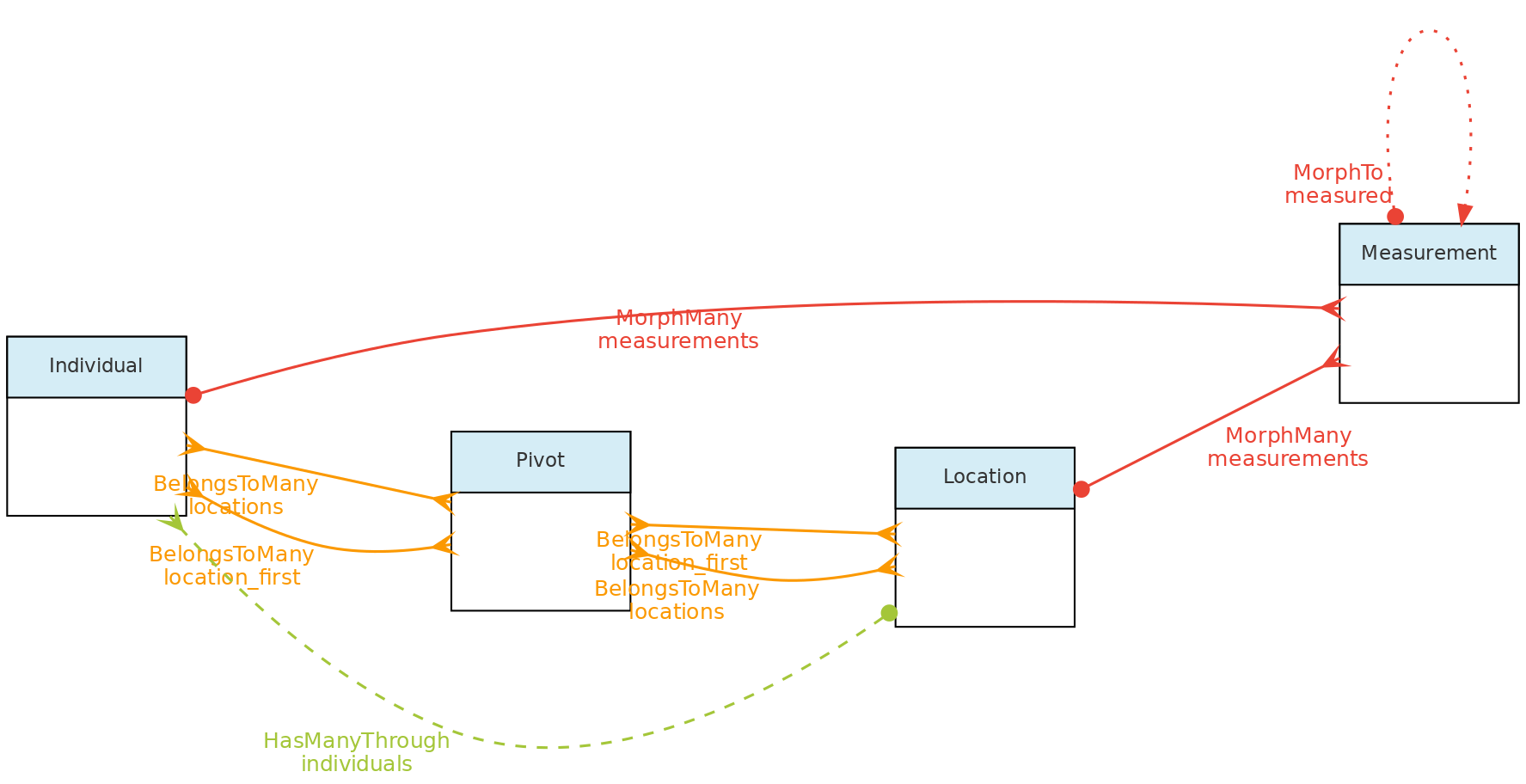 This figure shows the relationships of the
 Location model throught the methods implemented in the shown classes. The pivot table linking Location to Individual allow an individual to have multiple locations and each location for the individual to have specific attributes like date_time, altitude, relative_position and notes.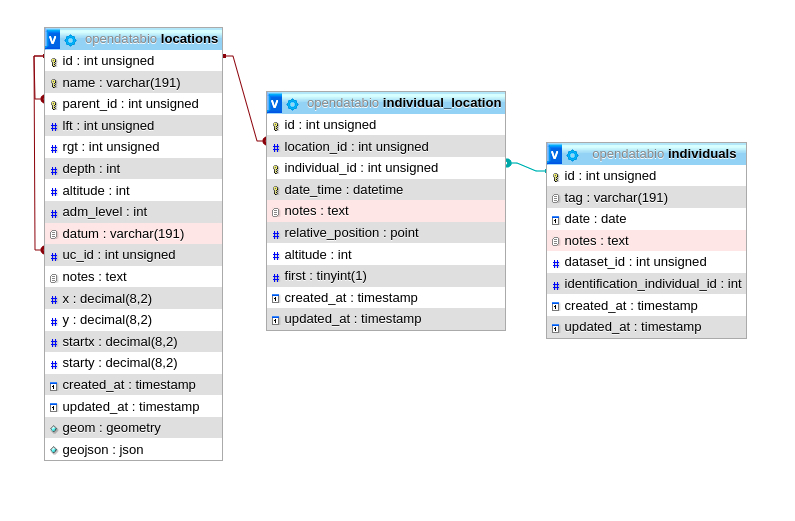 The same tables related with the Location model with the direct and non-polymoprhic relationships indicated.
Location Table Columns
- Columns
parent_idtogether withrgt,lftanddephare used to define the Nested Set Model to query ancestors and descendants in a fast way. Onlyparent_idis specified by the user, the other columns are calculated by the Baum library trait from the id+parent_id values that define the hierarchy. The same hierarchical model is used for the Taxon Model, but for Locations there is a spatial constraint, i.e. a children must fall within a parent geometry. - The
adm_levelcolumn indicate the administrative level, or type, of a location. By default, the followingadm_levelare configured in OpenDataBio:2for country,3for first division within country (province, state),4for second division (e.g. municipality),… up toadm_level=10as administrative areas (country code is 2 to allow standardization with OpenStreeMaps, which is recommended to follow if your installation will include data from different countries). The administrative levels may be configured in an OpenDataBio before importing any data to the database, see the installation guide for details on that.99is the code for Conservation Units - a conservation unit is alocationthat may be linked to multiple other locations (any location may belong to a single UC). Thus, one Location may have as parent a city and as uc_id the conservation unit where it belongs.98is the code for Indigenous Territories - same properties as Conservation Units, but treated separately only because some CUs and TIs may largely overlap as is the case the Amazon region97ise the code for Environmental layers - same properties as Conservation Units and Indigenous Territories, i.e., may be linked as additional location to any Point, Plot or Transect, and thehence, their related individuals. Store polygons and multipolygon geometries representing environmental classes, such as vegetation units, biomes, soil classes, etc…100is the code forplotsand subplots - plot locations may be registered with Point or with a Polygon geometry, and must also have an associated Cartesian dimensions in meters. If it is a point location, the geometry is defined by ODB from the dimensions with NorthEast orientation from the point informed. Cartesian dimensions of a plot location can also be combined with cartesian positions of subplots (i.e. a plot location whose parent is also a plot location) and/or of individuals within such plots, allowing individuals and subplots to be mapped within aplotsubplot location without geometry specifications. In other words, if the spatial geometry of the plot is unknown, it may have as geometry a single GPS point rather than a polygon, plus itsxandydimensions. A subplot is location plot inside a location plot and must consist of a point marking the start of the subplot plus its X and Y cartesian dimensions. If the geometry of the start of the subplot is unknown, it may be stored as a relative position to parent plot using thestartxandstarty.101for transects - like plots, transects may be registered having a LineString geometry or simply a single Latitude and Longitude coordinates and a dimension. Thexcartesian dimension for transects represent the length in meters and is used to create a linestring (North oriented) when only a point is informed. Theydimension is used to validate individuals as belonging to transect location, and represents the maximum distance from the line that and individual must fall to be detected in that location.999for ‘POINT’ locations like GPS waypoints - this is for registration of any point in space
- Column
datummay record the geometry datum property, if known. If left blank, the location is considered to be stored using WGS84 datum. However, there is no built-in conversor from other types of data, so the maps displayed may be incorrect if different datum’s are used. Strongly recommended to project data as WSG84 for standardization. - Column
geomstores the location geometry in the database, allowing spatial queries in SQL language, such asparent autodetection. The geometry of a location may bePOINT,POLYGON,MULTIPOLYGONorLINESTRINGand must be formatted using Well-Known-Text geometry representation of the location. When a POLYGON is informed, the first point within the geometry string is privileged, i.e. it may be used as a reference for relative markings. For example, such point will be the reference for thestartxandstartycolumns of a subplot location. So forplotandtransectgeometries, it matters which point is listed first in the WKT geometry
Data access Full users may register new locations, edit locations details and remove locations records that have no associated data. Locations have open access!
Individual Model
The Individual object represents a record for an individual organism. It may be a single time-space occurrence of an animal, plant or fungi, or an individual monitored through time, such as a plant in a permanent forest plot, or an animal in capture-recapture or radio-tracking experiment.
An Individual may have one or more Vouchersrepresenting physical samples of the individual stored in one or more Biological Collection and it may have one or more Locations, representing the place or places where the individual has been recorded.
Individual objects may also have a self taxonomic Identification or its taxonomic identity may depend on that of another individual (non-self identification). The Individual identification is inherited by all the Vouchers registered for the Individual. Hence Vouchers do not have their separate identification.
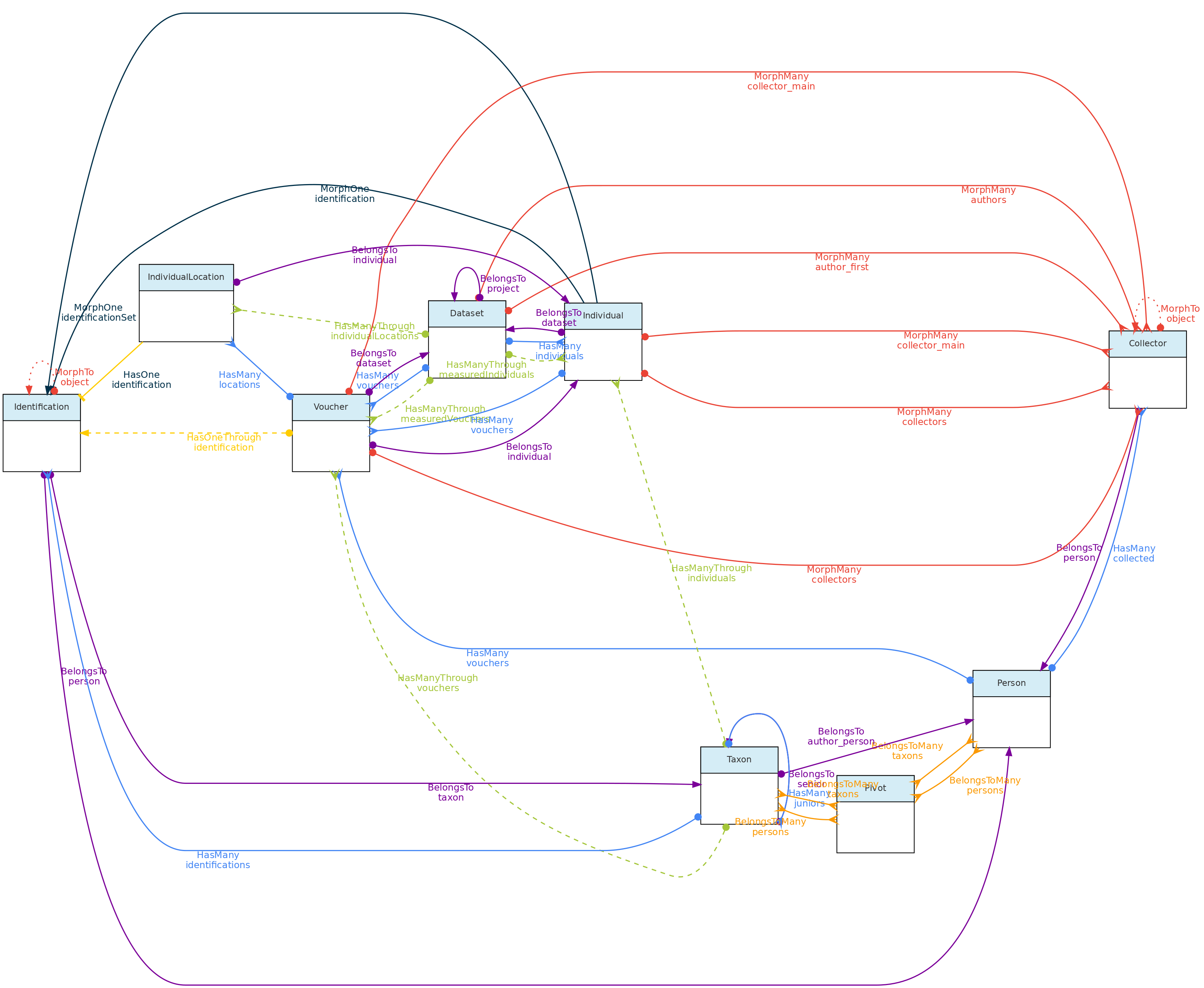 This figure shows the Individual Model and the models it relates to, except the Measurement and Location models, as their relationships with Individuals is shown elsewhere in this page. Lines linking models indicate the
 methods or functions implemented in the classes to access the relationships. Dashed lines indicate indirect relationships and the colors the different types of Laravel Eloquent methods.
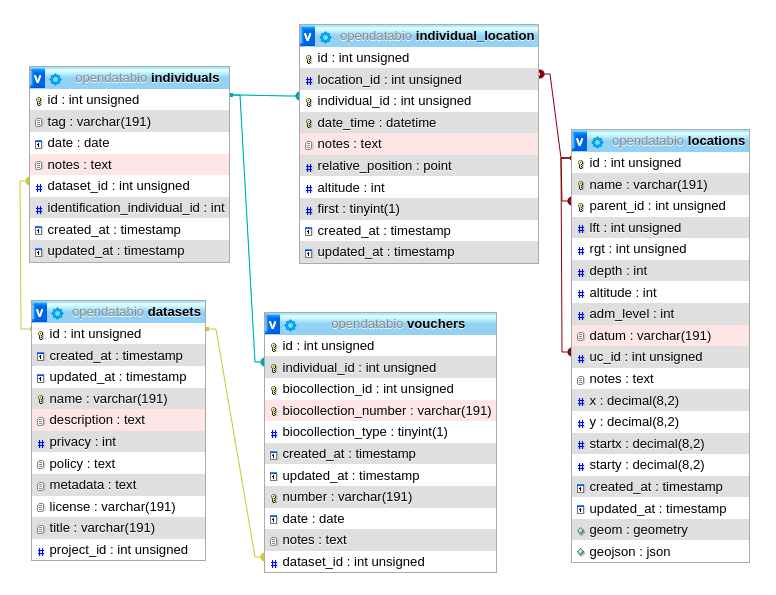 The Individual model direct and non-polymoprhic relationships.
Individual Table Columns
- A Individual record must specify at least one Location where it was registered, the
dateof registration, the local identifiertag, and thecollectorsof the record, and thedataset_idthe individual belongs to. - The Location may be any location registered, regardless of level, allowing to store historical records whose georeferencing is just an administrative location. Individual locations are stored in the
individual_locationpivot table, having columnsdate_time,altitude,notesandrelative_positionfor the individual location records. - The column
relative_positionstores the Cartesian coordinates of the Individual in relation to its Location. This is only for individuals located in locations of typeplot,transectorpoint. For example, a Plot location with dimensions 100x100 meters (1ha) may have an Individual withrelative position=POINT(50 50), which will place the individual in the center of the location (this is shown graphically in the web-interface), as is defined by thexandycoordinates of the individual. If the location is a subplot, then the position within the parent plot may also be calculated (this was designed with ForestGeo plots in mind and is a column in the Individual GET API. If the location is a POINT, the relative_position may be informed asangle(= azimuth) anddistance, attributes frequently measured in sampling methods. If the location is a TRANSECT, the relative_position places the individual in relation to the linestring, thexbeing the distance along the transect from the first point, and theythe perpendicular distance where the individual is located, also accounting for some sampling methods; - The
datefield in the Individual, Voucher, Measurement and Identification models may be an Incomplete Date, i.e., only the year or year+month may be recorded. - The Collector table represents collectors for an Individual or Voucher, and is linked with the Person Model. The collector table has a polymorphic relationship with the Voucher and Individual objects, defined by columns
object_idandobject_type, allowing multiple collectors for each individual or voucher record. The main_collector indicated is just the first collector listed for these entities. - The
tagfield is a user code or identifier for the Individual. It may be the number written on the aluminum tag of a tree in a forest plot, the number of a bird-band, or thecollector numberof a specimen. The combination ofmain_collector+tag+first_locationis constrained to be unique in OpenDataBio. - The taxonomic identification of an Individual may be defined in two ways:
- for self identifications an Identification record is created in the identifications table, and the column
identification_individual_idis filled with the Individual ownid - for non-self identifications, the id of the Individual having the actual Identification is stored in column
identification_individual_id. - Hence, the Individual class contain two methods to relate to the Identification model: one that sets self identifications and another that retrieves the actual taxonomic identifications by using column
identification_individual_id.
- for self identifications an Identification record is created in the identifications table, and the column
- Individuals may have one or more Vouchersdeposited in a Biocollection.
Data access Individuals belong to Datasets, so Dataset access policy apply to the individuals in it. Only project collaborators and administrators may insert or edit individuals in a dataset, even if dataset is of public access.
Taxon Model
The general idea behind the Taxon model is to present tools for easily incorporating valid taxonomic names from Online Taxonomic Repositories (currently Tropicos.org and GBIF are implemented), but allowing for the inclusion of names that are not considered valid, either because they are still unpublished (e.g. a morphotype), or the user disagrees with published synonymia, or the user wants to have all synonyms registered as invalid taxons in the system. Moreover, it allows one to define a custom clade level for taxons, allowing one to store, in addition to taxonomic rank categories, any node of the tree of life. Any registered Taxon can be used in Individual identifications and Measurements may be linked to taxonomic names.
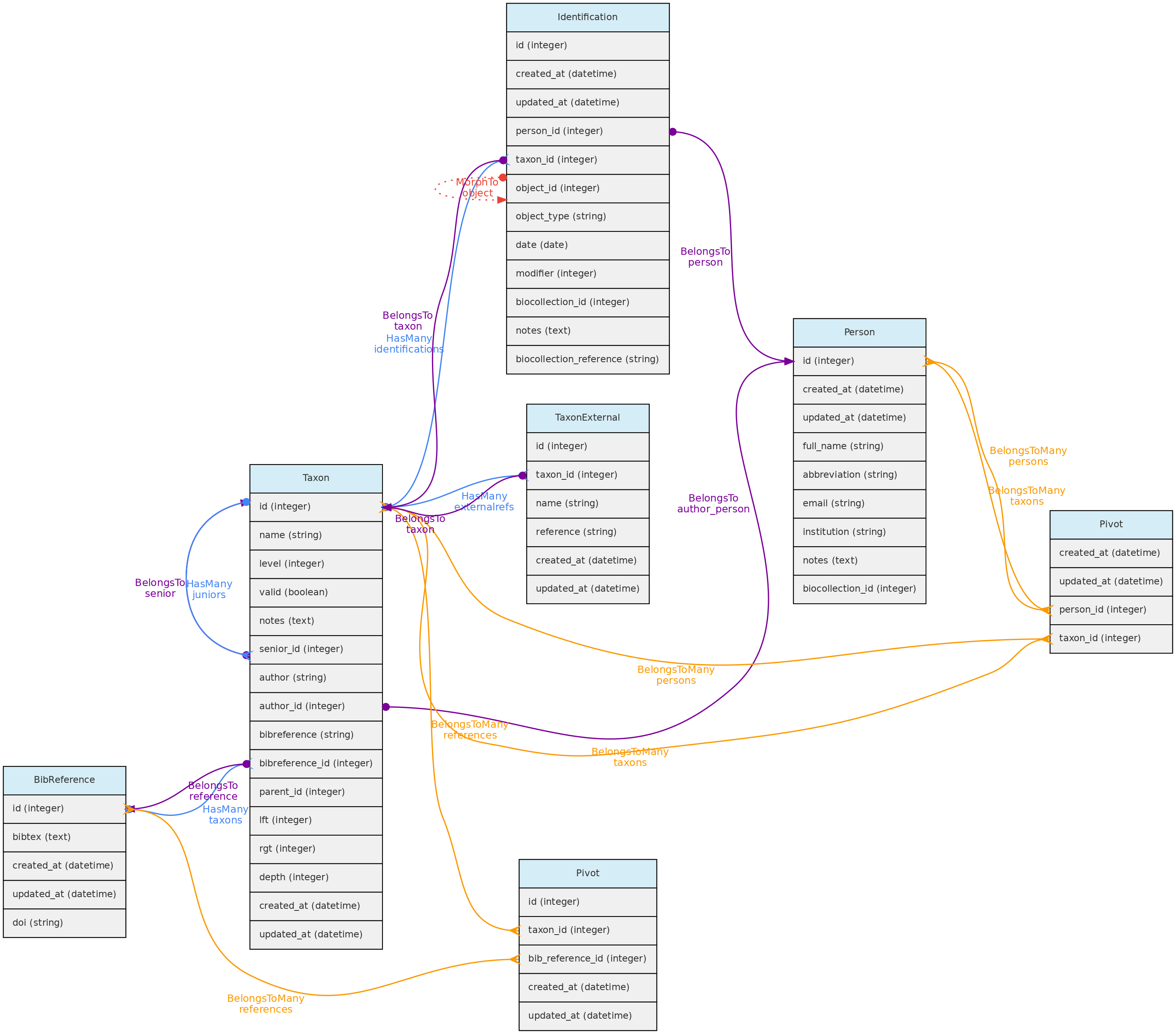 Taxon model and its relationships. Lines linking tables indicate the
 methods implemented in the shown classes, with colors indicating different Eloquent relationships
Provisional names and infraspecific ranks
Unpublished morphotypes are associated with a registered person through
author_id. OpenDataBio automatically includes that person’s author suffix in
the full name, keeping the same provisional epithet used by different authors
distinct. Preserve this suffix when identifying individuals with existing
morphotypes.
Compact epithets such as sp.nov, sp.1, aff.racemosa and cf.muricata2
are accepted. Spaced sp. nov. and sp. 1, and isolated uninformative epithets
such as sp, sp., spp and indet, are rejected for new or renamed
morphotypes. sp.nov is one provisional epithet; sp. nov. is two words.
Standalone rank markers are removed from input names when registering or
updating taxa and when looking up individual identifications. The categories
are subspecies (subsp.), supervariety (supervar.), variety (var.),
subvariety (subvar.), superform (superf.), form (f.) and subform (subf.).
The rank belongs in level, not in the name. Removing a marker does not assign
or change the level; taxon API validation and external resolution still apply.
For example, the name portion of Inga alba var. minor is Inga alba minor.
Taxon imports and updates report name cleanup as a warning. Qualifiers removed from taxon names are reported too: they belong to an identification, not to the taxon. Register unpublished taxa with their author before using them in an individual import; automatic missing-taxon resolution cannot infer that author.
Taxon table explained
- Like, Locations, the Taxon model has a parent-child relationship, implemented using the Nested Set Model for hierarchical data of the Laravel library Baum that allows to query ancestors and descendants. Hence, columns
rgt,lftanddephof the taxon table are automatically filled by this library upon data insertion or update. - For both, Taxon
authorand Taxonbibreferencethere are two options:- For published names, the string authorship retrieved by the external taxon APIs will be placed in the
author=stringcolumn. For unpublished names, author is a Person and will be stored in theauthor_idcolumn. - Only published names may have relation to BibReferences. The
bibreferencestring field of the Taxon table stores the strings retrieved through the external APIs, while thebibreference_idlinks to a BibReference object. These are used to store the Publication where the Taxon Name is described and may be entered in both formats. - In addition, a Taxon record may also have many other BibReferences through a pivot table (
taxons_bibreference), permitting to link any number of bibliographic references to a Taxon name.
- For published names, the string authorship retrieved by the external taxon APIs will be placed in the
- Column
levelrepresents the taxonomic rank (such as order, genera, etc). It is numerically coded and standardized following the IAPT general rules, but should accommodate also animal related taxon level categories. See the available codes in the Taxon API for the list of codes. - Column
parent_idindicates the parent of the taxon, which may be several levels above it. The parent level should be strictly higher than the taxon level, but you do not need to follow the full hierarchy. It is possible to register a taxon without parents, for example, an unpublished morphotype for which both genera and family are unknown may have anorderas parent. - Names for the taxonomic ranks are translated according to the system defined
localethat also translates the web interface (currently only Portuguese and English implemented). - The
namefield of the taxon table contain only the specific part of name (in case of species, the specific epithet), but the insertion and display of taxons through the API or webinterface should be done with the fullname combination. - It is possible to include synonyms in the Taxon table. To do so, one must fill in the
seniorrelationship, which is the id of the accepted (valid) name for aninvalidTaxon. Ifsenior_idis filled, then the taxon is ajuniorsynonym and must be flagged as invalid. - When inserting a new published taxon, only the
nameis required. The name will be validated and the author, reference and synonyms will be retrieved using the following API services:- GBIF BackBone Taxonomy - this will be the first check, from which links to Tropicos and IPNI may also be retrieved if registering a plant name.
- Tropicos - if not found on GBIF, ODB will search the name on the Missouri Botanical Garden nomenclature database.
- IPNI - the International Individual Names Index is another database used to validate individual names (Temporarily disabled)
- MycoBank - used to validate a name if not found by the Tropicos nor IPNI apis, and used to validate names for Fungi. Temporarily disabled
- ZOOBANK - when GBIF, Tropicos, IPNI and MycoBank fails to find a name, then the name is tested against the ZOOBANK api, which validates animal names. Does not provide taxon publication, however.
- If a Taxon name is found in the Nomenclatural databases, the respective ID of the repository is stored in the
taxon_externaltables, creating a link between the OpenDataBio taxon record and the external nomenclatural database. - A Person may be defined as one or more taxon specialist through a pivot table. So, a Taxon object may have many taxonomic specialist registered in OpenDataBio.
Data access: Full users are able to register a new taxon and edit existing records if they have not been used for Identification of Measurements. Currently it is impossible to remove a taxon from the database. Taxon list have public access.
Voucher Model
The Voucher model is used to store records of specimens or samples from Individuals deposited in Biological Collections. Therefore, the only mandatory information required to register a Voucher are individual, biocollection and whether the specimen is a nomenclature type (which defaults to non-type if not informed).
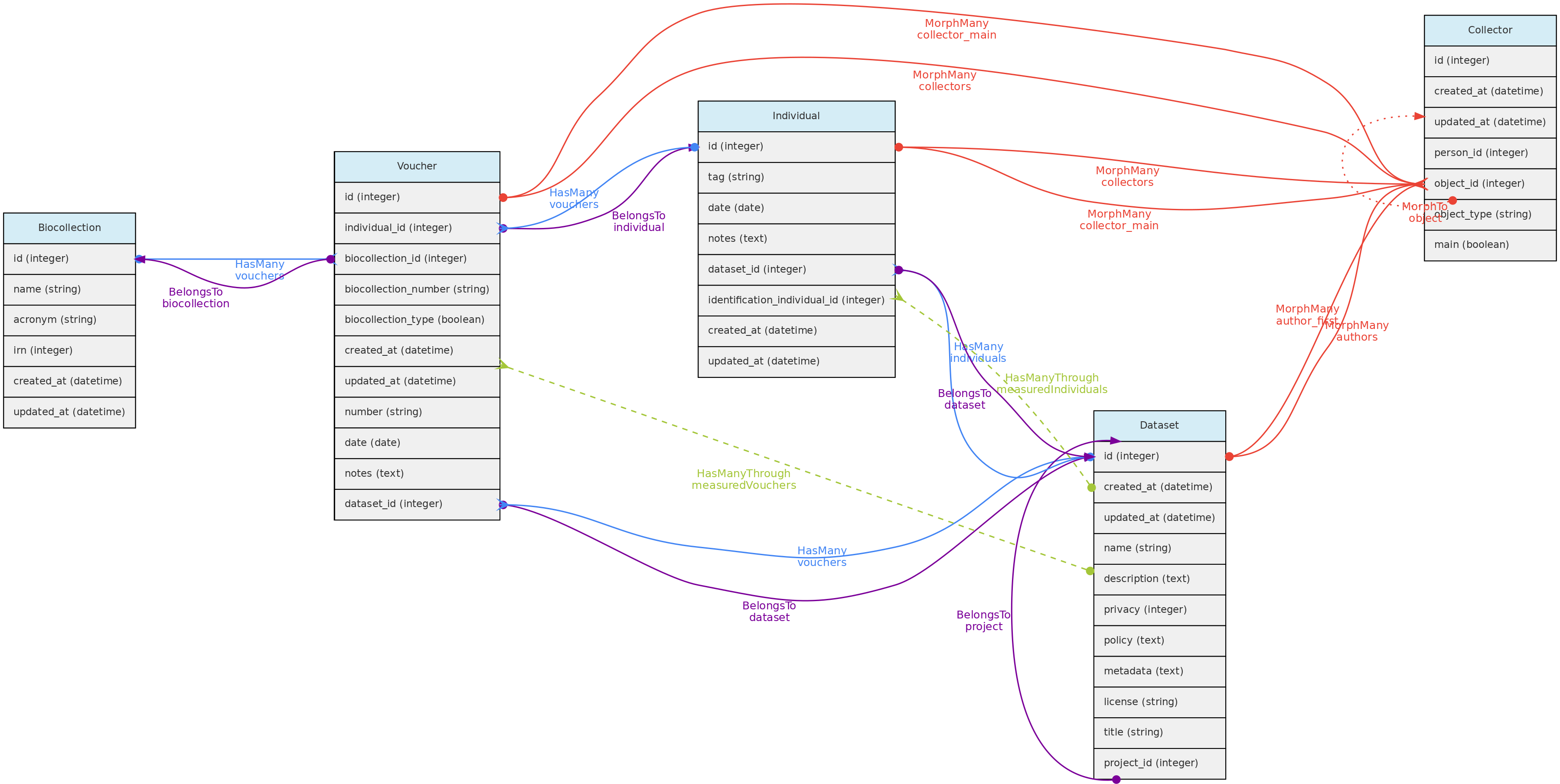 Voucher model and its relationships. Lines linking tables indicate the
 methods implemented in the shown models, with colors indicating different Eloquent relationships. Not that Identification nor Location are show because Vouchers do not have their own records for these two models, they are just inherited from the Individual the Voucher belongs to
Vouchers table explained
- A Voucher belongs to an Individual and a Biocollection, so the
individual_idand thebiocollection_idare mandatory in this table; biocollection_numberis the alpha-numeric code of the Voucher in the BioCollection, it may be ’null’ for users that just want to indicate that a registered Individual have Vouchers in a particular Bicollection, or to registered Vouchers for biocollections that do not have an identifier code;biocollection_type- is a numeric code that specify whether the Voucher in the BioCollection is a nomenclatural type. Defaults to0(Not a Type);1for just ‘Type’, a generic form, and other numbers for other nomenclature type names (see the API Vouchers Endpoint for a full list of options).collectors, one or multiple, are optional for Vouchers, required only if they are different from the Individual collectors. Otherwise the Individual collectors are inherited by the Voucher. Like for Individuals, these are implemented through a polymorphic relationship with the collectors table and the first collector is the main_collector for the voucher, i.e. the one that relates tonumber.number, this is the collector number, but like collectors, should only be filled if different from the Individual’stagvalue. Hence,collectors,numberanddateare useful for registering Vouchers for Individuals that have Vouchers collected at different times by different people.datefield in the Individual and Voucher models may be an incomplete date. Only required if different from that of the Individual the Voucher belongs to.dataset_idthe Voucher belongs to a Dataset, which controls the access policy;notesany text annotation for the Voucher.- The Voucher model interacts with the BibReference model, permitting to link multiple citations to Vouchers. This is done with a pivot
voucher_bibreferencetable.
Data access Vouchers belong to Datasets, so Dataset access policy apply to the Vouchers in it. Vouchers may have a different Project than their Individuals. If the Voucher dataset policy is open access and that of the Individual project is not, then access to voucher data will be incomplete, so Voucher’s dataset should have the same or less restricted access policy than the Individual dataset. Only Dataset collaborators and administrators may insert or edit vouchers in a dataset, even if the dataset is of public access.
5.2 - Trait Objects
For the workflow used to define variables, validate values, and organize data collection, see Traits and Measurements.
Measurement Model
The Measurements table stores the values for traits measured for core objects. Its relationship with the core objects is defined by a polymorphic relationship using columns measured_id and measured_type. These MorphTo relations are illustrated and explained in the core objects page.
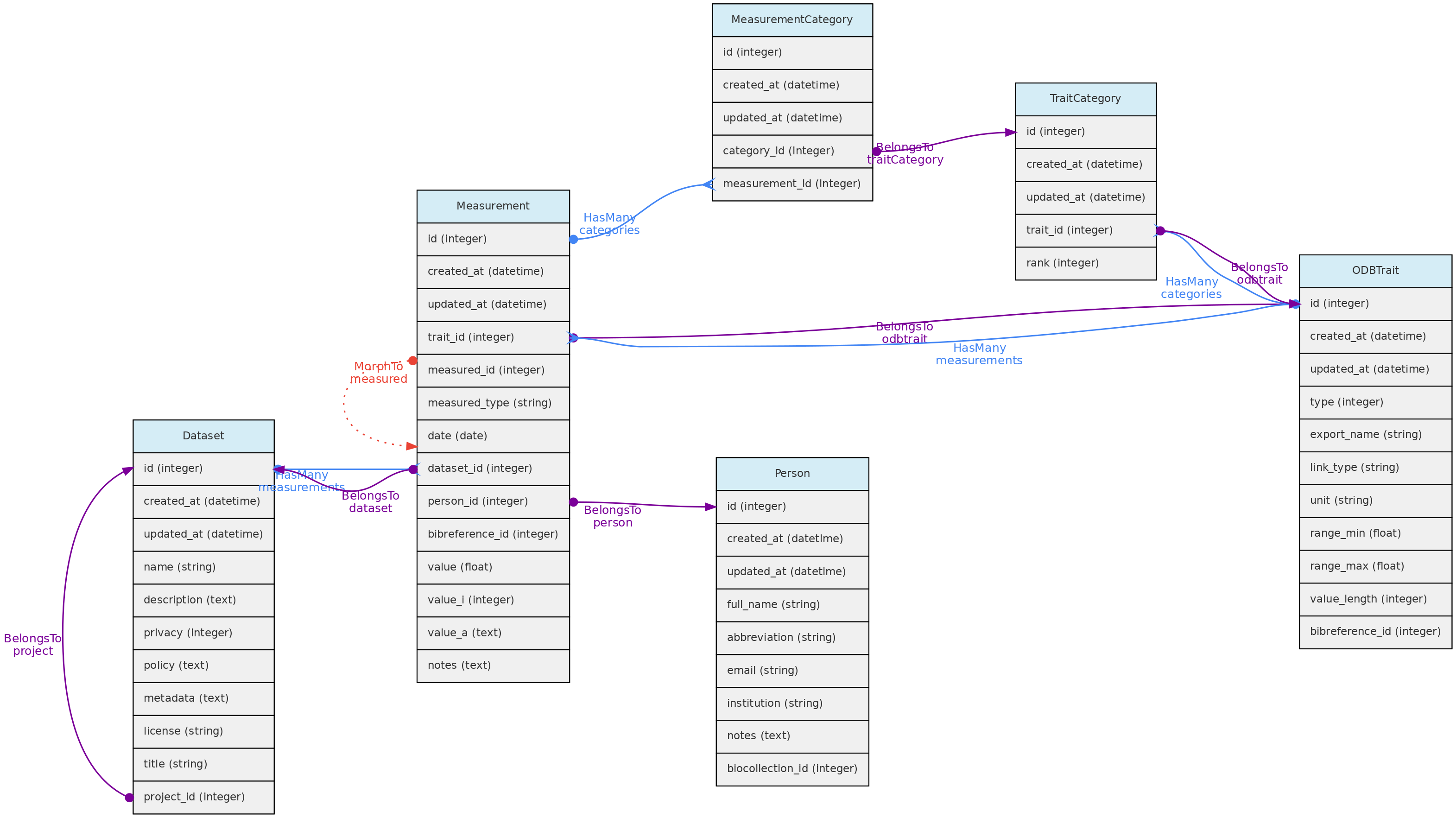
- Measurements must belong to a Dataset - column
dataset_id, which controls measurement access policy - A Person must be indicated as a measurer (
person_id); - The
bibreference_idcolumn may be used to link measurements extracted from publications to its Bibreference source; - The value for the measured trait (
trait_id) will be stored in different columns, depending on trait type:value- this float column will store values for Quantitative Real traits;value_i- this integer column will store values for Quantitative Integer traits; and is an optional field for Link type traits, allowing for example to store counts for a species (a Taxon Link trait) in a location.value_a- this text column will store values for Text, Color and Spectral trait types.
- Values for Categorical and Ordinal traits are stored in the
measurement_categorytable, which links measurements to trait categories. date- measurement date is mandatory in all cases
Data access Measurements belong to Datasets, so Dataset access policy apply to the measurements in it. Only dataset collaborators and administrators may insert or edit measurements in a dataset, even if the dataset is of public access.
Trait Model
The ODBTrait table represents user defined variables to collect Measurements for one of the core object, either Individual, Voucher, Location or Taxon.
These custom traits give enormous flexibility to users to register their variables of interest. Clearly, such flexibility has a cost in data standardization, as the same variable may be registered as different Traits in any OpenDataBio installation. To minimize redundancy in trait ontology, users creating traits are warned about this issue and a list of similar traits is presented in case found by trait name comparison.
Traits have editing restrictions to avoid data loss or unintended data meaning change. So, although the Trait list is available to all users, trait definitions may not be changed if somebody else also used the trait for storing measurements.
Traits are translatable entities, so their name and description values can be stored in multiple languages (see User Translations. This is placed in the user_translations table through a polymorphic relationship.
The Trait definition should be as specific as needed. The measurement of tree heights using direct measurement or a clinometer, for example, may not be easily converted from each other, and should be stored in different Traits. Thus, it is strongly recommended that the Trait definition field include information such as measurement instrument and other metadata that allows other users to understand whether they can use your trait or create a new one.
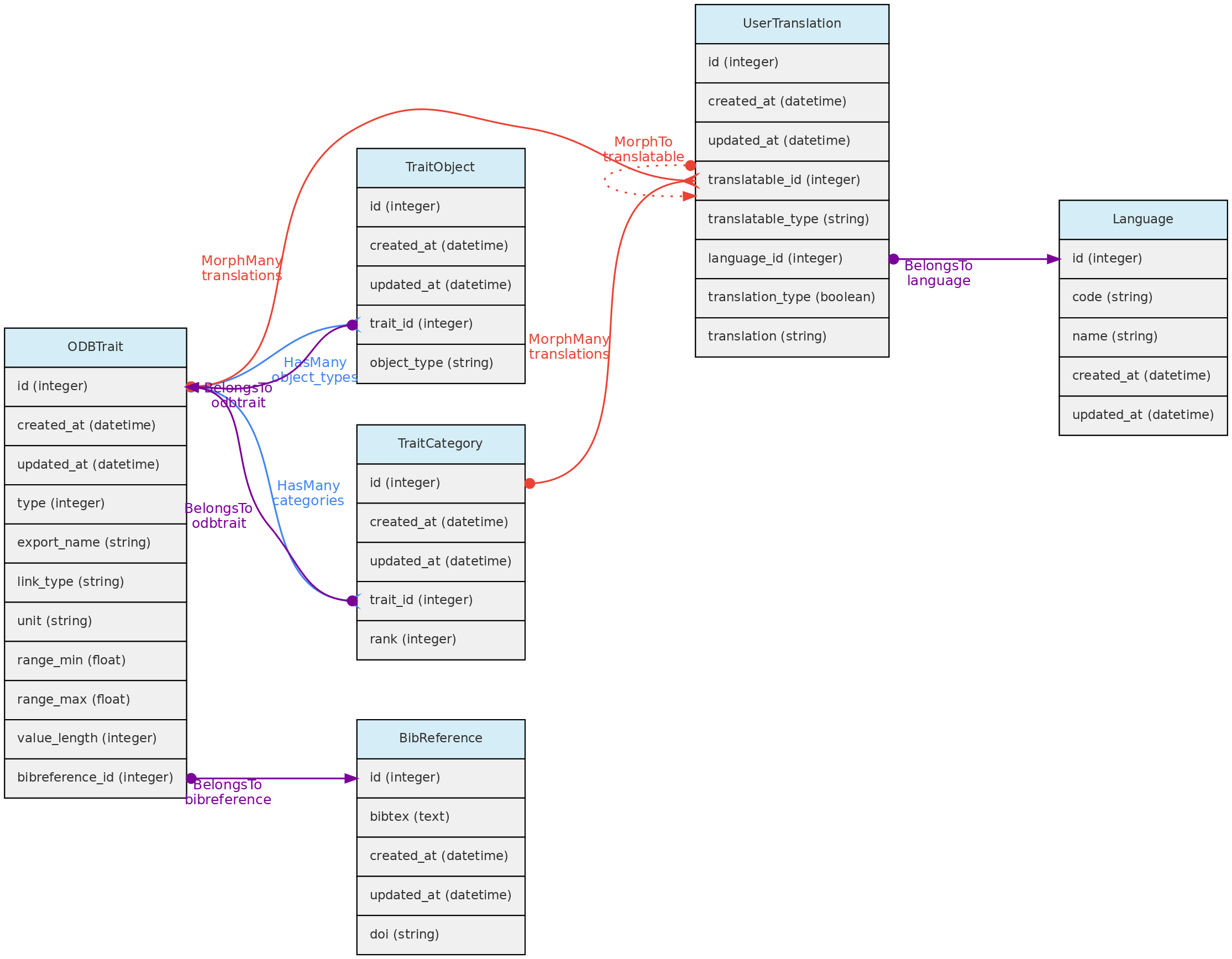
- The Trait definition must include an
export_namefor the trait, which will be used during data exports and are more easily used in trait selection inputs in the web-interface. Export names must be unique and have no translation. Short and camelCase or PascalCase export names are recommended. - The following trait types are available:
- Quantitative real - for real numbers;
- Quantitative integer - for counts;
- Categorical - for one selectable categories;
- Categorical multiple - for many selectable categories;
- Categorical ordinal - for one selectable ordered categories (semi-quantitative data);
- Text - for any text value;
- Color - for any color value, specified by the hexadecimal color code, allowing renderizations of the actual color.
- Link - this is a special trait type in OpenDataBio to link to database object. Currently, only link to Taxons and Voucher are allowed as a link type traits. Use ex: if you want to store species counts conducted in a location, you may create a Taxon link type Trait or a Voucher link type Trait if the taxon has vouchers. A measurement for such trait will have an optional
valuefield to store the counts. This trait type may also be used to specify the host of a parasite, or the number of predator insects. - Spectral - this is designed to accommodate Spectral data, composed of multiple absorbance or reflectance values for different wavenumbers.
- GenBank - this stores GenBank accessions numbers allowing to retrieve molecular data linked to individuals or vouchers stored in the database through the GenBank API Service.
- The Traits table contains fields that allow measurement value validation, depending on trait type:
range_maxandrange_min- if defined for Quantitative traits, measurements will have to fit the specified range;value_length- mandatory for Spectral Traits only, validate the length (number of values) of a spectral measurement;link_type- if trait is Link type, the measurementvalue_imust be an id of the link type object;- Color traits are validated in the measurement creation process and must conform to a color hexadecimal code. A color picker is presented in the web interface for measurement insertion and edition;
- Categorical and ordinal traits will be validated for the registered categories when importing measurements through the API;
- Column
unitdefines the measurement unit for the Trait. There is no way to prevent measurements values imported with a distinct unit. Quantitative traits requiredunitdefinition. - Column
bibreference_idis the key of a single BibReference that may be linked to trait definition. - The
trait_objectstable stores the type of core object (Taxon, Location, Voucher) that the trait can have a measurement for;
Data access A Trait name, definition, unit and categories may not be updated or removed if there is any measurement of this trait registered in the database. The only exceptions are: (a) it is allowed to add new categories to categorical (not ordinal) traits; (b) the user updating the trait is the only Person that has measurements for the trait; (c) the user updating the trait is an Admin of all the datasets having measurements using trait.
Forms
A Form is an organized group of Traits, defined by a User in order to create a custom form that can be filled in for entering measurements through the web interface. A Form consists of a group of ordered Traits, which can be marked as “mandatory”. Related entities are the Report and the Filter.
This is still experimental and needs deeper testing
5.3 - Data Access Objects
Datasets group records, define their access policy and provide explicit, citable publication versions. Datasets may contain Measurements, Individuals, Vouchers and Media Files.
Projects are just groups of Datasets and Users, representing coohorts of users with common accessibility to datasets whose privacy are set to be controlled by a Project.
BioCollections - This model serves to create a reusable list of acronyms of Biological Collections to record Vouchers. However, you can optionally manage a collection of Vouchers and their Individuals, in parallel to the access control provided by Datasets. Control is only for editing and entering Voucher records. In this case, the BioCollection is managed by the system.
Projects and BioCollections must have at least one User defined as administrator, who has total control over the dataset or project, including granting the following roles to other users: administrator, collaborator or viewer:
- Collaborators are able to insert and edit objects, but are not able to delete records nor change the dataset or project configuration.
- Viewers have read-only access to the data that are not of open access.
- Only Full Users and SuperAdmins may be assigned as administrators or collaborators. Thus, if a user who was administrator or collaborator of a dataset is demoted to “Registered User”, she or he will become a viewer.
- Only Super-admins can enable a BioCollection to be administered by the system.
Biocollections
Biocollections identify where Vouchers are deposited and may represent herbaria,
museums, tissue collections, or other formal and informal collections. Search
the acronym before creating one. For a herbarium in Index Herbariorum, use
the official acronym and lookup action, then verify the returned institution and
irn. Register non-herbarium collections manually rather than accepting an
approximate herbarium match. Index Herbariorum identifies herbaria; it does not
validate Taxons. Index Fungorum is used in the fungal taxonomic workflow.
A Biocollection may also be managed by the installation. Its staff then control editing of deposited Vouchers and their Individuals, process requests to register Vouchers for material users wish to deposit, and process loans of already deposited material. Measurements and Media retain their own Dataset permissions. See Collection workflows. Only a super administrator can enable this mode and must assign at least one collection administrator.
The Biocollection object also interacts with the Person model. When a Person is linked to an Biocollection it will be listed as a taxonomic specialist.
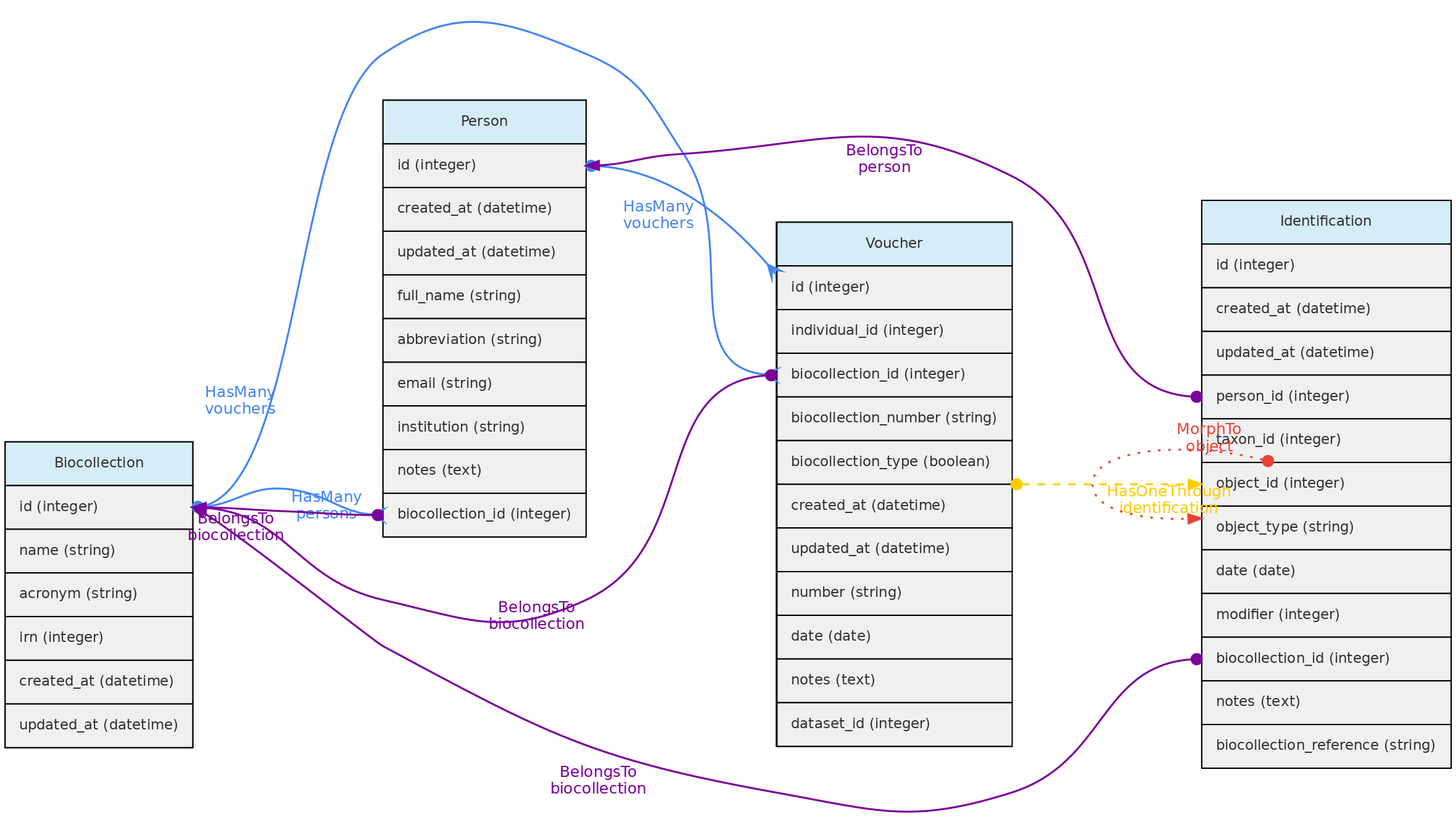
Data access - Full users may register Biocollections, but only super administrators may make one managed. A collection can be removed only if it is unmanaged and has no Vouchers. Administrators manage staff and administrative operations; collaborators process requests and edit records but cannot delete them. Datasets continue to define visibility and authorship while the managed Biocollection controls editing of its Vouchers and Individuals.
Datasets
Datasets are managed groups of Measurements, Individuals, Vouchers and Media Files. Their users may be administrators, collaborators or viewers. Administrators select the dataset visibility and policy; the effective visibility of a record also depends on dataset membership and the applicable publication policy. OpenDataBio applies the current policy when listing, mapping, exporting and serving records.
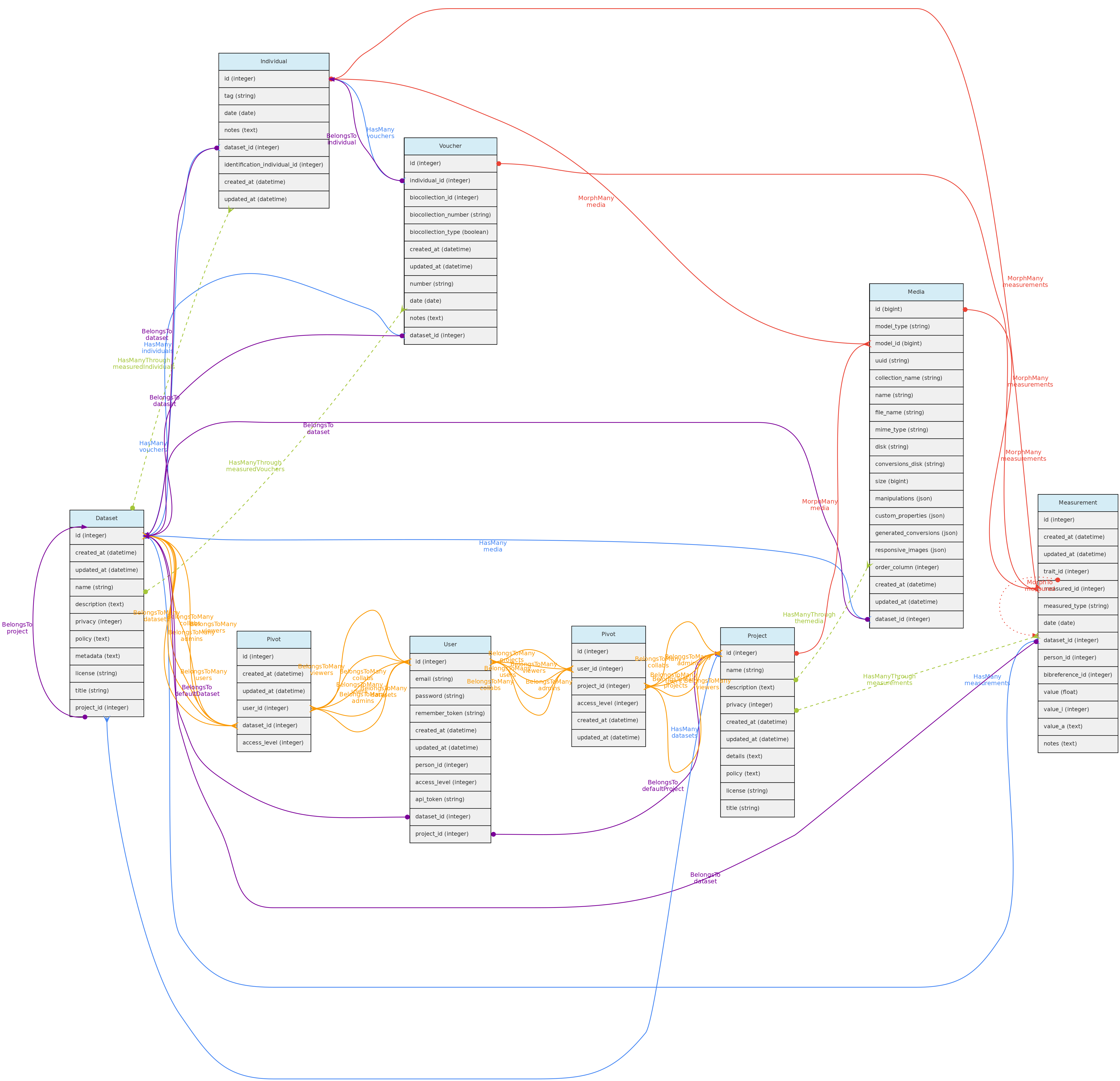
Datasets may also have many Bibliographic References, which together with policy, authorship and metadata fields annotate the dataset for sharing:
* Link any publication that have used the dataset and optionally indicate that they are of mandatory citation when using the data;
* Define a specific data policy when using the data in addition to the a CreativeCommons.org public license;
* Detail any relevant metadata in addition to those that are automatically retrieved from the database like the definitions of the Traits measured.
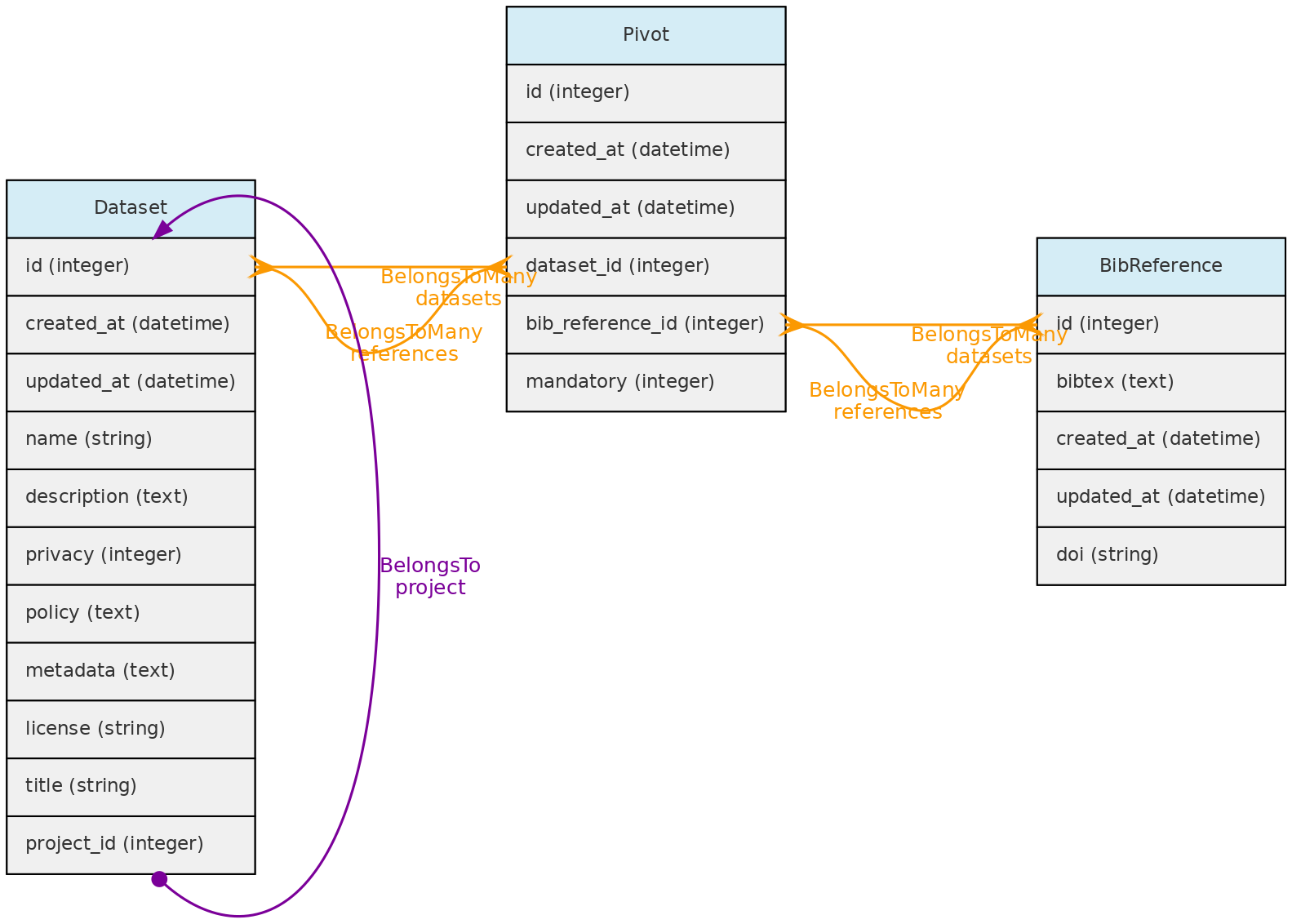
Dataset versions and publication
A Dataset Version is an explicit snapshot, not merely the date of the latest edit. A published version receives its own stable UUID and public page. Its derived item indexes make the version discoverable without changing the snapshot when live records are later edited.
Version downloads are persisted archives. The main archive contains data plus machine-readable field metadata and a README; a separate media archive may be available. Downloads can require acceptance of the dataset agreement and are logged for dataset usage reporting. Download counters and access logs describe access to published material; they do not grant permission to restricted data.
Dataset metadata may include a canonical data policy, license, required citations, creators/authors with ordered roles, and summaries of related datasets. A dataset can also allow its taxon list to be shared. Review these fields before publishing a version because they form part of the interpretation and attribution of the archive.
Use the version UUID when citing or linking a fixed publication. Use the Dataset page when referring to the evolving managed collection.
Projects
Projects are just groups of Datasets and interacts with Users, having administrators, collaborators or viewers. These users may control all datasets within the Project having a restricted to project users access policy.
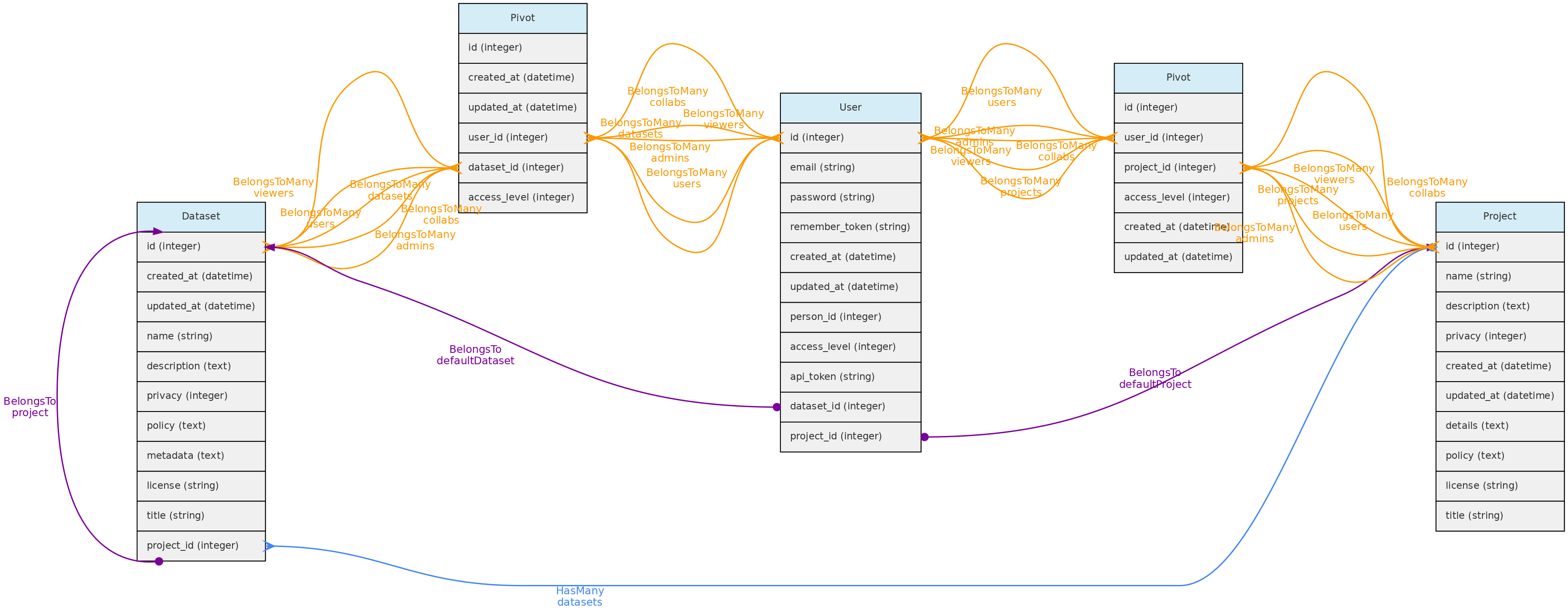
Users
The Users table stores information about the database users and administrators. Each User may be associated with a default Person. When this user enters new data, this person is used as the default person in forms. The person can only be associated to a single user.
There are three possible access levels for a user:
* Registered User (the lowest level) - have very few permissions
* Full User - may be assigned as administrators or collaborators to Projects and Datasets;
* SuperAdmin (the highest level). - superadmins have have access to all objects, regardless of project or dataset configuration and is the system administrator.
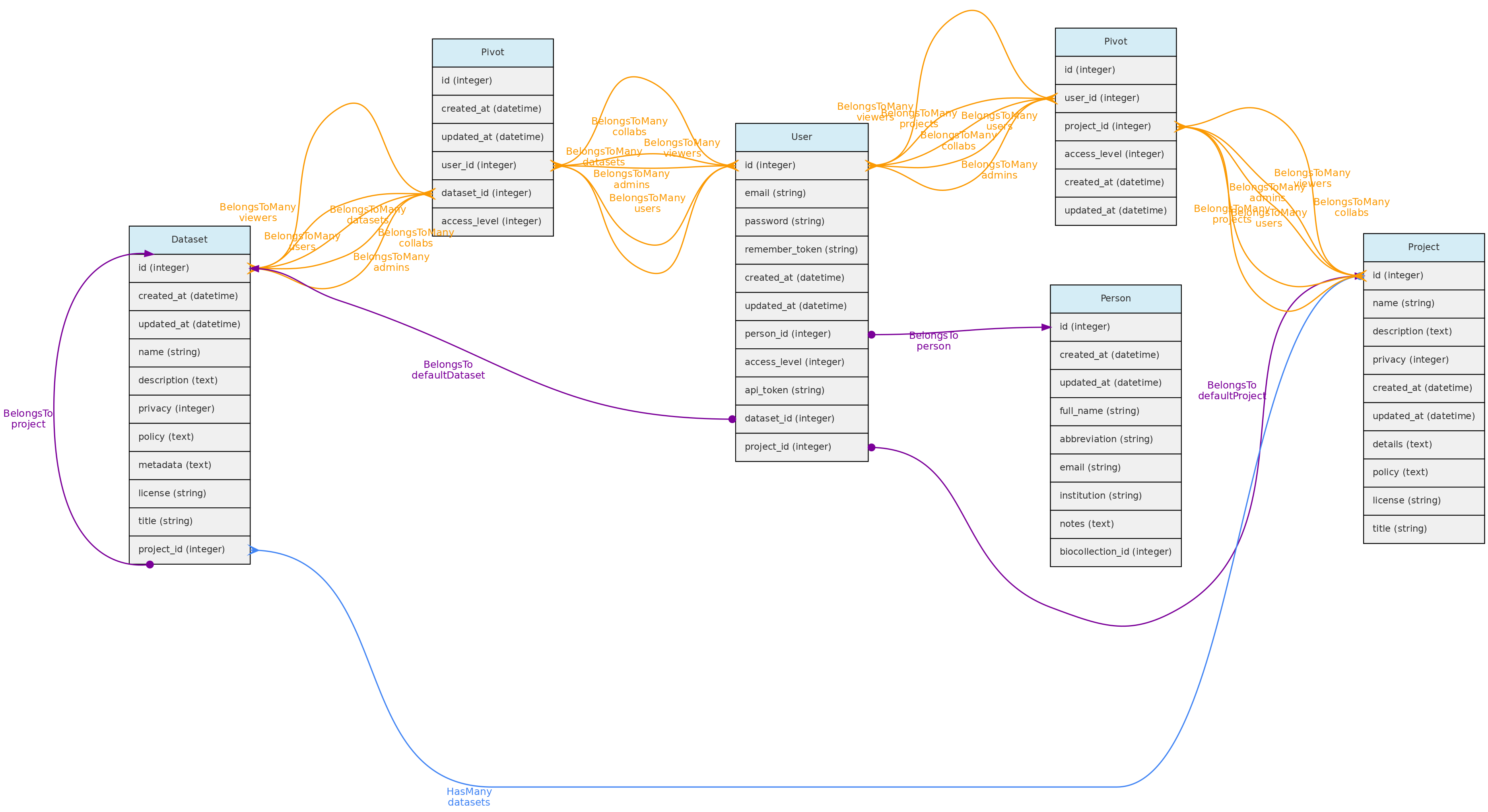
Self-registration creates a registered user. A super administrator may promote that account to Full User or SuperAdmin and may authorize a full user to manage access. A delegated access manager may promote registered users to full users and reverse that promotion, but cannot alter super administrators, other access managers, or delegate the permission. Only super administrators delete accounts.
Every registered user is created along with a restricted Project and Dataset, which are referred to as her user Workspace. This allows users to import individual and voucher data before incorporating them into a larger project. [TO IMPLEMENT: export batches of objects from one project to another].
Data Access:users are created upon registration. Only administrators can update and delete user records.
User Jobs
The UserJob model records background tasks such as imports, exports and maintenance operations independently from Laravel’s internal queue row. It stores progress and logs and can store structured, ordered results for each processed record. Results distinguish successes, warnings and errors and may include the affected object’s identifier. A completed job can therefore contain row-level warnings or failures.
Users may inspect their jobs and results, download affected identifiers, cancel running jobs, and resume operations that explicitly support resumption. Deleting a UserJob removes the user’s job history; it must not be used as a substitute for canceling work that is still running.
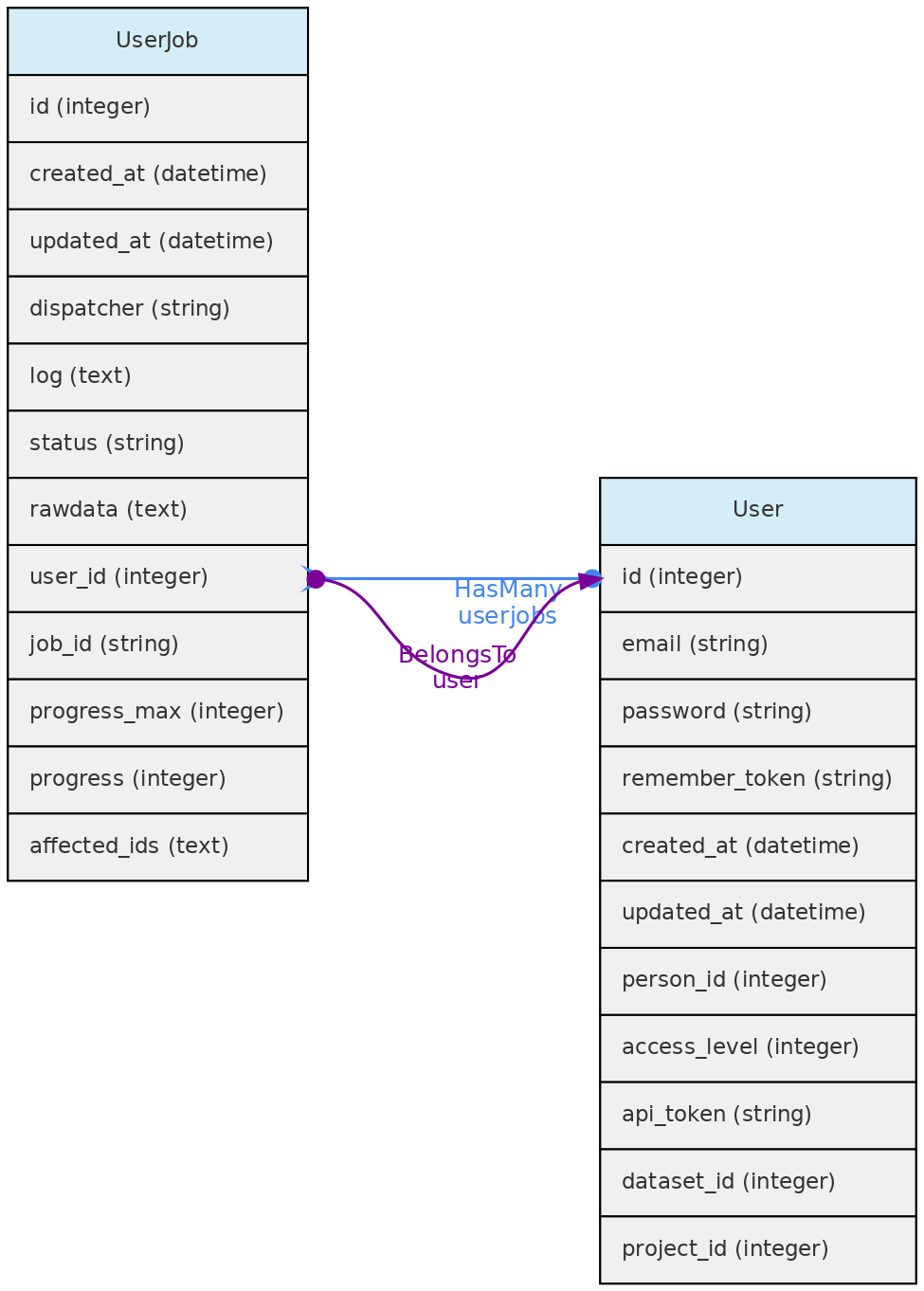
Data Access: Each registered user can see, edit and remove their own UserJobs.
5.4 - Auxiliary Objects
BibReference Model
The BibReference table contains basically BibTex formatted references stored in the bibtex column. You may easily import references into OpenDataBio by just specifying the doi, or simply uploading a bibtex record. These bibliographic references may be used to:
- Store references for Datasets - with the option of defining references for which citation is mandatory when using the dataset in publications; but all references that have used the dataset may be linked to the dataset; links are done with a Pivot table named
dataset_bibreference; - Store the references for Taxons:
- to specify the reference in which the Taxon name was described, currently mandatory in some Taxonomic journals like PhytoTaxa. This description reference is stored in the
bibreference_idof the Taxons table. - to register any reference to a Taxon name, which are then linked through a pivot table named
taxons_bibreference.
- to specify the reference in which the Taxon name was described, currently mandatory in some Taxonomic journals like PhytoTaxa. This description reference is stored in the
- Link a Measurement to a published source;
- Indicate the source of a Trait definition.
- Indicate mandatory citations for a Dataset, or link references using the data to a Dataset
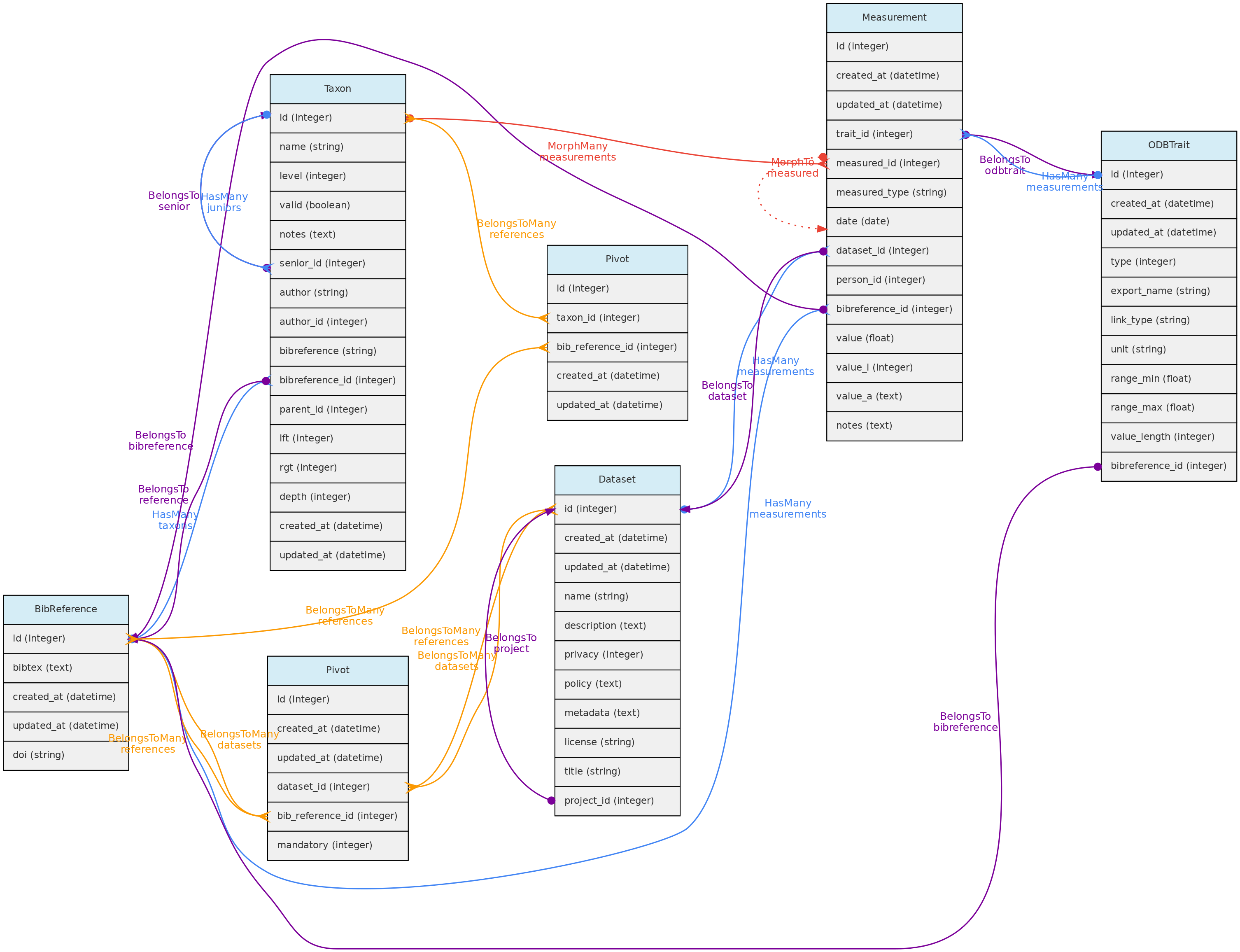 BibReference model and its relationships. Lines linking tables indicate the
 methods implemented, with colors indicating different Eloquent relationships.
Bibreferences table
- The BibtexKey, authors and other relevant fields are extracted from the
bibtexcolumn. - The Bibtexkey must be unique in the database, and a helper function is be provided to standardize it with format
<von? last name> <year> <first word of title>. The “von part” of the name is the “von”, “di”, “de la”, which are part of the last name for some authors. The first word of the title ignores common stop-words such as “a”, “the”, or “in”. - DOIs for a BibReference may be specified either in the relevant BibTex field or in a separate text input, and are stored in the
doifield when present. An external API finds the bibliographic record when a user informs thedoi.
**Data access** [full users](/en/docs/concepts/data-access/#user) may register new references, edit references details and remove reference records that have no associated data. BibReferences have public access!
Identification Model
The Identification table represents the taxonomic identification of Individuals.
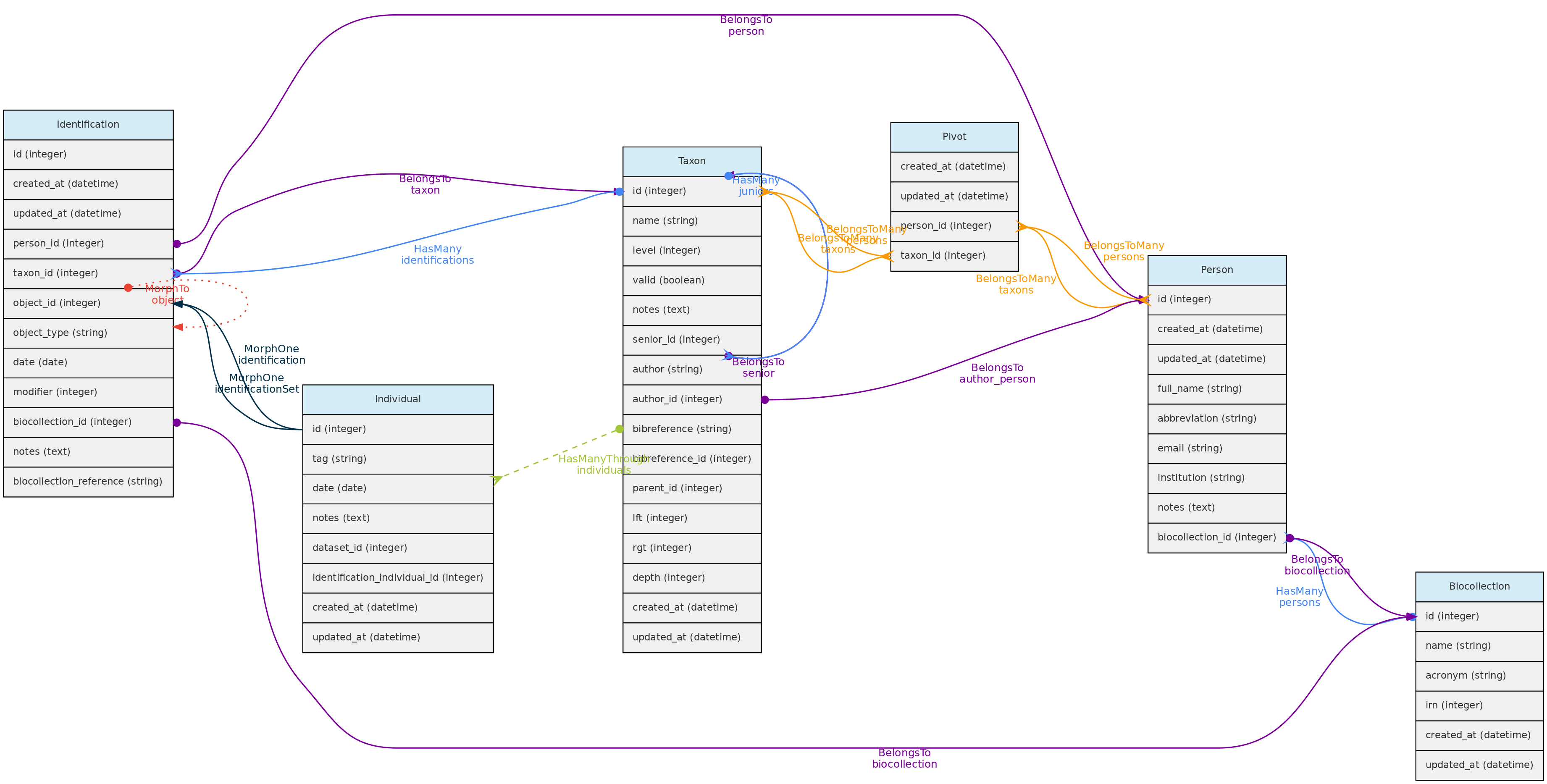 Identification model and its relationships. Lines linking tables indicate the
 methods implemented, with colors indicating different Laravel Eloquent relationships
Qualifiers in identified names
A qualifier describes the use of a taxon name in an identification; it is not
part of the taxon’s registered name. During individual imports and updates,
standalone qualifiers in taxon are removed from the lookup name and stored in
modifier, including qualifiers at the end of the name. For example,
Inga alba aff resolves Inga alba with modifier=4. Conflicting embedded and
explicit modifiers are rejected.
| Code | Accepted strings |
|---|---|
| 0 | none, nenhum, ninguno |
| 1 | s.s., s.s, ss |
| 2 | s.l., s.l, sl |
| 3 | cf., cf, c.f., c.f |
| 4 | aff., aff, af., af |
| 5 | vel aff., vel aff, vel af., vel af, vel_aff |
Use a numeric code or one of these aliases in the modifier field. The code-0
labels are only field values; they are not removed from input names.
Aliases are case-insensitive. A qualifier must be separated from the epithet by
whitespace: aff.racemosa and cf.muricata2 are provisional epithets, not
qualifiers. Standalone infraspecific rank markers are removed from lookup names;
they do not set the taxon’s level. See provisional taxa.
Identifications table
- The Identification model includes several optional fields, but in addition to
taxon_id,person_id, the Person responsible for the identification, and the identificationdateare mandatory.
- The
datevalue may be an Incomplete Date, e.g. only the year or year+month may be recorded.
- The following fields are optional:
modifier- is a numeric code appending a taxonomic modifier to the name. Possible values ’s.s.’=1, ’s.l.’=2, ‘cf.’=3, ‘aff.’=4, ‘vel aff.’=5, defaults to 0 (none).notes- a text of choice, useful for adding comments to the identification.biocollection_idandbiocollection_reference- these fields are to be used to indicate that the identification is based upon comparison to a voucher deposited in a Biological Collection and creates a link between the Individual identified and the BioCollection specimen from which the identification is based upon.biocollection_idstores the Biocollection id, andbiocollection_referencethe unique identifier of the specimen compared, i.e. would be the equivalent of thebiocollection_numberof the Voucher model, but this reference does not need to be from a voucher registered in the database.
- The relationship with the Individual model is defined by a polymorphic relationship using fields
object_typeandobject_id[This could be replaced by an ‘individual_id’ in the identification table. The polymorphic relation inherited from a previous development version, kept because the Identification model may be used in the future to link Identifications to Measurements]. - Changes in identifications are audited for tracking change history
Data access: identifications are attributes of Individuals and do not have independent access!
Person Model
The Person object stores persons names, which may or may not be a User directly involved with the database. It is used to store information about people that are:
* collectors of Vouchers, Individuals and MediaFiles
* taxonomic determinators or identifiers of individuals;
* measurer of Measurements;
* authors for unpublished Taxon names;
* taxonomic specialists - linked with Taxon model by a pivot table named person_taxon;
* dataset authors - defining authors for the dynamic publication of datasets;
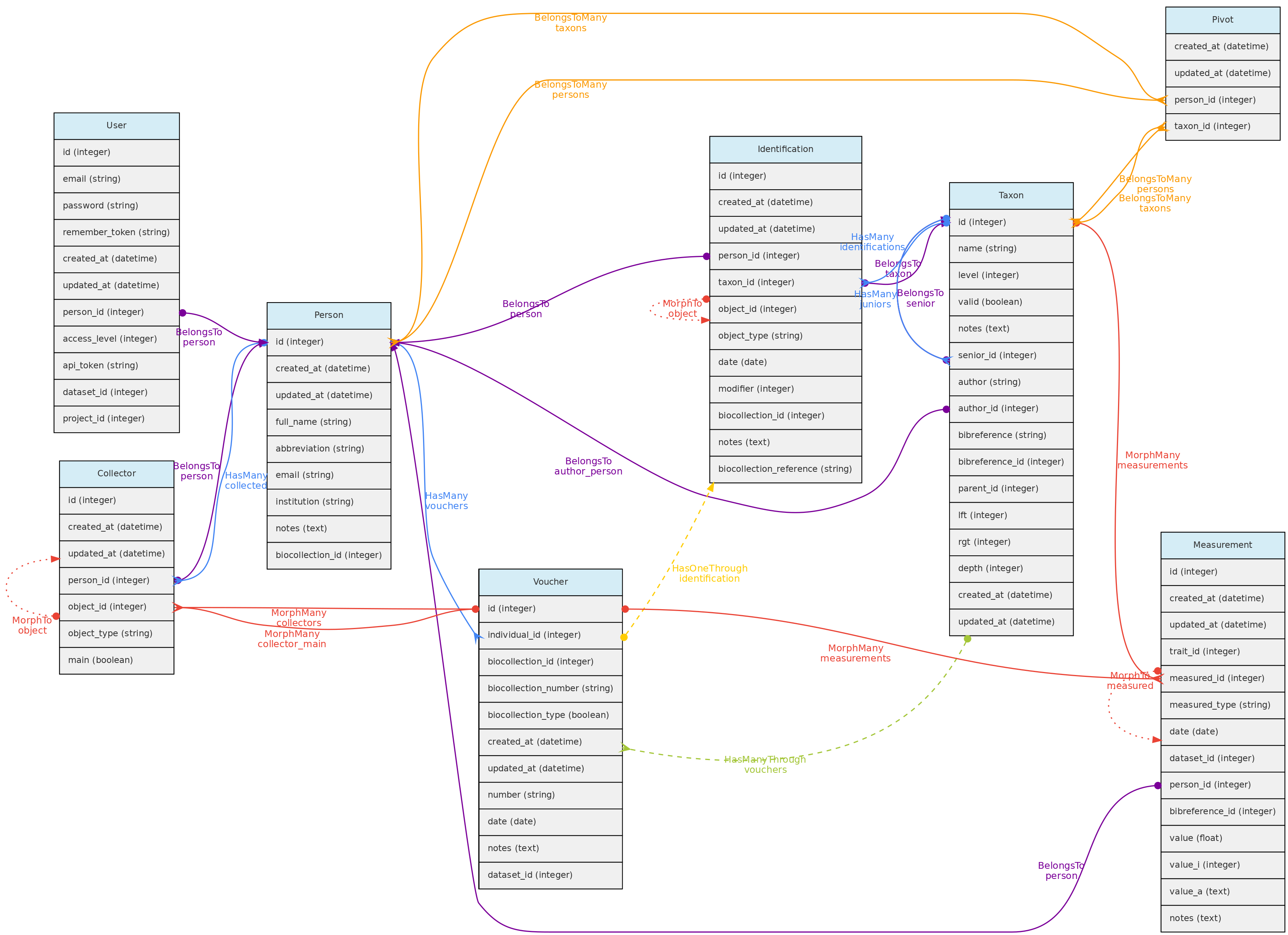 Person model and its relationships. Lines linking tables indicate the
 methods implemented, with colors indicating different types of Laravel Eloquent methods, solid lines the direct and dashed the indirect relationships
Persons table
- mandatory columns are the person
full_nameandabbreviation; - when registering a new person, the system suggests the name
abbreviation, but the user is free to change it to better adapt it to the usual abbreviation used by each person. The abbreviation must be unique in the database, duplicates are not allowed in the Persons table. Therefore, two persons with the exact same name must be differentiated somehow in theabbreviationcolumn. - The
biocollection_idcolumn of the Persons table is used to list to which Biocollection a person is associated, which may be used when the Person is also a taxonomic specialist. - Additionally, the
emailandinstitutionthe person belongs to may also be informed. - Each user can be linked to a Person by the
person_idin the User table. This person is then used the ‘default’ person when the user is logged into the system.
**Data access** [full users](/en/docs/concepts/data-access/#user) may register new persons and edit the persons they have inserted and remove persons that have no associated data. Admins may edit any Person. Persons list have public access.
Media Model
Media files are similar to measurements in that they might be associated with any core object. Media files may be images (jpeg, png, gif, tif), video or audio files and can be made freely accessible or placed in a Dataset with a defined access policy. A CreativeCommons.org license must be assigned to them. Media files may be tagged, i.e. you may define keywords to them, allowing to query them by Tags. For example, an individual image may be tagged with ‘flowers’ or ‘fruits’ to indicate what is in the image, or a tag that informs about image quality.
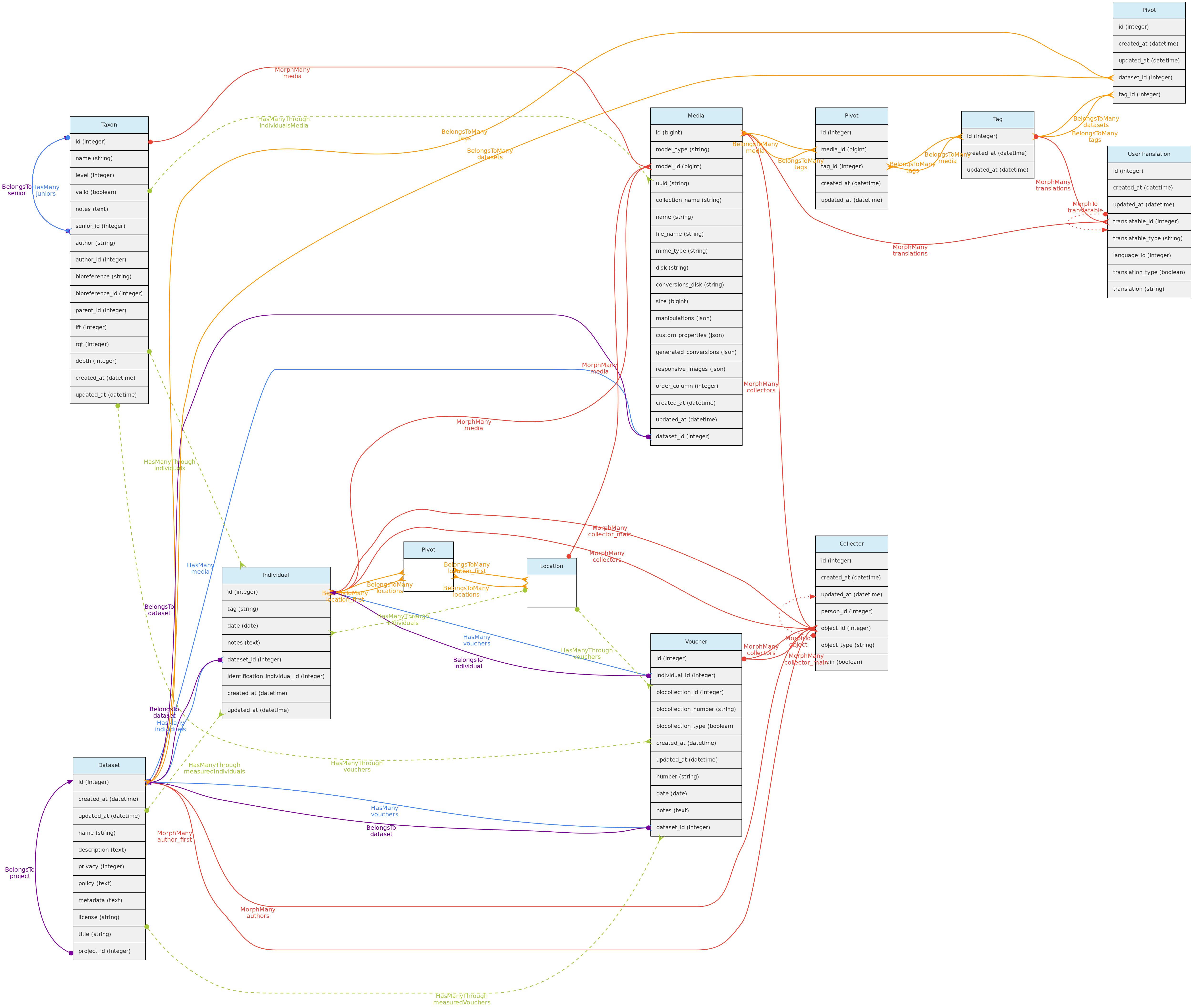
- Media files (image, video, audio) are linked to the Core-Objects through a polymorphic relationship defined by columns
model_idandmodel_type. - Multiple Persons may be associated with the Media for credits, these are linked with the Collectors table and its polymorphic relationship structure.
- A Media may have a
descriptionin each language configured in the Language table, which will be stored in theuser_translationstable, which relates to the Tag model through a polymorphic relationship. Inputs for each language are shown in the web-interface forms. - Media files are not stored in the database, but in the server storage folder.
- It is possible to batch upload media files through the web interface, requiring also a file informing the objects to link the media with.
Data access full users may register media files and delete the ones they have inserted. If Media is in a Dataset, dataset admins may delete the media in addition to the user. Media files have public access, except when linked to a Dataset with access restrictions.
Tag Model
The Tag model allows users to define translatable keywords that may be used to flag Datasets, Projects or MediaFiles. The Tag model is linked with these objects through a pivot table for each, named dataset_tag, project_tag and media_tag, respectively.
A Tag may have name and description in each language configured in the Language table, which will be stored in the user_translations table, which relates to the Tag model through a polymorphic relationship. Inputs for each language are shown in the web-interface forms.
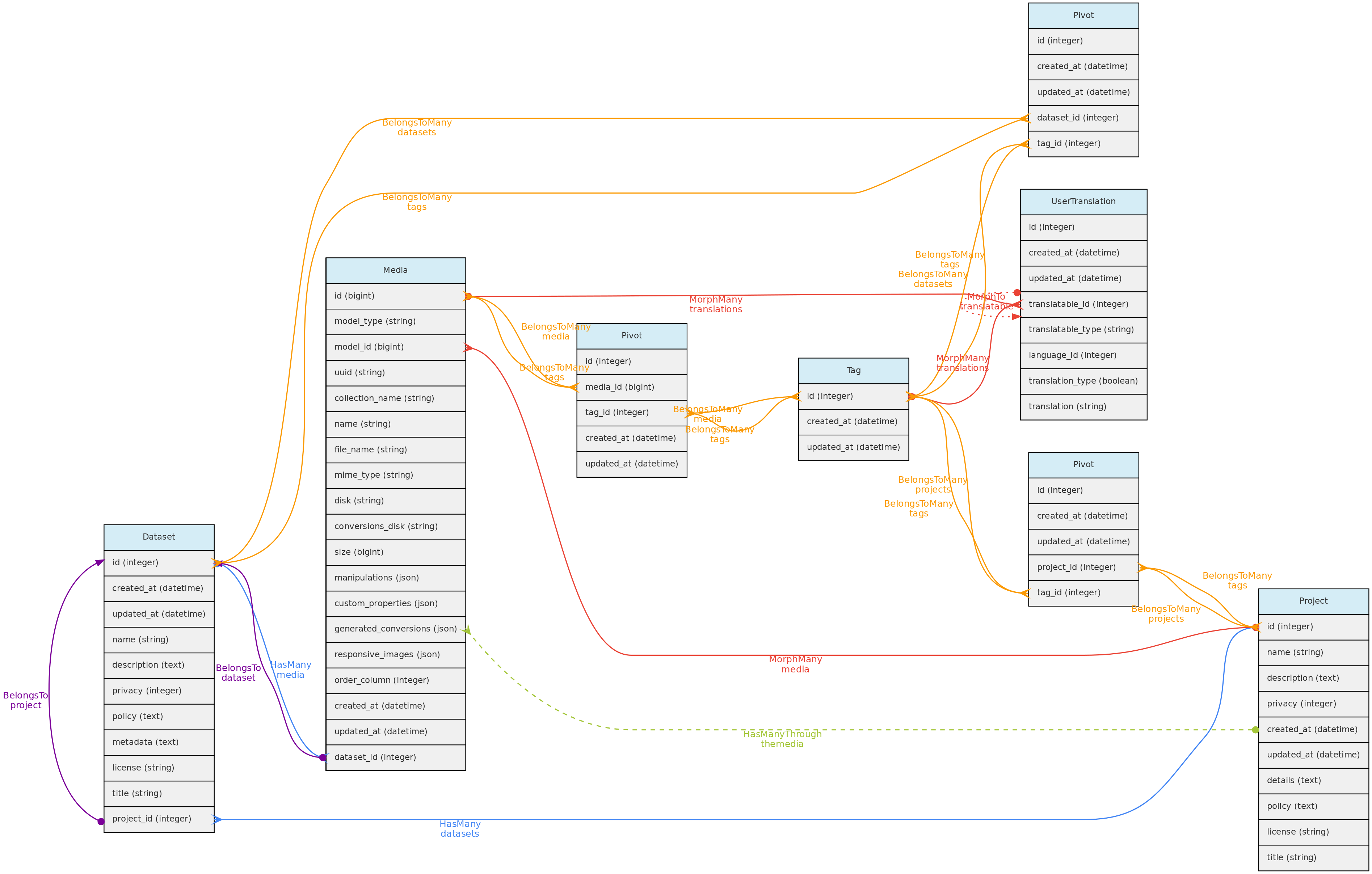
Data access full users may register tags, edit those they have inserted and delete those that have not been used. Tags have public access as they are just keywords to facilitate navigation.
User Translation Model
The UserTranslation model translates user data: Trait and Trait Categories names and descriptions, MediaFiles descriptions and Tags. The relations between these models are established by polymorphic relations using fields translatable_type and translatable_id. This model permits translations to any language listed in the Language table, which is currently only accessible for insertion and edition directly in the SQL database. Input forms in the web interface will be listed for registered Languages.
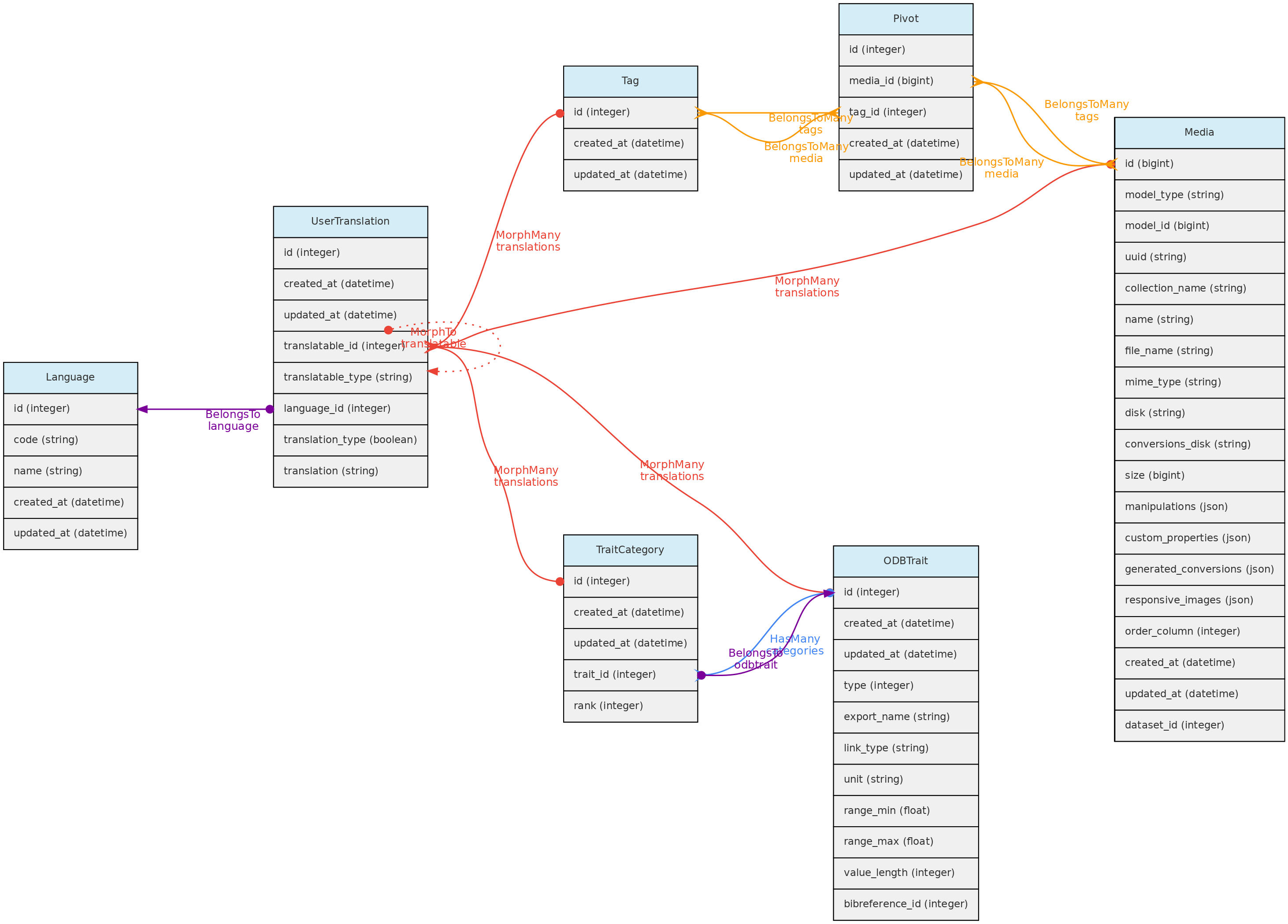
Vernacular - Popular Name
The Vernacular and VernacularCitation templates allow you to record popular names of organisms by relating them to Taxons and/or Individuals. Names must be unique in the Vernacular table, and each record can be linked to multiple Taxa and/or Individuals, depending on the information sources. Each record can also have one or more citations (citation text + BibReference + note).
Incomplete Dates
Dates for Vouchers, Individuals, Measurements and Identifications may be Incomplete, but at least year is mandatory in all cases. The date columns in the tables are of ‘date’ type, and incomplete dates are stored having 00 in the missing part: ‘2005-00-00’ when only year is known; ‘1988-08-00’ when only month is known.
Auditing
Modifications in database records are logged to the activity_log table. This table is generated by the package ActivityLog. The activities are shown in a ‘History’ link provided in the Show.view of the models.
- The package stores changes as json in the
propertiesfield, which contains two elements:attributesandold, which are basically the new vs old values that have been changed. This structure must be respected. - Class ActivityFunctions contain custom functions to read the the properties Json record stored in the
activity_logtable and finds the values to show in the History datatable; - Most changes are logged by the package as a ’trait’ called within the Class. These allow to automatically log most updates and are all configured to log only the fields that have changed, not entire records (option
dirty). Also record creation are not logged as activity, only changes. - Some changes, like Individual and Vouchers collectors and identifications are manually logged, as they involve related tables and logging is specified in the Controller files;
- Logging contain a
log_namefield that groups log types, and is used to distinguish types of activity and useful to search the History Datatable; - Two special logging are also done:
- Any Dataset download is logged, so administrators may track who and when the dataset was downloaded;
- Any Dataset request is also logged for the same reason
The clean-command of the package SHOULD NOT be used during production, otherwise will just erase all logged changes. If run, will erase the logs older than the time specified in the /config/activitylog.php file.
The ActivityLog table has the following structure:
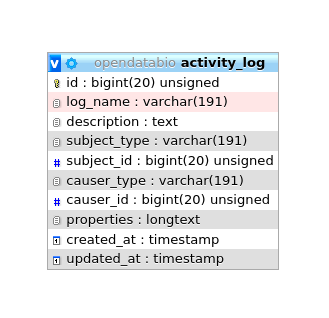
causer_typeandcauser_idwill be the User that made the changesubject_typeandsubject_idwill the model and record changedlog_name- to group logs together and permits queriesdescription- somewhat redundant with log_name in a OpenDataBio context.properties- stores the changes, for example, and identification change will have a log like:
{
    "attributes":
    {
        "person_id":"2",
        "taxon_id":"1424",
        "modifier":"2",
        "biocollection_id":"1",
        "biocollection_reference":"1234",
        "notes":"A new fake note has been inserted",
        "date":"2020-02-08"},
    "old":{
        "person_id":674,
        "taxon_id":1413,
        "date":"1995-00-00",
        "modifier":0,
        "biocollection_id":null,
        "notes":null,
        "biocollection_reference":null
    }
}
6 - Contribution Guidelines
Report bugs & suggest improvements
Post an issue on one of the GitLab repositories below, depending on the issue.
Before posting, check if an open issue does already contains what you want to report, ask or propose.
Tag your issue with one or more appropriate labels.
Issues for the main repository
Issues for the R package
Issues for this documentation site
Collaborate with development, language translations and docs
We expect this project to grow collaboratively, required for its development and use in the long term. Therefore, developer collaborators are welcome to help fixing and improving OpenDataBio. The issues list is a place to start to know what is needed.
The following guidelines are recommend if you want to collaborate:
- Communicate with the OpenDataBio repository maintainer indicating which issues you want to work on and join the development team.
Forkthe repository- Create a
branchto commit your modifications or additions - When happy with results, make a pull request to ask the project maintainer to review your contribution and merge it to the repository. Consult GitLab Help for more information on using pull requests.
Programming directives
- Use the docker installation for development, which shared among all developers facilitates debug. The Laravel-Datatables library is incompatible with
php artisan serve, so this command should not be used. - This software should adhere to Semantic Versioning, starting from version 0.1.0-alpha1. The companion R package and the Documentation (this site) should follow a similar versioning scheme. When changing version, a release tag must be created with the old version.
- All variables and functions should be named in English, with entities and fields related to the database being named in the singular form. All tables (where appropriate) should have an “id” column, and foreign keys should reference the base table with “_id” suffix, except in cases of self-joins (such as “taxon.parent_id”) or polymorphic foreign keys. The id of each table has type INT and should be autoincrementing.
- Use laravel migration class to add any modification to the database structure. Migration should include, if apply, management of existing data.
- Use camelCase for methods (i.e. relationships) and snake_case for functions.
- Document the code with comments and create documentation pages if necessary.
- There should be a structure to store which Plugins are installed on a given database and which are the compatible system versions.
- This system uses Laravel Mix to compile the SASS and JavaScript code used. If you add or modify these
npm run prodafter making any change to these files.
Collaborate with the docs
We welcome Tutorials for dealing with specific tasks.
To create a tutorial:
Forkthe documentation repository. When cloning this repository or a fork, include the submodule option to also get the included Docsy theme repository. You will need Hugo to run this site in your localhost.- Create a
branchto commit your modifications or additions - Add your tutorial:
- Create a folder within the
contents/{lang}/docs/Tutorialsusing kebab-case for the folder name. Ex.first-tutorial - You may create a tutorial in single language, or on multiple languages. Just place it in the correct folder
- Within the created folder, create a file named
_index.mdand create the markdown content with your tutorial. - You may start copying the content of an existing tutorial.
- When happy with results, make a pull request to ask the project maintainer to review your contribution and merge it to the repository. Consult GitLab Help for more information on using pull requests.
Collaborate with translations
You may help with translations for the web-interface or the documentation site. If want to have a new language for your installation, share your translation, creating a pull request with the new files.
New language for the web-interface:
- fork and create a branch for the main repository
- create a folder for the new language using the ISO 639-1 Code within the
resources/langfoldercd opendatabio cd resources/lang cp en es - translate all the values for all the variables within all the files in the new folder (may use google translation to start, just make sure variable names are not translated, otherwise, it will not work)
- add language to array in
config/languages.php - add language to database language table creating a laravel migration
- make a pull request
New language for the documentation site
- fork and create a branch for the documentation repository
- create a folder for the new language using the ISO 639-1 Code within the
contentfoldercd opendatabio.gitlab.io cd contents cp pt es - check all files within the folder and translate where needed (may use google translation to start, just make sure to translate only what can be translated)
- push to your branch and make a pull request to the main repository
Polymorphic relations
Some of the foreign relations within OpenDataBio are mapped using Polymorphic relations. These are indicated in a model by having a field ending in _id and a field ending in _type. For instance, all Core-Objects may have Measurements, and these relationships are established in the Measurements table by the measured_id and the measured_type columns, the first storing the related model unique id, the second the measured model class in strings like ‘App\Models\Individual’, ‘App\Models\Voucher’, ‘App\Models\Taxon’, ‘App\Models\Location’.
Data model images
Most figures for explaining the data model were generated using Laravel ER Diagram Generator, which allows to show all the methods implemented in each Class or Model and not only the table direct links:
To generate these figures a custom php artisan command was generated. These command is defined in file app/Console/Commands/GenerateOdbErds.php.
To update the figures follow the following steps:
- Figures are configure in the
config/erd-generator-odb.phpfile. There are many additional options for customizing the figures by changing or adding graphviz variables to theconfig/erd-generator-base.phpfile. - The custom command is
php artisan odb:erd {$model}, where model is the key of the arrays inconfig/erd-generator-odb.php, or the word “all”, to regenerate all doc figures.
cd opendatabio
make ssh
php artisan odb:erd all
- Figures will be saved in
storage/app/public/dev-imgs - Copy the new images to the documentation site. They need to be placed within
contents/{lang}/concepts/{subfolder}for all languages and in the respective sub-folders.
7 - Tutorials
Find here working examples of using OpenDataBio through the web-interface or through the OpenDataBio R package. See Contribution guidelines if you want to contribute with a tutorial.
Before starting
Create an API token, configure the OpenDataBio-R connection, and test it. Work with a pilot batch and follow each UserJob before sending a large import. Keep a local source-row key and reconcile returned OpenDataBio IDs with the original table. The Data import workflow explains the complete sequence.
R workflows
- Get and review data: reproduce filters, inspect relationships, maps, and exports.
- Prepare and import data: import shared libraries first, then dependent records and Measurements.
Recommended order: People and References; Taxons; Locations; Traits; Projects and Datasets; Individuals; Vouchers; Measurements, Media, and vernacular names. After every stage, retrieve affected IDs, join them to the source table, and GET the resulting records before continuing.
Tutorial improvements are tracked around four goals: restore and maintain figures beside the steps they illustrate; add small downloadable fixtures; show per-row UserJob reconciliation consistently; and distinguish tested examples from illustrative, non-tested examples.
7.1 - Getting data with OpenDataBio-R
The Opendatabio-R package was created to allow users to interact with an OpenDataBio server, to both obtain (GET) data or to import (POST) data into the database. This tutorial is a basic example of how to get data.
Set up the connection
- Set up the connection to the OpenDataBio server using the
odb_config()function. The most important parameters for this function arebase_url, which should point to the API url for your OpenDataBio server, andtoken, which is the access token used to authenticate your user. - The
tokenis only need to get data from datasets that have one of the restricted access policies. Data from datasets of public access can be extracted without the token specification. - Your token is avaliable in your profile in the web interface
library(opendatabio)
base_url="https://opendb.inpa.gov.br/api"
token ="GZ1iXcmRvIFQ"
cfg = odb_config(base_url=base_url, token = token)
More advanced configuration involves setting a specific API version, a custom User Agent, or other HTTP headers, but this is not covered here.
Test your connection
The function odb_test() may be used to check if the connection was successful, and whether
your user was correctly identified:
odb_test(cfg)
#will output
Host: https://opendb.inpa.gov.br/api/v0
Versions: server 0.9.1-alpha1 api v0
$message
[1] "Success!"

$user
[1] "admin@example.org"
As an alternative, you can specify these parameters as systems variables. Before starting R, set this up on your shell (or add this to the end of your .bashrc file):
export ODB_TOKEN="YourToken"
export ODB_BASE_URL="https://opendb.inpa.gov.br/api"
export ODB_API_VERSION="v0"
GET Data
See the GET API Quick Reference for a complete list of endpoints and request parameters. Also see the generic parameters, especially
save_jobwhich is important for downloading large datasets.
For publicly accessible data the token is optional. Below are some examples. Follow a similar reasoning to use the other endpoints. See the R package help for all available odb_get_{endpoint} functions.
Getting Taxon names
See GET API Taxon Endpoint request parameters and a list of response fields.
base_url="https://opendb.inpa.gov.br/api"
cfg = odb_config(base_url=base_url)
#get id for a taxon
mag.id = odb_get_taxons(params=list(name='Magnoliidae',fields='id,name'),odb_cfg = cfg)
#use this id to get all descendants of this taxon
odb_taxons = odb_get_taxons(params=list(root=mag.id$id,fields='id,scientificName,taxonRank,parent_id,parentName'),odb_cfg = cfg)
head(odb_taxons)
If the server used the seed data provided and the default language is portuguese, the result will be:
  id scientificName taxonRank parent_id  parentName
1 25    Magnoliidae     Clado        20 Angiosperms
2 43     Canellales     Ordem        25 Magnoliidae
3 62       Laurales     Ordem        25 Magnoliidae
4 65    Magnoliales     Ordem        25 Magnoliidae
5 74      Piperales     Ordem        25 Magnoliidae
6 93  Chloranthales     Ordem        25 Magnoliidae
Getting Locations
See GET API Location Endpoint request parameters and a list of response fields. See also the POST Locations-Validation Endpoint if you have latitude and longitude and wants to validade the geometries and find where the point falls.
Get some fields listing all Conservation Units (adm_level==99) registered in the server:
base_url="https://opendb.inpa.gov.br/api"
cfg = odb_config(base_url=base_url)
odblocais = odb_get_locations(params = list(fields='id,name,parent_id,parentName',adm_level=99),odb_cfg = cfg)
head(odblocais)
If the server used the seed data provided and the default language is portuguese, the result will be:
id                                                           name
1 5628                              Estação Ecológica Mico-Leão-Preto
2 5698          Área de Relevante Interesse Ecológico Ilha do Ameixal
3 5700 Área de Relevante Interesse Ecológico da Mata de Santa Genebra
4 5703     Área de Relevante Interesse Ecológico Buriti de Vassununga
5 5707                                Reserva Extrativista do Mandira
6 5728                                   Floresta Nacional de Ipanema
parent_id parentName
1         6  São Paulo
2         6  São Paulo
3         6  São Paulo
4         6  São Paulo
5         6  São Paulo
6         6  São Paulo
Locations as spatial objects in R
To obtain a spatial object in R, use the sf package. The example below plots a plot and its subplots and also exports the locations as both, kml and shapefile.
library(sf)
library(opendatabio)

#download all plot locations
cfg <- odb_config(base_url = "https://opendb.inpa.gov.br/api")

#get a  large main plot
parcela = odb_get_locations(params = list(fields='all',name='Parcela 25ha'), odb_cfg = cfg)
parcela$type = 'main plot'

#get subplots
subplots = odb_get_locations(params = list(fields='all',location_root=parcela$id), odb_cfg = cfg)
subplots = subplots[subplots$adm_level==100 & subplots$id!=parcela$id,]
subplots$type = 'sub plot'

#convert footprintWKT to sf geometries
geoms <- st_as_sfc(parcela$footprintWKT, crs = 4326)
parcela_sf <- st_sf(parcela, geometry = geoms)

geoms <- st_as_sfc(subplots$footprintWKT, crs = 4326)
subplots_sf <- st_sf(subplots, geometry = geoms)

#print a figure
png("plots_with_subplots.png", width = 15, height = 15,units='cm',res=300)
  par(mar=c(2,2,3,2))
  plot(st_geometry(subplots_sf),border='green',main = parcela$locationName)
  plot(st_geometry(parcela_sf),border='red',add=T)
  labs = gsub("Quadrat ","",subplots_sf$locationName)
  text(
   st_coordinates(st_centroid(subplots_sf)),
   labels = labs,
   cex = 0.2, col = "blue"
  )
dev.off()


#save as kml
locais = rbind(parcela_sf,subplots_sf)
locais$name <- locais$locationName
cols_to_include <- setdiff(names(locais), c("footprintWKT",'locationName'))
locais_kml <- locais[, c("name", cols_to_include[cols_to_include != "name"])]
st_write(locais_kml, "plots_and_subplots.kml", layer=parcela$locationName, driver = "KML", delete_dsn = TRUE)
#save as shapefile
st_write(locais_kml, "plots_and_subplots.shp", layer=parcela$locationName, delete_layer = TRUE)
Figure generated:
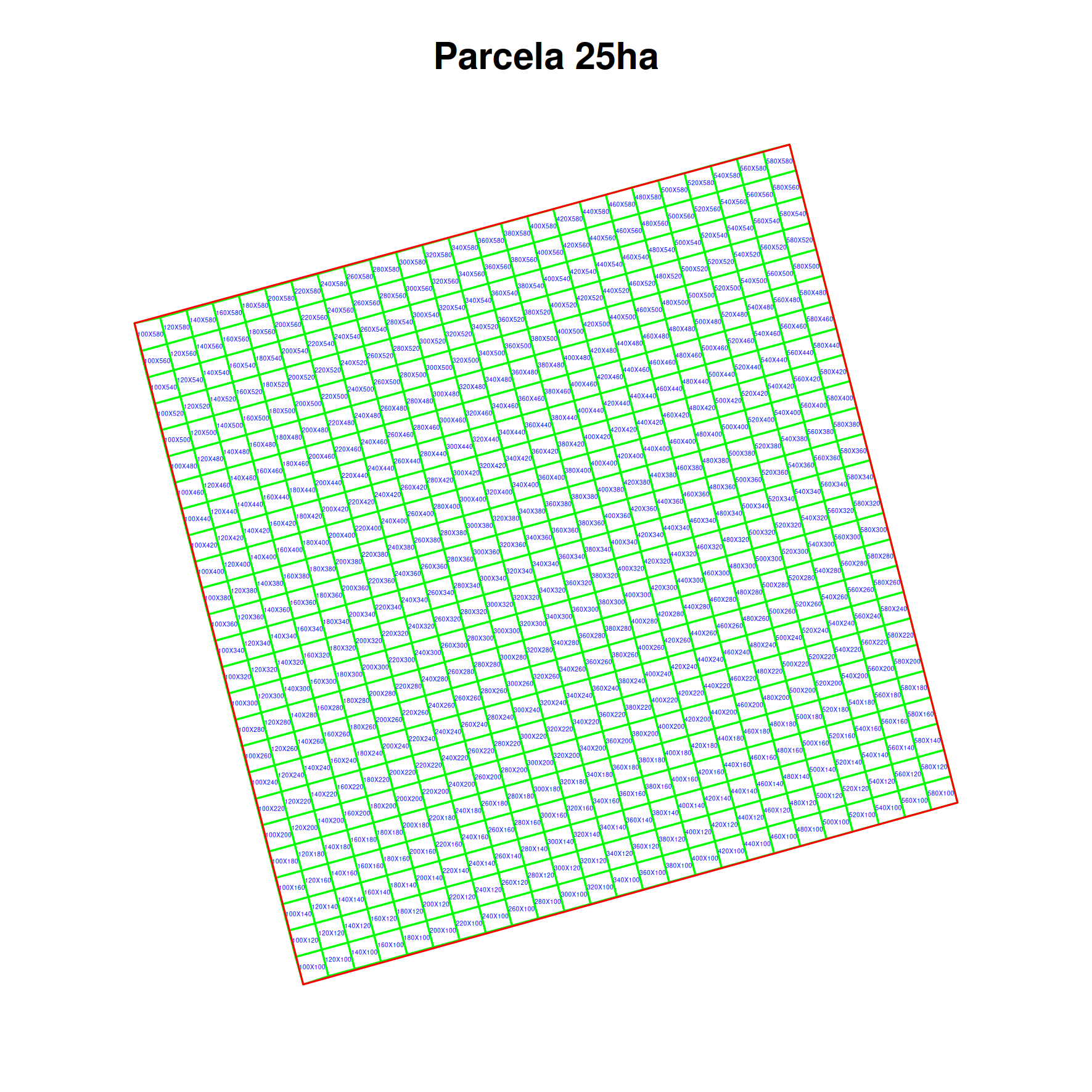
Validating point geometries
See the POST Locations-Validation Endpoint.
#conect to database
library(opendatabio)
base_url="http://localhost/opendatabio/api"
token ="your token is mandatory in this case"
cfg = odb_config(base_url=base_url, token = token)
odb_test(cfg)

#fake data
dados = data.frame(
  latitude = sample(seq(-2,2,by=0.00001),10),
  longitude = sample(seq(-60,-59,by=0.00001),10)
)

#submit job for validation
jb = odb_validate_locations(dados,odb_cfg = cfg)

#monitor job execution
odb_get_jobs(params=list(id=jb$id),odb_cfg = cfg)

#get results
dadosValidados = odb_get_jobs(params=list(id=jb$id,get_file=T),odb_cfg = cfg)
head(dados)
  latitude longitude
1  0.12975 -59.65745
2  1.77469 -59.77757
3 -0.89154 -59.80179
4 -1.25632 -59.87084
5  0.77085 -59.22740
6 -0.74237 -59.64591

head(dadosValidados)
  latitude longitude withinLocationName withinLocationParent withinLocationCountry withinLocationHigherGeography  withinLocationType
1  0.12975 -59.65745  Trombetas/Mapuera               Brasil                Brazil    Brasil > Trombetas/Mapuera Território Indígena
2  0.12975 -59.65745     Bioma Amazônia               Brasil                Brazil       Brasil > Bioma Amazônia           Ambiental
3  0.12975 -59.65745           Amazonia                World                                            Amazonia           Ambiental
4  0.12975 -59.65745            Urucará             Amazonas                Brazil   Brasil > Amazonas > Urucará           Município
5  1.77469 -59.77757            Jacamim              Roraima                Brazil    Brasil > Roraima > Jacamim Território Indígena
6  1.77469 -59.77757     Bioma Amazônia               Brasil                Brazil       Brasil > Bioma Amazônia           Ambiental
  withinLocationID withinLocationTypeAdmLevel searchObs
1             6393                         98        NA
2             6583                         97        NA
3            16597                         97        NA
4             1570                          8        NA
5             6121                         98        NA
6             6583                         97        NA
Getting Individual Data
See GET API Individual Endpoint for the full list of search parameters and response fields.
library(opendatabio)
base_url = "https://opendb.inpa.gov.br/api"
token = "YOUR TOKEN HERE"

# Set the connection configuration
cfg = odb_config(base_url = base_url, token = token)

# DIRECT DOWNLOAD – if you want to download a small amount of data
inds = odb_get_individuals(params = list(limit = 100), odb_cfg = cfg)

# PREPARE FILE ON SERVER – if your query will return a large number of records
# Download all records you have access to or public ones
# Save the process, since the result is likely to be large
jobid = odb_get_individuals(params = list(save_job = TRUE), odb_cfg = cfg)
# Check the status of the job
odb_get_jobs(params = list(id = jobid$job_id), odb_cfg = cfg)
# When it finishes, get the data here (or download the file via the web interface)
all_inds = odb_get_jobs(params = list(id = jobid$job_id), odb_cfg = cfg)

# FETCHING SPECIFIC DATA

# All individuals identified as taxon X
params = list(taxon = "Licaria cannela tenuicarpa")
licarias = odb_get_individuals(params = params, odb_cfg = cfg)

# All individuals identified as taxon X or its descendants
params = list(taxon_root = "Licaria")
licarias = odb_get_individuals(params = params, odb_cfg = cfg)

# All individuals from dataset X
params = list(dataset = "MyDataset name or id")
inds = odb_get_individuals(params = params, odb_cfg = cfg)
# Or use save_job above if the dataset is large

# You can view the list of available datasets
datasets = odb_get_datasets(odb_cfg = cfg)
Getting Measurements
See GET API Measurement Endpoint for the complete list of query parameter options and response fields.
Use the odb_get_measurements function.
library(opendatabio)
base_url="https://opendb.inpa.gov.br/api"
token="YOUR TOKEN HERE"

#establishes the connection configuration
cfg = odb_config(base_url=base_url, token = token)

#100 first measurements of the dataset X with id=10
measurements = odb_get_measurements(params=list(dataset=10,limit=100),odb_cfg=cfg)

#100 first measurements of the dataset X with id=10 for the variable whose export_name is treeDbh
measurements = odb_get_measurements(params=list(trait="treeDbh",dataset=10,limit=100),odb_cfg=cfg)

#Measurements of the dataset X with id=10 for the variable whose export_name is treeDbh
#only for Lauraceae
measurements = odb_get_measurements(params=list(trait="treeDbh",dataset=10,taxon_root="Lauraceae"),odb_cfg=cfg)

#linking data of individuals measurements
laurels = odb_get_individuals(params=list(dataset=10,taxon_root="Lauraceae"),odb_cfg=cfg)
filter = grep("Individu",measurements$measured_type) #optional, depends on what is in measurements
g = match(measurements$measured_id[filter],laurels$id)
measurements$location = NA
measurements$location[filter] = laurels$locationName[g]
Getting Media
See GET API Media Endpoint for the complete list of query parameter options and response fields.
Use the odb_get_media function from the R package.
library(opendatabio)
base_url="https://opendb.inpa.gov.br/api"
token="YOUR TOKEN HERE"

#set the connection configuration
cfg = odb_config(base_url=base_url, token = token)

#the first 50 media files of a dataset that has images
imgs = odb_get_media(params=list(dataset=97,limit=50),odb_cfg=cfg)

#see this metadata
head(imgs)

#from this metadata, download the media files
#create a function for this:
getImagesByURL <- function(url,downloadFolder='img') {
dir.create(downloadFolder,showWarnings = F)
fn = strsplit(url,"\\/")[[1]]
fn = fn[length(fn)]
nname = paste(downloadFolder,fn,sep="/")
img = httr::GET(url=url)
writeBin(httr::content(img, "raw"), nname)
}
#use the function to download images to a folder
sapply(imgs$file_url,getImagesByURL,downloadFolder='testeImgsFromOdb')
Getting Voucher Data
See GET API Voucher Endpoint for the full list of search parameter options and response fields.
Follow the example above, but use the odb_get_vouchers function.
library(opendatabio)
base_url="https://opendb.inpa.gov.br/api"
token="YOUR TOKEN HERE"

#establishes the connection configuration
cfg = odb_config(base_url=base_url, token = token)

#first 100 vouchers registered in a biocollection
vouchers = odb_get_vouchers(params=list(biocollection="INPA",limit=100),odb_cfg=cfg)

#vouchers in location x (id, or name, as registered in the database)
vouchers = odb_get_vouchers(params=list(location="Reserva Florestal Adolpho Ducke, Parcela PDBFF-100ha",limit=100),odb_cfg=cfg)
7.2 - Import data with R
The Opendatabio-R package was created to allow users to interact with an OpenDataBio server, to both obtain (GET) data or to import (POST) data into the database. This tutorial is a basic example of how to import data.
Set up the connection
- Set up the connection to the OpenDataBio server using the
odb_config()function. The most important parameters for this function arebase_url, which should point to the API url for your OpenDataBio server, andtoken, which is the access token used to authenticate your user. - The
tokenis mandatory for importing data. - Your token is avaliable in your profile in the web interface
library(opendatabio)
base_url="https://opendb.inpa.gov.br/api"
token ="GZ1iXcmRvIFQ"
#create a config object
cfg = odb_config(base_url=base_url, token = token)
#test connection
odb_test(cfg)
Importing data (POST API)
Check the API Quick-Reference for a full list of POST endpoints and link to details.
OpenDataBio-R import functions
All import functions have the same signature: the first argument is a data.frame with data to be imported, and the second parameter is a configuration object generated by odb_config.
When writing an import request, check the POST API docs in order to understand which columns can be declared in the data.frame.
All import functions return a job id, which can be used to check if the job is still running, if it ended with success or if it encountered an error. This job id can be used in the functions odb_get_jobs(), odb_get_affected_ids() and odb_get_log(), to find details about the job, which (if any) were the IDs of the successfully imported objects, and the full log of the job. You may also see the log in your user jobs list in the web interface.
Attention
Order is Important - correctly importing data may depend on already registered records. For example, importing an Individual with a Taxon identity requires the taxon name registered in the database, so you would first validate your taxon list using the GET API and then import the records for the Individuals.
You may also Validate geographic coordinates, detecting locations registered in an OpenDataBio database for point geometries.
Working with dates and incomplete dates
For Individuals, Vouchers and Identifications you may use incomplete dates.
The date format used in OpenDataBio is YYY-MM-DD (year - month - day), so a valid entry would be 2018-05-28.
Particularly in historical data, the exact day (or month) may not be known, so you can substitute this fields with NA: ‘1979-05-NA’ means “an unknown day, in May 1979”, and ‘1979-NA-NA’ means “unknown day and month, 1979”. You may not add a date for which you have only the day, but can if you have only the month if is actually meaningful in some way.
7.2.1 - Import Locations
OpenDataBio is distributed with a seed location dataset for Brazil, which includes state, municipality, federal conservation units, indigenous lands and the major biomes.
Working with spatial data is a very delicate area, so we have attempted to make the workflow for inserting locations as easy as possible.
If you want to upload administrative boundaries for a country, you may also just download a geojson file from OSM-Boundaries and upload it through the web interface directly. Or use the GADM repository exemplified below.
Importation is straightforward, but the main issues to keep in mind:
- OpenDataBio stores the geometries of locations using Well-known text (WKT) representation.
- Locations are hierarchical, so a location SHOULD lie completely within its parent location. The importation method will try to detect the parent locations based on its geometry. So you do not need to inform a parent. However, sometimes the parent and child locations share a border or have minor differences that prevent to be detected. Therefore, if this importation fail to place the location where you expected, you may update or import informing the correct parent. When you inform the parent a second check will be performed adding a buffer to the parent location, and should solve the issue.
- Country borders can be imported without parent detection or definition, and marine records may be linked to a parent even if they are not contained by the parent polygon. This requires a specific field specification and should be used only in such cases as it is a possible source of misplacement, but give such flexibility)
- Standardize the geometry to a common projection of use in the system. Strongly recommended to use EPSG:4326 WGS84., for standardization;
- Consider, uploading your political administrative polygons before adding specific POINT, PLOTS or TRANSECTS;
- Conservation Units, Indigenous Territories and Environmental layers may be added as locations and will be treated as special case as some of these locations span different administrative locations. So a POINT, PLOT or TRANSECT location may belong to a UC, a TI and many Environmental layers if these are stored in the database. These related locations, like the political parent, are auto-detected from the location geometry.
Check the POST Locations API docs in order to understand which columns can be declared when importing locations.
Adm_level defines the location type
The administrative level (adm_level) of a location is a number:
- 2 for country; 3 to 10 as other as ‘administrative areas’, following OpenStreeMap convention to facilitate external data importation and local translations (TO BE IMPLEMENTED). So, for Brazil, codes are (States=4, Municipalities=8);
- 999 for ‘POINT’ locations like GPS waypoints;
- 101 for transects
- 100 is the code for plots and subplots;
- 99 is the code for Conservation Units
- 98 for Indigenous Territories
- 97 for Environmental polygons (e.g. Floresta Ombrofila Densa, or Bioma Amazônia)
Importing spatial polygons
GADM Administrative boundaries
Administrative boundaries may also be imported without leaving R, getting data from GDAM and using the odb_import* functions
library(raster)
library(opendatabio)

#download GADM administrative areas for a country

#get country codes
crtcodes = getData('ISO3')
bra = crtcodes[crtcodes$NAME%in%"Brazil",]

#define a path where to save the downloaded spatial data
path = "GADMS"
dir.create(path,showWarnings = F)

#the number of admin_levels in each country varies
#get all levels that exists into your computer
runit =T
level = 0
while(runit) {
   ocrt <- try(getData('GADM', country=bra, level=level,path=path),silent=T)
   if (class(ocrt)=="try-error") {
      runit = FALSE
   }
   level = level+1
}

#read downloaded data and format to odb
files = list.files(path, full.name=T)
locations.to.odb = NULL
for(f in 1:length(files)) {
   ocrt <- readRDS(files[f])
   #class(ocrt)
   #convert the SpatialPolygonsDataFrame to OpenDataBio format
   ocrt.odb = opendatabio:::sp_to_df(ocrt)  #only for GADM data
   locations.to.odb = rbind(locations.to.odb,ocrt.odb)
}
#see without geometry
head(locations.to.odb[,-ncol(locations.to.odb)])

#you may add a note to location
locations.to.odb$notes = paste("Source gdam.org via raster::get_data()",Sys.Date())

#adjust the adm_level to fit the OpenStreeMap categories
ff = as.factor(locations.to.odb$adm_level)
(lv = levels(ff))
levels(ff) = c(2,4,8,9)
locations.to.odb$adm_level = as.vector(ff)

library(opendatabio)
base_url="https://opendb.inpa.gov.br/api"
token ="GZ1iXcmRvIFQ"
cfg = odb_config(base_url=base_url, token = token)
odb_import_locations(data=locations.to.odb,odb_cfg=cfg)

#ATTENTION: you may want to check for uniqueness of name+parent rather than just name, as name+parent are unique for locations. You may not save two locations with the same name within the same parent.
A ShapeFile example
library(rgdal)

#read your shape file
path = 'mymaps'
file = 'myshapefile.shp'
layer = gsub(".shp","",file,ignore.case=TRUE)
data = readOGR(dsn=path, layer= layer)

#you may reproject the geometry to standard of your system if needed
data = spTransform(data,CRS=CRS("+proj=longlat +datum=WGS84"))

#convert polygons to WKT geometry representation
library(rgeos)
geom = rgeos::writeWKT(data,byid=TRUE)

#prep import
names = data@data$name  #or the column name of the data
shape.to.odb = data.frame(name=names,geom=geom,stringsAsFactors = F)

#need to add the admin_level of these locations
shape.to.odb$admin_level = 2

#and may add parent and note if your want
library(opendatabio)
base_url="https://opendb.inpa.gov.br/api"
token ="GZ1iXcmRvIFQ"
cfg = odb_config(base_url=base_url, token = token)
odb_import_locations(data=shape.to.odb,odb_cfg=cfg)
Converting data from KML
#read file as SpatialPolygonDataFrame
file = "myfile.kml"
file.exists(file)
mykml = readOGR(file)
geom = rgeos::writeWKT(mykml,byid=TRUE)

#prep import
names = mykml@data$name  #or the column name of the data
to.odb = data.frame(name=names,geom=geom,stringsAsFactors = F)

#need to add the admin_level of these locations
to.odb$admin_level = 2

#and may add parent or any other valid field

#import
library(opendatabio)
base_url="https://opendb.inpa.gov.br/api"
token ="GZ1iXcmRvIFQ"
cfg = odb_config(base_url=base_url, token = token)
odb_import_locations(data=to.odb,odb_cfg=cfg)
Import Plots and Subplots
Plots and Transects are special cases within OpenDataBio:
- They may be defined with a Polygon or LineString geometry, respectively;
- Or they may be registered only as POINT locations. In this case OpenDataBio will create the polygon or linestring geometry for you;
- Dimensions (x and y) are stored in meters
- SubPlots are plot locations having a plot location as a parent, and must also have cartesian positions (startX, startY) within the parent location in addition to dimensions. Cartesian position refer to X and Y positions within parent plot and hence MUST be smaller than parent X and Y. And the same is true for Individuals within plots or subplots when they have their own X and Y cartesian coordinates.
- SubPlot is the only location that may be registered without a geographical coordinate or geometry, which will be calculated from the parent plot geometry using the startx and starty values.
Plot and subplot example 01
You need at least a single point geographical coordinate for a location of type PLOT. Geometry (or lat and long) cannot be empty.
#geometry of a plot in Manaus
southWestCorner = c(-59.987747, -3.095764)
northWestCorner = c(-59.987747, -3.094822)
northEastCorner = c(-59.986835,-3.094822)
southEastCorner = c(-59.986835,-3.095764)
geom = rbind(southWestCorner,northWestCorner,northEastCorner,southEastCorner)
library(sp)
geom = Polygon(geom)
geom = Polygons(list(geom), ID = 1)
geom = SpatialPolygons(list(geom))
library(rgeos)
geom = writeWKT(geom)
to.odb = data.frame(name='A 1ha example plot',x=100,y=100,notes='a fake plot',geom=geom, adm_level = 100,stringsAsFactors=F)
library(opendatabio)
base_url="https://opendb.inpa.gov.br/api"
token ="GZ1iXcmRvIFQ"
cfg = odb_config(base_url=base_url, token = token)
odb_import_locations(data=to.odb,odb_cfg=cfg)
Wait a few seconds, and then import subplots to this plot.
#import 20x20m subplots to the plot above without indicating a geometry.
#SubPlot is the only location type that does not require the specification of a geometry or coordinates,
#but it requires specification of startx and starty relative position coordinates within parent plot
#OpenDataBio will use subplot position values to calculate its geographical coordinates based on parent geometry
(parent = odb_get_locations(params = list(name='A 1ha example plot',fields='id,name',adm_level=100),odb_cfg = cfg))
sub1 = data.frame(name='sub plot 40x40',parent=parent$id,x=20,y=20,adm_level=100,startx=40,starty=40,stringsAsFactors=F)
sub2 = data.frame(name='sub plot 0x0',parent=parent$id,x=20,y=20,adm_level=100,startx=0,starty=0,stringsAsFactors=F)
sub3 = data.frame(name='sub plot 80x80',parent=parent$id,x=20,y=20,adm_level=100,startx=80,starty=80,stringsAsFactors=F)
dt = rbind(sub1,sub2,sub3)
#import
odb_import_locations(data=dt,odb_cfg=cfg)
Screen captures of imported plots
Below screen captures for the locations imported with the code above
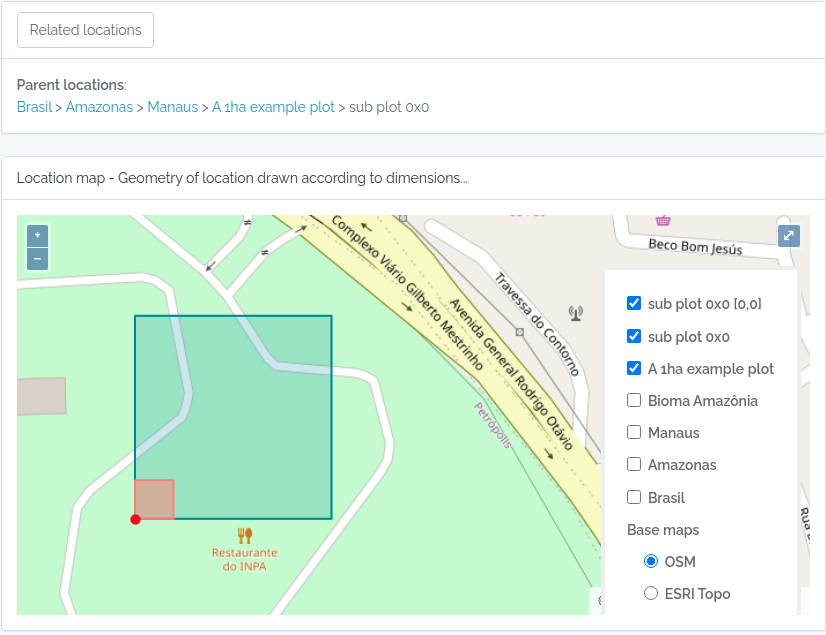
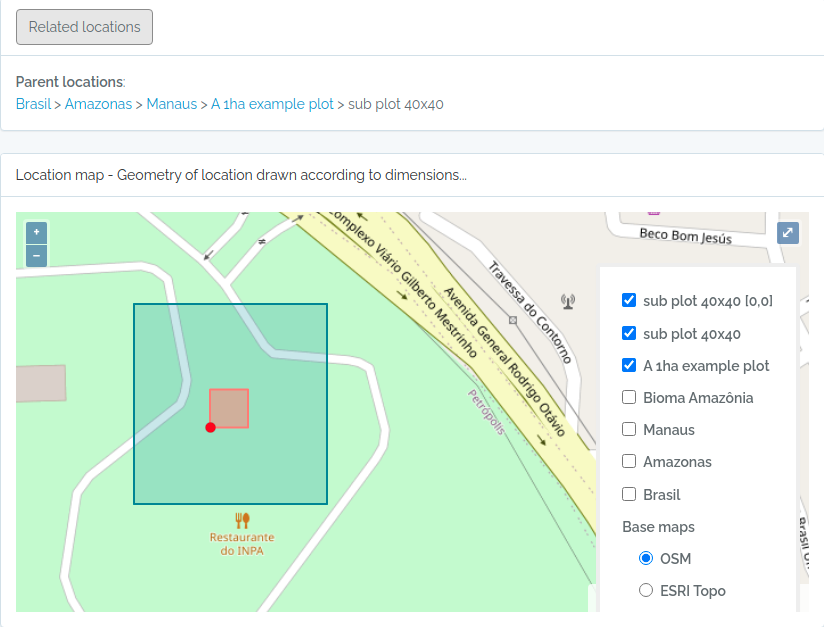
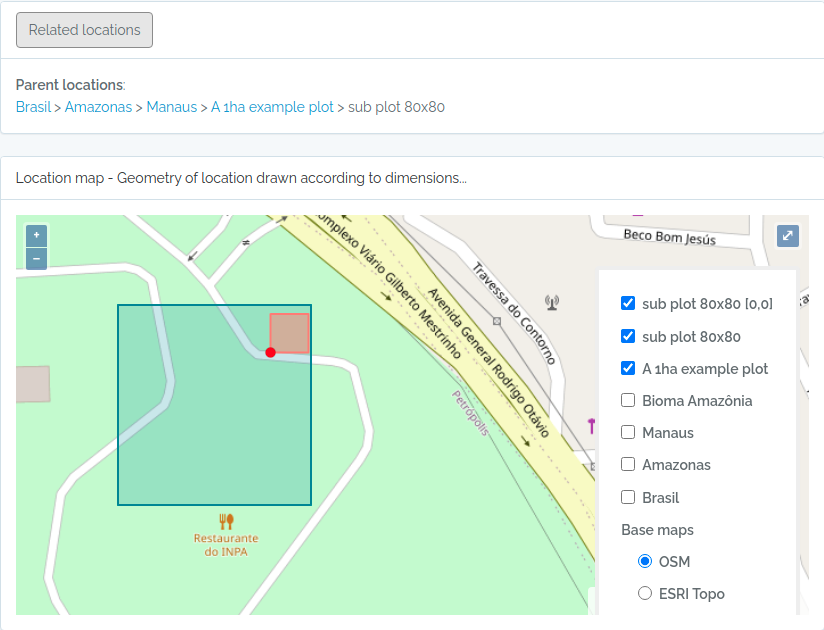
Plot and subplot example 02
Import a plot and subplots having only:
- a single point coordinate
- an azimuth or angle of the plot direction
library(opendatabio)
base_url="https://opendb.inpa.gov.br/api"
token ="GZ1iXcmRvIFQ"
cfg = odb_config(base_url=base_url, token = token)


#the plot
geom = "POINT(-59.973841 -2.929822)"
to.odb = data.frame(name='Example Point PLOT',x=100, y=100, azimuth=45,notes='OpenDataBio point plot example',geom=geom, adm_level = 100,stringsAsFactors=F)
odb_import_locations(data=to.odb,odb_cfg=cfg)

#define 20x20 subplots cartesian coordinates
x = seq(0,80,by=20)
xx = rep(x,length(x))
yy = rep(x,each=length(x))
names = paste(xx,yy,sep="x")

#import these subplots without having a geometry, but specifying the parent plot location
parent = odb_get_locations(params = list(name='Example Point PLOT',adm_level=100),odb_cfg = cfg)
to.odb = data.frame(name=names,startx=xx,starty=yy,x=20,y=20,notes="OpenDataBio 20x20 subplots example",adm_level=100,parent=parent$id)
odb_import_locations(data=to.odb,odb_cfg=cfg)

#get the imported plot locations and plot them using the root parameter
locais = odb_get_locations(params=list(root=parent$id),odb_cfg = cfg)
locais[,c('id','locationName','parentName')]
colnames(locais)
for(i in 1:nrow(locais)) {
  geom = readWKT(locais$footprintWKT[i])
  if (i==1) {
    plot(geom,main=locais$locationName[i],cex.main=0.8,col='yellow')
    axis(side=1,cex.axis=0.7)
    axis(side=2,cex.axis=0.7,las=2)
  } else {
    plot(geom,add=T,border='red')
  }
}
The figure generated above:
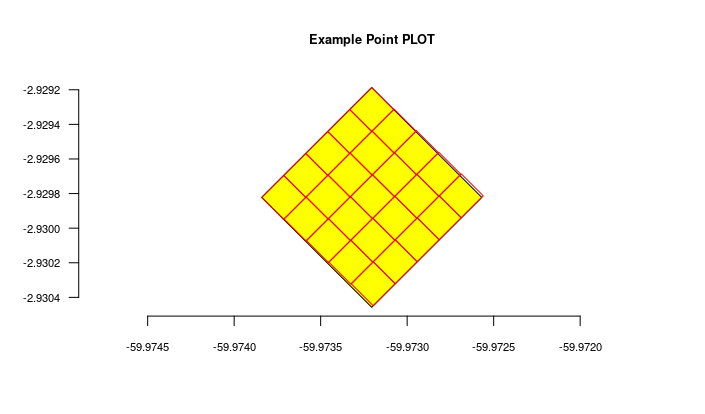
Import transects
This code will import two transects, when defined by a LINESTRING geometry, the other only by a point geometry. See figures below for the imported result
#geometry of transect in Manaus

#read trail from a kml file
  #library(rgdal)
  #file = "acariquara.kml"
  #file.exists(file)
  #mykml = readOGR(file)
  #library(rgeos)
  #geom = rgeos::writeWKT(mykml,byid=TRUE)

#above will output:
geom = "LINESTRING (-59.9616459699999993 -3.0803612500000002, -59.9617394400000023 -3.0805952900000002, -59.9618530300000003 -3.0807376099999999, -59.9621049400000032 -3.0808563200000001, -59.9621949100000009 -3.0809758500000002, -59.9621587999999974 -3.0812666800000001, -59.9621092399999966 -3.0815010400000000, -59.9620656999999966 -3.0816403499999998, -59.9620170600000009 -3.0818584699999998, -59.9620740699999999 -3.0819864099999998)";

#prep data frame
#the y value refer to a buffer in meters applied to the trail
#y is used to validate the insertion of related individuals
to.odb = data.frame(name='A trail-transect example',y=20, notes='OpenDataBio transect example',geom=geom, adm_level = 101,stringsAsFactors=F)

#import
library(opendatabio)
base_url="https://opendb.inpa.gov.br/api"
token ="GZ1iXcmRvIFQ"
cfg = odb_config(base_url=base_url, token = token)
odb_import_locations(data=to.odb,odb_cfg=cfg)

#NOW IMPORT A SECOND TRANSECT WITHOUT POINT GEOMETRY
#then you need to inform the x value, which is the transect length
#ODB will map this transect oriented by the azimuth paramater (south in the example below)
#point geometry = start point
geom = "POINT(-59.973841 -2.929822)"
to.odb = data.frame(name='A transect point geometry',x=300, y=20, azimuth=180,notes='OpenDataBio point transect example',geom=geom, adm_level = 101,stringsAsFactors=F)
odb_import_locations(data=to.odb,odb_cfg=cfg)

locais = odb_get_locations(params=list(adm_level=101),odb_cfg = cfg)
locais[,c('id','locationName','parentName','levelName')]
The code above will result in the following two locations:
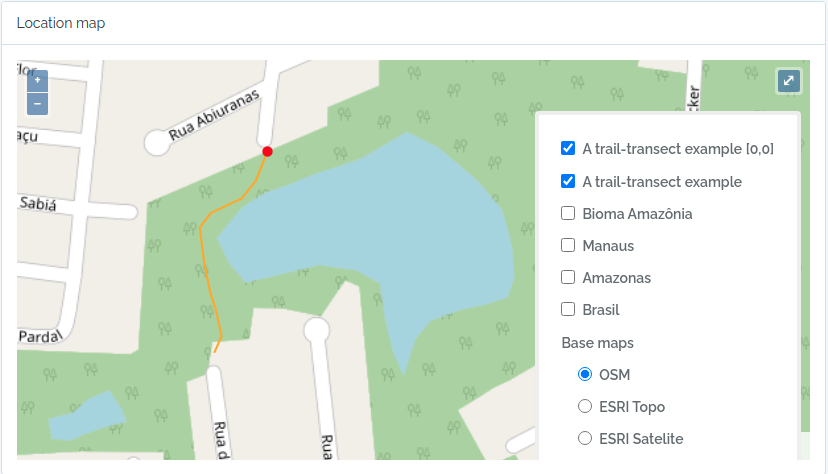
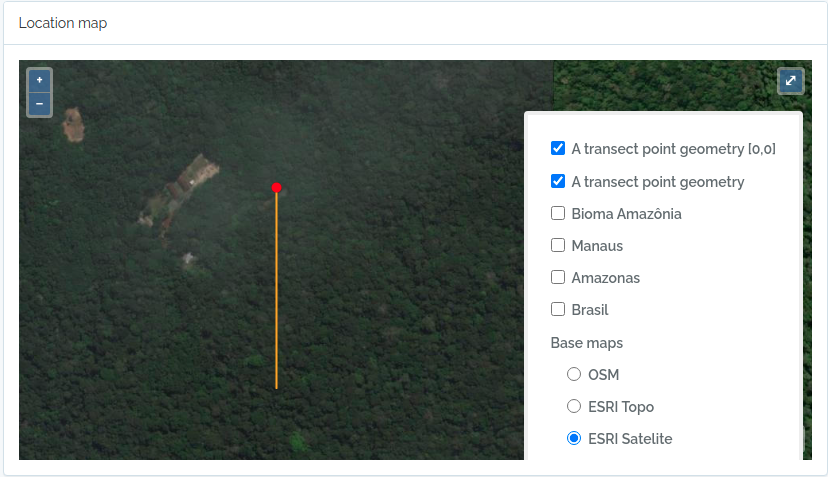
7.2.2 - Import BibReferences
Illustrative example: import DOI values only
The Bibliographic Reference endpoint accepts a doi column and resolves the
remaining metadata. This example is deliberately fictitious and has not been
tested; keep the guard set to FALSE unless you replace every DOI with a real
reference that you intend to register.
library(opendatabio)

cfg = odb_config(
  base_url = "http://localhost/opendatabio/api",
  token = Sys.getenv("ODB_TOKEN")
)

references = data.frame(
  doi = c(
    "10.0000/example.reference.001",
    "https://doi.org/10.0000/example.reference.002"
  )
)

SEND_REAL_DOIS = FALSE
if (SEND_REAL_DOIS) {
  job = odb_import_bibreferences(references, odb_cfg = cfg)
  odb_get_jobs(params = list(id = job$id), odb_cfg = cfg)
  odb_get_affected_ids(job_id = job$id, odb_cfg = cfg)
}
Search existing DOI values first. After processing, review reused records, warnings, and affected IDs before using reference IDs in another import.
Import a BibTeX file
#your connection
library(opendatabio)
base_url="http://localhost/opendatabio/api"
token = “YOUR TOKEN HERE”
cfg = odb_config(base_url=base_url, token = token)
odb_test(cfg)

#read the bibliographic references in R
library(rbibutils)
bibs = readBib(file="yourFileWithReferences.bib")
formatbib <- function(x) {
  con <- textConnection("bibref", "w")
  writeBib(x,con=con)
  bibref = paste(bibref,collapse = " ")
  close(con)
  return(bibref)
}

#prepare to import to odb
bibtexts = sapply(bibs,formatbib)
data = data.frame(bibtex=bibtexts,standardize=1,stringsAsFactors = F)

#importa
jobid = odb_import_bibreferences(data,odb_cfg = cfg)
#waiting for completion
odb_get_jobs(params=list(id=jobid$id),odb_cfg = cfg)
#get the import log
dt = odb_get_affected_ids(job_id=jobid$id,odb_cfg = cfg)
7.2.3 - Import Vernacular
library(opendatabio)
base_url="http://localhost/opendatabio/api"
token="YOUR TOKEN HERE"
cfg = odb_config(base_url=base_url, token = token)
odb_test(cfg)

#generate fake data for testing
name = c('pau rosa',"casca preciosa")
taxons = c("Aniba roseaodora,Aniba panurensis,Aniba parvifolia","Aniba canelilla")

#get the id of some individuals
inds = odb_get_individuals(params=list(taxon="Aniba roseaodora,Aniba panurensis,Aniba parvifolia",fields='id,scientificName',limit=10),odb_cfg = cfg)
individuals=c(paste(inds$id,collapse = ","),NA)

#idiomas = odb_get_languages(odb_cfg = cfg)
language= c('pt-br','en')

#create a data.frame with this information
verna = data.frame(name,taxons,language,taxons,individuals)

#citations (just generate a data.frame for each vernacular)
umaCitatcao = data.frame(
    citation='This would be the cited text',
    bibreference="Riberiroetal1999FloraDucke", #bibkey or the id
    type='generic', #can be: generic, use, etymology
    notes='my observations about this citation')

#add a list-type column
verna$citations = list(oneCitation,NA)

#import to opendatabio
odb_import_vernaculars(verna,odb_cfg = cfg)
7.2.4 - Import Media
Attention
- You basically need the media files in a single folder and a table containing the attributes for each media file;
- See the POST Media API docs to understand which columns can be declared when importing Media. Only 3 columns are mandatory in the attribute table:
filename,object_type, andobject_id, but it is important to include additional information about the file, such as date, authors, title, usage license, dataset, and also Tags. - Consider adding at least one keyword (Tag) for each media file.
Importing Media via API
The method below can be done either through the API using the R package or through the web interface. Test and use whichever is faster to upload the image files.
library(opendatabio)
base_url = "https://opendb.inpa.gov.br/api"
token = "GZ1iXcmRvIFQ"
cfg = odb_config(base_url = base_url)

# path to the folder where the images are stored
folder = 'imagesParaOdb'

# list the file names
filenames = dir(folder, full.names = FALSE)

# read the attribute table
attributes = read.table('arquivoAtributos.csv', sep = ',', header = TRUE, as.is = TRUE, na.strings = c("", "NA", "-"))

# are all files listed in the attribute table?
print(paste(sum(filenames %in% attributes$filename), "of", length(filenames), "files are listed in the attribute table"))

# import to ODB
odb_upload_media_zip(folder = folder, attribute_table = attributes, odb_cfg = cfg)
7.2.5 - Import Taxons
Attention
- For a successful importation of published names, you just need to provide a
nameattribute, being the fullname for species and infraspecies (e.g. Licaria canella tenuicarpa, Ocotea delicata), same form asGBIF's canonicalName, i.e. do not include infraspecific ranks; - No need to import parent taxons for published names, OpenDataBio does that for you. The import process will use the
nameyou informed to retrieve taxon info from a nomenclature repository: currently Tropicos, GBIF BackBone Taxonomy and ZOOBANK. A fuzzy search will be performed on the GBIF service if needed. If the taxon name is found, it will automatically get the needed information and also all parent taxa (or accepted names if its tagged as a synonym) as needed and will store in the database for you. If your name is invalid, i.e. it is a synonym of a another name, it will be imported but tagged as invalid. - If you inform
parentand it is different from the one detected by the API the informed parent has preference. - For unpublished species
level,parent, and apersonorauthor_idmust also be provided; - The external API will use a fuzzy query while searching GBIF if it does not find an exact match, allowing to detect even when misspelled. However, spelling errors in names may prevent a taxon from being stored.
- Taxonomy is hierarchical and the structure within the OpenDataBio may be treelike. So, you may add, if you want, any node of the tree of life into the Taxon table. For these you need to use the
Cladetaxon level. But note, this may not be relevant if you are not going link data to such clade names. - Because the nomenclature check is time consuming, be patient.
OpenDataBio is distributed with a Taxon seed table, that include the root of all kingdoms and some high-level nodes for Plants, i.e. the APWeb Order level tree for Angiosperms.
A simple published name example
The scripts below were tested on top of the OpenDataBio Seed Taxon table, which contains only down to the order level for Angiosperms.
In the taxons table, families Moraceae, Lauraceae and Solanaceae were not yet registered:
library(opendatabio)
base_url="https://opendb.inpa.gov.br/api"
cfg = odb_config(base_url=base_url)
exists = odb_get_taxons(params=list(root="Moraceae,Lauraceae,Solanaceae"),odb_cfg=cfg)
Returned:
data frame with 0 columns and 0 rows
Now import some species and one infraspecies for the families above, specifying their fullname (canonicalName):
library(opendatabio)
base_url="https://opendb.inpa.gov.br/api"
token ="GZ1iXcmRvIFQ"
cfg = odb_config(base_url=base_url, token = token)
spp = c("Ficus schultesii", "Ocotea guianensis","Duckeodendron cestroides","Licaria canella tenuicarpa")
splist = data.frame(name=spp)
odb_import_taxons(splist, odb_cfg=cfg)
Now check with the same code for taxons under those children:
library(opendatabio)
base_url="https://opendb.inpa.gov.br/api"
cfg = odb_config(base_url=base_url)
exists = odb_get_taxons(params=list(root="Moraceae,Lauraceae,Chrysobalanaceae"),odb_cfg=cfg)
head(exists[,c('id','scientificName', 'taxonRank','taxonomicStatus','parentNameUsage')])
Which will return:
id                    scientificName  taxonRank taxonomicStatus      parentName
1  252                          Moraceae     Family        accepted         Rosales
2  253                             Ficus      Genus        accepted        Moraceae
3  254                  Ficus schultesii    Species        accepted           Ficus
4  258                        Solanaceae     Family        accepted       Solanales
5  259                     Duckeodendron      Genus        accepted      Solanaceae
6  260          Duckeodendron cestroides    Species        accepted   Duckeodendron
7  255                         Lauraceae     Family        accepted        Laurales
8  256                            Ocotea      Genus        accepted       Lauraceae
9  257                 Ocotea guianensis    Species        accepted          Ocotea
10 261                           Licaria      Genus        accepted       Lauraceae
11 262                   Licaria canella    Species        accepted         Licaria
12 263 Licaria canella subsp. tenuicarpa Subspecies        accepted Licaria canella
Note that although we specified only the species and infraspecies names, the API imported also all the needed parent hierarchy up to family, because orders where already registered.
An invalid published name example
The name Licania octandra pallida (Chrysobalanaceae) has been recently turned into a synonym of Leptobalanus octandrus pallidus.
The script below exemplify what happens in such cases.
library(opendatabio)
base_url="https://opendb.inpa.gov.br/api"
token ="GZ1iXcmRvIFQ"
cfg = odb_config(base_url=base_url, token = token)

#lets check
exists = odb_get_taxons(params=list(root="Chrysobalanaceae"),odb_cfg=cfg)
exists
#in this test returns an empty data frame
#data frame with 0 columns and 0 rows

#now import
spp = c("Licania octandra pallida")
splist = data.frame(name=spp)
odb_import_taxons(splist, odb_cfg=cfg)

#see the results
exists = odb_get_taxons(params=list(root="Chrysobalanaceae"),odb_cfg=cfg)
exists[,c('id','scientificName', 'taxonRank','taxonomicStatus','parentName')]
Which will return:
id                         scientificName  taxonRank taxonomicStatus             parentName
1 264                       Chrysobalanaceae     Family        accepted           Malpighiales
2 265                           Leptobalanus      Genus        accepted       Chrysobalanaceae
3 267                 Leptobalanus octandrus    Species        accepted           Leptobalanus
4 269 Leptobalanus octandrus subsp. pallidus Subspecies        accepted Leptobalanus octandrus
5 266                                Licania      Genus        accepted       Chrysobalanaceae
6 268                       Licania octandra    Species         invalid                Licania
7 270        Licania octandra subsp. pallida Subspecies         invalid       Licania octandra
Note that although we specified only one infraspecies name, the API imported also all the needed parent hierarchy up to family, and because the name is invalid it also imported the acceptedName for this infraspecies and its parents.
An unpublished species or morphotype
It is common to have unpublished local species names (morphotypes) for plants in plots, or yet to be published taxonomic work. Unpublished designation are project specific and therefore MUST also provide an author as different projects may use the same ‘sp.1’ or ‘sp.A’ code for their unpublished taxons.
You may link an unpublished name as any taxon level and do not need to use genus+species logic to assign a morphotype for which the genus or upper level taxonomy is undefined. For example, you may store a ‘species’ level with name ‘Indet sp.1’ and parent_name ‘Laurales’, if the lowest level formal determination you have is the order level. In this example, there is no need to store a Indet genus and Indet family taxons just to account for this unidentified morphotype.
##assign an unpublished name for which you only know belongs to the Angiosperms and you have this node in the Taxon table already
library(opendatabio)
base_url="https://opendb.inpa.gov.br/api"
cfg = odb_config(base_url=base_url)

#check that angiosperms exist
odb_get_taxons(params=list(name='Angiosperms'),odb_cfg = cfg)

#if it is there, start creating a data.frame to import
to.odb = data.frame(name='Morphotype sp.1', parent='Angiosperms', stringsAsFactors=F)

#get species level numeric code
to.odb$level=odb_taxonLevelCodes('species')

#you must provide an author that is a Person in the Person table. Get from server
odb.persons = odb_get_persons(params=list(search='João Batista da Silva'),odb_cfg=cfg)
#found
head(odb.persons)

#add the author_id to the data.frame
#NOTE it is not author, but author_id or person)
#this makes odb understand it is an unpublished name
to.odb$author_id = odb.persons$id

#import
token ="GZ1iXcmRvIFQ" #this must be your token not this value
cfg = odb_config(base_url=base_url, token = token)
odb_import_taxons(to.odb,odb_cfg = cfg)
Check the imported record:
exists = odb_get_taxons(params=list(name='Morphotype sp.1'),odb_cfg = cfg)
exists[,c('id','scientificName', 'taxonRank','taxonomicStatus','parentName','scientificNameAuthorship')]
Some columns for the imported record:
id  scientificName taxonRank taxonomicStatus  parentName              scientificNameAuthorship
1 276 Morphotype sp.1   Species     unpublished Angiosperms João Batista da Silva - Silva, J.B.D.
Import a published clade
You may add a clade Taxon and may reference its publication using the bibkey entry. So, it is possible to actually store all relevant nodes of any phylogeny in the Taxon hierarchy.
#parent must be stored already
odb_get_taxons(params=list(name='Pagamea'),odb_cfg = cfg)

#define clade Taxon
to.odb = data.frame(name='Guianensis core', parent_name='Pagamea', stringsAsFactors=F)
to.odb$level = odb_taxonLevelCodes('clade')

#add a reference to the publication where it is published
#import bib reference to database beforehand
odb_get_bibreferences(params(bibkey='prataetal2018'),odb_cfg=cfg)
to.odb$bibkey = 'prataetal2018'

#then add valid species names as children of this clade instead of the genus level
children = data.frame(name = c('Pagamea guianensis','Pagamea angustifolia','Pagamea puberula'),stringsAsFactors=F)
children$parent_name = 'Guianensis core'
children$level = odb_taxonLevelCodes('species')
children$bibkey = NA

#merge
to.odb = rbind(to.odb,children)

#import
odb_import_taxons(to.odb,odb_cfg = cfg)
7.2.6 - Import Persons
Check the POST Persons API docs in order to understand which columns can be declared when importing Persons.
It is recommended you use the web interface, as it will warn you in case the person you want to register has a similar, likely the same, person already registered. The API will only check for identical Abbreviations, which is the single restriction of the Person class. Abbreviations are unique and duplications are not allowed. This does not prevent data downloaded from repositories to have different abbreviations or full name for the same person. So, you should standardize secondary data before importing into the server to minimize such common errors.
library(opendatabio)
base_url="https://opendb.inpa.gov.br/api"
token ="GZ1iXcmRvIFQ"
cfg = odb_config(base_url=base_url, token = token)

one = data.frame(full_name='Adolpho Ducke',abbreviation='DUCKE, A.',notes='Grande botânico da Amazônia',stringsAsFactors = F)
two = data.frame(full_name='Michael John Gilbert Hopkins',abbreviation='HOPKINKS, M.J.G.',notes='Curador herbário INPA',stringsAsFactors = F)
to.odb= rbind(one,two)
odb_import_persons(to.odb,odb_cfg=cfg)

#may also add an email entry if you have one
Get the data
library(opendatabio)
base_url="https://opendb.inpa.gov.br/api"
cfg = odb_config(base_url=base_url)
persons = odb_get_persons(odb_cfg=cfg)
persons = persons[order(persons$id,decreasing = T),]
head(persons,2)
Will output:
id                    full_name     abbreviation email institution                       notes
613 1582 Michael John Gilbert Hopkins HOPKINKS, M.J.G.  <NA>          NA       Curador herbário INPA
373 1581                Adolpho Ducke        DUCKE, A.  <NA>          NA Grande botânico da Amazônia
7.2.7 - Import Traits
Attention
- Strongly recommended you use the web interface to enter traits one by one. Use batch imports only if you have too many.
- Before importing any trait, make sure the variable is not already registered in the system with a different name. Preventing duplication is important as the Trait class is shared among all users of an OpenDataBio installation. This also means that once a trait is used for Measurements, you may only alter the trait’s definition, for example, a category name, if you were the only user entering measurements for the trait. Otherwise, somebody else used that definition and you will not be able to alter it.
- Export_name must be unique in a single ODB installation. This name is used when exporting data and on forms, and you should consider making it as short and informative (of definition) as possible. Also, API will validate the export name - must be camelCase, PascalCase or snake_case, and you cannot add spaces or any special character (accents). Ex. ‘dbh’,‘dbhPom’, ’leafLength’, ‘LeafLength’ or ’leaf_length’, respectively.
Traits can be imported using odb_import_traits().
Read carefully the Traits POST API.
Traits types
See odb_traitTypeCodes() for possible trait types.
Trait name and categories User translations
Fields name and description could be one of following:
- using the Language code as keys:
list("en" = "Diameter at Breast Height","pt-br" ="Diâmetro a Altura do Peito") - or using the Language names as keys:
list("English" ="Diameter at Breast Height","Portuguese" ="Diâmetro a Altura do Peito").
Field categories must include for each category+rank+lang the following fields: lang=mixed - required, the id, code or name of the language of the translationname=string - required, the translated category name required (name+rank+lang must be unique)rank=number - required, rank is important to indicate the same category across languages, and defines ordinal traits;description=string - optional for categories, a definition of the category.
This may be formatted as a data.frame and placed in the categories column of another data.frame:
data.frame(
  rbind(
    c("lang"="en","rank"=1,"name"="small","description"="smaller than 1 cm"),
    c("lang"="pt-br","rank"=1,"name"="pequeno","description"="menor que 1 cm"),
    c("lang"="en","rank"=2,"name"="big","description"="bigger than 10 cm"),
    c("lang"="pt-br","rank"=2,"name"="grande","description"="maior que 10 cm")
  ),
  stringsAsFactors=FALSE
)
Quantitative trait example
For quantitative traits for either integers or real values (types 0 or 1).
odb_traitTypeCodes()

library(opendatabio)
base_url="https://opendb.inpa.gov.br/api"
token ="GZ1iXcmRvIFQ" #this must be your token not this value
cfg = odb_config(base_url=base_url, token = token)

#do this first to build a correct data.frame as it will include translations list
to.odb = data.frame(type=1,export_name = "dbh", unit='centimeters',stringsAsFactors = F)

#add translations (note double list)
#format is language_id = translation (and the column be a list with the translation lists)
to.odb$name[[1]]= list('1' = 'Diameter at breast height', '2' = 'Diâmetro à altura do peito')
to.odb$description[[1]]= list('1' = 'Stem diameter measured at 1.3m height','2' = 'Diâmetro do tronco medido à 1.3m de altura')

#measurement validations
to.odb$range_min = 10  #this will restrict the minimum measurement value allowed in the trait
to.odb$range_max = 400 #this will restrict the maximum value

#measurements can be linked to (classes concatenated by , or a list)
to.odb$objects = "Individual,Voucher,Taxon"  #makes no sense link such measurements to Locations

to.odb$notes = 'this is quantitative trait example'

#import
odb_import_traits(to.odb,odb_cfg=cfg)
Categorical trait example
- Must include categories. The only difference between ordinal and categorical traits is that ordinal categories will have a rank and the rank will be inferred from the order the categories are informed during importation. Note that ordinal traits are semi-quantitative and so, if you have categories ask yourself whether they are not really ordinal and register accordingly.
- Like the Trait name and description, categories may also have different language translations, and you SHOULD enter the translations for the languages available (
odb_get_languages()) in the server, so the Trait will be accessible in all languages. English is mandatory, so at least the English name must be informed. Categories may have a description associated, but sometimes the category name is self explanatory, so descriptions of categories are not mandatory.
odb_traitTypeCodes()

library(opendatabio)
base_url="https://opendb.inpa.gov.br/api"
token ="GZ1iXcmRvIFQ" #this must be your token not this value
cfg = odb_config(base_url=base_url, token = token)

#do this first to build a correct data.frame as it will include translations list

#do this first to build a correct data.frame as it will include translations list
to.odb = data.frame(type=3,export_name = "specimenFertility", stringsAsFactors = F)

#trait name and description
to.odb$name =  data.frame("en"="Specimen Fertility","pt-br"="Fertilidade do especímene",stringsAsFactors=F)
to.odb$description =  data.frame("en"="Kind of reproductive stage of a collected plant","pt-br"="Estágio reprodutivo de uma amostra de planta coletada",stringsAsFactors=F)

#categories (if your trait is ORDINAL, the add categories in the wanted order here)
categories = data.frame(
  rbind(
    c('en',1,"Sterile"),
    c('pt-br',1,"Estéril"),
    c('en',2,"Flowers"),
    c('pt-br',2,"Flores"),
    c('en',3,"Fruits"),
    c('pt-br',3,"Frutos"),
    c('en',4,"Flower buds"),
    c('pt-br',4,"Botões florais")
  ),
  stringsAsFactors =FALSE
)
colnames(categories) = c("lang","rank","name")

#descriptions not included for categories as they are obvious,
# but you may add a 'description' column to the categories data.frame

#objects for which the trait may be used for
to.odb$objects = "Individual,Voucher"

to.odb$notes = 'a fake note for a multiselection categorical trait'
to.odb$categories = list(categories)

#import
odb_import_traits(to.odb,odb_cfg=cfg)
Link type trait example
Link types are traits that allow you link a Taxon or Voucher as a value measurement to another object. For example, you may conduct a plant inventory for which you have only counts for Taxon associated to a locality. Therefore, you may create a LINK trait, which will allow you to store the count values for any Taxon as measurements for a particular location (POINT, POLYGON). Or you may link such values to Vouchers instead of Taxons if you have a representative specimen for the taxons.
Use the WebInterface.
Text and color traits
Text and color traits require the minimum fields only for trait registration. Text traits allow the storage of textual observations. Color will only allow color codes (see example in Importing Measurements)
odb_traitTypeCodes()

library(opendatabio)
base_url="https://opendb.inpa.gov.br/api"
token ="GZ1iXcmRvIFQ" #this must be your token not this value
cfg = odb_config(base_url=base_url, token = token)


to.odb = data.frame(type=5,export_name = "taxonDescription", stringsAsFactors = F)

#trait name and description
to.odb$name =  data.frame("en"="Taxonomic descriptions","pt-br"="Descrições taxonômicas",stringsAsFactors=F)
to.odb$description =  data.frame("en"="Taxonomic descriptions from the literature","pt-br"="Descrições taxonômicas da literatura",stringsAsFactors=F)

#will only be able to use this trait for a measurment associated with a Taxon
to.odb$objects = "Taxon"

#import
odb_import_traits(to.odb,odb_cfg=cfg)
Spectral traits
Spectral traits are specific to spectral data. You must specify the range of wavenumber values for which you may have absorbance or reflectance data, and the length of the spectra to be stored as measurements to allow validation during input. So, for each range and spacement of the spectral values you have, a different SPECTRAL trait must be created.
Use the WebInterface.
7.2.8 - Import Individuals & Vouchers
Attention
- You may import vouchers with the Individual POST endpoint. Use the voucher endpoint only for already registered individuals, else follow below to import individuals and their vouchers at once.
- Individuals may have a self taxonomic identification or a non-self taxonomic identification
- Individuals may have multiple locations, but when registering the individual a single location is needed. You may then import additional locations using the Individual-location POST API.
Individuals can be imported using odb_import_individuals() and vouchers with the odb_import_vouchers().
Read carefully the Individual POST API and the Voucher POST API.
Identification options and incomplete dates
With cfg configured and to.odb prepared as in the example below, the current
R client can request automatic import of missing published taxa:
# POST: missing identifier defaults to this record's validated collectors.
job <- odb_import_individuals(to.odb, odb_cfg = cfg, import_missing_taxa = TRUE)

# PUT: explicitly identify who is responsible for the new identification.
# Replace both IDs with existing records from your installation.
changes <- data.frame(id = 123L, taxon = "Inga alba", identifier = 45L)
update_job <- odb_update_individuals(changes, odb_cfg = cfg, import_missing_taxa = TRUE)
The flag defaults to FALSE in both functions. It cannot create an unpublished
morphotype from a name alone. Inspect the job’s per-record results and log for
automatic-import warnings, default identifiers and validation errors. On PUT,
identifier="collector" requires collectors supplied in the same update;
identifier="keep" is not supported.
Collection date and identification_date accept incomplete dates such as
"2000", "2000-02", "2000-NA-NA", "2000-OO-OO", "2000-00-00",
"2000-02-NA" and "2000-02-OO". Year-first slash forms such as "2000/02"
and "2000/02/NA" are accepted too. Keep these values as character strings in R;
unknown components are stored as zero, without inventing a month or day. Invalid
calendar dates and a known day with an unknown month are rejected.
Standalone qualifiers can be included in taxon, for example "Inga alba aff",
or supplied through modifier. See identification name rules
and the POST and
PUT requirements.
Individual example
Prep data for a single individual basic example, representing a tree in a forest plot location.
library(opendatabio)
base_url="https://opendb.inpa.gov.br/api"
token ="GZ1iXcmRvIFQ" #this must be your token not this value
cfg = odb_config(base_url=base_url, token = token)

#the number in the aluminium tag in the forest
to.odb = data.frame(tag='3405.L1', stringsAsFactors=F)

#the collectors (get ids from the server)
(joao = odb_get_persons(params=list(search='joao batista da silva'),odb_cfg=cfg)$id)
(ana = odb_get_persons(params=list(search='ana cristina sega'),odb_cfg=cfg)$id)
#ids concatenated by | pipe
to.odb$collector = paste(joao,ana,sep='|')

#tagged date (lets use an incomplete).
to.odb$date = '2018-07-NA'

#lets place in a Plot location imported with the Location post tutorial
plots = odb_get_locations(params=list(name='A 1ha example plot'),odb_cfg=cfg)
head(plots)
to.odb$location = plots$id


#relative position within parent plot
to.odb$x = 10.4
to.odb$y = 32.5
#or could be
#to.odb$relative_position = paste(x,y,sep=',')

#taxonomic identification
taxon = 'Ocotea guianensis'
#check that exists
(odb_get_taxons(params=list(name='Ocotea guianensis'),odb_cfg=cfg)$id)

#person that identified the individual
to.odb$identifier = odb_get_persons(params=list(search='paulo apostolo'),odb_cfg=cfg)$id
#or you also do to.odb$identifier = "Assunção, P.A.C.L."
#the used form only guarantees the persons is there.

#may add modifers as well [may need to use numeric code instead]
to.odb$modifier = 'cf.'
#or check with  to see you spelling is correct
odb_detModifiers()
#and submit the numeric code instaed
to.odb$modifier = 3

#an incomplete identification date
to.odb$identification_date = list(year=2005)
#or  to.odb$identification_date =  "2005-NA-NA"
Lets import the above record:
odb_import_individuals(to.odb,odb_cfg = cfg)
#lets import this individual
odb_import_individuals(to.odb,odb_cfg = cfg)

#check the job status
odb_get_jobs(params=list(id=130),odb_cfg = cfg)
Ops, I forgot to inform a dataset and my user does not have a default dataset defined.
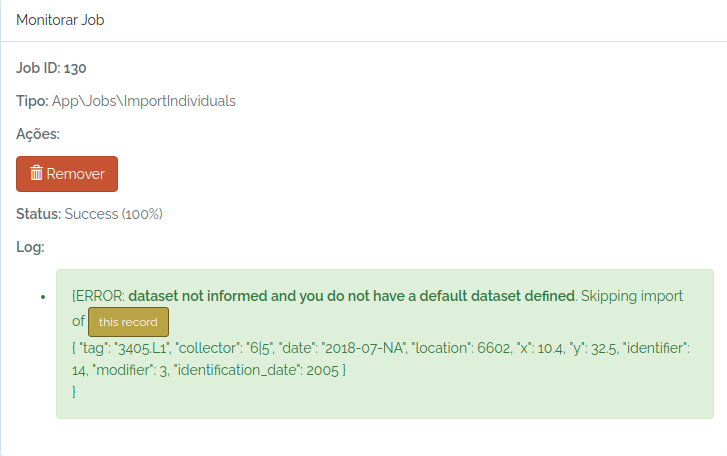
So, I just inform an existing dataset and try again:
dataset = odb_get_datasets(params=list(name="Dataset test"),odb_cfg=cfg)
dataset
to.odb$dataset = dataset$id
odb_import_individuals(to.odb,odb_cfg = cfg)
The individual was imported. The image below shows the individual (yellow dot) mapped in the plot:
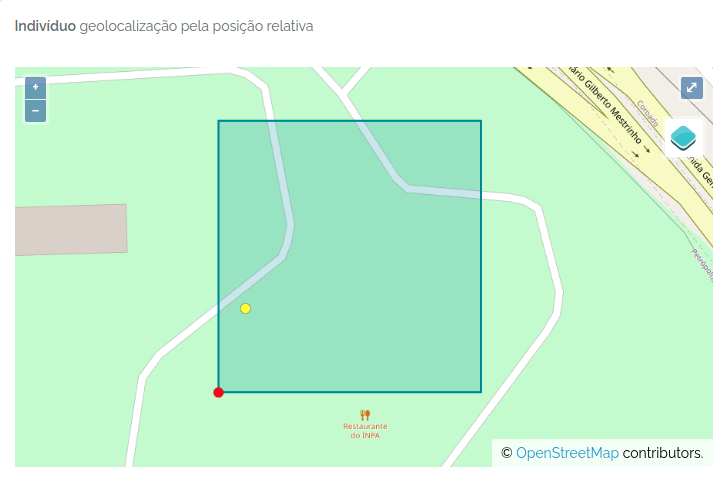
Importing Individuals and Vouchers at once
Individuals are the actual object that has most of the information related to Vouchers, which are samples in a Biocollection. Therefore, you may import an individual record with the specification of one or more vouchers.
#a fake plant record somewhere in the Amazon
aplant =  data.frame(taxon="Duckeodendron cestroides", date="2021-09-09", latitude=-2.34, longitude=-59.845,angle=NA,distance=NA, collector="Oliveira, A.A. de|João Batista da Silva", tag="3456-A",dataset=1)

#a fake set of vouchers for this individual
herb = data.frame(biocollection=c("INPA","NY","MO"),biocollection_number=c("12345A","574635","ANOTHER FAKE CODE"),biocollection_type=c(2,3,3))

#add this dataframe to the object
aplant$biocollection = NA
aplant$biocollection = list(herb)

#another fake plant
asecondplant =  data.frame(taxon="Ocotea guianensis", date="2021-09-09", latitude=-2.34, longitude=-59.89,angle=240,distance=50, collector="Oliveira, A.A. de|João Batista da Silva", tag="3456",dataset=1)
asecondplant$biocollection = NA

#merge the fake data
to.odb = rbind(aplant,asecondplant)

library(opendatabio)
base_url="https://opendb.inpa.gov.br/api"
token ="GZ1iXcmRvIFQ" #this must be your token not this value
cfg = odb_config(base_url=base_url, token = token)

odb_import_individuals(to.odb, odb_cfg=cfg)
Check the imported data
The script above has created records for both the Individual and Voucher model:
#get the imported individuals using a wildcard
inds = odb_get_individuals(params = list(tag='3456*'),odb_cfg = cfg)
inds[,c("basisOfRecord","scientificName","organismID","decimalLatitude","decimalLongitude","higherGeography") ]
Will return:
basisOfRecord           scientificName                               organismID decimalLatitude decimalLongitude                      higherGeography
1      Organism        Ocotea guianensis   3456 - Oliveira - UnnamedPoint_5989234         -2.3402         -59.8904 Brasil | Amazonas | Rio Preto da Eva
2      Organism Duckeodendron cestroides 3456-A - Oliveira - UnnamedPoint_5989234         -2.3400         -59.8900 Brasil | Amazonas | Rio Preto da Eva
And the vouchers:
#get the vouchers imported with the first plant data
vouchers = odb_get_vouchers(params = list(individual=inds$id),odb_cfg = cfg)
vouchers[,c("basisOfRecord","scientificName","organismID","collectionCode","catalogNumber") ]
Will return:
basisOfRecord           scientificName                            occurrenceID collectionCode     catalogNumber
1 PreservedSpecimens Duckeodendron cestroides          3456-A - Oliveira -INPA.12345A           INPA            12345A
2 PreservedSpecimens Duckeodendron cestroides 3456-A - Oliveira -MO.ANOTHER FAKE CODE             MO ANOTHER FAKE CODE
3 PreservedSpecimens Duckeodendron cestroides            3456-A - Oliveira -NY.574635             NY            574635
Import Vouchers for Existing Individuals
Attention
- Vouchers are samples of Individuals deposited in BioCollections. If the Biocollection is a genetic resource, the Voucher may just represent a DNA or tissue sample.
- Therefore, Vouchers must belong to an Individual and to a BioCollection, which are the mandatory information to register vouchers. Collectors, collection date, location and taxonomic identity may just be extracted from the Individual’s record.
- A Voucher may have its own collector, collector number and collecting date, different from the Individual it belongs to, when needed.
The mandatory fields are:
individual= individual id or fullname (organismID);biocollection= acronym or id of the BioCollection - useodb_get_biocollections()to check if it is registered, otherwise, first store the BioCollection in in the database;
For additional fields see Voucher POST API.
A simple voucher import
#a holotype voucher with same collector and date as individual
onevoucher = data.frame(individual=1,biocollection="INPA",biocollection_number=1234,biocollection_type=1,dataset=1)
library(opendatabio)
base_url="https://opendb.inpa.gov.br/api"
token ="GZ1iXcmRvIFQ" #this must be your token not this value
cfg = odb_config(base_url=base_url, token = token)

odb_import_vouchers(onevoucher, odb_cfg=cfg)

#get the imported voucher
voucher = odb_get_vouchers(params=list(individual=1),cfg)
vouchers[,c("basisOfRecord","scientificName","occurrenceID","collectionCode","catalogNumber") ]
Different voucher for an individual
Two vouchers for the same individual, one with the same collector and date as the individual, the other at different time and by other collectors.
#one with same date and collector as individual
one = data.frame(individual=2,biocollection="INPA",biocollection_number=1234,dataset=1,collector=NA,number=NA,date=NA)
#this one with different collector and date
two= data.frame(individual=2,biocollection="INPA",biocollection_number=4435,dataset=1,collector="Oliveira, A.A. de|João Batista da Silva",number=3456,date="1991-08-01")


library(opendatabio)
base_url="https://opendb.inpa.gov.br/api"
token ="GZ1iXcmRvIFQ" #this must be your token not this value
cfg = odb_config(base_url=base_url, token = token)


to.odb = rbind(one,two)
odb_import_vouchers(to.odb, odb_cfg=cfg)

#get the imported voucher
voucher = odb_get_vouchers(params=list(individual=2),cfg)
voucher[,c("basisOfRecord","scientificName","occurrenceID","collectionCode","catalogNumber") ]
Output of imported records:
basisOfRecord scientificName                     occurrenceID collectionCode catalogNumber    recordedByMain
1 PreservedSpecimens   Unidentified plot tree - Vicentini -INPA.1234           INPA          1234     Vicentini, A.
2 PreservedSpecimens   Unidentified       3456 - Oliveira -INPA.4435           INPA          4435 Oliveira, A.A. de
7.2.9 - Import Measurements
Attention
- Measurement have one restriction: duplicated measurement values or categories for the same object_id and same date will not be imported unless you specify a
duplicated=1with for the record. - Measurements are straightforward, but you need to grap some info from other models to import them. You need to provide a
datasetfor which you do have permissions,trait_id(export_name or id),value(content varies depending on trait type),date(a complete or incomplete date),person(person that measured),object_type(one of taxon, individual, voucher or location) andobject_id(its odb id). For LINK trait type you must provide alink_idcolumn, and ‘value’ becomes optional for this specific case. - TIP: To link among measurements for different traits you may add standard keys to the
notemeasurement field. For example, you measure LeafLength and LeafWidth for the same leaves, so in both measurements add “leaf1” ,“leaf2” to the note field to link them. Also, if you measure DBH and DBH.POM in a forest plot inventory and have several stems for a plant, you may add “stem1”,“stem2” to permit matching a stem DBH to its specific height of measurement. This kind of link may be useful in analyses. - Several validations will happen during measurement importation. Consider verifying the data locally before submitting a job to facilitate troubleshooting, and guarantee the values are consistent with your expectations. You will not be able to UPDATE nor DELETE measurements with the API, so, avoid importing several measurements that will require fixing afterwards (one by one).
- For Quantitative Traits, OpenDataBio cannot validate that your measurements are in the same unit as the Trait definition. Therefore, check which unit the trait has, and convert your data accordingly before uploading.
Measurements can be imported using odb_import_measurements(). Read carefully the Measurements POST API.
Quantitative measurements
library(opendatabio)
base_url="https://opendb.inpa.gov.br/api"
token ="GZ1iXcmRvIFQ" #this must be your token not this value
cfg = odb_config(base_url=base_url, token = token)

#get the trait id from the server (check that trait exists)
#generate some fake data for 10 measurements

dbhs = sample(seq(10,100,by=0.1),10)
object_ids = sample(1:3,length(dbhs),replace=T)
dates = sample(as.Date("2000-01-01"):as.Date("2000-03-31"),length(dbhs))
dates = lapply(dates,as.Date,origin="1970-01-01")
dates = lapply(dates,as.character)
dates = unlist(dates)


to.odb = data.frame(
  trait_id = 'dbh',
  value = dbhs,
  date = dates,
  object_type = 'Individual',
  object_id=object_ids,
  person="Oliveira, A.A. de",
  dataset = 1,
  notes = "some fake measurements",
  stringsAsFactors=F)

#this will only work if the person exists, the individual ids exist
#and if the trait with export_name=dbh exist
odb_import_measurements(to.odb,odb_cfg=cfg)
Get the imported data:
dad = odb_get_measurements(params = list(dataset=1),odb_cfg=cfg)
dad[,c("id","basisOfRecord", "measured_type", "measured_id", "measurementType",
  "measurementValue", "measurementUnit", "measurementDeterminedDate",
  "datasetName", "license")]
id      basisOfRecord           measured_type measured_id measurementType measurementValue measurementUnit measurementDeterminedDate
1   1 MeasurementsOrFact App\\Models\\Individual           3             dbh             86.8     centimeters                2000-02-19
2   2 MeasurementsOrFact App\\Models\\Individual           2             dbh             84.8     centimeters                2000-03-25
3   3 MeasurementsOrFact App\\Models\\Individual           2             dbh             65.7     centimeters                2000-03-15
4   4 MeasurementsOrFact App\\Models\\Individual           3             dbh             88.0     centimeters                2000-03-05
5   5 MeasurementsOrFact App\\Models\\Individual           3             dbh             35.3     centimeters                2000-01-04
6   6 MeasurementsOrFact App\\Models\\Individual           2             dbh             36.0     centimeters                2000-03-23
7   7 MeasurementsOrFact App\\Models\\Individual           2             dbh             78.6     centimeters                2000-03-22
8   8 MeasurementsOrFact App\\Models\\Individual           2             dbh             69.7     centimeters                2000-03-09
9   9 MeasurementsOrFact App\\Models\\Individual           3             dbh             12.3     centimeters                2000-01-30
10 10 MeasurementsOrFact App\\Models\\Individual           3             dbh             14.7     centimeters                2000-01-18
   datasetName   license
1  Dataset test CC-BY 4.0
2  Dataset test CC-BY 4.0
3  Dataset test CC-BY 4.0
4  Dataset test CC-BY 4.0
5  Dataset test CC-BY 4.0
6  Dataset test CC-BY 4.0
7  Dataset test CC-BY 4.0
8  Dataset test CC-BY 4.0
9  Dataset test CC-BY 4.0
10 Dataset test CC-BY 4.0
Categorical measurements
Categories MUST be informed by their ids or name in the value field. For CATEGORICAL or ORDINAL traits, value must be single value. For CATEGORICAL_MULTIPLE, value may be one or multiple categories ids or names separated by one of | or ; or ,.
library(opendatabio)
base_url="https://opendb.inpa.gov.br/api"
token ="GZ1iXcmRvIFQ" #this must be your token not this value
cfg = odb_config(base_url=base_url, token = token)

#a categorical trait
(odbtraits = odb_get_traits(params=list(name="specimenFertility"),odb_cfg = cfg))

#base line
to.odb = data.frame(trait_id = odbtraits$id, date = '2021-07-31', stringsAsFactors=F)

#the plant was collected with both flowers and fruits, so the value are the two categories
value = c("Flowers","Fruits")

#get categories for this trait if found
(cats = odbtraits$categories[[1]])
#check that your categories are registered for the trait and get their ids
value = cats[match(value,cats$name),'id']
#make multiple categories ids a string value
value = paste(value,collapse=",")

to.odb$value = value

#this links to a voucher
to.odb$object_type = "Voucher"

#get voucher id from API (must be ID).
#Search for collection number 1234
odbspecs = odb_get_vouchers(params=list(number="3456-A"),odb_cfg=cfg)
to.odb$object_id = odbspecs$id[1]

#get dataset id
odbdatasets = odb_get_datasets(params=list(name='Dataset test'),odb_cfg=cfg)
head(odbdatasets)
to.odb$dataset = odbdatasets$id

#person that measured
odbperson = odb_get_persons(params=list(search='ana cristina sega'),odb_cfg=cfg)
to.odb$person = odbperson$id

#import'
odb_import_measurements(to.odb,odb_cfg=cfg)

#get imported
dad = odb_get_measurements(params = list(voucher=odbspecs$id[1]),odb_cfg=cfg)
dad[,c("id","basisOfRecord", "measured_type", "measured_id", "measurementType",
       "measurementValue", "measurementUnit", "measurementDeterminedDate",
       "datasetName", "license")]
id      basisOfRecord        measured_type measured_id   measurementType measurementValue measurementUnit
1 11 MeasurementsOrFact App\\Models\\Voucher           1 specimenFertility  Flowers, Fruits              NA
  measurementDeterminedDate  datasetName   license
1                2021-07-31 Dataset test CC-BY 4.0
Color measurements
For color values you have to enter color as their hex RGB strings codes, so they can be rendered graphically and in the web interface. Therefore, any color value is allowed, and it would be easier to use the palette colors in the web interface to enter such measurements. Package gplots allows you to convert color names to hex RGB codes if you want to do it through the API.
library(opendatabio)
base_url="https://opendb.inpa.gov.br/api"
token ="GZ1iXcmRvIFQ" #this must be your token not this value
cfg = odb_config(base_url=base_url, token = token)

#get the trait id from the server (check that trait exists)
odbtraits = odb_get_traits(odb_cfg=cfg)
(m = match(c("fruitColor"),odbtraits$export_name))

#base line
to.odb = data.frame(trait_id = odbtraits$id[m], date = '2014-01-13', stringsAsFactors=F)

#get color value
#install.packages("gplots",dependencies = T)
library(gplots)
(value =  col2hex("red"))
to.odb$value = value

#this links to a specimen
to.odb$object_type = "Individual"
#get voucher id from API (must be ID). Search for collection number 1234
odbind = odb_get_individuals(params=list(tag='3456'),odb_cfg=cfg)
odbind$scientificName
to.odb$object_id = odbind$id[1]

#get dataset id
odbdatasets = odb_get_datasets(params=list(name='Dataset test'),odb_cfg=cfg)
head(odbdatasets)
to.odb$dataset = odbdatasets$id

#person that measured
odbperson = odb_get_persons(params=list(search='ana cristina sega'),odb_cfg=cfg)
to.odb$person = odbperson$id

odb_import_measurements(to.odb,odb_cfg=cfg)
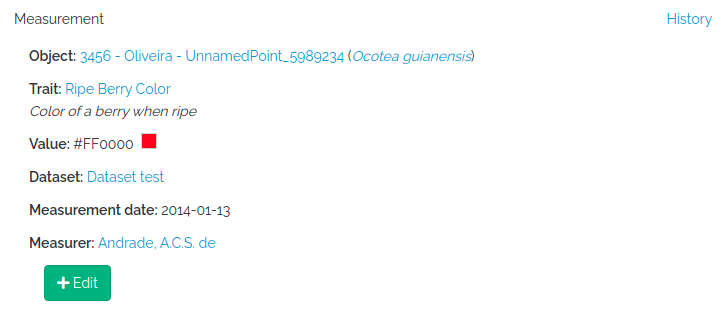
Database link type measurements
The LINK trait type allows one to register count data, as for example the number of individuals of a species at a particular location. You have to provide the linked object (link_id), which may be a Taxon or a Voucher depending on the trait definition, and then value recieves the numeric count.
library(opendatabio)
base_url="https://opendb.inpa.gov.br/api"
token ="GZ1iXcmRvIFQ" #this must be your token not this value
cfg = odb_config(base_url=base_url, token = token)

#get the trait id from the server (check that trait exists)
odbtraits = odb_get_traits(odb_cfg=cfg)
(m = match(c("taxonCount"),odbtraits$export_name))

#base line
to.odb = data.frame(trait_id = odbtraits$id[m], date = '2014-01-13', stringsAsFactors=F)

#the taxon to link the count value
odbtax = odb_get_taxons(params=list(name='Ocotea guianensis'),odb_cfg=cfg)
to.odb$link_id = odbtax$id

#now add the count value for this trait type
#this is optional for this measurement,
#however, it would make no sense to include such link without a count in this example
to.odb$value = 23

#a note to clarify the measurement (optional)
to.odb$notes = 'No voucher, field identification'

#this measurement will link to a location
to.odb$object_type = "Location"
#get location id from API (must be ID).
#lets add this to a transect
odblocs = odb_get_locations(params=list(adm_level=101,limit=1),odb_cfg=cfg)
to.odb$object_id = odblocs$id

#get dataset id
odbdatasets = odb_get_datasets(params=list(name='Dataset test'),odb_cfg=cfg)
head(odbdatasets)
to.odb$dataset = odbdatasets$id

#person that measured
odbperson = odb_get_persons(params=list(search='ana cristina sega'),odb_cfg=cfg)
to.odb$person = odbperson$id

odb_import_measurements(to.odb,odb_cfg=cfg)
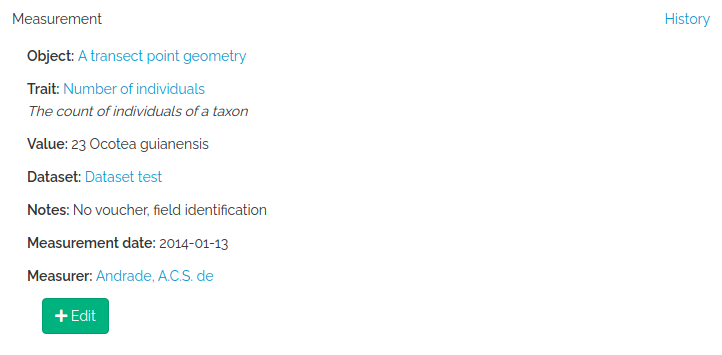
Spectral measurements
value must be a string of spectrum values separated by “;”. The number of concatenated values must match the Trait value_length attribute of the trait, which is extracted from the wavenumber range specification for the trait. So, you may easily check this before importing with odb_get_traits(params=list(fields='all',type=9),cfg)
library(opendatabio)
base_url="https://opendb.inpa.gov.br/api"
token ="GZ1iXcmRvIFQ" #this must be your token not this value
cfg = odb_config(base_url=base_url, token = token)

#read a spectrum
spectrum = read.table("1_Sample_Planta-216736_TAG-924-1103-1_folha-1_abaxial_1.csv",sep=",")

#second column are  NIR leaf absorbance values
#the spectrum has 1557 values
nrow(spectrum)
#[1] 1557
#collapse to single string
value = paste(spectrum[,2],collapse = ";")
substr(value,1,100)
#[1] "0.6768057;0.6763237;0.6755353;0.6746023;0.6733549;0.6718447;0.6701176;0.6682984;0.6662288;0.6636459;"

#get the trait id from the server (check that trait exists)
odbtraits = odb_get_traits(odb_cfg=cfg)
(m = match(c("driedLeafNirAbsorbance"),odbtraits$export_name))

#see the trait
odbtraits[m,c("export_name", "unit", "range_min", "range_max",  "value_length")]
#export_name       unit range_min range_max value_length
#6 driedLeafNirAbsorbance absorbance   3999.64  10001.03         1557

#must be true
odbtraits$value_length[m]==nrow(spectrum)
#[1] TRUE

#base line
to.odb = data.frame(trait_id = odbtraits$id[m], value=value, date = '2014-01-13', stringsAsFactors=F)

#this links to a voucher
to.odb$object_type = "Voucher"
#get voucher id from API (must be ID).
#search for a collection number
odbspecs = odb_get_vouchers(params=list(number="3456-A"),odb_cfg=cfg)
to.odb$object_id = odbspecs$id[1]

#get dataset id
odbdatasets = odb_get_datasets(params=list(name='Dataset test'),odb_cfg=cfg)
to.odb$dataset = odbdatasets$id

#person that measured
odbperson = odb_get_persons(params=list(search='adolpho ducke'),odb_cfg=cfg)
to.odb$person = odbperson$id

#import
odb_import_measurements(to.odb,odb_cfg=cfg)
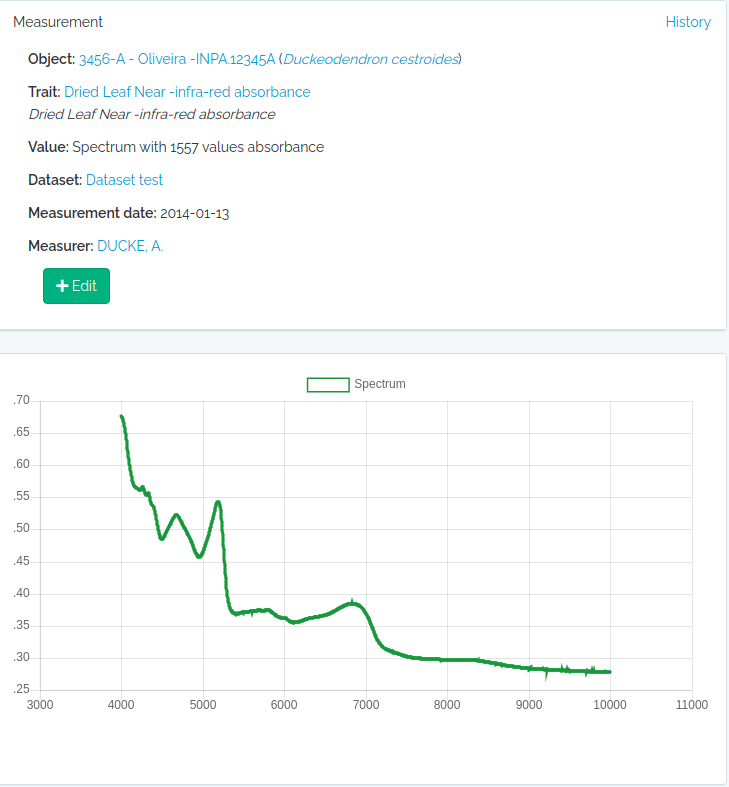
Text measurements
Just add the text to the value field and proceed as for the other trait types.